
Soundstream Tarantula AL.3 User manual

FCC ID NOTICE
This device complies with Part 15 of the FCC rules. Operation is subject to the following conditions:
1. This device may not cause harmful interference, and
2. This device must accept any interference received, including interference that may cause undesired operation.
CAUTION: Changes or modifications not expressly approved by the part responsible for compliance void the user’s authority to operate
this device.
AL.3
AUTO SECURITY SYSTEM
USER’S OPERATION GUIDE
REV.6

BUTTON BUTTON CHIRP/ SYSTEM FUNCTION
ICON DURATION FLASH
OWNER'S MANUAL
QUICK VIEW (2WAY REMOTE)
1 SECOND 1 ARM ALARM / LOCK DOOR’S
3 SECONDS 1 ACTIVATE PANIC MODE
PRESS THEN
RELEASE THEN
PRESS & HOLD
1ACTIVATE CONSTANT LOCK
OUTPUT
1 SECOND 2DISARM ALARM / UNLOCK DOOR’S
1 SECOND - 1 SECOND 3 DRIVER’S DOOR PRIORITY
UNLOCK
PRESS AND HOLD
FOR 3 SECONDS 1 AUX-1 OUTPUT
AL.3
PRESS AND RELEASE 1-2
1-1 STATUS CHECK
STATUS CHECK WILL TURN ON THE BACK LIGHT THEN DISPLAY
THE DOOR LOCK/ ALARM STATUS.
#
PRESS AND HOLD FOR
3 SECONDS 2-1 ACTIVATES TRUNK RELEASE

BUTTON BUTTON CHIRP/ SYSTEM FUNCTION
ICON DURATION FLASH
OWNER'S MANUAL
REMOTE)
AL.3
#
PRESS TOGETHER
FOR 1 SECOND
FLASH
ONLY SILENT LOCK/ UNLOCK
&
PRESS TOGETHER
FOR 3 SECONDS TUNE ENTER CLOCK ADJUST MODE
&
PRESS TOGETHER
FOR 3 SECONDS 1 AUX-2 OUTPUT
&
PRESS TOGETHER
FOR 3 SECONDS 1 AUX-3 OUTPUT
&
PRESS TOGETHER
FOR 3 SECONDS
VIB/
TUNE ENTER VIBRATION MODE
&#
LOCK THEN START
WITHIN 3 SECONDS 1-1 TEMPORARY SHOCK
SENSOR BYPASS

BUTTON BUTTON CHIRP/ SYSTEM FUNCTION
ICON DURATION FLASH
OWNER'S MANUAL
QUICK VIEW (1WAY REMOTE)
1 SECOND 1 ARM ALARM / LOCK DOOR’S
3 SECONDS 1 ACTIVATE PANIC MODE
PRESS THEN
RELEASE THEN
PRESS & HOLD
1ACTIVATE CONSTANT LOCK
OUTPUT
1 SECOND 2DISARM ALARM / UNLOCK DOOR’S
1 SECOND - 1 SECOND 3 DRIVER’S DOOR PRIORITY
UNLOCK
AL.3
3 SECONDS 1 AUX-1 OUTPUT
PRESS AND HOLD FOR
3 SECONDS 2-1 ACTIVATES TRUNK RELEASE
PRESS TOGETHER
FOR 1 SECOND
FLASH
ONLY SILENT LOCK/ UNLOCK
&

BUTTON BUTTON CHIRP/ SYSTEM FUNCTION
ICON DURATION FLASH
OWNER'S MANUAL
AL.3
LOCK THEN START
WITHIN 3 SECONDS 1-1 TEMPORARY SHOCK
SENSOR BYPASS
PRESS TOGETHER
FOR 3 SECONDS 1 AUX-2 OUTPUT
&
PRESS TOGETHER
FOR 3 SECONDS 1 AUX-3 OUTPUT
&

LOCK/ ARM ALARM
Press and release the Lock Button to lock the vehicle’s doors (if door locks are connected).
The park lights will flash once and the siren/horn will honk/chirp once. The LED’s on the antenna
will begin to flash (Programmable). The system will arm then monitor the vehicle’s doors, hood
and shock sensor. If any zone is violated the alarm will activate. The 2way remote will display
the large Lock icon when locked.(Some options will require additional parts and/or labour).
UNLOCK/ DISARM ALARM
Press and release the Unlock Button to unlock the vehicle’s doors (if door locks are connected).
The park lights will flash twice and the siren/horn will honk/chirp twice. The LED’s on the
antenna will stop flashing. If an alarm model was installed the system will disarm. If the alarm
was triggered pressing Unlock once will turn off the siren, pressing Unlock a second time will
unlock and disarm the alarm. The 2way remote will display the large Unlock icon when
unlocked.(Some options will require additional parts and/or labour).
DRIVER’S PRIORITY UNLOCK
When this option is installed and programmed, pressing the Unlock Button once will unlock the
driver’s door. Pressing the Unlock Button a second time will unlock the rest of the vehicle’s
doors. The 2way remote will display the large Unlock icon when this feature is activated.(Some
options will require additional parts and/or labour).
TRUNK RELEASE
Press and hold the Trunk Button for 3 to 5 seconds to activate the trunk release. When
activated the park lights will flash twice and the siren/horn will honk/chirp twice, the doors will
unlock and the trunk will open. The 2way remote will display the large Unlock icon and the Trunk
icon when activated.(Some options will require additional parts and/or labour).
SILENT LOCK/UNLOCK
If you wish to Lock/ Arm or Unlock/ Disarm your vehicle without siren chirps or horn honks on
specific occasions, you can do so by pressing the Lock and Unlock Buttons at the same time for
2 seconds. The system will toggle between lock and unlock without any audible confirmation.
CAR FINDER
Car finder mode can be used to locate your vehicle in a crowded parking lot. Press and hold the
Unlock and Trunk Buttons together for 3 seconds. The park lights five times and the siren/horn
will honk/chirp five times.
OWNER'S MANUAL
AL.3

AUXILIARY OUTPUTS
PANIC MODE
Press and hold the Lock Button for 3-5 seconds. Panic Mode will flash the park lights and
activate the siren. The lights and siren will stay active for 60 seconds then turn off. To disable
panic mode press and release Lock or Unlock on the remote.
The auxiliary outputs can be used to control options such as power windows, sun roofs, power
lift gates, etc. (Some options will require additional parts and/or labour).
AUXILIARY 1 OUTPUT
Press and hold the Star Button for 3 to 5 seconds to activate the auxiliary 1 output. When
activated the park lights will flash twice, the siren/horn will honk/chirp twice, the doors will unlock
then the auxiliary will activate. The 2-way remote will display A1 when activated.
The 2-way remote will beep and
flash from blue to red when in Panic Mode.
AUXILIARY 2 OUTPUT
Press and hold the Unlock and Trunk Buttons for 3 to 5 seconds to activate the auxiliary 2
output. When activated the park lights will flash twice, the siren/horn will honk/chirp twice, the
doors will unlock then the auxiliary will activate. The 2-way remote will display A1 when
activated.
AUXILIARY 3 OUTPUT
Press and hold the Trunk and Star Buttons for 3 to 5 seconds to activate the auxiliary 3 output.
When activated the park lights will flash twice, the siren/horn will honk/chirp twice, the doors will
unlock then the auxiliary will activate. The 2-way remote will display A1 when activated.
VIBRATION MODE (2WAY REMOTE)
The 2way remote transmitter can be programmed not to beep and to vibrate only when a
command is completed. Press and hold the Trunk and # Buttons for 3 seconds. The remote will
vibrate to confirm Vibration Mode. To exit press and hold the Trunk and # Buttons for 3 seconds.
The remote will beep to confirm that audible confirmation is turned back on.
TEMPORARY SHOCK BYPASS
If the vehicle is being parked in a area with a lot of vibration i.e. the airport or a construction
site, the shock sensor can be temporarily turn off to prevent false alarms. When Locking/ Arming
the alarm press and release the Start Button within 3 seconds of pressing Lock/Arm Button.
OWNER'S MANUAL
AL.3

OWNER'S MANUAL
TRANSMITTER
ARM
PM
12:15
PAGER
1
F
PROGRAM
TRANSMITTER LEARNING
The system can lean up to 4 different remote transmitter codes. Each remote to be used MUST
be programmed together during the same sequence. For security, when a new remote is
programmed all previous remote’s that are not reprogrammed at this time will be deleted.
1- Cycle the ignition key ON-OFF-ON-ON.
2- Press and hold the Button on the antenna, the park lights will turn on and the siren/horn
(optional) will chirp/honk once. (Continue Holding antenna Button).
3- After 5 seconds the park lights will turn off and the siren/horn will chirp/honk 5 times to
indicate you have entered Transmitter Learning Mode.
4- Press the Lock Button on each of the transmitters to be programmed.. The park lights will
flash and siren/horn will chirp/honk once to indicate successfully learning of each transmitter.
5- Turn the ignition key OFF to exit remote Program mode.
DUAL CAR OPERATION (CAR-1 / CAR-2)
2 WAY REMOTE ONLY
The 2way remote transmitter can be programmed to a second vehicle to
control the alarm and remote starter feature. By default the remote is set to
CAR-1, this is indicated by number 1 on the LCD screen. In CAR-1 the LCD
back light is blue, in CAR-2 mode the back light is red.
The second vehicle must also have the same model 2way starter installed. To
Program the remote in second car mode,
1- Press and hold the # Button until the Program icon appears.
2- Press and release the Lock Button until the number 1 icon turns on.
3- Press the Trunk Button to change form 1 to 2.
4- Press # to exit.
Now that the remote is set for CAR-2 “2". You can Program it along with the other remote’s to
the second vehicle. The remote now control the second vehicle functions. To go back to CAR-1
operation follow the steps above. Press the Unlock Button instead of Trunk to change back to
CAR-1 “1".
AL.3

OWNER'S MANUAL
Enter Clock Adjustment Mode,
1- Press and Hold the Lock and # Buttons for 3-5 seconds.
2- The remote will play the Program tune.
3- The PROGRAM icon will turn on and the minute portion of the clock will
start to flash.
Clock Adjustment
The clock must be set when the remote battery is removed or replaced. Follow the steps
below to set or adjust the clock.
ARM
PM
12:45
PAGER
1
F
Setting the Minutes
1- Press and release the Unlock Button to decrease the Minutes.
2- Press and release the Trunk Button to increase the Minutes.
3- To Select the Hour press and release the Lock Button.
3- To exit press and release the # Button.
ARM
PM
12:15
PAGER
1
F
PROGRAM
PROGRAM
Setting the Hour
1- Press and release the Unlock Button to decrease the Hour.
2- Press and release the Trunk Button to increase the Hour.
3- To Select the Minutes press and release the Lock Button.
3- To exit press and release the # Button.
ARM
PM
1:15
PAGER
1
F
PROGRAM
Exit Clock Adjustment Mode
1- Press and release the # Button.
2- The remote will exit Clock Adjustment Mode.
3- The PROGRAM icon will turn off.
*If no Buttons are pressed for 15 seconds the remote will automatically exit
Clock Adjustment Mode.
ARM
PM
1:15
PAGER
1
F
AL.3

OWNER'S MANUAL
Enter Program Mode,
1- Press and Hold the # Button for 3-5 seconds.
2- The remote will play the Program tune.
3- The PROGRAM icon will turn on and start to flash.
4- Press and release the Lock Button to cycle through the settings.
REMOTE PROGRAMMABLE FEATURES
This feature allows the user to Program certain system features using the remote transmitter.
24H- N/A
PM
12:15
PROGRAM
PAGER- Turn Pager Mode ON or OFF.
1- Press and release the Lock Button to select the PAGER icon.
2- Press and release the Unlock Button to turn the Pager ON.
3- Press and release the Trunk Button to turn the Pager OFF.
4- Press and release the # Button to exit or Lock to continue to the next
programmable setting.
PM
1:15
PAGER
PROGRAM
PM
12:15
PAGER
PROGRAM
VALET- Turn Valet Mode ON or OFF.
1- Press and release the Lock Button to select the VALET icon.
2- Press and release the Unlock Button to turn the Valet ON.
3- Press and release the Trunk Button to turn the Valet OFF.
4- Press and release the # Button to exit or Lock to continue to the next
programmable setting.
PM
1:15
PROGRAM
24H
VALET
AL.3
Other manuals for Tarantula AL.3
1
Table of contents
Other Soundstream Car Alarm manuals


Popular Car Alarm manuals by other brands


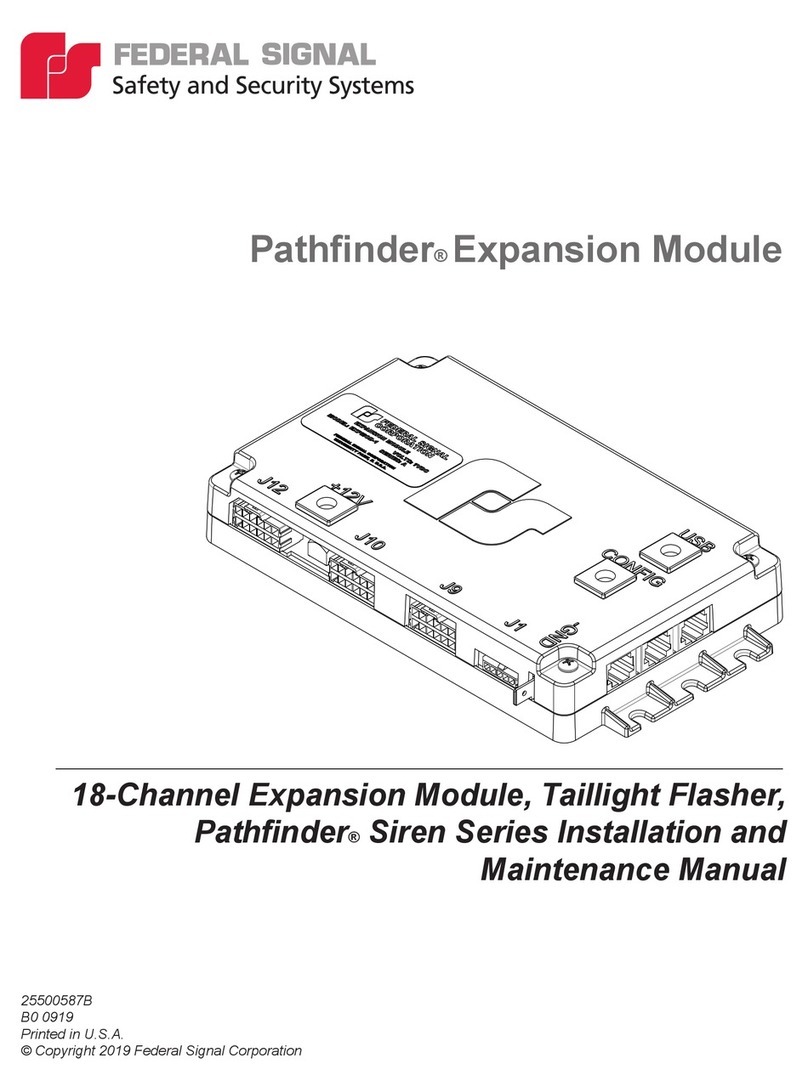
Federal Signal Corporation
Federal Signal Corporation Pathfinder Siren Series Installation and maintenance manual

Falcon
Falcon Predator XL3 Installer manual

Audiovox
Audiovox Auto Security XR91 Programming guide

Clifford
Clifford Sabre II owner's manual

CrimeStopper
CrimeStopper CS-8717 Wiring diagram

Ultra Start
Ultra Start 450 SERIES install guide


