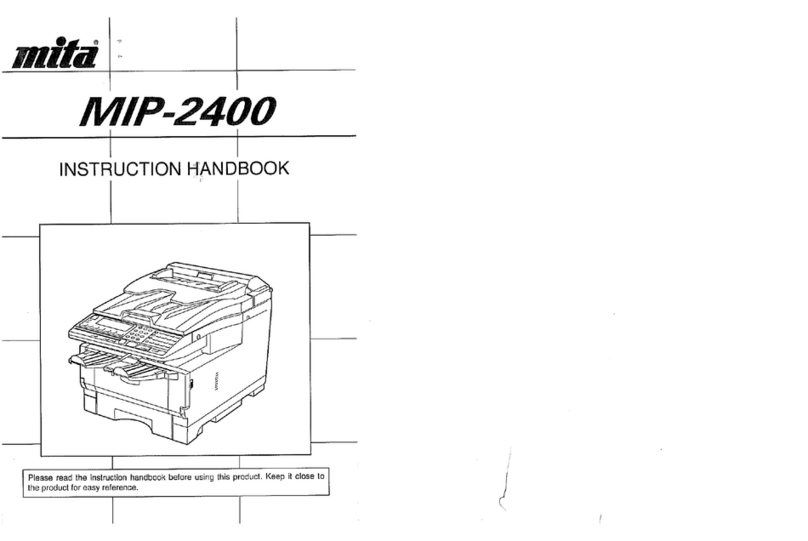
Ricoh FT3813, FT4615, FT4618 User manual

FT3813/4615/4618 OPERATING INSTRUCTIONS
)76;46279482794;
)76;46279482794;)76;46279482794;
)76;46279482794;
OPERATING INSTRUCTIONS
Read this manual carefully before you use this product and keep it handy for future
reference.
For safety, please follow the instructions in this manual.
RICOH COMPANY, LTD.
15-5, 1 chome, Minami-Aoyama, Minato-ku, Tokyo
Telephone: Tokyo 3479-3111
Overseas Affiliates
U.S.A.
RICOH CORPORATION
5 Dedrick Place
West Caldwell, New Jersey 07006
Phone: +1-973-882-2000
The Netherlands
RICOH EUROPE B.V.
Groenelaan 3, 1186 AA,
Amstelveen
Phone: +31-(0)20-5474111
United Kingdom
RICOH UK LTD.
Ricoh House,
1 Plane Tree Crescent, Feltham,
Middlesex, TW13 7HG
Phone: +44-(0)181-261-4000
Germany
RICOH DEUTSCHLAND GmbH
Mergenthalerallee 38-40,
65760 Eschborn
Phone: +49-(0)6196-9060
France
RICOH FRANCE S.A.
383, Avenue du Général de Gaulle
BP 307-92143 Clamart Cedex
Phone: +33-(0)1-40-94-38-38
Spain
RICOH ESPAÑA S.A.
Av.Litoral Mar, 12-14,
08005 Barcelona
Phone: +34-(0)93-295-7600
Italy
RICOH ITALIA SpA
Via della Metallurgia 12,
37139 Verona
Phone: +39-045-8181500
Hong Kong
RICOH HONG KONG LTD.
23/F., China Overseas Building,
139, Hennessy Road,
Wan Chai, Hong Kong
Phone: +852-2862-2888
Singapore
RICOH ASIA PACIFIC PTE.LTD.
260 Orchard Road,
#15-01/02 The Heeren,
Singapore 238855
Phone: +65-830-5888
Printed in China
AE AE B019-8608
KF2JrR_Cov1-4.fm Page 1 Wednesday, December 8, 1999 2:49 PM

Introduction
This manual contains detailed instructions on the operation and maintenance of this machine. To get max-
imum versatility from this machine all operators should carefully read and follow the instructions in this man-
ual. Please keep this manual in a handy place near the machine.
Please read the Safety Information before using this machine. It contains important information related to
USER SAFETY and PREVENTING EQUIPMENT PROBLEMS.
Notes:
Some illustrations may be slightly different from your machine.
Certain options may not be available in some countries. For details, please contact your local dealer.
Notes:
The model names of the machines do not appear in the following pages.
Check the model of your machine before reading this manual. (For details, see page ix)
•Type 1 : FT3813
•Type 2 : FT4615
•Type 3 : FT4618
Centain types might not be available in some countries. For details please contact your local dealer.
Two kinds of size notation are employed in this manual. With this machine refer to the metric version.
For good copy quality, Ricoh recommends that you use genuine Ricoh toner.
Ricoh shall not be responsible for any damage or expense that might result from the use of parts other than
genuine Ricoh parts in your Ricoh office product.
Power Source
220/230V, 50/60Hz, 8A or more
Please be sure to connect the power cord to a power source as above. For details about power source, see
⇒P.73 “Power Connection”.
In accordance with IEC 60417, this machine uses the following symbols for the main power switch.
ameans POWER ON.
cmeans STAND BY.
Copyright © 1999 Ricoh Co., Ltd.
KF2JrR_Cov2-3.fm Page 1 Wednesday, December 8, 1999 2:49 PM

Introduction
This manual contains detailed instructions on the operation and maintenance of this machine. To get max-
imum versatility from this machine all operators should carefully read and follow the instructions in this man-
ual. Please keep this manual in a handy place near the machine.
Please read the Safety Information before using this machine. It contains important information related to
USER SAFETY and PREVENTING EQUIPMENT PROBLEMS.
Notes:
Some illustrations may be slightly different from your machine.
Certain options may not be available in some countries. For details, please contact your local dealer.
Notes:
The model names of the machines do not appear in the following pages.
Check the model of your machine before reading this manual. (For details, see page ix)
•Type 1 : FT3813
•Type 2 : FT4615
•Type 3 : FT4618
Centain types might not be available in some countries. For details please contact your local dealer.
Two kinds of size notation are employed in this manual. With this machine refer to the metric version.
For good copy quality, Ricoh recommends that you use genuine Ricoh toner.
Ricoh shall not be responsible for any damage or expense that might result from the use of parts other than
genuine Ricoh parts in your Ricoh office product.
Power Source
220/230V, 50/60Hz, 8A or more
Please be sure to connect the power cord to a power source as above. For details about power source, see
⇒P.73 “Power Connection”.
In accordance with IEC 60417, this machine uses the following symbols for the main power switch.
ameans POWER ON.
cmeans STAND BY.
Copyright © 1999 Ricoh Co., Ltd.
KF2JrR_Cov2-3.fm Page 1 Wednesday, December 8, 1999 2:49 PM

Safety Information
When using your equipment, the following safety precautions should always
be followed.
Safety During Operation
In this manual, the following important symbols are used:
WARNING:
Ignoring this warning could cause serious injury or even
death.
CAUTION:
Ignoring this caution could cause injury or damage to property.
KF2Jr-AE-1
Safety Information
i

WARNINGS:
•
Connect the power cord directly into a wall outlet and never use
an extension cord.
•
Disconnect the power plug (by pulling the plug, not the cable) if
the power cable or plug becomes frayed or otherwise damaged.
•
To avoid hazardous electric shock or laser radiation exposure, do
not remove any covers or screws other than those specified in this
manual.
•
Turn off the power and disconnect the power plug (by pulling the
plug, not the cable) if any of the following conditions exists:
•
You spill something into the equipment.
•
You suspect that your equipment needs service or repair.
•
Your equipment’s cover has been damaged.
•
Do not incinerate spilled toner or used toner. Toner dust might ig-
nite when exposed to an open flame.
•
Disposal can take place at our authorized dealer or at appropriate
collection sites.
•
Dispose of the used toner bottle in accordance with the local regu-
lation.
KF2Jr-AE-1
Safety Information
ii

CAUTIONS:
•
Protect the equipment from dampness or wet weather, such as
rain, snow, and so on.
•
Unplug the power cord from the wall outlet before you move the
equipment. While moving the equipment, you should take care that
the power cord will not be damaged under the equipment.
•
When you disconnect the power plug from the wall outlet, always
pull the plug (not the cable).
•
Do not allow paper clips, staples, or other small metallic objects to
fall inside the equipment.
•
Keep toner (used or unused) and toner bottle out of the reach of
children.
•
For environmental reasons, do not dispose of the equipment or ex-
pended supply waste at household waste collection points. Dis-
posal can take place at an authorized dealer or at appropriate col-
lection sites.
•
The inside of the machine could be very hot. Do not touch the
parts with a label indicating the "hot surface". Otherwise it could
cause a personal burn.
•
Our products are engineered to meet high standards of quality and
functionality, and we recommend that you only use the expendable
supplies available at an authorized dealer.
•
Before moving the equipment, be sure to pull all four handles fully
out. Not doing this may result in an injury, such as getting your fin-
gers pinched. After moving the equipment, return the four handles
to their original positions.
KF2Jr-AE-1
Safety Information
iii
ENERGY STAR PROGRAM
As an ENERGY STAR Partner, we have determined
that this machine model meets the ENERGY STAR
Guidelines for energy efficiency.
The ENERGY STAR Guidelines intend to established an international energy-saving
system for developing and introducing energy-efficient office equipment to deal with
environment issues, such as global warming.
When a product meets the ENERGY STAR Guidelines for energy efficiency, the Partner
shall place the ENERGY STAR logo onto the machine model.
This products was designed to reduce the environment impact associated with office
equipment by means of energy-saving features, such as Low-power Mode.
•Low-power Mode
This product automatically lowers its power consumption 1 minute after the
last copying job has been completed. To exit Low-power mode, press the
Clear Modes/Energy Saver key. For how to change settings, ☛see page
61.
•Auto Off Mode
To conserve energy, this copier automatically turns off 30 minutes after the
last copying job has been completed. To exit the Auto Off Mode, turn on the
main switch. For how to change the default interval before entering Auto Off
mode, ☛ see page 61.
Specification
Low-power Mode Power consumption about 0.12 kW
Default interval 1 min.
Recovery time 10 sec.
Auto Off Mode Power consumption 0 W *1
Default interval 30 min.
*1 Based on Energy Star measurements.
Recycled paper
Please contact your sales or service representative for recommended recy-
cled paper types that may be used in this machine.
KF2Jr-AE-TOC2
ENERGY STAR PROGRAM
iv

TABLE OF CONTENTS
WHAT YOU CAN DO WITH THIS COPIER.................................................x
WHERE IT IS & WHAT IT IS........................................................................2
COPIER EXTERIOR AND INTERIOR ........................................................2
OPERATION PANEL ..................................................................................4
BASICS
STARTING THE COPIER ............................................................................10
When The Main Switch Is In The Standby Position....................................10
When The Energy Saver Indicator Is On.....................................................11
COPY PAPER AND TONER
COPY PAPER..............................................................................................14
Available Paper Sizes ..................................................................................14
Non-recommended Copy Paper...................................................................14
Notes For Copy Paper .................................................................................15
Paper Storage ..............................................................................................15
TONER...........................................................................................................16
Notes For Toner...........................................................................................16
Toner Storage ..............................................................................................16
ORIGINALS
RECOMMENDED ORIGINALS AND NON-RECOMMENDED ORIGINALS .....18
Recommended Originals..............................................................................18
Non-recommended Originals For The Optional Document Feeder.............18
SETTING ORIGINALS ON THE EXPOSURE GLASS ................................19
SETTING ORIGINALS IN THE OPTIONAL DOCUMENT FEEDER ..........20
Setting A Stack Of Originals ........................................................................20
Setting One Original At A Time .................................................................22
KF2Jr-AE-TOC
TABLE OF CONTENTS
v

COPYING
BASIC COPYING ..........................................................................................26
BASIC FUNCTIONS .....................................................................................28
Adjusting Copy Image Density ...................................................................28
Photo Mode ................................................................................................. 29
Copying From The Bypass Feed Table .....................................................30
Entering Copy Job Settings During The Warm-up Period (Auto Start) .....33
REDUCING AND ENLARGING ..................................................................34
Reducing And Enlarging Using Preset Ratios (Preset R/E) .......................34
Reducing And Enlarging In 1% Steps (Zoom) ...........................................35
MAKING TWO-SHEETS COPIES FROM BOOK ORIGINALS
(SERIES COPIES).........................................................................................36
FINISHING (OPTION OF TYPE 2 AND 3) ...................................................38
Sorting Into Sets (123, 123, 123) (Sort) ..................................................38
Stacking Together All Copies Of A Page (111, 222, 333) (Stack) ..........40
COPYING WITH USER CODES...................................................................42
SAVING ENERGY ........................................................................................43
COMBINATION CHART................................................................................44
WHAT TO DO IF SOMETHING GOES WRONG
IF YOUR COPIER DOES NOT OPERATE AS YOU WANT .......................46
IF YOU CANNOT MAKE COPIES AS YOU WANT.....................................48
LOADING PAPER.........................................................................................49
Loading Paper In The Paper Tray...............................................................49
ADDING TONER ...........................................................................................51
KF2Jr-AE-TOC3
TABLE OF CONTENTS
vi

CLEARING MISFEEDS ................................................................................52
Check The Misfeed Location Display ..........................................................52
When A,B Or C Is Lit ...................................................................................53
When R Is Lit ...............................................................................................53
When P Is Lit................................................................................................54
CHANGING THE COPIER’S SETTINGS
CHANGING PAPER SIZE ............................................................................56
How To Change The Paper Size Of Paper Tray.........................................56
USER TOOLS................................................................................................58
How To Access User Tools ........................................................................58
How To Change Adjustment Values Or Modes...........................................59
User Tool Menu............................................................................................60
SERVICE REPRESENTATIVE SETTINGS ..................................................68
MAINTAINING YOUR COPIER
DO’S AND DON’TS
WHERE TO PUT YOUR COPIER
REMARKS
MAINTAINING YOUR COPIER.....................................................................70
Copier...........................................................................................................70
Document Feeder (Option)...........................................................................71
WHERE TO PUT YOUR COPIER.................................................................72
Copier Environment......................................................................................72
Power Connection .......................................................................................73
Access To Copier.........................................................................................74
DO’S AND DON’TS.......................................................................................75
Copier...........................................................................................................75
Document Feeder (Option)...........................................................................75
10-bin Sorter (Option)...................................................................................75
KF2Jr-AE-TOC3
TABLE OF CONTENTS
vii
Table of contents
Other Ricoh Copier manuals

Ricoh
Ricoh MP 2014 Series User manual

Ricoh
Ricoh E7 Series Service manual

Ricoh
Ricoh FW740 User manual
Ricoh
Ricoh Aficio FX10 User manual

Ricoh
Ricoh 5490 User manual

Ricoh
Ricoh G035 User manual

Ricoh
Ricoh A163 User manual

Ricoh
Ricoh FT7060 Quick start guide

Ricoh
Ricoh DSc332 User manual

Ricoh
Ricoh MP 2000LE User manual

Ricoh
Ricoh Pro C720s User manual

Ricoh
Ricoh FT4220 Installation guide

Ricoh
Ricoh FT4430 User manual

Ricoh
Ricoh 8700W User manual

Ricoh
Ricoh Di-C1 User manual

Ricoh
Ricoh Aficio A080 User manual

Ricoh
Ricoh Afico 3030 User manual

Ricoh
Ricoh 3245e User manual

Ricoh
Ricoh Pro C550EX Installation and maintenance instructions

Ricoh
Ricoh A193 User manual