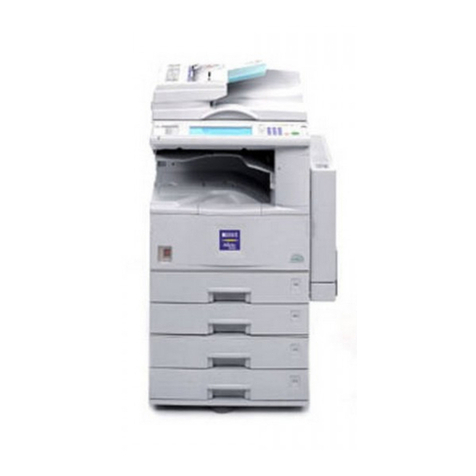
Pitney Bowes imageRUNNER 5055 User manual

imageRUNNER®
5075/5065/5055
Latest technology and security enhancements.
Full range of document handling capabilities.
Exceptional performance and productivity.
Workgroup
Imaging

imageRUNNER
5075/5065/5055
Ex c E p t i o n a l
multifunction
pErformancE
Speed, Power, and Reliability
for Demanding Environments
With a full range of document handling capa-
bilities, powerful print controller options, and
publishing management tools, the versatile
imageRUNNER 5075/5065/5055 devices
enable every employee to produce profes-
sional-quality documents with ease.
Speed, power, and reliability. What more do you need
in a high-volume system? Much more. That’s why the
imageRUNNER 5075/5065/5055 devices have been
infused with the latest technology and security advance-
ments to meet the expanding needs of today’s high-vol-
ume departments and light production environments.
Featuring Canon’s next-generation imageCHIP system
architecture for true job concurrency and exceptional
multifunction performance, these imageRUNNER devices
provide powerful capabilities to streamline workflows and
speed job completion while keeping information securely
in the hands of authorized users.
Next-generation imageRUNNER technology delivers all the tools you need
for professional results.

ad v a n c E d
f i n i s H i n g
a c c E s s o r i E s
imageRUNNER
5075/5065/5055
Bound To Increase Productivity
For Professional Results
The imageRUNNER 5075/5065/5055 devices are modular systems, allowing
you to configure paper supply and advanced finishing accessories to meet your
professional publishing requirements.
Single-Pass Duplex Scanner/Feeder
~ Efficiently scans both sides of originals
simultaneously for maximum productivity.
~ Up to 100-ipm high-speed scanning
~ 100-sheet document feeding
Robust Engine Design
Other Document
Handling Options
~ Cassette-AB1
~ Copy Tray-L1
~ Tab Feeding Attachment-B1
~ ADF Access Handle-A1
Advanced Finishing Options
~ Supports high-volume stacking, versatile 50-sheet
stapling, and professional saddle-stitched
booklet-finishing capabilities.
~ Feed preprinted stock into job streams and
automate “C” and “Z” folding tasks.
~ Ready documents for binding with in-line 2-/3-hole
punch capabilities.
Superior Paper Handling
~ Up to 110 lb. Index media weights, including
Tab Paper support.
~ A choice of two high-capacity paper decks to boost
paper capacity to a maximum of 7,650 sheets.
Note: imageRUNNER 5075 shown
with optional accessories.
Finisher-AD1 Saddle
Finisher-AD2
Document
Insertion/Folding
Unit-F1
Document
Insertion
Unit-E1
Puncher
Unit-AT1 Paper Supply
imageRUNNER
5075/5065/5055
va s t mEmory
c a p a c i t y
Exceptional Performance and Productivity
Next-generation technologies give your department a professional edge.
The imageRUNNER 5075/5065/5055 devices are
powered by Canon’s advanced imageCHIP (Concurrent
Hyper Intelligent Platform) system architecture for fast
multifunction processing and full concurrency. Its dual
CPU design rips through image data at fast speeds for
maximum productivity in high-volume environments.
Vast memory capacities of 1GB RAM and a 40GB hard
disk drive provide the virtual space to support multiple
users and workflows in busy departments.
The imageRUNNER 5075/5065/5055 models ensure that
every job is completed quickly with output speeds of up to
75/65/55 pages per minute (letter), respectively. System
operation is simplified for walk-up users through the full-
colour touch-screen interface and, for connected users,
via easy-to-use printer drivers and device management
utilities. Every employee has access to a complete range
of image and document manipulation features, including
support for 1200 x 1200-dpi* output for outstanding
image quality on every page. Plus, every imageRUNNER
5075/5065/5055 system employs Canon’s Fine Charac-
ter and Edge Enhancement Technology (FCET) for print-
ing clear, crisp text and images.
Each model is built on a solid frame to withstand the
heavy workload of busy production environments. Induc-
tion Heating (IH) Fusing technology helps reduce energy
consumption and ensure near-instant system readiness.
Long-lasting supplies and consumables deliver minimal
maintenance and maximum uptime.
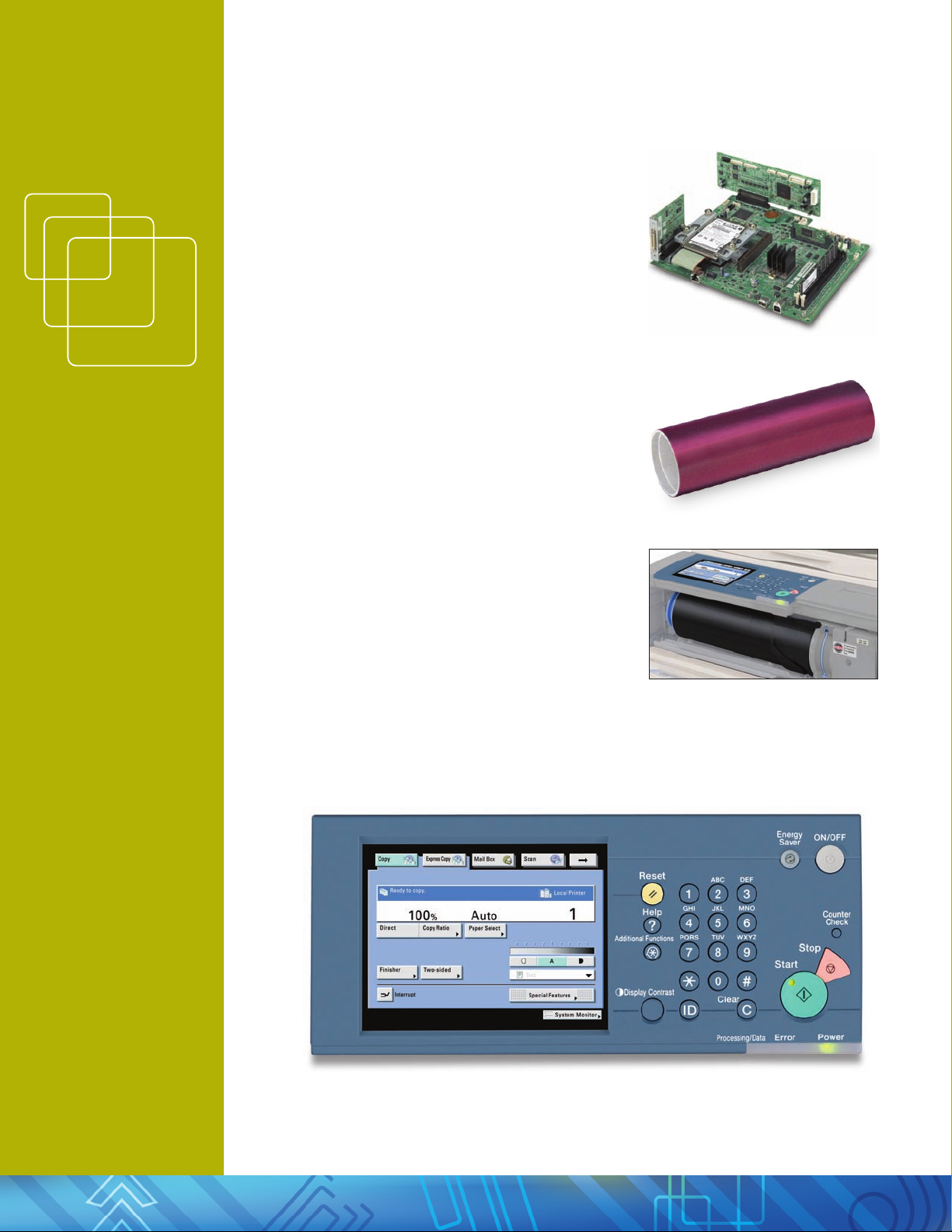
Control Panel
* Only available with certain page description languages.
imageCHIP System Architecture
A-Si Drum
“Set On” Toner Bottle

ad v a n c E d d i g i ta l
c o p y f E a t u r E s
imageRUNNER
5075/5065/5055
Professional Document Production
and Storage
Copy and store with more control than ever before.
Cascade/Remote Copy
Cascade Copy
Remote Copy
Sophisticated Copying Simplified
Supports advanced digital copy features,
like Job Block Com bination, that enables
the production of complex docu ments by
scanning multiple batches of originals saved
with different settings and printing them
as one document. Environments with more
than one imageRUNNER 5075/5065/5055
system can double their productivity with
Cascade Copy or output sets directly at the
point of need with Remote Copy. Users can
also boost programming efficiencies further
with the Express Copy UI.
Harness the Power of Print-On-Demand
Streamline document storage tasks with the
Mail Box feature – a great solution for frequent
reprinting of forms and static documents. Per-
sonalize each Mail Box with a user name, pass-
word, and document deletion period. The new
Copy and Store and Store and Print functions
streamline workflows by executing multiple tasks
in a single step while ensuring that a first-quality
digital original is automatically archived.
Professional Document Control
from the Desktop
Use Canon’s imageWARE Document Manager
Personal software to organize and manage files.
Every PC serves as a virtual exten sion of the de-
vice with the ability to archive, edit, retrieve, and
manipulate documents stored in imageRUNNER
Mail Boxes right from the desktop. Users can
build complex documents in a simple drag-and-
drop workflow for easy use, and then distribute
scanned files to any destination.
Express Copy Menu Mail Box Menu

imageRUNNER
5075/5065/5055
co m m u n i c a t E f r o m
rEmotE l o c a t i o n s
The Internet-ready imageRUNNER 5075/5065/5055
systems can be equipped with a host of features that
support information sharing. Start with bundled
TWAIN scanning for basic image capture needs with
the easy-to-use Network ScanGear utility. Add tra-
ditional Super G3 Faxing plus PC Fax capability for
convenient faxing from the desktop.
With Canon’s Universal Send technology, users can
push digital documents to any network destination
– e-mail/I-fax addresses, network folders, and local Mail
Boxes, all in one simple oper ation in popular industry
formats. These devices also offer productivity-enhancing
options, like the Searchable PDF feature, that enables
fast keyword searches, information extraction and PDF
Encryption, which adds a layer of protection to files as
they travel across the network.
Maximize the Power of the Web
Support for the Web-based Distributed Authoring and
Versioning (WebDAV) protocol facilitates employee
collabo ration over the Internet. Team members can
communicate from remote locations by scanning and
securely sending documents from an imageRUNNER
5075/5065/5055 system to a shared storage service.
*
Access to global information is at your fingertips with the
Web Access Software option. Browse the Web or cor-
porate intranet sites directly at the system’s full-colour
touch-panel display, and then view or print Internet pages
and PDF files right at the device.
**
* Requires Universal Send Kit-F1.
** Printing with the Web Access feature requires the UFR II/PCL/PS printer Kit-R1.
Professional Document Distribution
And Communication
Access, collaborate, and share information from anywhere.
Universal Send
Web Access Software

Advanced in-line
finishing options
Print
fa s t p r o c E s s i n g
imageRUNNER
5075/5065/5055
~ High Image Quality
~ Fast Processing
~ High-Speed Output
Activate the UFR II/PCL/PS Printer Kit-R1
to allow authorized users to share the
imageRUNNER 5075/5065/5055 devices as
network printers. This embedded print con-
troller supports PCL 5e/6, and PostScript® 3TM
emulation with intuitive drivers, plus Canon’s
proprietary UFR II (Ultra Fast Rendering)
lan guage for excep tional printing perfor-
mance in Windows® and Macintosh® operating
environments.
Choose the external imagePASS-S2 to gain sup-
port for genuine Adobe® PostScript 3 along with
PCL 5e/6, plus access to advanced options such
as Hot Folders and Virtual Printers, Command
Workstation®
, and EFI® Impose to manage com-
plex workflows with automated job queuing.
Professional Printing Solutions
Optional print controllers provide professional publishing tools to users.
All the tools you need for a professional high-volume document
production system.
Saddle-Stitch Booklets Z-Fold
User Inboxes
imagePASS-S2
Special Copy Features
Job Block Combination:
Combine different
settings in one job
Web Access
Information retrieval
from Internet and/or
intranet
imageWARE
Publishing Manager
Build dynamic docu-
ments using drag-and-
drop functionality
Print Driver
Page Layout, Finishing,
Paper Source, and
Quality settings
Job
Submission
Document
Storage
Document Make-Ready tools
Professional-Level Finishing

imageRUNNER
5075/5065/5055
mo n i t o r papEr
a n d s u p p l y lEvEls
Achieve Complete Control
Alter system functionality to meet your exact specifications.
Control Access by Individual User
Ensure that only authorized personnel can
access the device and the data stored inside it.
With a choice of user authentication methods,
administrators can track or limit system access
to users. Select Single Sign-On (SSO) using
network accounts, Simple Device Log-In (SDL),
or Department ID.
Meet Unique Workflows
For environments with specialized needs,
Canon’s MEAP® (Multifunctional Embedded
Application Platform) architecture allows the
system to incorporate unique software appli-
cations that run embedded in the device and
map to your specific workflows. The result is
the total integration of your imageRUNNER
5075/5065/5055 systems into the business
infrastructure by presenting customized applica-
tions to walk-up users directly from the devices’
full-colour LCD panel.
Simplify Device Discovery and Management
imageWARE Enterprise Management Console (EMC) is a
Web-based utility that simplifies and centralizes device
installation and management, whether you’re supporting
a single system or a fleet of networked devices. Versatile
and scalable, imageWARE EMC enables remote manage-
ment of device settings, discovery of new devices using
automated tasks, and device-error notification via e-mail.
Specify which users have access to the device and its
functions by setting restrictions on port usage and
acceptable MAC or IP address ranges. Administrators
can also broadcast system settings and copy Address
Books from a reference device to up to 100 other
imageRUNNER devices through the Device Informa-
tion Delivery Function (DIDF) for consistent operabil-
ity on all devices on the network.
Authorized users have total visibility to the system
through the Remote UI utility. Access device status,
job queues, and configuration information; monitor
paper and supply levels; view documents in Mail Boxes;
and edit Address Books via a standard Web browser.
Remote UI
imageWARE Enterprise Management Console
MEAP Application: eCopy ShareScan OP

nu m E r o u s
s E c u r i t y
m E a s u r E s
imageRUNNER
5075/5065/5055
Protect Critical Information
Take advantage of a number of standard and
optional imageRUNNER security measures
designed to keep confidential data secure.
The Encrypted Secured Print Software option
makes print data indecipherable before sending
it over the network. The document can only
be decrypted and printed after the correct
password is entered at the control panel. When
the Secure Watermark option is activated, the
system embeds text and background patterns
on printed documents that become visible if
the page is reproduced, deterring users from
copying sensitive information.
Universal Send security options include Digital
Device and Digital User Signature Modes that
provide traceability by verifying which unit and
user scanned the document to ensure that files
are coming from a trusted source.
For highly sensitive environments dealing with
classified data, the HDD Data Encryption option
encrypts all information before writing it to the
hard disk drive, and has achieved Common Cri-
teria (CC) Certification. When the optional HDD
Data Erase Kit is added, the device can be set to
automatically overwrite previously stored data.
Innovative Accessibility Options
Numerous options ensure easy access for every autho-
rized user. Users have access to all system functions from
a laptop or desktop PC using the Remote Operator’s
Software Kit. This emulates the device control panel on
a computer monitor. Users with visual impairments can
receive audible confirmation of selected copy functions
with the Voice Guidance Kit.
Data Protection with Access for All
Authorized Users
Digital Signature PDF
Device Management and Security Overview

imageRUNNER
5075/5065/5055
pr o d u c E d o c u m E n t s
w i t H p r o f E s s i o n a l
r E s u l t s
Meeting the Challenges of Every
Environment
From busy corporate departments to specialized businesses,
high-volume imageRUNNER devices are hard at work helping
companies produce documents with professional results.
This manual suits for next models
3
Table of contents
Other Pitney Bowes All In One Printer manuals