
Phoenix Contact BLUEMARK ID User manual

User manual
Using the UV LED printing systems
BLUEMARK ID/BLUEMARK ID COLOR

2018-04-13
PHOENIX CONTACT GmbH & Co. KG • Flachsmarktstraße 8 • 32825 Blomberg • Germany
phoenixcontact.com
108369_en_00
BLUEMARK ID/BLUEMARK ID COLOR
User manual
UM EN BLUEMARK ID/BLUEMARK ID COLOR, Revision 00
Designation Version Order No.
BLUEMARK ID
BLUEMARK ID COLOR
1003334
1002329
This user manual is valid for:

Table of contents
108369_en_00 PHOENIX CONTACT 3 / 46
Table of contents
1 Safety and the environment .........................................................................................5
1.1 Description of the BLUEMARK ID/ID COLOR..........................................5
1.2 Identification of warning notes..................................................................5
1.3 Intended use ............................................................................................6
1.4 Qualification of users ...............................................................................7
1.4.1 Dangers to health .....................................................................7
1.4.2 Risk of device damage .............................................................8
1.4.3 Notes on use ............................................................................9
1.5 Disposal.................................................................................................10
2 Starting up the printer ................................................................................................ 11
2.1 Scope of supply .....................................................................................11
2.2 Unpacking..............................................................................................11
2.3 Requirements for the installation location ..............................................11
2.4 Overview of the device...........................................................................12
2.4.1 Outside view ...........................................................................12
2.4.2 View of fluid cartridges and cleaning cartridge
[with open cover] ....................................................................13
2.5 Inserting the fluid cartridge during startup ..............................................14
2.5.1 Overview of the interfaces ......................................................15
2.5.2 Connecting to a computer via USB .........................................16
2.5.3 Connecting to a network via Ethernet .....................................18
2.5.4 Installing drivers .....................................................................19
2.6 Printer menu ..........................................................................................20
2.6.1 Using the control panel ...........................................................20
2.6.2 Changing the language ..........................................................20
2.6.3 Start screen ............................................................................20
2.6.4 Printer settings .......................................................................21
2.6.5 Advanced settings (PIN-protected) ........................................22
2.7 Creating print jobs..................................................................................23
3 Printing ......................................................................................................................25
3.1 Switching on the device .........................................................................25
3.2 Loading the material ..............................................................................25

BLUEMARK ID/BLUEMARK ID COLOR
4 / 46 PHOENIX CONTACT 108369_en_00
4 Maintenance and cleaning .........................................................................................29
4.1 Cleaning.................................................................................................29
4.1.1 Cleaning the printer ................................................................29
4.1.2 Cleaning the printhead ...........................................................29
4.1.3 Cleaning the adapter for US sheets ........................................29
4.1.4 Cleaning the display ...............................................................29
4.2 Replacing the fluid cartridge and cleaning cartridge ..............................30
4.2.1 Notes on the fluid cartridge .....................................................30
4.2.2 Replacing the fluid cartridge ...................................................31
4.2.3 Replacing the cleaning cartridge ............................................32
4.3 Removing foreign objects from the printer .............................................33
4.4 Manual operation via handwheel in the event of error messages...........35
5 Maintenance and troubleshooting ............................................................................. 37
5.1 Troubleshooting and error messages ....................................................37
5.1.1 Troubleshooting .....................................................................37
5.1.2 Error messages ......................................................................38
5.2 Repairs ..................................................................................................38
5.3 Transporting or shutting down the device ..............................................38
5.3.1 Transport ................................................................................38
5.3.2 Shutdown ...............................................................................39
5.4 Software update.....................................................................................39
5.5 Standby..................................................................................................39
5.6 Disposal.................................................................................................39
6 Appendix ...................................................................................................................41
6.1 Ordering data.........................................................................................41
6.2 Technical data .......................................................................................42
6.3 Approvals and statements .....................................................................44
6.3.1 FCC ........................................................................................44
6.3.2 PL Code Statement ................................................................44

Safety and the environment
108369_en_00 PHOENIX CONTACT 5 / 46
1 Safety and the environment
Read this user manual carefully and keep it for future reference.
1.1 Description of the BLUEMARK ID/ID COLOR
BLUEMARK ID/ID COLOR are UV printers for labeling marking elements used in
the field of electrical engineering. The BLUEMARK ID is a monochrome version,
the BLUEMARK ID COLOR is a color version. Examples of printed materials in-
clude plastic and metal labels. The printing method is based on a printhead with an
LED UV unit for curing the fluid. The printer is controlled via a personal computer.
The supplied data medium contains user manuals, drivers, and our marking soft-
ware, for example.
1.2 Identification of warning notes
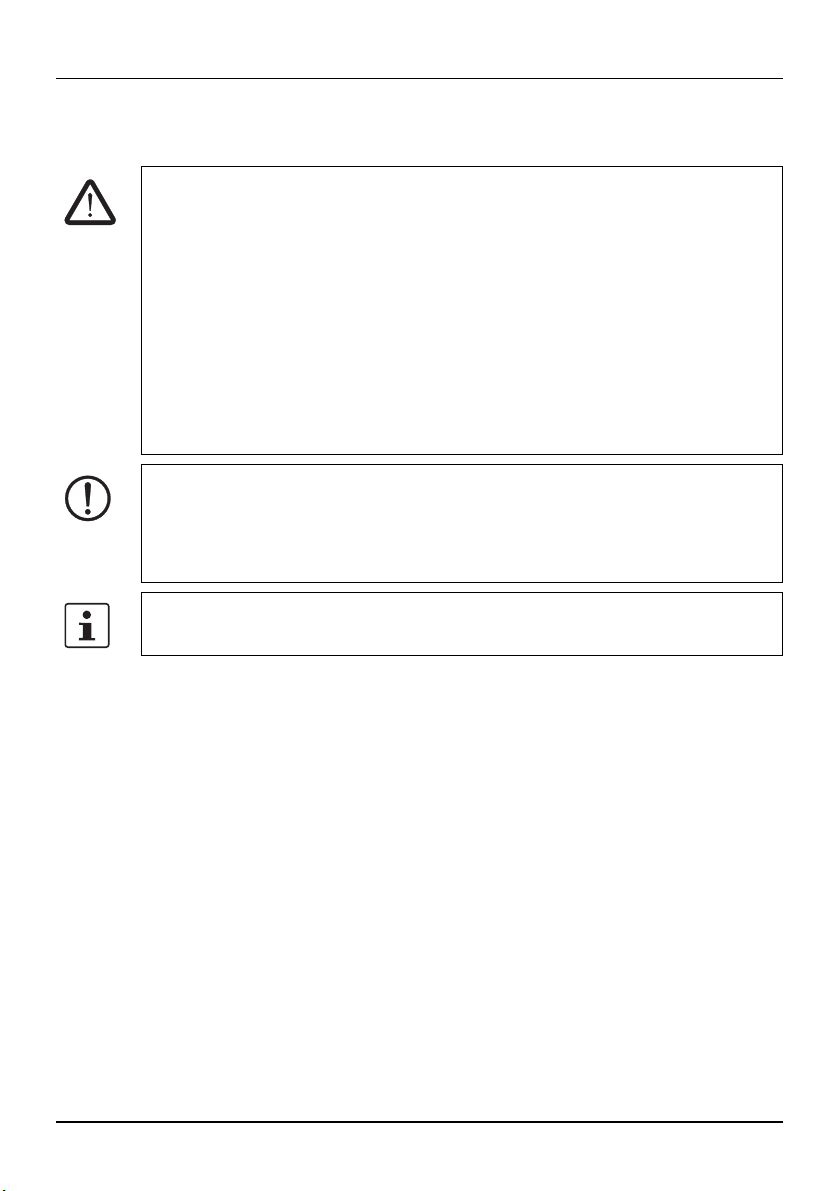
This symbol indicates hazards that could lead to personal injury.
There are three signal words indicating the severity of a potential injury.
DANGER
Indicates a hazard with a high risk level. If this hazardous situation is not avoided,
it will result in death or serious injury.
WARNING
Indicates a hazard with a medium risk level. If this hazardous situation is not
avoided, it could result in death or serious injury.
CAUTION
Indicates a hazard with a low risk level. If this hazardous situation is not avoided,
it could result in minor or moderate injury.
This symbol together with the NOTE signal word warns the reader of actions that
might cause property damage or a malfunction.
This symbol and the accompanying text provide the reader with additional infor-
mation or refer to detailed sources of information.
BLUEMARK ID/BLUEMARK ID COLOR
6 / 46 PHOENIX CONTACT 108369_en_00
1.3 Intended use
WARNING: Danger to health due to incorrect usage
The BLUEMARK ID/ID COLOR is only intended for use in commercial or indus-
trial sectors by persons that are older than 14 years of age. The BLUEMARK
ID/ID COLOR may only be used while in proper working order and for the intend-
ed purpose. Users must act safely and must comply with the operating instruc-
tions.
Faults, in particular those which affect safety, must be eliminated immediately.
Unauthorized modifications, which exceed the scope of replacing the fluid car-
tridge or cleaning cartridge and changes to the BLUEMARK ID/ID COLOR are
not permitted for reasons of safety.
Only carry out the actions described in these operating instructions. Other tasks
may only be performed by trained personnel or service engineers.
NOTE: The BLUEMARK ID/ID COLOR is solely intended to print on suitable ma-
terial approved by Phoenix Contact. Only print on material with complete rows,
as missing rows could damage the printhead. Only use consumables from
Phoenix Contact. For the order numbers of the fluid cartridge and cleaning car-
tridge, please refer to “Ordering data” .
Intended use includes observing the operating instructions. Before starting up
the printer, you must have read and understood the operating instructions.
Safety and the environment
108369_en_00 PHOENIX CONTACT 7 / 46
1.4 Qualification of users
This user manual is directed at those persons who are familiar with the relevant
safety concepts for handling electrical machines. Only persons who can identify
hazards may commission, operate, and maintain the device.
1.4.1 Dangers to health
WARNING: Life-threatening danger from mains voltage
Never open the printer forcibly and do not carry out any repairs yourself. The
BLUEMARK ID/ID COLOR is free of voltage after the mains connector on the de-
vice has been disconnected.
WARNING: Risk of hand injuries
The sheets are fed into the magazine with the help of pins. Be careful not to injure
yourself when handling the magazine.
WARNING: Danger of crushing
There are moving parts inside the printer. Never operate the BLUEMARK ID /
ID COLOR without its cover in place and do not attempt to access the inside of
the device through the device openings during operation. Otherwise, there is a
risk of injury.
WARNING: Irritation due to the fluid
Information on the hazards from the fluid can be found in the latest valid safety
data sheet for the consumables (see “Appendix” ). The safety data sheet can be
downloaded at:
phoenixcontact.net/qr/1002329

BLUEMARK ID/BLUEMARK ID COLOR
8 / 46 PHOENIX CONTACT 108369_en_00
1.4.2 Risk of device damage
NOTE: Notes on power connection
The BLUEMARK ID/ID COLOR is designed for power networks with an AC volt-
age of 100 V to 240 V. Only connect the printing system to sockets with a ground
conductor contact.
Only connect the BLUEMARK ID/ID COLOR to devices that have protective ex-
tra-low voltage. Before establishing or disconnecting connections, switch off all
affected devices (computer, printer, accessories).
NOTE: Protect the BLUEMARK ID/ID COLOR against moisture
Only operate the BLUEMARK ID/ID COLOR in a dry environment and do not ex-
pose it to any moisture (splash water, mist, etc.) or dust.
NOTE: Always secure the printer prior to transport
If you have to transport the printer, the printhead must be secured in place. The
device is fitted with an automatic transport lock.
You will also need to replace the fluid cartridge with a dummy cartridge. Other-
wise, fluid can leak from the printhead and contaminate the printer or render it
unusable.
Always use the original packaging for transportation.
NOTE: Disconnect the magazine before replacing it
The BLUEMARK ID/ID COLOR has a magazine that can be removed and re-
placed, if required. The magazine must only be removed after it has previously
been disconnected by making an entry on the display.
Do not attempt to forcibly pull out the magazine. This could lead to damage to the
material or the device. When inserting, you should be able to hear the magazine
engage with a click.

Safety and the environment
108369_en_00 PHOENIX CONTACT 9 / 46
1.4.3 Notes on use
NOTE: Limited durability of the fluid
The UV-curing fluid has limited durability. Once the expiry date is reached, the fluid
cartridge must be replaced. The printer will notify you that the durability period is
about to expire (see “Replacing the fluid cartridge and cleaning cartridge” ).
The fluid cartridge is designed for single use and cannot be refilled.
If the printer is not used over longer periods, the dummy cartridge has to be
inserted (see “Inserting the fluid cartridge during startup” ).
NOTE: Notes on storage
Store the fluid cartridge at 0°C ... 20°C to reach the optimum expiry date.

BLUEMARK ID/BLUEMARK ID COLOR
10 / 46 PHOENIX CONTACT 108369_en_00
1.5 Disposal
The BLUEMARK ID/ID COLOR contains valuable recyclable materials, which
should be utilized after the useful life (lifecycle) of the printer has ended.
The PCB of the BLUEMARK ID/ID COLOR is equipped with a lithium battery that
must be disposed of according to local regulations.
Please support us by contacting your local Phoenix Contact sales office to deter-
mine the best way of returning the old device. Phoenix Contact will then handle
the necessary recycling and disposal measures.
•Dispose of the printer separately from other waste, i.e., via an appropriate
collection site.
Dispose of the fluid cartridge correctly
Empty fluid cartridges can be disposed of with domestic waste. Used fluid car-
tridges that are not empty must be disposed of as hazardous waste, in the same
way as ink residue, for example. Please observe the local regulations.
Further information on disposal can be found in the latest valid safety data sheet
for the consumables. The safety data sheet can be downloaded at:
phoenixcontact.net/qr/1002329
Dispose of the cleaning cartridge correctly
The cleaning cartridge must be disposed of as hazardous waste, in the same
way as ink residue, for example. Please observe the local regulations.
Further information on disposal can be found in the latest valid safety data sheet
for the consumables. The safety data sheet can be downloaded at:
phoenixcontact.net/qr/1002329
This manual suits for next models
1
Table of contents
Other Phoenix Contact Printer manuals

Phoenix Contact
Phoenix Contact THERMOMARK GO User manual

Phoenix Contact
Phoenix Contact THERMOMARK GO.K User manual

Phoenix Contact
Phoenix Contact THERMOMARK CARD 2.0 User manual

Phoenix Contact
Phoenix Contact THERMOFOX User manual

Phoenix Contact
Phoenix Contact THERMOMARK ROLL 2.0 User manual

Phoenix Contact
Phoenix Contact UM IA THERMOMARK X1.1 User manual

Phoenix Contact
Phoenix Contact THERMOMARK ROLL User manual

Phoenix Contact
Phoenix Contact Clipline Thermomark S1 Quick start guide

Phoenix Contact
Phoenix Contact THERMOMARK PRIME User manual

Phoenix Contact
Phoenix Contact THERMOMARK ROLLMASTER 600 User manual










