
Perry Electric TE541 User manual

PE - DETIPE024EN 12/19
230V~
230V~
Power supply:
www.perry.it
PERRY ELECTRIC Srl
Via Milanese, 11
22070 VENIANO (Como) ITALY
Set
Mod. TE541
DIGITAL THERMOSTAT
MENU DRIVEN with BACKLIT DISPLAY
Recessed installation
Power supply: 230V~
Winter / Summer
2 temperature levels + antifreeze
Input for remote contact
ENGLISH

CONTENTS
5.4 - Electrical connections
pag. 3
5.1 - Overall dimensions
5.2 - Installation regulations
5.3 - Installation example
6 - START THE THERMOSTAT
7 - USE OF THE THERMOSTAT
8 - STRUCTURE OF THE MAIN MENUS (use and configuration)
9 - ACCESS TO MENUS
10 - USER MENU
10.1 - Set WINTER or SUMMER mode
10.2 - Modification or disabling of set antifreeze temperature
10.3 - USER PASSWORD Menu
11.1 - Access to configuration menu
11.2 - Change set language
11.3 - Type of temperature adjustment mode
11.3.1 - Selection of the temperature adjustment mode
(differential on/off or proportional)
11 - CONFIGURATION MENU (installer)
11.3.2 - Setting hysteresis for thermal differential ON-OFF
11.3.3 - Setting period duration for modulating Proportional
11.4 - Change unit of measure for temperature reading
11.5 - Correction of room temperature reading
11.6 - Max and min set temperature lock (winter and summer mode)
11.7 - Connection to external contact for remote thermostat
switching on/off
11.7.1 - Activation / disabling with a Telephone Programmer
11.7.2 - NA Duty - for normally open contact
11.7.3 - NC Duty - for normally closed contact
11.8 - Descaling cycle
11.9 - Display contrast adjustment
11.10 - Display back-lighting
11.11 - Entering and managing password
11.11.1 - Entering a new password
11.11.2 - Password modification or cancellation
pag. 4
pag. 5
pag. 6
pag. 7
pag. 8
pag. 8
pag. 8
pag. 8
pag. 9
pag. 10
pag. 11
pag. 12
pag. 13
pag. 14
pag. 14
pag. 14
pag. 15
pag. 16
pag. 16
pag. 16
pag. 17
pag. 17
pag. 18
pag. 18
pag. 18
pag. 19
pag. 19
pag. 21
pag. 21
pag. 23
pag. 23
pag. 24
pag. 24
pag. 24
pag. 25
pag. 25
pag. 25
7.1 - Temperature adjustment from COMFORT to ECONOMY
(energy saving) and vice-versa pag. 11
7.2 - Modification of T Set temperature set
pag. 11
7.3 - Temperature control pause
pag. 11
7.4 - OFF (disabling the thermostat)
pag. 12
10.3.1 - Entering the user password pag. 15
10.3.2 - Password modification or cancellation pag. 15
11.12 - Restore (Reset)
pag. 26
11.13 - System software information
pag. 26
12 - POSSIBLE PROBLEMS AND SOLUTIONS
pag. 27
pag. 3
2
2 - FACTORY SETTINGS
WARNINGS
3 - KEY FUNCTIONS
DEVICE PRESENTATION
1 - TECHNICAL DATA
4 - DISPLAY FEATURES
5 - INSTALLATION
COMPATIBILITY TO THE MOST COMMON RESIDENTIAL SERIES PLATES
IMPORTANT: for the assembly procedure of the thermostat with the chosen
residential plate, follow instructions contained in the specific compatibility sheet
contained in the package.

WARNINGS!
3
PRESENTATION
Dear Customer, thank you for choosing our product.
Read this manual carefully before using the product as it provides important guidelines regarding safety, installation and use.
The manual must be preserved with care for future reference.
The installation and electrical connection of the programmable thermostat must be implemented only by a qualified
electrician and in conformity with current laws and regulations.
Before starting any operations on the device, disconnect the 230V~ mains power supply
The thermostat is not intended for use by persons (including children) with reduced physical, sensory or mental capabilities, or by those
with a lack of experience and knowledge of the instructions, unless they are supervised or have received the necessary instructions
concerning use of the device by a person responsible for their safety.
Children should be supervised to ensure that they do not play with the device.
If -5 °C or +37.7 °C (+23°F or + 99.9 °F) room temperature flashes on the display, the measured temperature is beyond the scale.
IMPORTANT: in case of a power black-out (230V~), the thermostat guarantees retention in memory of all the data entered
When mains power is restored, the display turns on and the device returns to the active operating mode before the power failure.
If "Err" flashes on the display, it indicates faulty probe: any temperature control activity is suspended.
If necessary, gently clean the thermostat and the display with a soft, dry cloth.
The manufacturer reserves the right to introduce any technical and/or constructive changes deemed necessary, with no prior notice.
&
The thermostat, suitable for all heating and/or cooling system, is fitted with a large and clear backlit display to keep all its functions under
control in real time. The fundamental feature is its easy to use menu navigation, which makes it extremely user-friendly despite its
comprehensive range of functions. The thermostat is factory-set to adjust temperature in a Differential ON/OFF manner and hysteresis
can be set from 0.2°C to 1.2°C to adapt to the thermal inertia of your specific installation. Alternatively, modulating Proportional operation
may be selected with settable duration cycles (from 7 to 20 minutes): this system ensures the desired temperature is maintained more
stable, increasing user comfort and is particularly suitable for installations with high thermal inertia such as, for instance, for underfloor
radiant panels. The set temperature scale is in degrees Centigrade (Celsius) with the option to calibrate room temperature measurement
setting a correction value (from -3 to +3 °C).
Special attention was devoted to energy saving: pausing for household cleaning, optional Set temperature (MAX/MIN) lock, adjustable
anti-freeze temperature value, control through an external contact (e.g. optional telephone programmer), are conducive to avoiding
wasting energy with consequent savings. See the following pages for a description of these as well as of other features.

1 - TECHNICAL DATA
Power supply:
Display and key back-lighting:
Type of action, disconnection and device:
Type of output:
230V~ 50-60 Hz
timed 6 secs. / always on / always off
1 / B / U / Electronic
voltage free relay with COM / NO / NC changeover contact,
max 5(3)A/250 V ~
class A
4 kV
2 2
1,5 mm ÷ 2,5 mm
for contact free from potential, minimum insulation 250V~
class II
IP 30
normal
no. 2 « t1 = COMFORT», «t2 = ECONOMY» + t antifreeze
- 5.0 °C ÷ +37.7 °C (+ 23 °F ÷ +99.9 °F)
Flashing + ON (winter) or + ON (summer)
0.1 °C (0.1 °F)
+5 °C ÷ +37.7 °C (+41.0°F ÷ +99.9 °F) limitable
adjustable by 0.1 °C / 0.1 °F sets
adjustable from -3.0 °C (5.4°F) to +3.0 °C (5.4°F) default 0.0 °C/0,0 °F
adjustable + 5 °C ÷ <t3 (41,0 °F ÷ <t3) default 6 °C (42.8 °F)
adjustable from 0.2 °C to 1.2 °C (from 0,3 °F to 2.1 °F) default 0,3 °C (0,4°F)
cycles adjustable from 7 to 20 minutes (default 10 minutes)
max 1°K / 15 min
± 0,5°C (± 0,9°F)
0 °C ÷ +45 °C
-10 °C ÷ +60 °C
LVD - EMC EN60730-2-9
Software:
Rated impulse voltage:
Cross-section of wires to terminals:
Contact input for remote switching on:
Type of insulation:
Degree of protection:
Pollution rating:
Number of temperature levels:
Ambient temperature display range:
Relay ON signal:
Room temperature indicator resolution:
Temperature Set adjustment range
Setting temperature Set:
Temperature correction (Offset):
Antifreeze temperature: (t ):
Type of temperature adjustment:
- DIFFERENTIAL ON/OFF (default)
- Proportional with control period
Thermal gradient:
Temperature reading tolerance:
Operating temperature limits:
Storing temperature limits:
Reference regulations for CE markings:
Keeping memory setting during power failure:
Yes
ErP energy classification: ErP Class I; 1% (Reg. EU 811/2013)
4

2 -FACTORY SETTINGS
5
Set Set
02 4 6810 12 14 16 18 20 22
The data entered in the thermostat called «FACTORY SETTINGS» refer to operation defined as «Standard».
The following chapters describe all customisable functions, in order to satisfy any ambient comfort need.
FACTORY SETTINGS TABLE (default)
PARAMETER DEFAULT
Language
Active season
Temperature unit of measure
Set t1 COMFORT Winter
Set t2 ECONOMY Winter
Set tTantifreeze (Winter)
Set t1 COMFORT Summer
Set t2 ECONOMY Summer
Temp. locks Winter
Temp. locks Summer
Temp. adjustment mode
Differential hysteresis
Modulating proportional
Modulating period
Room temp. correction
Room temp. correction
Anti-scale protection cycle
Display contrast
Back-lighting
Winter
°C (celsius)
20.0°C
18.0°C
6.0°C
24.0°C
27.0°C
Disabled
Disabled
DIFF. ON/OFF
0.3°C
Prop (not active)
10 min. (not active)
0,0 °C
0,0 °C
Disabled
Level 6
Timed 6 sec.
Restore «reset»
IT (Italian)
Default
Last value
Default
Default
Default
Default
Default
Default
Default
Default
Default
Default
Default
Last value
Default
Default
External input
User password
Installer password
Password reset code
(not active)
none
none
0927
Last value
Default
Default
Default
Default
Default
to confirm
IMPORTANT: in case of a power black-out (230V~), the thermostat guarantees retention in memory of all the data entered.
In case of absence of power supply the display switches off saving all the programmed settings effected, when power supply is
reinstated, the display switches back on and the device returns to its normal functions.
RESTORE «Installer RESET»
Restore many factory settings (default)
RESTORE brings the thermostat back to factory settings with the
exception of some items as shown in the table.
To perform the operation follow the instructions in paragraph 11.12.
Press simultaneously for 4 seconds
RESTART
Should the thermostat feature malfunctioning, wrong displays or other
incorrect conditions, perform a «User reset». Simultaneously press
for 4 secs. the Menu and keys.
The thermostat resumes normal operation.
It does not cancel the entered settings

3 - KEY FUNCTION LEGEND
DISPLAY AND KEY BACK-LIGHTING
Set
ABCD
OK
Touching any key activates back-lighting,
displaying the words selection and navigation,
press the desired key within 6 secs. to vary the
settings (touching any key reactivates a 6 sec time-
out).
Note: setting the backlight always on (par. 11.10) the
words selection and navigation will also always be
visible.
Note: more particular button functions are described
in the specific paragraphs.
AMultifunction Key Menu/back,
its use changes depending on function or active menu:
Menu = press briefly to switch temperature from comfort to economy and vice-versa,
press and hold (3 sec.) access to menus
back = go back to previous item, exit from menus
B
C
Key increases the desired Set temperature;
navigation through the menus: to increase a setting value;
Key decreases the desired Set temperature;
navigation through the menus: to decrease a setting value;
Press the pulse arrow key to
increase/decrease per unit
a n d k e e p p re s s e d t o
increase/decrease rapidly.
DMultifunction Key
OK
thermostat in OFF (disabled temperature control)
current program pause for household cleaning
access to selected menu / confirm function or set value (within the menus)
OK
6

4 - DISPLAY FEATURES
6
8
8
9
2
Display Set temperature
4
8
7
5Info and thermostat operating mode, menu items
7
Current program pause (example: for household cleaning)
1
Enabling thermostat from remote control
3
8
6
Set
7
2
3
4
5
9
1
Note: further displays
are described in the
specific op eration
paragraphs
Detected room temperature
Signalling operating user = ON and flashing (e.g. boiler on)
Signalling operating user = and ON flashing (e.g. conditioner on)
Heating mode ( Winter) active
T
T
Currently active set temperature depending on the desired setting:
t1 Comfort or t2 Economy (saving) or t antifreeze
Cooling mode ( Summer) active
T

5 - INSTALLATION
5.3 - INSTALLATION EXAMPLES
5.1 - DIMENSIONS
Important: the installation and electrical connection of the devices
and appliances must be implemented by qualified personnel and in
conformity with current laws and regulations. The manufacturer
declines all liability in connection with the use of products subject to
special environmental and/or installation standards.
Thermostat installation: independent - fixed
recessed in rectangular box 3 modules.
“Install the thermostat at a height of 1,50 m ÷ 1,70 m from the floor, far from
heat sources, air vents, doors or windows and anything else that could affect
its operation.
Disconnect the 230V~ mains power supply
IMPORTANT: for the assembly procedure of
the thermostat with the chosen residential
plate, follow instructions contained in the
specific compatibility sheet contained in the
package.
5.2 - INSTALLATION REGULATIONS
C C
A B BB
!
h 1,5 m
5265
43,5
47
8
N.B.: the examples contained in this documentation are in principle.
Examples of installation in heating systems with a
thermostat that controls:
A) Wall mounted boiler
B) Burner or Circulation pump or Motorized solenoid valve
C) Zone solenoid valve

5 - INSTALLATION
5.4 - ELECTRICAL CONNECTIONS
ATTENTION! Disconnect the 230V~ mains voltage Examples of electrical connections
! Connect line voltage power supply to the terminals:
n° 3 -NEUTRAL
n° 4 - LINE
Relay terminals
230V~ power supply terminals
LOAD
M
opens
closes
230V~
LN
8
9
10
11
12
13
14
1
2
3
4
5
6
7
NA
C
NC
230V~ 230V~ 230V~
8
9
10
11
12
13
14
1
2
3
4
5
6
7
NA
C
NC
230V~
Connection to a boiler
and to a telephone programmer
N
L
230V~
BOILER
230V~
230V~
NB: with strong inductive loads
(pumps and solenoid valves) it is
recommended to connect an RC
filter in parallel to the load.
Connection to amotorized valve
and to a telephone programmer
N
L
N
L
AUX
AUX
! terminals 1 and 2 may be connected to a telephone
programmer (or switch) for remote programmable
thermostat enabling (see paragraph 11.7 for
external contact setting)
AUX Terminals (remote contact)
example:
Telephone programmer
AWARNING: only connect switches and contacts
with insulation suitable to work at 230Vac mains
voltage.
9
Contact for remote
thermostat control
example:
Telephone programmer
Contact for remote
thermostat control

6 - START THE PROGRAMMABLE THERMOSTAT
Press twice
the back key
10
OK
1° 2°
Set
02 4 6810 12 14 16 18 20 22
OK
Set
The first time mains voltage is engaged, the thermostat performs a lamp-test by switching on all display segments, displaying the installed
software version for a few seconds. When this phase is over, the thermostat asks to select the language of use.
Select the desired language by scrolling through the
available languages using the keys.
Confirm pressing the OK key.
The selectable languages are:
ITALIAN = It (default), ENGLISH = En, FRENCH = Fr,
GERMAN = dE, SPANISH = ES.
Press twice the back key
Winter mode (heating)
ON + flashing = e.g. operating boiler
From normal programmable thermostat operation in stand-by, pressing a key, the backlight activates (if not excluded) and the
words selection and navigation appear. Within 6 secs., a variation is made the second time the desired key is pressed.
See use the thermostat to the next chapter.
The thermostat is operative, displaying: Winter «heating» mode, the temperature Set at 20°C COMFORT, room temperature detected.
Table of contents
Other Perry Electric Thermostat manuals

Perry Electric
Perry Electric Recess Series User manual

Perry Electric
Perry Electric RECESS Series User manual

Perry Electric
Perry Electric 1TX CR028WIFI Guide

Perry Electric
Perry Electric MODULE Series User manual

Perry Electric
Perry Electric TE540 User manual
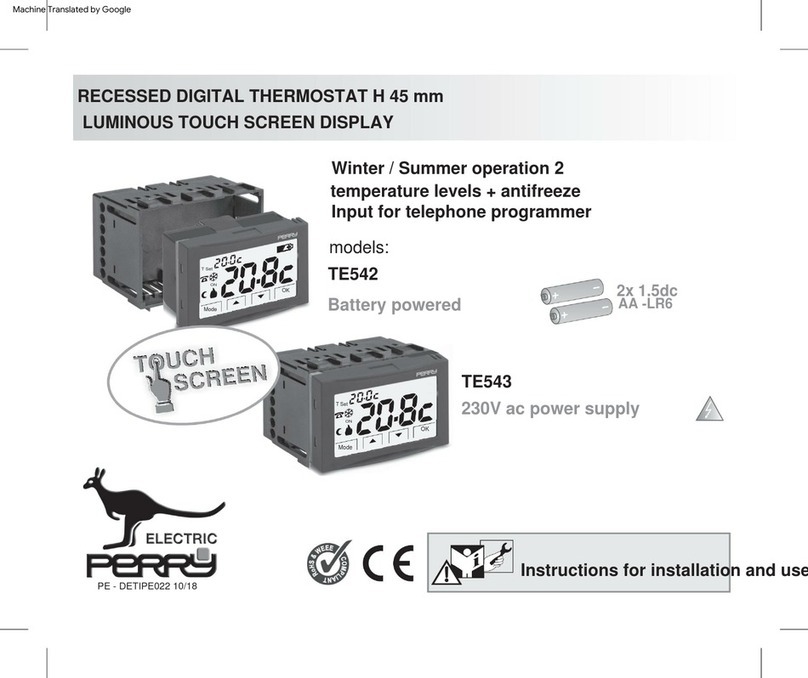
Perry Electric
Perry Electric TE542 User manual

Perry Electric
Perry Electric V002 Series Guide
Popular Thermostat manuals by other brands


Saswell
Saswell SAS920XWHB-7-S-RF User manual and warranty card

Aircalo
Aircalo TFP1-ET85P2 operating manual

Honeywell
Honeywell CM721 user manual

Carrier
Carrier DEBONAIR 33CS Installation and operating instructions

Lennox
Lennox iHarmony Zone Thermostat Installation and setup guide

Gemtech
Gemtech GT7000 Operation


