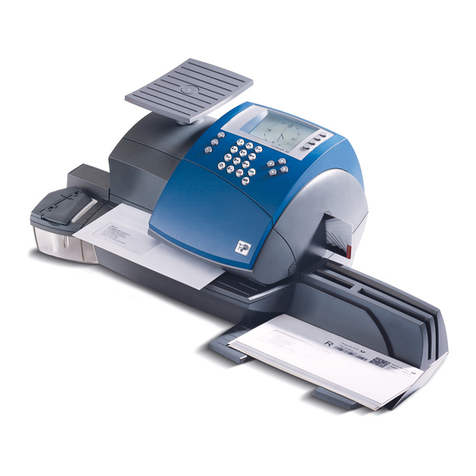
Opex AS7200 User manual

© 2016 OPEX®Corporation
All rights reserved. This publication is made available solely for use by the OPEX Service Organization. The infor-
mation contained herein is proprietary, confidential and copyrighted by OPEX®Corporation. Copying, duplicating,
selling, or otherwise distributing any part of this publication or the information contained herein without the express
written consent of OPEX®Corporation is strictly forbidden.
February 26, 2016
Document Revision 16-01
AS7200 User Manual

2
AS7200 User Manual - OPEX Corporation
Document History
If you find errors, inaccuracies, or any other issues or concerns with this
document, please contact the OPEX Technical Writers via email at:
AS7200 User Manual (OPEX part no. #5068900)
Doc
Rev Date Changes (click blue text to go to that page)
16-01 Feb. 26, 2016 The AS7200 User Manual was completely
restructured for better viewing on a tablet style reader.

3
AS7200 User Manual - OPEX Corporation
From the President of OPEX Corporation
The AS7200 scanner offers an extremely flexible, efficient and ergonomic
method for capturing images and data
The OPEX AS7200 is the flagship product in our line of document scanning devic-
es. Long established as the industry leader in check/document scanning and pro-
cessing, the AS7200 brings the capability of imaging documents of nearly every
type and size. With the versatility of the AS7200 scanner, your company now has
theabilitytoefficientlycaptureimagesandnecessaryinformationinasingletouch,
eliminating nearly all of the traditional prep processes associated with other scan-
ning devices.
TheAS7200iiseithermountedtoanOPEXModel72orModel51RapidExtraction
Desk for processing mail from envelope to image. The AS7200t is mounted to a
workstation table and provides a solution for scanning documents whose source
may not be an envelope, such as from file folders and storage boxes.
Whatever the application, the key to this process is YOU, the AS7200 Operator.
We've gone to great lengths to design our equipment to be efficient, comfortable
and simple to operate, and believe that you will be pleased with the final result.
Thank you for taking the time to familiarize yourself with the contents of this man-
ual. We trust that you will find using the AS7200 scanner an enjoyable and produc-
tive experience and a welcome addition to your workday.
Sincerely,
Dave Stevens
President/CEO
OPEX CORPORATION

4
AS7200 User Manual - OPEX Corporation
Table of Contents
Document History ................................................................................................ 2
From the President of OPEX Corporation ............................................................ 3
Table of Contents ................................................................................................ 4
Chapter 1
Introduction
Overview .............................................................................................................. 9
AS7200 specifications ................................................................................... 10
About this manual ......................................................................................... 10
How the AS7200 Works .................................................................................... 10
Software ........................................................................................................ 10
Jobs .............................................................................................................. 11
Page types .................................................................................................... 12
Chapter 2
Operating the System
Overview ............................................................................................................ 14
Safety precautions ........................................................................................ 14
Ergonomics ................................................................................................... 15
Main controls and system components ......................................................... 16
Getting Started .................................................................................................. 18
Navigating the AS7200 CertainScan software .............................................. 19
Running Jobs ..................................................................................................... 20
Using the Run screen ................................................................................... 22
Scanning documents .................................................................................... 31
Assigning a page type ................................................................................... 38
Adjusting image quality ................................................................................. 40
Rescanning documents ................................................................................ 41
Deleting documents from the batch .............................................................. 41
Voiding documents and transactions ............................................................ 42
Starting a new batch ..................................................................................... 43
Ending the job ............................................................................................... 44

5
AS7200 User Manual - OPEX Corporation
Viewing/editing the batch .............................................................................. 44
IdAssist ......................................................................................................... 46
KeyAssist ...................................................................................................... 49
Clearing Paper Jams ......................................................................................... 50
Scanner area ................................................................................................ 50
Transport area .............................................................................................. 51
Clearing the bins ........................................................................................... 52
Chapter 3
Operational Maintenance
Calibrating the Touchscreen Monitor ................................................................. 54
Removing/Replacing the Printer Cartridge ........................................................ 56
Adjusting the Printer Carriage Position ......................................................... 56
Cleaning the System ......................................................................................... 57
Conveyor and transport assemblies ............................................................. 58
Feed assembly .............................................................................................. 59
Contact image sensor ................................................................................... 60
Chapter 4
Statistics
AS7200 Statistics .............................................................................................. 64
Creating statistic reports ............................................................................... 64
General Information statistics ....................................................................... 68
Overall System Performance Measures statistics ........................................ 69
Performance Details statistics ....................................................................... 70
Chapter G
Glossary

6
AS7200 User Manual - OPEX Corporation

1
AS7200
User Manual
Introduction
Overview. . . . . . . . . . . . . . . . . . . . . . . . . . . . . . . . . . . . . 9
AS7200 specifications. . . . . . . . . . . . . . . . . . . . . . . . . 10
How the AS7200 Works . . . . . . . . . . . . . . . . . . . . . . . . 10
About this manual. . . . . . . . . . . . . . . . . . . . . . . . . . . . 10
Software . . . . . . . . . . . . . . . . . . . . . . . . . . . . . . . . . . . 10
Jobs . . . . . . . . . . . . . . . . . . . . . . . . . . . . . . . . . . . . . . 11
Page types . . . . . . . . . . . . . . . . . . . . . . . . . . . . . . . . . 12

8 Introduction
AS7200 User Manual - OPEX Corporation
Model 72 Rapid Extraction Desk
(optional)
Sort bins Touchscreen PC monitor
In-line recognition:
MCR, OCR, BCR,
PC controller
OMR, thickness detect
Drop feeder
Printer

Introduction 9
AS7200 User Manual - OPEX Corporation
Overview
The AS7200 is a high-speed, color scanner that serves to reduce the costs and
time involved in processing documents. By scanning paper documents and
converting them into electronic files, the AS7200 makes processing mail and
other paper documents as simple as pressing a few buttons. In just one step,
the AS7200 can identify, prepare, capture, orient, read, create an audit trail,
and sort documents.
The AS7200 sets a new standard for scanning excellence with its all-new 300
DPI imager and exclusive multi-function feeder. No other scanner in the world
offers high-performance drop-feeding, packet-feeding, and auto-feeding. It can
scan multi-stream, perform in-line recognition of barcodes, optical character
recognition (OCR), optical mark-sense recognition (OMR), magnetic ink
character recognition (MICR), and document type classification. When OPEX
CertainScan™ software is equipped with VRS technology, a variety of
additional optimizations can be performed in-line including: content-based
rotation, background smoothing, and more. This all adds up to unmatched
image quality, recognition, and cleanup at full speed, full color, and full
resolution.
Other features of the AS7200 include:
• Color 17” LCD display with touch-screen controls
• Duplex scanner with native 300 DPI scanning
• Selectable color drop-out
• Front and back audit trail printers
• Double-feed, length, skew, thickness, and envelope detection
• Six output trays (four fully sortable bins, one thick mail bin, one reject bin)

10 Introduction
AS7200 User Manual - OPEX Corporation
AS7200 specifications
About this manual
The purpose of this manual is to instruct operators of the AS7200 in how to use
the scanner to perform tasks. For more information on how to set up jobs, page
types, audit trails and other functions of the machine, consult either the
“AS7200 CertainScan - Standard Scanning” or “AS7200 CertainScan -
Remittance Processing” manual.
How the AS7200 Works
The AS7200 scanner is controlled by a single, Windows 7 driven PC. The
operator interacts with the system via the CertainScan software and simply
drops documents onto the drop feeder. The system scans the items based on
the current job parameters. The scanner can capture MICR and OCR
information, print audit trails on the documents, and sort them to a specified
bin.
Software
The AS7200 uses two software applications which control the system:
INtime Controller The INtime Controller runs in the background of the
CertainScan software and controls all machine related functions, such as
monitoring sensors, triggering gates, and turning motors on and off. The INtime
Controller runs in its own real-time operating system, called INtime. You do
not need to access the INtime controller and should never close the
INtime window.
Speed Up to 120 pages/minute
Paper & Envelope Specifications Length: 3.5” to 18.25”
Width: 2” to 12.25”
Thickness: Up to 1/16”
Duty Cycle Unlimited
Operator/Service Clearance 3' all around
Table of contents
Other Opex Postal Equipment manuals

Opex
Opex Perfect Pick Cortex User manual

Opex
Opex Sure Sort User manual

Opex
Opex Falcon+ User manual

Opex
Opex Envelopener Omation 2100 Specifications

Opex
Opex Omation Envelopener 210 Series User manual

Opex
Opex Omation 306 User manual

Opex
Opex MPS 40 User manual

Opex
Opex Omation Envelopener 210 Series User manual

Opex
Opex Omation Envelopener 210 Series User manual

Opex
Opex Sure Sort User manual

Opex
Opex Envelopener Omation 306 User manual

Opex
Opex Omation 206 Manual

Opex
Opex Model 72 User manual

Opex
Opex Omation 206 Manual

Opex
Opex Perfect Pick User manual

Opex
Opex Sure Sort User manual

Opex
Opex Pitnew Bowes Omation 2100 Manual

Opex
Opex 51 User manual

Opex
Opex Eagle Remittance Processor User manual