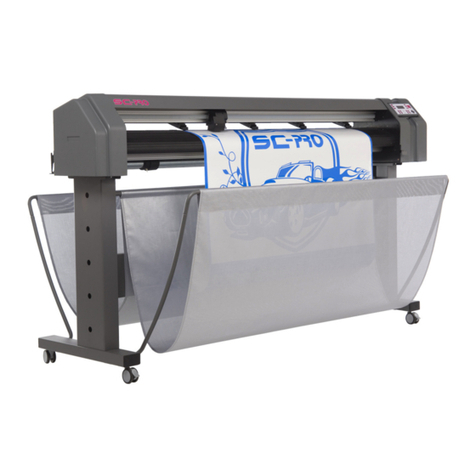
Mutoh Ultima Multi-Purpose Cutting Plotter - Operation Instructions
7AP-75125, Rev 1.3 ; 20/10/04
Table Of Contents
1. REGULATORY AND SAFETY INFORMATION........................................................................................... 9
1.1. EMC STATEMENT FOR CE MARKING.......................................................................................................... 9
1.2. FCC COMPLIANCE .................................................................................................................................... 9
1.3. IMPORTANT NOTE...................................................................................................................................... 9
1.4. SAFETY LABELS:SAFETY LABELS,SYMBOLES DE SECURITE,SICHERHEITSSYMBOLE................................. 10
2. INSTALLATION PROCEDURES................................................................................................................ 11
2.1. PREPARING THE CUTTING ENVIRONMENT.................................................................................................. 11
2.2. PARTS LIST............................................................................................................................................. 12
2.3. UNPACKING AND SETTING UP THE ULTIMA CUTTER ................................................................................... 13
2.4. CUTTER PARTS &COMPONENTS .............................................................................................................. 14
2.5. CONNECTING THE CUTTER TO THE COMPUTER.......................................................................................... 16
2.6. CONNECTING THE POWER CABLE ............................................................................................................. 17
2.7. INSTALLING A TOOL ................................................................................................................................. 18
2.8. LOADING MEDIA ...................................................................................................................................... 19
2.8.1. Loading cut sheet media............................................................................................................... 19
2.8.2. Loading roll media......................................................................................................................... 20
2.9. TEST SHEET VERIFY EPOS ALIGNMENT...................................................................................................... 22
2.9.1 EPOS Alignment
→
test plot.......................................................................................................... 22
3. CUTTER CONTROLS................................................................................................................................. 23
3.1. UNDERSTANDING THE OPERATION PANEL................................................................................................. 23
3.2. DIRECT KEY ACCESS ............................................................................................................................... 27
3.2.1. Force selection.............................................................................................................................. 27
3.2.2. Speed selection ............................................................................................................................ 28
3.2.3. Offset selection ............................................................................................................................. 28
3.2.4. Tool selection................................................................................................................................ 29
3.2.5. Origin selection............................................................................................................................. 29
3.2.6. Test selection................................................................................................................................ 30
3.2.7. Presets selection........................................................................................................................... 30
3.3. CONTOUR CUTTING ................................................................................................................................34
3.4. SQUARE DETAILS .................................................................................................................................... 37
4. CUTTER SETTINGS & SPECIAL FUNCTIONS......................................................................................... 39
4.1. GENERAL PROCEDURE TO CHANGE SETTINGS ON THE CUTTER .................................................................. 39
4.2. OVERVIEW OF GENERAL SETTINGS .......................................................................................................... 39
4.3. LANGUAGE SELECTION............................................................................................................................ 40
4.4. KEY COMBINATIONS ................................................................................................................................41
5. FINETUNING YOUR CUTTER TO OBTAIN MUTOH QUALITY................................................................ 43
5.1. ADJUSTING THE KNIFE DEPTH .................................................................................................................. 43
5.2. OFFSET PRINCIPLE.................................................................................................................................. 45
5.3. OFFSET EFFECT...................................................................................................................................... 45
5.4. OFFSET ADJUSTMENT PROCEDURE .......................................................................................................... 46
5.5. PERFORMING A TEST CUT........................................................................................................................ 48
5.6. TROUBLESHOOTING ................................................................................................................................49
6. ULTIMA CUTTING PLOTTERS - MEDIA COMPATIBILITY & DIMENSIONS......................................... 51
6.1. ULTIMA CUTTING PLOTTERS:MEDIA COMPATIBILITY .................................................................................. 51
6.2. PHYSICAL DIMENSIONS ULTIMA................................................................................................................ 51