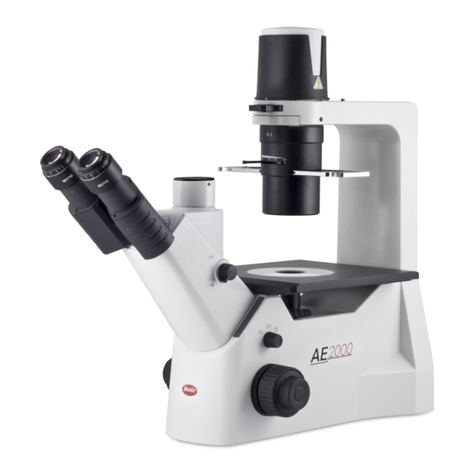
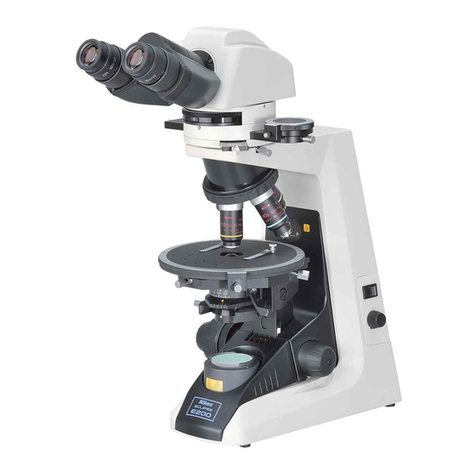
Motic Panthera Series User manual

WWW.MOTIC.COM
MOTIC HONG KONG LIMITED
Panthera Series
Scientific Instrument
Operation Manual
If the equipment is used in a manner
not specified by the manufacturer,
the protection provided by the
equipment may be impaired.
Note
The clear knowledge of this Instruction Manual is needed to operate Motic Panthera Series Microscopes at
maximum performance and to ensure safety at all specified operations. Please familiarize yourself with the use
of this microscope and pay special attention to the safety hints given in this manual. This Document is not subject
of a update routine, please download a newer version from the Motic website, if needed. Keep this instruction
manual in reach and easily accessible for future user reference. All Specifications, Illustrations and items in this
Manual are subject to changes.
E250223

1
English:
Please familiarize yourself with the instruction manual provided in English. Versions in other languages are
available for download at:
http://www.motic.com/Panthera/Panthera_Eng_OP.zip

2
TABLE OF CONTENTS
1. General notes on Microscope Safety 5
1.1 General safety notes and instruction 5
1.2 Instrument safety, FCC and EMC conformity 6
1.3 Transporting, unpacking, storage of the microscope 7
1.4 Microscope disposal 7
1.5 Use of the microscope 7
1.6 Intended use of the microscope 9
1.7 Microscope warranty 9
2. Nomenclature 10
2.1 Panthera E2 (Binocular Version) 10
2.2 Panthera C2 (Binocular Version) 12
3. Setting up the Microscope 14
3.1 Operating environment 14
4. Assembling the Microscope 15
4.1 Verifying input voltage 15
4.2 Illumination 15
4.2.1 Halogen bulb 15
4.2.2 LED 15
4.3 Stage 15
4.3.1 Panthera E2 15
4.3.2 Panthera C2 16
4.4 Specimen holder 16
4.5 Objectives 16
4.6 Condenser 17
4.7 Eyepiece tube 17
4.8 Eyepieces 18
4.9 Filters 18
4.9.1 Panthera E2 18
4.9.2 Panthera C2 18
4.10 Power cord 19

3
5. Usage of Microscope Components 20
5.1 Coarse and fine focusing 20
5.2 Coarse focus torque adjustment 20
5.3 Coarse focus quick stop 21
5.4 Stage upper limit stop adjustment 21
5.5 Interpupillary distance adjustment 22
5.6 Diopter adjustment 23
5.7 Adjustment of brightfield (Only for Panthera C2) 24
5.7.1 Full Kohler illumination 24
5.8 Use of aperture diaphragm 25
5.9 Use of field diaphragm (Only for Panthera C2) 25
5.10 Brightness and contrast adjustment 25
5.11 Illumination brightness adjustment 26
5.11.1 Panthera E2 26
5.11.2 Panthera C2 with light manager 26
5.12 Restore factory default for intensity (Panthera C2) 27
5.13 Turn off light manager 27
5.14 Standby mode (Panthera C2) 28
5.15 Turn off standby mode 28
5.16 EMC filter (Panthera C2) 28
6. Photomicrographic Procedure 29
7. Using Oil Immersion Objectives 30
8. Care and Maintenance 31
8.1 Disassembly warnings 31
8.2 Cleaning the microscope 31
8.2.1 Lenses and filters 31
8.2.2 Cleaning of painted or plastic components 31
8.3 Disinfecting the microscope 31
8.4 When not in use 31
8.5 Bulb replacement 32
8.5.1 Replacing the 6V 30W halogen module or the two different LED module 32
(Panthera C2)
8.5.2 Electrical specifications 33

4
9. Troubleshooting Table 34
9.1 Optical 34
9.2 Electrical 35
10. Selection of the Power Supply Cord 36
11. Table 2 HAR Flexible Cord 37
12. Microscope Terminology 38

5
1. GENERAL NOTES ON MICROSCOPE SAFETY
1.1 General safety notes and Instruction
Please familiarize yourself with this operation manual before using the microscope.
If additional information or support is needed, please contact Motic after sales Service.
To ensure safe operation and optimal function of the instrument, please adhere to the precautions and
warnings outlined in this manual.
Please observe the following indicators:
CAUTION, Risk of Danger
This symbol indicates a possible hazard to the user of the microscope.
CAUTION, Risk of Dangerous heat
This symbol indicates a possible hazard to the user of the microscope.
CAUTION, Risk of Electrical Danger
This symbol refers to disconnecting the power unit from a power source before
opening the microscope.
INFO
This symbol refers to a useful information or hint.
Disposal
This symbol refers to a safety precaution that should be adhered to under all
circumstances.
Microscope ON
This symbol refers to the on (active electrical system) status of the microscope.
Microscope OFF
This symbol refers to the off (inactive electrical system) status of the microscope.
Risk of Dangerous Electrical Current
This symbol refers to potential hazardous electrical voltage/current and must be
observed at all circumstances.

6
1.2 Microscope safety, FCC and EMC conformity
This microscope has been designed, produced and tested in compliance with required safety standards
and regulations. UL, CE, FCC, EMC
“Safety of equipment used for measurement control and laboratory use”
Panthera Microscope Series Products are in conformity with the requirements of the CE
Directive 98/79/EC Annex 1 and carries the CE mark accordingly.
Conform to Class B Noise immunity is in compliance with EN 61326 and EMC and
Radio-noise suppression is in compliance with EN 5501 1
The microscopes listed in this document are disposed of in compliance with WEEE Directive
2002/96/EC.
Lamp bulbs, LED Modules, lamphouses and lampdrawers become very hot during and after a
period of operation. Risk of burn – Do not touch the lamp during or immediately after period of
operation.
Don’t pick the microscope up from the bottom during equipment operation.
Proper handling of the microscope will ensure years of trouble-free service.
If repair becomes necessary, please contact your Motic agency or our Technical Service directly.

7
1.3 Transporting, unpacking, storage of the microscope
Please observe and follow the safety notes given in this document for transportation, unpacking and
storage of the microscope.
● The microscope is delivered as packed into a commercial standard plastic and
cardboard packaging; please re-use the original packaging for any transportation only.
● It is advised to keep and re-use the original packaging for long-term storage or returning to
the manufacturer to avoid losing the warranty.
● Upon receipt and unpacking the equipment, please verify that all parts specified on the
delivery note are present.
● Adhere to transport and storage temperatures as specified in this manual.
● Set the microscope up on a stable worktable with a solid and smooth surface suitable for
proper usage.
● Do not touch optical surfaces.
1.4 Instrument Disposal
Please observe the following safety notes for the disposal of the microscope:
Defective microscopes, accessories and consumables should be disposed of in compliance
with the provisions of the local law.
1.5 Usage of the microscope
The microscope, as well its accessories, must not be used for microscopic techniques or purposes
other than those described in this operating manual.
Please always observe the following safety notes when using the microscope:
Motic cannot assume any liability for applications other than its intended use, including the
included modules and components. This includes service or repair work that is not carried
out by authorized Motic service personnel. In the case of non-compliance, all warranty claims
and liabilities shall be forfeited.
The microscope should only be operated by trained personnel who are familiar with
this operation manual and therefore aware of the possible dangers involved.

8
This microscope is a high-precision instrument that can be impaired in its performance or even
destroyed when handled improperly.
This microscope is equipped with a built-in power supply, allowing electric-net voltages to be
used in the range between 100 - 240 V ± 10%, 50/60 Hz. In case of any irregularity on the
electrical system observed, please switch off the microscope, keep it safe-guarded and consult
the Motic after sales service.
Please only use rated power cords as described in the Appendix of this document.
Always disconnect the power cable before opening the microscope and changing the lamp or
LED source.
Wait for the lamp to cool down before replacing it and do not touch the new bulb.
The microscope may only be opened by qualified Motic service staff.
The operation of the microscope in explosion-risk environments is not allowed.
Immersion oil can be harmful. Please only use Motic immersion oil and follow the safety
instructions given. Immersion oil is to be used for microscope application only. Please do not
swallow, and avoid any contact with the skin. Please use only for the intended purposes.

9
1.6 Intended use of the Microscope
This microscope is an optical instrument that has been designed for the usage in the observation and
documentation of magnified images of specimens.
Do not use this microscope for any purpose other than its intended use.
This microscope complies with the requirements of directive 98/79/EG concerning in-vitro
diagnostic medical devices. CE marking shows the conformity to the directive.
NOTE: This microscope has been tested and found to comply with the limits for a Class A
digital device, pursuant to Part 15 of the FCC Regulations. These limits are designed to
provide protection against harmful interference during operation in a commercial environment.
This equipment uses and generates frequencies and energy, if not properly installed in
accordance with the instruction manual, may cause interference to radio
communications. Operation of this microscope in a residential area is not permitted.
FCC WARNING: Changes or modifications would void the microscope’s FCC compliance and
is therefore not permitted.
1.7 Microscope warranty
The microscope should only be used for the microscopy applications mentioned and instructed in this
operation manual. Please note the following information on the microscope’s warranty:
● Motic must be notified of possible defects for steps to be taken to minimize damage.
● If notified of such a defect, Motic will evaluate the defect and if within warranty, rectify it at user’s
discretion, either by repairing the microscope or by delivering a replacement.
● Natural wear or defects caused by improper use are not covered by the microscope warranty.
● Motic shall not be held liable for damage caused by faulty operation, negligence or tampering with
the microscope.
● Altering or tampering of the microscope shall lead to a forfeit of all warranty claims.
Other manuals for Panthera Series
1
Table of contents
Other Motic Microscope manuals

Motic
Motic Moticam X User manual

Motic
Motic AE2000 BIN User manual

Motic
Motic DSK Series User manual

Motic
Motic B1 Series User manual

Motic
Motic BA310E User manual

Motic
Motic PA53MET User manual

Motic
Motic PA43 User manual

Motic
Motic BA410 Series User manual

Motic
Motic GM-161 Series User manual

Motic
Motic K Series User manual

Motic
Motic DM-143-FBGG Series User manual

Motic
Motic 1100401200572 User manual

Motic
Motic ECO Series User manual

Motic
Motic BA310Met User manual

Motic
Motic K400 User manual

Motic
Motic SMZ168 Series User manual

Motic
Motic BA310 Pol User manual

Motic
Motic AE30-31 User manual

Motic
Motic B1-220A User manual

Motic
Motic RED 200 Series User manual