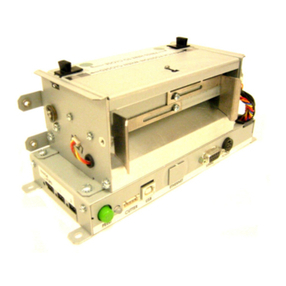
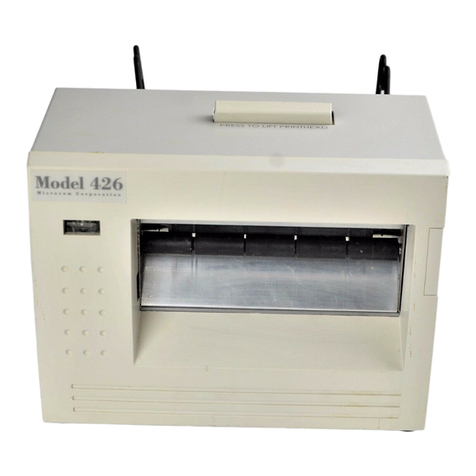
Microcom 485TM User manual

MODEL 485TM
DIRECT THERMAL PRINTER
OPERATOR’S MANUAL
PART NUMBER: 880063-0100
January 3, 2018 CPC
Copyright © 2018 by Microcom Corporation, Lewis Center, Ohio – All rights reserved.
Printed in the United States of America


Proprietary Statement
This manual contains information proprietary to Microcom Corporation. This information is
intended solely for the use of parties operating and maintaining such equipment described
herein.
Product Enhancements
Microcom Corporation is committed to the continual improvement of performance and
quality in our products. For this reason, specifications are subject to change without notice.
Liability Disclaimer
Microcom Corporation makes every effort to assure that all information and specifications
contained in this manual are accurate; however, mistakes are sometimes made. Microcom
Corporation shall not be liable for any damages resulting in the use or misuse of this
product. The exclusion or limitation involving consequential or incidental damage does not
apply to all states; therefore limitation mentioned above may or may not apply.
FCC Compliance Statement
This equipment has been tested and found to comply with the limits for a Class A digital
device, pursuant to Part 15 of the FCC rules. These limits are designed to provide
reasonable protection against harmful interference when the equipment is operated in a
commercial environment. This equipment generates, uses, and can radiate radio frequency
energy, and if not installed and used in accordance with the instructions contained in this
manual, may cause harmful interference to radio communications.
Products and company names mentioned herein may be trademarks of their respective
owners.


485TM Operator’s Manual - 880063-0100 i
Table of Contents
INTRODUCTION.............................................................................................V
CHAPTER 1: PRINTER SPECIFICATIONS 1-1
1.1 General Specifications 1-1
1.2 Printing Specifications 1-1
1.3 Media Specifications 1-2
CHAPTER 2: FEATURES AND OPTIONS 2-1
2.1 Fonts 2-1
2.2 Graphics 2-1
2.3 Bar codes 2-1
2.4 Special Features 2-2
2.5 Options 2-2
CHAPTER 3: GETTING STARTED 3-1
3.1 Unpacking and Inspection 3-1
3.2 Printer Power 3-2
3.3 RS232 Serial Communication Interface 3-2
3.3.1 RS-232 Serial Cables ...................................................................................3-2
3.3.2 RS-232 Serial RJ-12.....................................................................................3-3
3.4 USB Communication Interface 3-3
3.4.1 USB HID.......................................................................................................3-4
3.4.2 USB CDC ACM............................................................................................. 3-4
3.4.2.1 USB CDC ACM - Windows Installation.........................................................3-4
3.4.2.2 USB CDC ACM - Linux Installation............................................................... 3-4
3.5 Host USB Interface 3-5
3.6 Ethernet Communication Interface 3-5
3.7 Cash Drawer Option 3-5
3.7.1 Cash Drawer RJ12 Adapter Option............................................................... 3-6
3.8 AUX Option 3-6
3.9 Loading Media 3-7
3.10 Print Button and Status Indicator Light 3-8
3.10.1 Print Button................................................................................................... 3-8
3.10.2 Status Indicator Light.................................................................................... 3-9
3.11 Printer Modes 3-9
3.11.1 Ready Mode: GREEN.................................................................................. 3-9
3.11.2 Halted Mode: RED....................................................................................... 3-9
3.11.3 Diagnostic Mode......................................................................................... 3-10
3.11.3.1 Entering Diagnostic Mode....................................................................... 3-10
3.11.3.2 Statistics Label........................................................................................ 3-10
3.11.3.3 Test Ticket............................................................................................... 3-11
3.12 TOF Sensor 3-11
3.13 Media Roll Holder Option 3-12
3.14 Wristband Media Adapter Option 3-13
3.15 Qualsoft Windows Driver 3-14

ii 485TM Operator’s Manual - 880063-0100
3.15.1 Installing the Windows Driver......................................................................3-14
3.15.2 Configuring the Driver .................................................................................3-18
3.15.3 Printer Properties Page - General tab.........................................................3-19
3.15.4 Printer Properties Page - Ports tab .............................................................3-20
3.15.5 Printing Preferences - About tab.................................................................3-21
3.15.6 Printing Preferences - Print tab...................................................................3-21
3.15.6.1 Print tab - Advanced................................................................................3-22
3.15.7 Print tab - Halftone Adjustment ...................................................................3-22
3.15.8 Print tab - Halftone Properties.....................................................................3-23
3.15.9 Print tab - User Commands.........................................................................3-23
3.15.10 Printing Preferences - Paper tab.................................................................3-24
3.15.10.1 Paper tab - Rotation.............................................................................3-24
3.15.10.2 Paper tab - Units..................................................................................3-24
3.15.10.3 Paper tab - Page Sizes........................................................................3-24
3.15.10.4 Paper tab - Mirror.................................................................................3-24
3.15.10.5 Paper tab - Default...............................................................................3-25
3.15.11 Printing Preferences - Media tab.................................................................3-25
3.15.11.1 Media tab - Settings.............................................................................3-25
3.15.11.2 Media tab - Feed Options.....................................................................3-26
3.15.12 Printing Preferences - Presenter tab...........................................................3-27
3.15.12.1 Presenter tab - Configuration...............................................................3-28
3.15.12.2 Configuration - Modes..........................................................................3-28
3.15.12.3 Configuration - Advanced.....................................................................3-29
3.15.13 Printing Preferences - Modification tab .......................................................3-29
3.15.13.1 Modification - No of Labels...................................................................3-29
3.15.13.2 Modification - Print Speed (inch/s).......................................................3-29
3.15.13.3 Modification - Disable Status................................................................3-29
3.15.14 Printing Preferences - Save/Restore tab.....................................................3-31
3.15.14.1 Save/Restore - Restore settings from file….........................................3-31
3.15.14.2 Save/Restore - Save settings to file…..................................................3-31
3.15.14.3 Save/Restore - Restore factory defaults…...........................................3-31
3.15.15 Status Messages.........................................................................................3-31
3.15.15.1 PRINTER_STATUS_WAITING............................................................3-32
3.15.15.2 PRINTER_STATUS_BUSY .................................................................3-32
3.15.15.3 PRINTER_STATUS_PAPER_OUT......................................................3-32
3.15.15.4 PRINTER_STATUS_PAPER_JAM......................................................3-32
3.15.15.5 PRINTER_STATUS_PAPER_PROBLEM............................................3-32
3.15.15.6 PRINTER_STATUS_USER_INTERVENTIO N....................................3-32
3.15.15.7 PRINTER_STATUS_OFFLINE............................................................3-32
3.15.15.8 PRINTER_STATUS_OUTPUT_BIN_FULL..........................................3-32
3.15.15.9 PRINTER_STATUS_DOOR_OPEN....................................................3-32
3.15.15.10 PRINTER_STATUS_IO_ACTIVE ........................................................3-32
3.16 Configuration Application 3-33
3.16.1 Selecting a Device ......................................................................................3-33
3.16.1.1 Configuration Application - Serial (USB / RS-232)...................................3-33
3.16.1.2 Configuration Application - USB HID.......................................................3-34
3.16.1.3 Configuration Application - Ethernet........................................................3-34
3.16.2 Configuring a device ...................................................................................3-34
3.16.2.1 Applying changes....................................................................................3-35
3.16.2.2 Reverting changes...................................................................................3-35

485TM Operator’s Manual - 880063-0100 iii
3.16.2.3 Saving/loading configuration files............................................................ 3-35
3.16.3 Application preferences .............................................................................. 3-35
CHAPTER 4 PRINTER MAINTENANCE 4-1
4.1 Maintenance Schedule 4-1
4.2 Thermal Printer Cleaning Card 4-1
4.3 Internal Cleaning 4-3
4.4 Print Head Maintenance 4-4
4.5 Replacing the Drive Roller 4-5
4.6 Adjusting Printhead Pressure 4-7
CHAPTER 5: TROUBLESHOOTING 5-1
5.1 Troubleshooting Tips 5-1
INDEX 6-1
General Index 6-1
List of Figures 6-4
List of Tables 6-5
APPENDIX 7-1
Appendix A: Limited Warranty 7-1
Appendix B: RMA Procedure 7-3
Glossary 7-5
Appendix C: User Notes 7-9

iv 485TM Operator’s Manual - 880063-0100

485TM Operator’s Manual - 880063-0100 v
Introduction
The Model 485TM printer has been designed to provide solutions for the ticketing industry.
The printer uses the same reliable print mechanism found in the Model 428TM and 438TM
printers. The print mechanism has been designed with a 4” printhead capable of printing up
to 8” per second and is available in 203 or 300 dpi. The printer may be used as a graphics
printer or as an FGL emulation printer.
485TM Rear Side View
485TM Front Side View

vi 485TM Operator’s Manual - 880063-0100
Other Microcom Printer manuals

Microcom
Microcom 485TC User manual
Microcom
Microcom 466 User manual
Microcom
Microcom 470 User manual
Microcom
Microcom 428T User manual
Microcom
Microcom 424M User manual
Microcom
Microcom LDS2 Owner's manual

Microcom
Microcom 224 User manual
Microcom
Microcom 400 User manual

Microcom
Microcom 410 ECA User manual

Microcom
Microcom 360C User manual
Microcom
Microcom 1100 User manual
Microcom
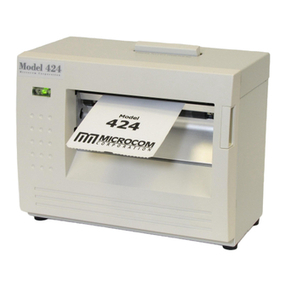
Microcom 424 User manual

Microcom
Microcom 438 User manual
Microcom
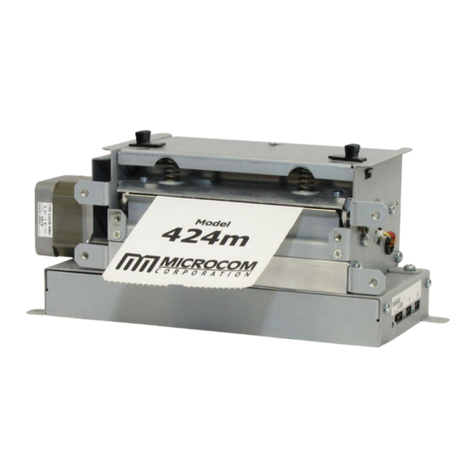
Microcom 324M User manual

Microcom
Microcom 438TC User manual

Microcom
Microcom 438T User manual
Microcom
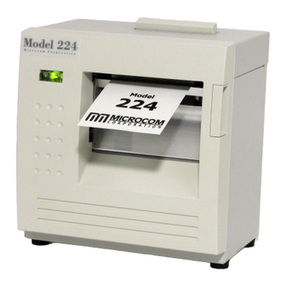
Microcom 224 User manual
Microcom
Microcom 322M User manual
Microcom
Microcom 814M User manual

Microcom
Microcom 412 User manual