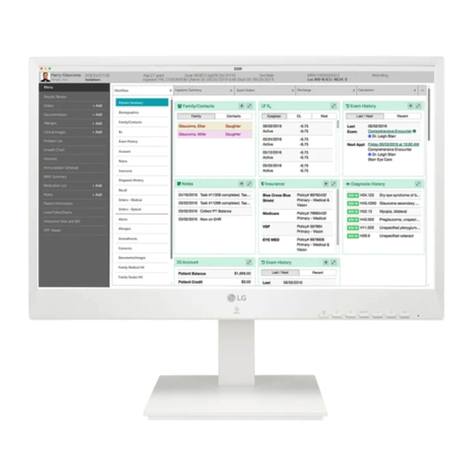
LG CloudDevice 24CR67 Series User manual

2
ENGLISH
TABLE OF CONTENTS
ON CLEANING ...............................................................3
LICENSE .......................................................................4
OPEN SOURCE SOFTWARE NOTICE INFORMATION............4
BEFORE READING THE OWNER’S MANUAL ......................4
ASSEMBLY AND PREPARING ..........................................5
USING THE MONITOR ..................................................20
USING THE RFID FUNCTION .........................................23
USER SETTINGS ..........................................................23
TROUBLESHOOTING....................................................28
PRODUCT SPECIFICATION............................................30

3
ENGLISH
Please note that this information is for proper use and safety of the equipment.The following symbols may
indicate a hazardous situation in which, if not heeded, may result in serious injury or even death to the user or
others, or damage to the equipment.
WARNING
•Indicates warning and safety instructions. If not adhered to, it could result in death or serious injury to the
user or others.
CAUTION
•Indicates a hazardous situation which, if not heeded, may result in minor or moderate injury to the user or
others, or damage to the equipment.
For users in the United States
•United State federal law restricts this equipment to be used by or on the order of a physician.
Indications for Use
•This product is intended to provide color displays and images from various medical imaging systems.
Cybersecurity warnings and responsibilities
•Firmware update should be performed through LG Electronics or its distributor.
•If LG Electronics or its distributor instructs to update the firmware, update it immediately.
ON CLEANING
Recommended Cleaning Chemicals
•Isopropanol 70%
•Ethanol 70%
•Biospot 500 ppm
•0.9% NaCl solution
How to Use Cleaner
•Prior to cleaning, turn off the monitor and remove the power cable.
•Soak a soft cloth in a recommended cleaner, then lightly rub the screen with no more than 1N of force.
•The cleaner could cause serious damage if it leaks inside the monitor while cleaning.
•The display could be damaged, so only clean the parts of the monitor other than the screen's LCD panel.
•Do not use benzene, thinner, acids or alkaline cleaners or other such solvents.
•Cleaning guidelines for displays must only be carried out by medical professionals (doctors or nurses) and
must not be handled by patients.

4
ENGLISH
LICENSE
Each model has different licenses. Visit www.lg.com for more information on the license.
The terms HDMI, HDMI High-Definition Multimedia Interface,
HDMI trade dress and the HDMI Logos are trademarks or
registered trademarks of HDMI Licensing Administrator, Inc.
Waves MaxxAudio and additional MAXX trademarks are
trademarks and/or registered trademarks ofWaves Audio Ltd.
The SuperSpeed USB Trident logo is a registered trademark of
USB Implementers Forum, Inc.
(Wi-Fi/Bluetooth supported models
only.)
The Bluetooth®word mark and logos are registered trademarks
owned by Bluetooth SIG, Inc. and any use of such marks by LG
Electronics Inc. is under license. Other trademarks and trade
names are those of their respective owners.
* USB Type-C™ and USB-C™ are trademarks of USB Implementers Forum.
OPEN SOURCE SOFTWARE NOTICE
INFORMATION
Only 24CR67*W, 24CR67*WK
To obtain the source code that is contained in this product, under GPL, LGPL, MPL, and other open source
licenses that have the obligation to disclose source code, and to access all referred license terms, copyright
notices and other relevant documents, please visit https://opensource.lge.com.
LG Electronics will also provide open source code to you on CD-ROM for a charge covering the cost of performing
such distribution (such as the cost of media, shipping, and handling) upon email request to opensource@lge.
com.
This offer is valid to anyone in receipt of this information for a period of three yearsafter our last shipment of
this product.
BEFORE READING THE OWNER’S MANUAL
For models equipped with SSD (solid state disk), stored data may be lost in the event of a malfunction due to
the nature of SSD. You must back up important user data in external storage devices (USB HDD, memory, etc.).
By the nature of this product, a malfunction in the mainboard may lead to the loss of stored data. Accordingly,
you must back up important user data in external storage devices (USB HDD, memory, etc.).
If you shut down the product before system loading is complete, it may not shut down properly. Shut down the
product once system loading is complete. (System loading takes about 1 to 2 minutes to complete, but it may
vary depending on the user environment.)

5
ENGLISH
ASSEMBLY AND PREPARING
Product Composition
Please check whether all the components are included in the box before using the product. If there are any missing components, contact the retailer where you purchased the product.
Note that the product and related components may look different from those shown here.
Owner's Manual/Regulatory Manual/Cards Power Cord AC/DC Adaptor Cable Holder
Stand Body/Stand Base Mouse (Only 24CR67**K) Keyboard (Only 24CR67**K)

6
ENGLISH
CAUTION
•Always use genuine LG components to ensure safety and product performance.
•The product warranty will not cover damage or injury caused by the use of unauthorized components.
•It is recommend that use the supplied components.
•If you use generic cables not certified by LG, the screen may not display or there may be image noises.
•Need to use the authorized components about the below accessories. Unauthorized components may be
cause of the damage and malfunction of the product.
Component Standard
Power Cord US – Approved Medical grade regulation
Others – Approved country safety regulation
•The AC/DC adaptors and etc. except the upper components need to be used only supplied by manufacturer.
NOTE
•The components may look different from those illustrated here.
•Without prior notice, all product information and specifications contained in this manual are subject to
change to improve the performance of the product.
•To purchase optional accessories, visit an electronics store or an online shopping site, or contact the retailer
from which you purchased the product.
•The power cord provided may differ depending upon the region.
BIOS
CAUTION
•BIOS Password:Without the registered password, access to the system will be denied.Write down and keep
the password in a safe place.
•SSD Password: If you forgot SSD Password, you cannot restore the SSD.
•The replacement of SSD due to a forgotten SSD Password is not covered by warranty.
Supported Software
(Depending on model)
You can download and install the latest version from the LGE website (www.lg.com).
-

7
ENGLISH
Product and Button Description
1
2
3 4
Front Adjust Button Functions Information
1Webcam activity status indicator 3Power Button
2Webcam 4Power Indicator
Power Indicator
Mode LED
PC On On
PC Sleep Blinking
PC Off Off
Webcam activity status indicator
Mode LED
Webcam enabled On
Webcam disabled Off

8
ENGLISH
Button Description
Tag the RFID card to run the RFID module.
(Menu) If the menu is inactive Activates the main menu.
If the menu is active Exits the OSD menu when the button is pressed.
If the menu is inactive Adjusts the volume level of the monitor.
If the menu is active Left directional key.
If the menu is inactive Adjusts the volume level of the monitor.
If the menu is active Right directional key.
If the menu is inactive Change the input signals.The input signal (HDMI/PC)
will be changed sequentially.
* When the input signal is changed to PC, the PC is
turned on. (Depending on the PC setting)
If the menu is active Selects and confirms menus or options.
Down directional key.
Up directional key.
(Power button) HDMI input Turn the monitor power on/off.
PC input Turn the PC power on/off.
Connectors
: SFP supported models only.
CAUTION
•Take caution when handling the product as the SFP port’s protrusions are sharp and may injure your hand.
(SFP supported models only.)
9
ENGLISH
Moving and Lifting the Monitor
When moving or lifting the monitor, follow these instructions to prevent the monitor from being scratched or
damaged and to ensure safe transportation, regardless of its shape or size.
•Place the monitor in the original box or packing material before attempting to move it.
•Before moving or lifting the monitor, disconnect the power cord and all other cables.
•Hold the bottom and side of the monitor frame firmly. Do not hold the panel itself.
•When holding the monitor, the screen should face away from you to prevent it from being scratched.
•When transporting the monitor, do not expose the monitor to shock or excessive vibration.
•When moving the monitor, keep it upright and never turn the monitor on its side or tilt it sideways.
CAUTION
•Avoid touching the monitor screen as much as possible.
-This may result in damage to the screen or some of the pixels used to create images.
•If you use the monitor panel without the stand base, its button may cause the monitor to become unstable
and fall, resulting in damage to the monitor or human injury. In addition, this may cause the button to
malfunction.
•Make sure there is enough slack in the cable when wire dressing the cable to the monitor. If the connected
cable is too tight, the cable may be disconnected or deformed, which can cause malfunction. Please be
careful.

10
ENGLISH
Installing the Monitor
Assemble the Stand
•Note that the product may look different from the illustrations in this user manual.
1
CAUTION
•To protect the screen from scratches, cover the surface with a soft cloth.
2
or
Stand Base
Stand Body
Cable Holder
* Assemble the Cable Holder.
This manual suits for next models
1
Table of contents
Other LG Server manuals

LG
LG PCS500R Pro:Centric Operating and maintenance manual

LG
LG 27CN650N User manual

LG
LG CloudDevice 24CN670N User manual

LG
LG LVS301 series User manual

LG
LG Pro:Centric PCS200S Operating and maintenance manual

LG
LG LVS201 series User manual

LG
LG 24CK560N User manual

LG
LG CL600I User manual

LG
LG 24CK550N-3A User manual

LG
LG Cloud Device 24CQ650N-6N User manual