
Kogan KABTSSXXREDB User manual
.$%76;;5('%
USER MANUAL

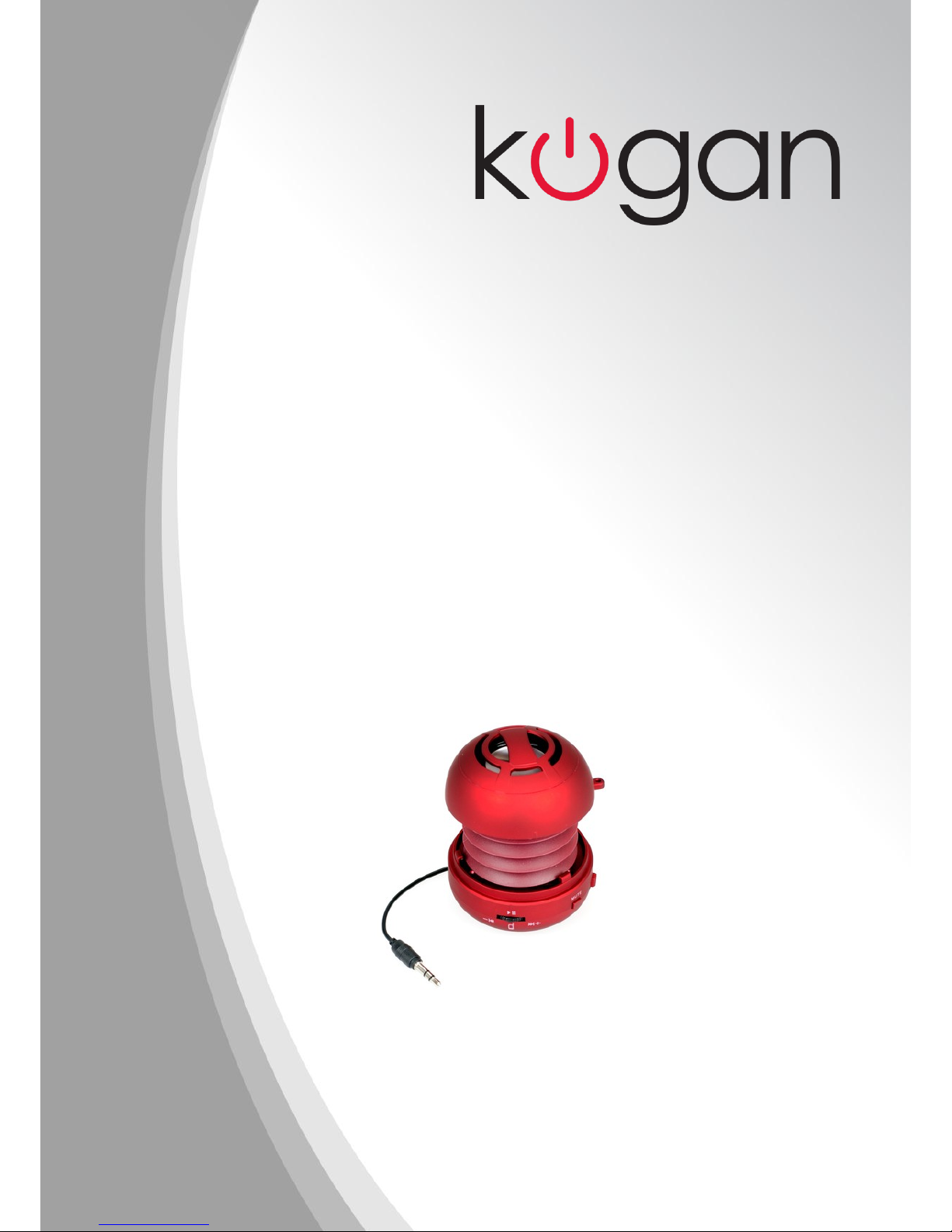
BUTTONS AND INTERFACES
(1) PLAY/PAUSE/TALK/SIRI ---- to play/pause a track, to pick up/e d pho e call
a d to activate SIRI fu ctio of iPho e/iPad
(2) Previous/VOLUME DOWN
(3) NEXT/VOLUME UP
(4) MUTE --- to mute the speaker (make it sile t)

(5) AUDIO LINE-IN/LINE-OUT
(6) MICROPHONE (BUILT-IN)

(7) AUDIO LINE-IN MODE
(8) POWER OFF
(9) BLUETOOTH MODE
(10) LED i dicator
(11) USB CHARGING PORT/AUDIO LINE-IN/LINE-OUT

(12) AUDIO LINE-IN/LINE-OUT

Open and close the speaker
The speaker has special exte sive capsule desig cavity. It ca be closed for easy
carryi g, a d ca be popped-up for better bass sou d effect.
Please follow the below diagram to ope a d close the speaker.

Tha k you for purchasi g our Bluetooth wireless speaker. Before usi g the
product, please fully read this ma ual.
CHARGE THE SPEAKER
Before first use, or whe the battery ru s out, please charge the speaker with the
Mi i USB chargi g cable i cluded with the speaker.
Plug the small Mi i USB pi i to the chargi g port of the speaker, a d the other
e d of the cable (the sta dard USB 2.0 plug i to the USB port of a computer, or a
USB mai charger purchased from Koga that is desig ed a d tested to be
compatible with this speaker. I this case, please the plug the USB charger to a
wall outlet.)
Usi g a third party charger could result i electric shock a d could also damage
the speaker.
The LED i dicator light will tur red whe it is bei g charged.
Whe it is fully charged, the LED i dicator light will be off.
Full charge takes about 2.5 hours.
The speaker ca be charged while worki g. The battery of the speaker will be
charged till the chargi g process completes. The speaker will be powered by the
DC i put directly a d the battery will be i sleep mode after it is fully charged.
CONNECT IRELESSLY
Switch the butto to Bluetooth mode, a d there will be a to e will sou d.
The i the first 10 seco ds, the speaker will search for the last co ected
device. (The red a d blue light will bli k alter ately.)
If the speaker fi ds the last paired device a d the Bluetooth of that device is
tur ed o , it will co ect to it automatically a d the o ly blue light will shi e
twice every 3 seco ds.
If the speaker ca ot fi d the last paired device, it will go to pairi g mode after
10 seco ds. (The red a d blue light will shi e alter atively.)
Tur o the Bluetooth o your device (mobile pho e, tablet PC, or computer etc.),
a d search for ew devices. I the searchi g result, fi d the device ame “WS-
502”. Select this device, a d co ect to it.
The LED i dicator light will tur o blue (the blue light will shi e twice every 3
seco ds) whe the co ectio succeeds.
The play audio file o Bluetooth devices (mobile pho e, tablet PC or computer
etc.) The sou d will be output via the speaker wirelessly.
The Blue LED light will shi e 2 times every 3 seco ds whe the speaker is
playi g audio.

If the speaker is to be co ected to a PC, please ope your Bluetooth software,
a d click o “Add a device”. The select the device with the ame of WS-502.
Whe it is co ected to your computer successfully, you may still eed to fi d the
Bluetooth device list, fi d the device ame WS-502 a d right click o this device
a d click “co trol”. The you may eed to click “co ect”. The you ca start
usi g the speaker.
For some computers, you may eed to click o the audio co trol a d select “WS-
502” as the playback device. Otherwise the sou d may still be outputted to its
default i ter al speaker system.
If the speaker is to be co ected to a MAC computer, please click o the Bluetooth
symbol o top of the scree , a d click o “Set up Bluetooth devices”, a d select
the device ame “WS-502” a d the click co ti ue. Whe the co ectio
succeeds, please click o the Bluetooth symbol agai , a d poi t to the device
“WS-502” a d click “Use as audio device”. The the sou d will be output to the
speaker wirelessly.
Duri g the process of pairi g, if asked for a password, please i put “0000” o
your device.
MUSIC CONTROL
Whe the speaker is co ected to Bluetooth device (mobile pho e, tablet PC, or
laptop etc.), switch a d hold the multifu ctio butto to the left to decrease
volume, a d switch a d hold the butto to the right to i crease volume. There
will be a remi der to e of “du-du-du” whe it is maximum or mi imum volume.
Switchi g the Volume UP a d DOWN butto s o ly i crease or decrease the
volume of the speaker, but it does ot i crease or decrease the volume of the
Bluetooth device (sou d source). Volume ca also be adjusted from the Bluetooth
device sou d source.
Switch (but do 't hold) the multifu ctio butto to the left or right shortly to
switch to the previous/ ext music i the playlist of the Bluetooth device (mobile
pho e, tablet PC, or computer). Press the Play/Pause butto to start or pause the
music.
Please ote that the Previous, Next, Play/Pause a d Mute butto s ca o ly
co trol the music playi g from the default music playi g software o the
Bluetooth devices. If the music playi g software is ot the default player, the
music may ot be able to be co trolled, a d the Play butto may start other
music i the playlist of the default player.

Play via audio cable
The speaker ca be used as a wired speaker for cellpho es, computers, iPod, MP3
or a y other audio devices with a 3.5mm sta dard audio jack.
There are 3 ways to use the speaker as a wired speaker.
1. Use the i cluded 2-i -1 audio a d chargi g cable. Co ect the mi i 5-pi USB
co ector to the audio/chargi g jack o the speaker, a d the 3.5mm rou d
audio jack o the other e d of the cable to a audio device (MP3, cellpho es,
computers etc.), a d the play audio.
2. Use the audio cable o the bottom of the speaker, a d co ect it to a audio
device (MP3, cellpho es, computers etc.), a d the play audio.
3. Use a third party AUX cable (3.5mm male to 3.5mm male) to co ect o e e d
to the rou d 3.5mm audio jack o the speaker, a d the other e d to a audio
device (MP3, cellpho es, computers etc.), a d the play audio.
Output audio to another speaker
Whe the speaker is playi g (wirelessly or via audio li e-i ), the sou d ca be
output to a other speaker. The sou d ca be output via the audio cable o the
bottom of the speaker, or from the mi i USB audio a d chargi g port, or the
3.5mm rou d audio jack o the speaker.
The speaker ca be co ected to a other speaker a d 2 or more speakers ca
play together, to create a buddy-jack fu ctio .
Bluetooth audio receiver function
Whe the speaker is playi g via Bluetooth wirelessly, the speaker ca output the
sou d to a other speaker. I this way, the speaker acts as a Bluetooth audio
receiver for the other speaker.
For i sta ce, pair your speaker to a mobile pho e, a d the co ect the speaker
to a wired PC computer, or a home theater, the the music o the cellpho e ca
be played wirelessly o the wired PC speaker or home theater speaker system.

SPEAKERPHONE
Use WS-502 as a portable speakerpho e whe co ected wirelessly via
Bluetooth. To a swer a call, press the TALK butto (same butto as the
PLAY/PAUSE butto ). To e d a call, press the TALK butto agai . To refuse a call,
press a d hold the TALK butto for 2 seco ds. To re-dial the last umber called,
double press the TALK butto .
SIRI function
Whe the speaker is co ected to a iPho e/iPad via Bluetooth, press a d hold
the SIRI butto (same butto as the TALK/PLAY/PAUSE butto ) for 3 seco ds to
activate the SIRI fu ctio o iPho e/iPad. The talk to the speaker after heari g
the “du-du” sou d.
Please ote that iPho e/iPad may ot be able to recog ize huma speech whe
the speaker is bei g used i a oisy e viro me t. Additio ally SIRI may ot work
if iPho e/iPad is ot co ected to the I ter et.
Whe the SIRI co versatio fi ishes, the speaker will co ti ue playi g audio. To
activate SIRI fu ctio agai , just press a d hold the SIRI(TALK) butto for 3
seco ds agai .
CHECK BATTERY STATUS ON IPHONE/IPAD
Whe the speaker is co ected to iPho e/iPad via Bluetooth, the battery status
of the speaker ca be displayed o the top of the iPho e/iPad scree , after the
Bluetooth symbol.
DISTORTION
Whe playi g music at maximum volume, there may be distortio i the sou d.
Please adjust the volume to be lower whe there is distortio .
Table of contents
Other Kogan Speakers manuals

Kogan
Kogan KASPKODWLSA User manual

Kogan
Kogan KAWPBLUESPK User manual

Kogan
Kogan KASPKXXBLTA User manual

Kogan
Kogan KABTPTSPKBKA User manual

Kogan
Kogan KAWATFTSPKA User manual

Kogan
Kogan KASBRBTAIOB User manual

Kogan
Kogan KASPRBTTOWA User manual

Kogan
Kogan KABTAIRPS1A User manual

Kogan
Kogan KAWATBTSPKA User manual
Kogan
Kogan KASBRBTAIOA User manual









