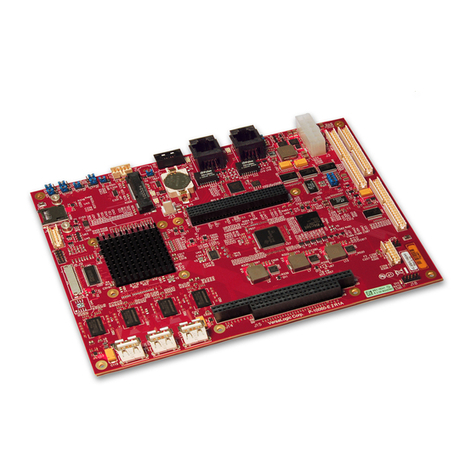
ICP Electronics Celeron ROCKY-3701 User manual

ROCKY–3701 Ver2.1
CeleronTM & Pentium III Processor
With four RS-232C Ports
& Compact Flash Disk SBC
©Copyright 2001 by ICP Electronics Inc. All Rights Reserved. Manual first
edition MAR.16, 2002.
The information in this document is subject to change without prior notice in
order to improve reliability, design and function and does not represent a
commitment on the part of the manufacturer.
In no event will the manufacturer be liable for direct, indirect, special,
incidental, or consequential damages arising out of the use or inability to
use the product or documentation, even if advised of the possibility of such
damages.
This document contains proprietary information protected by copyright. All
rights are reserved. No part of this manual may be reproduced by any
mechanical, electronic, or other means in any form without prior written
permission of the manufacturer.
Trademarks
ROCKY-3701 is a registered trademark of ICP Electronics Inc. IBM PC is a
registered trademark of International Business Machines Corporation. Intel
is a registered trademark of Intel Corporation. AMI is a registered
trademark of American Megatrends, Inc. Other product names mentioned
herein are used for identification purposes only and may be trademarks
and/or registered trademarks of their respective companies.


Contents
1. Introduction............................................................................... 3
1.1 Specifications.................................................................................. 4
1.2 What You Have............................................................................... 6
2. Installation................................................................................. 7
2.1 ROCKY-3701's Layout.................................................................... 8
2.2 Unpacking Precautions………………………………………………... 9
2.3 Setting the CPU of ROCKY-3701 ..................................................10
2.4 Watch-Dog Timer...........................................................................10
2.5 DiskOnChip™ Flash Disk ..............................................................11
2.6 PS/2 Mouse ...................................................................................11
3. Connection............................................................................... 12
3.1 Floppy Disk Drive Connector .........................................................12
3.2 PCI E-IDE Disk Drive Connector....................................................13
3.3 Parallel Port ...................................................................................14
3.4 Serial Ports ....................................................................................14
3.5 Keyboard/Mouse Connector ..........................................................15
3.6 External Switches and Indicators...................................................16
3.7 USB Port Connector ......................................................................17
3.8 IrDA Infrared Interface Port ...........................................................17
3.9 Fan Connector...............................................................................19
3.10 CompactFlash disk Connector .....................................................19
4. AMI BIOS Setup.................................................................... 20
ROCKY-3701 Socket 370 CeleronTM & Pentium III
1

4.1 Getting start...................................................................................20
4.2 Standard CMOS Setup..................................................................21
4.3 Advanced CMOS Setup.................................................................22
4.4 Advanced Chipset Help .................................................................24
4.5 Power Management Setup.............................................................26
4.6 PCI/PLUG AND PLAY Setup.........................................................27
4.7 Peripheral Setup............................................................................28
4.8 Hardware Monitor Setup................................................................30
4.9 Change Supervisor/User Password...............................................31
4.10 Auto-Detect Hard Disk ..................................................................32
4.11 Auto Configuration with Optimal Settings.......................................32
4.12 Auto Configuration with Fail Save Settings…………….. ................33
4.13 Save Settings and Exit …..……………………………………………33
4.14 Exit Without Saving ……………………………………………………33
Appendix A. Watch-Dog Timer................................................. 34
ROCKY-3701 Socket 370 CeleronTM & Pentium III 2

1
Introduction
Welcome to the ROCKY-3701 Socket 370 Celeron®and Pentium
III ( FC-PGA ) with four RS-232C ports & Type I/II CompactFlash
disk Single Board Computer. The ROCKY-3701 is a PICMG bus
form factor board. It is equipped with high performance Intel®
Celeron up to 566MHz and Pentium III ( FC-PGA ) 933MHz ( or
above ) Processor and advanced high performance multi-mode
I/O, designed for the system manufacturers, integrators, or VARs
that want to provide all the performance, reliability, and quality at
a reasonable price.
This board has a built-in DiskOnChip™(DOC) Flash Disk for
embedded application. The DOC Flash Disk is 100% compatible
to hard disk. User can use any DOS command without any extra
software utility. The DOC currently is available from 2MB to
144MB.
Besides the DOC,this board also support Type I/II CompactFlash
disk, We use IDE2 for CompactFlash disk , which is 100%
compatible with IDE interface
An advanced high performance super AT I/O chip – Winbond
W83977TF & W83877TF are used in the ROCKY-3701 board.
The on-chip UARTs are compatible with the NS16C550. The
parallel port and IDE interface are compatible with IBM PC/AT
architecture.
ROCKY-3701 uses the advanced VIA Apollo Pro133 Chipset
which is 100% ISA/PCI compatible chipset with PCI 2.1
standard. In addition, this board provides four 168-pin sockets for
its on-board DRAM. The DIMM module is 3.3 V SDRAM and
max. 256MB for each module.
ROCKY-3701 Socket 370 CeleronTM & Pentium III
3

1.1 Specifications :
•CPU : Support Intel 66/100/133MHz FSB CPU ,Celeron®up to 566
MHz , Pentium III ( FC-PGA ) 933 MHz ( or Above ) Processor.
•Bus : PICMG bus, meets PCI 2.1 standard
•DMA channels : 7
•Interrupt levels : 15
•Chipset : VIA Apollo Pro133 chipset 66/100/133MHz HOST Clock
•
RAM : Four 168-pin DIMM sockets support SDRAM and VCM(NEC:
Virtual Channel Module) RAM module, up to 1GB.
•Ultra DMA/66 (Enhanced PCI IDE Interface) : up to four PCI
Enhance IDE hard drives. The Ultra DMA/66 IDE can handle data
transfer up to 66MB/s. The best of all is that this new technology is
compatible with existing ATA-2 IDE specifications. So, there is no
need to do any change for customer’s current accessory.
•Multi-I/O Chip : W83977TF & W83877TF, all I/O setup by BIOS
Four 16C550 RS-232C Ports
One EPP/ECP Parallel Port, Floppy Port
•Floppy disk drive interface : two 2.88 MB, 1.44MB, 1.2MB, 720KB,
or 360KB floppy disk drives.
•Four high speed Serial ports : NS16C550 compatible UARTs
•Bi-directional Parallel Port
•Built-in LM78 Hardware Monitoring System to monitor power
supply voltage and fan speed status.
•IrDA port : Support Serial Infrared(SIR) and Amplitude Shift
Keyed IR(ASKIR) interface.
•USB port : Support two USB ports for future expansion.
•ISAPLUSTM : designed to enhance the ISA bus drive capability
•Watch-dog timer : can be set by PROGRAM period. Reset or NMI is
generated when CPU does not periodically trigger the timer. Your
program uses hex 043/843 and 443 to control the watch-dog and
generate a system reset.
ROCKY-3701 Socket 370 CeleronTM & Pentium III 4

•Flash Disk - DiskOnChip™: The Flash Disk provides 100%
compatibility with hard disk, supports M-Systems. The built-in True
FFS Transparent Flash Block Management and Space Reclamation
will let customer to use the Flash Disk with DOS command, no need
any extra software utility. The DOC currently is available from 2MB to
144MB.
•ONLY AT POWER
•Mouse & Keyboard Connector : PS/2 Mouse Port on-board + Ext.
Keyboard.
•Power Consumption : +5V/6.8A (Celeron 333MHz, 512MB SDRAM)
+12V:170mA , -12V:60mA
•Operating Humidity : 5 ~ 95 % , non-condensing
•CompactFlash disk : The CompactFlash Storage Card also runs in
True IDE Mode that is electrically compatible with an IDE disk drive. It
can be used with a passive adapter in a Type I/II socket.
ROCKY-3701 Socket 370 CeleronTM & Pentium III
5

1.2 What You Have
In addition to this User's Manual, the ROCKY-3701 package
includes the following items:
•ROCKY-3701 Socket 370 Celeron®& Pentium III SBC.
•Printer Cable/RS232 Cable
•FDD/HDD Cable
•6-pin Mini-Din to 5-pin Din Keyboard Adapter Cable
If any of these items is missing or damaged, contact the dealer
from whom you purchased the product. Save the shipping
materials and carton in case you want to ship or store the product
in the future.
ROCKY-3701 Socket 370 CeleronTM & Pentium III 6

2
Installation
This chapter describes how to install the ROCKY-3701. The
layout of ROCKY-3701 is shown on the next page and the
Unpacking Precautions that you should be careful with are
described on the following page. Also included is the jumpers
and switches setting for this board’s configuration, such as: CPU
type selection, system clock setting and Watchdog timer.
2.1 ROCKY-3701 's Layout
< please, refer to the next page >
ROCKY-3701 Socket 370 CeleronTM & Pentium III
7

ROCKY-3701 Socket 370 CeleronTM & Pentium III 8
Other manuals for Celeron ROCKY-3701
1
Table of contents
Other ICP Electronics Single Board Computer manuals