Gtec ZP120N User manual

USER’S MANUAL
MANUALE UTENTE
For Models ZP120N
1~3KVA
Uninterruptible Power System
ReDeal
www.redeal.pt

CONTENT
1. Safety and EMC Instructions............................................................1
1.1 Installation...................................................................................... 1
1.2 Operation....................................................................................... 2
1.3 Maintenance, servicing and faults................................................. 3
1.4 Transport........................................................................................ 4
1.5 Storage .......................................................................................... 4
1.6 Standards....................................................................................... 5
2. Description of Commonly Used Symbols.......................................6
3. Introduction ........................................................................................7
4. Panel Description...............................................................................8
5. Connection and Operation..............................................................12
5.1 Inspection: ................................................................................... 12
5.2 Connection:.................................................................................. 12
5.3 Battery charge:............................................................................ 14
5.4 Turn on the UPS:......................................................................... 15
5.5 Test function:................................................................................ 15
5.6 Turn off the UPS:......................................................................... 15
5.7Audible alarm mute function:....................................................... 16
5.8 Operation procedure of external battery for long backup time
model (“S” model).............................................................................. 16
6. Operating Mode for All Models.......................................................18
6.1 Line mode.................................................................................... 18
6.2 Battery mode............................................................................... 19
6.3 Bypass mode............................................................................... 20
6.4 NO output mode.......................................................................... 21
6.5 EPO (Emergency Power Off)...................................................... 22
6.6 ECO mode (Economy mode)...................................................... 22
6.7 Converter mode........................................................................... 23
6.8 Abnormal mode ........................................................................... 23
7. Setting by LCD Module....................................................................24
8. Trouble Shooting..............................................................................27
9. Maintenance......................................................................................31
9.1 Operation..................................................................................... 31
ReDeal
www.redeal.pt

9.2 Storage ........................................................................................ 31
9.3 Battery Replace........................................................................... 31
10. Technical Data ................................................................................32
10.1 Electrical specifications............................................................. 32
10.2 Operating Environment ............................................................. 32
10.3 Typical backup time (Typical values at 25°C in minutes:)............. 33
10.4 Dimensions and weights ........................................................... 33
11. Communication Port......................................................................34
11.1 USB............................................................................................ 34
11.2 RS232 Interface(Option)............................................................ 34
11.3AS400 Interface (Option)........................................................... 34
12. Software ..........................................................................................36
Appendix: Rear panel ..........................................................................37
ReDeal
www.redeal.pt

1
1. Safety and EMC Instructions
Please read carefully the following user manual and the
safety instructions before installing the unit or using the
unit!
1.1 Installation
See installation instructions before connecting to the supply.
Condensation may occur if the UPS is moved directly from a
cold to a warm environment. The UPS must be absolutely dry
before being installed. Please allow an acclimatization time of at
least two hours.
Do not install the UPS near water or in damp environment.
Do not install the UPS where it would be exposed to direct
sunlight or near heat.
Do not connect appliances or items of equipment which would
overload the UPS (e.g. laser printers, etc) to the UPS output.
Place cables in such a way that no one can step on or trip over
them.
Assure to connect with the earth reliably.
Assure external battery source must be earthed.
Connect the UPS only to an earthed shockproof socket outlet.
The building wiring socket outlet (shockproof socket outlet)
must be easily accessible to close to the UPS.
With the installation of the equipment, the sum of the leakage
current of the UPS and the connected load does not exceed
3.5mA.
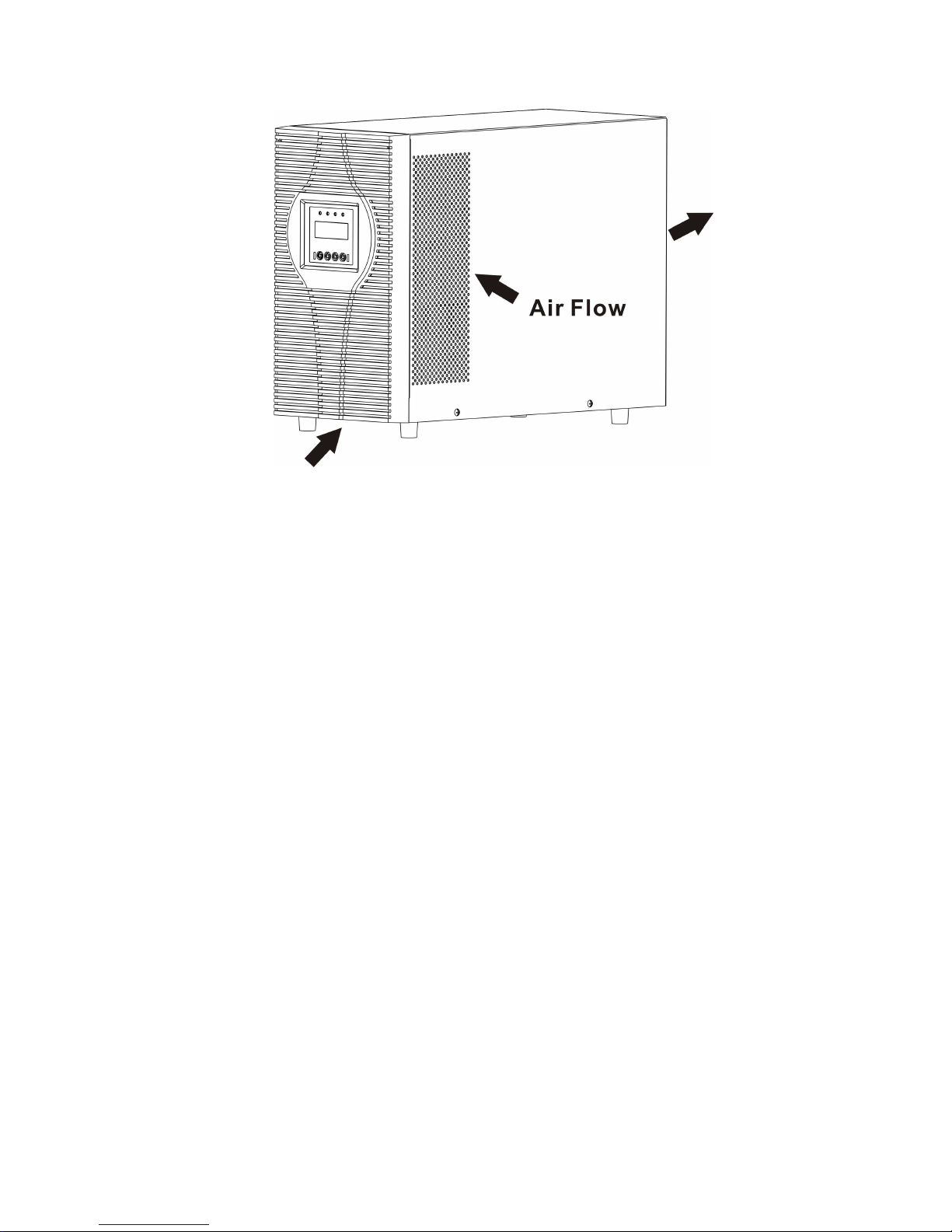
Do not block ventilation openings in the UPS’s housing. Ensure
the air vents on the front, side and rear of the UPS are not
blocked.Allow at least 25cm of space on each side.
ReDeal
www.redeal.pt

2
UPS has provided earthed terminal, in the final installed system
configuration, equipotential earth bonding to the external UPS
battery cabinets.
An appropriate disconnect device as short-circuit backup
protection should be provided in the building wiring installation.
Please see the disconnect device specification in chapter 5.2.
Equipment the powered more than one source.
1.2 Operation
Do not disconnect the mains cable on the UPS or the building
wiring socket (grounded shockproof socket) during operation as
this would remove the ground to the UPS and of all connected
loads.
The UPS features its own, internal current source (batteries).
You may be electric shock when you touch the UPS output
sockets or output terminal block even if the UPS is not
connected to the building wiring socket.
In order to fully disconnect the UPS, first press the OFF button
to turn off the UPS, then disconnect the mains lead.
Ensure that no liquid or other foreign objects can enter the UPS.
www.redeal.pt

3
Do not remove the enclosure. This system is to be serviced by
qualified service personnel only.
Remove the protective panel only after disconnecting the
terminal connections.
Use No. 12 AWG (for 2-3K/KS input wire) , 90°C copper wire
and 4.4 lb-in Torque force when connecting to terminal block.
Use No. 10AWG (for all models battery wire), 90°C copper wire
and 12 lb-in Torque force when connecting to terminal block.
1.3 Maintenance, servicing and faults
The UPS operates with hazardous voltages. Repairs may be
carried out only by qualified maintenance personnel.
Caution - risk of electric shock. Even after the unit is
disconnected from the mains power supply (building wiring
socket), components inside the UPS are still connected to the
battery which are potentially dangerous.
Before carrying out any kind of service and/or maintenance,
disconnect the batteries. Verify that no current is present and
no hazardous voltage exists in the capacitor or BUS capacitor
terminals.
Batteries must be replaced only by qualified personnel.
Caution - risk of electric shock. The battery circuit is not isolated
from the input voltage. Hazardous voltages may occur between
the battery terminals and the ground. Verify that no voltage is
present before servicing!
Batteries have a high short-circuit current and pose a risk of
shock. Take all precautionary measures specified below and
any other measures necessary when working with batteries:
remove all jewellery, wristwatches, rings and other metal
objects
use only tools with insulated grips and handles.
www.redeal.pt

4
When changing batteries, replace with the same quantity and
the same type of batteries.
Do not attempt to dispose of batteries by burning them. It could
cause explosion.
Do not open or destroy batteries. Effluent electrolyte can cause
injury to the skin and eyes. It may be toxic.
Please replace the fuse only by a fuse of the same type and of
the same amperage in order to avoid fire hazards.
Do not dismantle the UPS, except the qualified maintenance
personnel.
1.4 Transport
Please transport the UPS only in the original packaging (to
protect against shock and impact).
1.5 Storage
The UPS must be stockpiled in the room where it is ventilated
and dry.
www.redeal.pt

5
1.6 Standards
* Safety
IEC/EN 62040-1-1
* EMI
Conducted Emission..........................:IEC/EN 62040-2 Category C1
Radiated Emission.............................:IEC/EN 62040-2 Category C1
Harmonic Current...............................:IEC/EN 61000-3-2
Voltage Fluctuation and Flicker..........:IEC/EN 61000-3-3
*EMS
ESD...................................................:IEC/EN 61000-4-2 Level 4
RS.....................................................:IEC/EN 61000-4-3 Level 3
EFT....................................................:IEC/EN 61000-4-4 Level 4
SURGE.............................................:IEC/EN 61000-4-5 Level 4
CS……………………………………...:IEC/EN 61000-4-6 Level 3
MS……………………………………..: IEC/EN 61000-4-8 Level 3
Voltaje Dips…………………………...: IEC/EN 61000-4-11
Low Frequency Signals.....................:IEC/EN 61000-2-2
www.redeal.pt

6
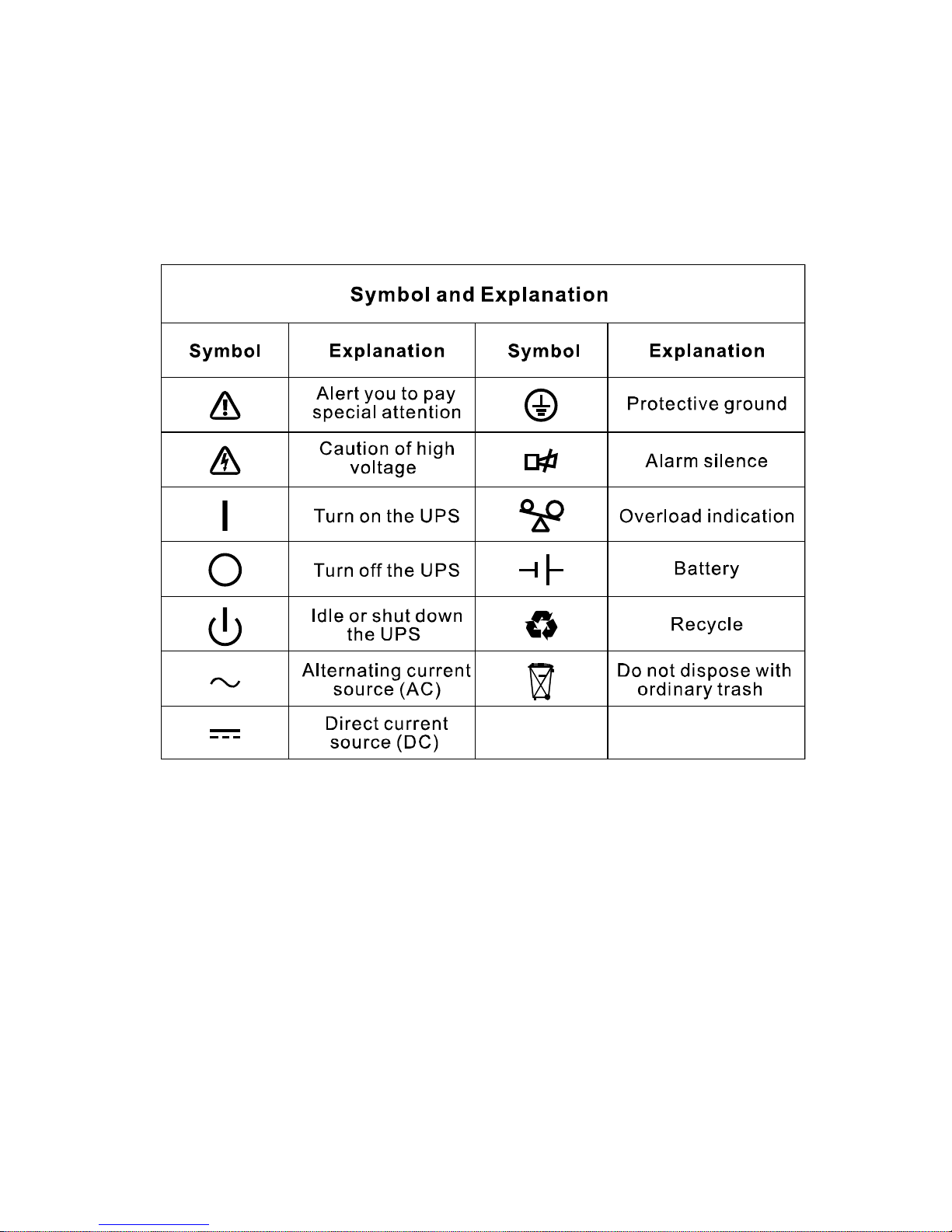
2. Description of Commonly Used Symbols
Some or all of the following symbols may be used in this manual. It is
advisable to familiarize yourself with them and understand their
meaning:
www.redeal.pt

7
3. Introduction
This On-Line-Series is an uninterruptible power supply incorporating
double-converter technology. It provides perfect protection specifically
for Novell, Windows NT and UNIX servers.
The double-converter principle eliminates all mains power
disturbances. A rectifier converts the alternating current from the
socket outlet to direct current. This direct current charges the batteries
and powers the inverter. On the basis of this DC voltage, the inverter
generates a sinusoidal AC voltage, which permanently supplies the
loads.
Computers and periphery are thus powered entirely by the mains
voltage. In the event of power failure, the maintenance-free batteries
power the inverter.
This manual covers the UPS listed as follows. Please confirm whether
it is the model you intend to purchase by performing a visual inspection
of the Model No. on the rear panel of the UPS.
“KS” Model: Extended backup time
Model No. Type Model No. Type
ZP120N-1K ZP120N-1K-KS
ZP120N-2K ZP120N-2K-KS
ZP120N-3K
Standard
ZP120N-3K-KS
Other manuals for ZP120N
1
This manual suits for next models
6
Table of contents
Other Gtec UPS manuals