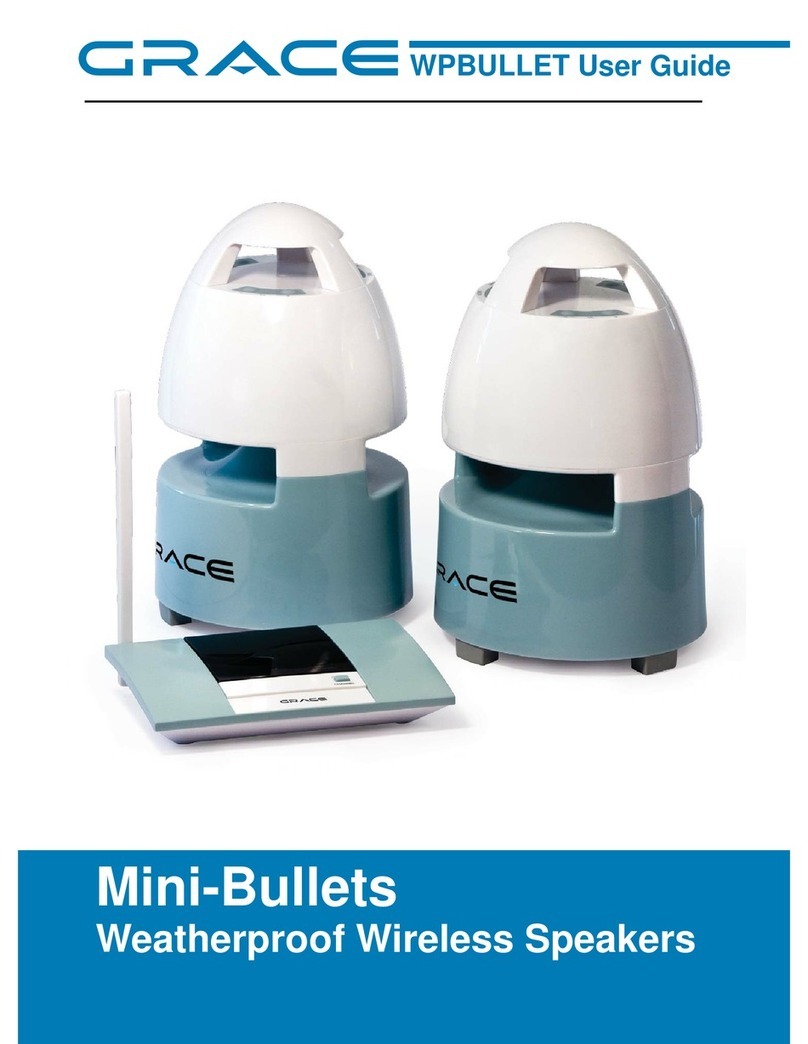
Grace SCN300W User manual

1
Schooners
Weatherproof Wireless Speakers
SCN300W User Guide

2
TABLE OF CONTENTS
Introduction ............................................................................................. 3
Contents................................................................................................... 3
Features.................................................................................................... 3
Component Identification
Transmitter ........................................................................................... 4
Speaker................................................................................................. 5
Remote ................................................................................................. 6
Installation
Transmitter ........................................................................................... 7
Speaker................................................................................................. 8
Remote ................................................................................................. 9
Operation................................................................................................. 9
Switch Off ................................................................................................ 10
Other Controls ......................................................................................... 10
Trouble Shooting..................................................................................... 11
Technical Specifications........................................................................... 12
Warning ................................................................................................... 12
Proposition 65.......................................................................................... 13
Contact..................................................................................................... 13

3
INTRODUCTION
CONTENTS
FEATURES
This stereo wireless speaker system applies the latest 900Mhz wireless technology
that enables you to enjoy music and TV sound anywhere inside or outside your
home. You can simply connect the transmitter with any audio source such as
iPod, TV, DVD, HiFi and CD/MP3 player.
1. RF transmitter
2. RF speakers, 2 pcs.
3. AC adapter for transmitter
4. AC adapters for speaker, 2 pcs.
5. Remote Control
6. 3.5mm plug to 2 X RCA audio cable
7. 3.5mm to 6.3 mm adapter plug
1. 900 MHz RF technology
2. Auto Tuning System on speakers
3. Phase Lock Loop (PLL) transmission system on transmitter
4. Water-proof Speakers
5. Stereo Effect on Speakers
6. Operating distance up to 150 feet.
7. No line of sight limitation.
8. Auto ON/OFF control on Transmitter
9. Auto Shut-Off on Speakers
10. Bass boost function
11. Remote control unit
12. Optional battery operation for Transmitter and Speakers

4
COMPONENT IDENTIFICATION
Transmitter
Power / Signal Indicator
(Green / Blue)

5
COMPONENT IDENTIFICATION
LED
Battery Compartment
DC JackFront View
Back View
Speaker

6
COMPONENT IDENTIFICATION
INSTALLATION
Remote Control
Transmitter
Power On / Off
Auto Tune
Bass Boost
Volume Up / Down
Top View Bottom View
Battery Compartment
1. Connect the supplied AC power adaptor to an electrical wall outlet.
2. Plug the AC power adaptor in the DC jack located on the rear of the
transmitter.
3. Or you can insert 4 X “AA” size ALKALINE batteries into the battery
compartment at the bottom of the transmitter with correct polarity.
4. The rear of the transmitter has one audio cord that can be connected to audio
output jack of TV, iPod, DVD, and CD/MP3 players or to headphone/earphone
jack with the connector provided.

7
INSTALLATION
When the power adapter connection is finished, the LED of transmitter will light
up in Green. When the audio cable connection is finished and turn on the audio
source, the LED will turn from Green to Blue.

8
LED
Battery Compartment
DC JackFront View
Back View
INSTALLATION
Speaker
1. Insert 8 ‘C’ size ALKALINE batteries into the battery compartment with correct
polarity at the bottom of the speakers or connect the 12V power adaptor to
the DC input jack on the bottom of each speaker, then plug it to the wall AC
outlet.
2. Press Power button and turn the speakers ON. The Power/Standby LED will
light up in Blue.

9
INSTALLATION
OPERATION
Remote Control
1. Remove the battery cover at the rear of the remote control unit and insert 2
pcs “AAA” size batteries (not included) into the battery compartment with the
correct polarity.
2. Place back the cover and close the battery compartment.
1. Connect the power adapter between wall jack and transmitter. The LED will
turn to Green.
2. Turn on the audio source (TV or audio component) to which the transmitter is
connected with. The LED will turn from Green to Blue.
3. Select the channel 1, 2 or 3 of the transmitter for best performance in your
location.
4. Turn on the Power button on the speaker and adjust the volume by pressing
“+” and “-“ for desired listening level. Volume can also be adjusted by
pressing “+” and “-” button located on the remote control unit.
5. Push the “AUTO TUNE” button to get the best tuning reception in the
speakers. When the button is pressed, frequency tuning starts automatically
and it stops when a signal is detected.
5. You should now be able to place the speakers freely inside or out within 150
feet from the transmitter.

10
SWITCHING OFF
OTHER CONTROL
1. If there is no audio input signal to transmitter in 4 minutes, transmitter will go
to standby mode and LED will change from Blue to Green.
2. If the power adapter is unplugged, the LED on transmitter will turn off.
3. Speaker will turn to standby mode if there is no input signal to transmitter
and LED will become Green. Speaker will automatically shut off when standby
mode continues for 5 minutes.
4. Speaker will also turn to standby model if you press the POWER button on
the remote control to Green LED. Speaker will automatically shut off after 5
minutes.
5. At standby mode, speaker will turn to On automatically after getting signal
from transmitter.
1. Select volume up and down on Speakers or Remote Control Unit.
2. Select Bass Boost On/OFF by pressing the “BASS BOOST” button on Speakers or
Remote Control Unit.
3. If you hear interference from other components, re-adjust the tuning control
by moving channel knob to 1, 2 or 3 of the transmitter, then pressing “AUTO
TUNE” button on speaker or remote unit for best reception.
Table of contents
Other Grace Speakers manuals