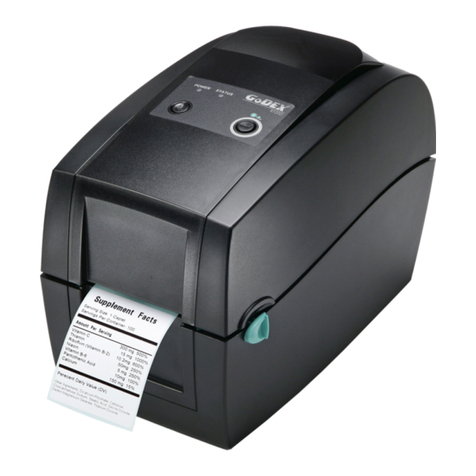
Godex MX20 User manual

MX20/MX30/MX30i MOBILE PRINTER
USER MANUAL
User Manual
Version
Issue Date
P/N
: MX20/MX30/MX30i series
: Rev. 1.1
: 2015.06
: 920-015211-00 Ver. 2.0

MX20/MX30/MX30i
USER MANUAL
CONTENTS
1
Mobile Printer
001
1.1
1.2
Box Content
Getting to Know Your Printer
001
002
2
Printer Setup
004
2.1
2.2
2.3
2.4
2.5
Battery Installation
Paper Installation
Battery Charging
Belt Strap & Shoulder Strap Usage
Wizard CD Standard Installation
004
005
007
008
009
3
Setting
and Control for Operation Panel
015
3.1
3.2
3.3
3.4
3.5
3.6
Operation Panel
LCD Interface Introduction
Items In Setting Mode
Label Calibration and Self Test
Active / Sleep / Shutdown / Charge Mode
Bluetooth Connection Terminal
LCD Setting
015
017
019
020
021
022
5
Accessories
032
5.1
5.2
5.3
Charger
Car Charger and RS-232 Cable
Protective Case
032
033
034
6 Maintenance and Adjustment 035
6.1
6.2
Cleaning The Thermal Print Head
Troubleshooting
035
036
Appendix
Product Specifications
Interface
2.6 Wizard CD Other Choice Installation 012
MX30/30i WiFi Setting
Installing the NetSetting Software
The Interface of NetSetting
023
025
4 NetSetting for Ethernet 023
4.1
4.2

Safety instructions
MX20/MX30/MX30i
USER MANUAL
FCC COMPLIANCE STATEMENT
FOR AMERICAN USERS
Federal Communication Commission Interference Statement
This equipment has been tested and found to comply with the limits for a Class B digital device, pursuant to
Part 15 of the FCC Rules. These limits are designed to provide reasonable protection against harmful
interference in a residential installation. This equipment generates, uses and can radiate radio frequency
energy and, if not installed and used in accordance with the instructions, may cause harmful interference
to radio communications. However, there is no guarantee that interference will not occur in a particular
installation. If this equipment does cause harmful interference to radio or television reception, which can be
determined by turning the equipment off and on, the user is encouraged to try to correct the interference
by one of the following measures:
● Reorient or relocate the receiving antenna.
● Increase the separation between the equipment and receiver.
● Connect the equipment into an outlet on a circuit different from that to which the receiver is connected.
● Consult the dealer or an experienced radio/TV technician for help.
This device complies with Part 15 of the FCC Rules. Operation is subject to the following two conditions:
(1) This device may not cause harmful interference, and (2) this device must accept any interference received,
including interference that may cause undesired operation.
FCC Caution: Any changes or modifications not expressly approved by the party
responsible for compliance could void the user’s authority to operate this equipment.
EMS AND EMI COMPLIANCE STATEMENT
FOR EUROPEAN USERS
This equipment has been tested and passed with the requirements relating to electromagnetic compatibility
based on the standards EN55022:2010/AC2011 Class B, EN301 489-1,EN301 489-17,EN300 328, EN61000-3-2:2006/
A1:2009/A2:2009, EN 61000-3-3:2008 and IEC 61000-4-2:2008 series The equipment also tested and passed in
accordance with the European Standard EN55022 for the both Radiated and Conducted emissions limits.
MX SERIES
TO WHICH THIS DECLARATION RELATES
IS IN CONFORMITY WITH THE FOLLOWING STANDARDS
IEC 60950-1:2005(2nd Edition)+Am 1:2009, CB9254-2008 (Class B ) ; GB17625. 1-2003; GB4943.1-2011, EN55022:2010/
AC2011 Class B, EN301 489-1,EN301 489-17,EN300 328, EN61000-3-2:2006/A1:2009/A2:2009, EN 61000-3-3:2008 and
EN55024:2010, IEC 61000-4-2:2008 series, UL 60950-1, 2nd Edition, 2011-12-19, CSA C22.2 No. 60950-1-07, 2nd Edition,
2011-12, FCC part 15 subpartB, FCC part 15 subpartC, NCC LP002.z

Battery Safety Precautions
MX20/MX30/MX30i
USER MANUAL
Make sure to review the user manual carefully prior to product use.
Neglecting to heed the following instructions can result in battery overheating, combustion,
explosion, damage and/or decline in performance and product life.
1. Do not allow water, seawater or moisture to enter or leak into the battery. If the safety mechanism within
the battery becomes oxidized, oxidized the battery may overcharge with abnormal electrical current
and/or voltage so that it may overheat, ignite and/or explode.
2. Do not place the battery near open flames or heating devices, such as stoves.
Exposure to excessive heat may cause damage to the resin case and/or insulating materials, thus causing
a short circuit within the battery that may result in battery overheating, combustion, and/or explosion.
3. Charge the battery only with the exclusive charger specified (optionally provided) by GoDEX.
The use of an incorrect charger may result in overheating. Combustion and/or explosion of the battery.
4. Charging the battery with a modified charger may result in overheating, combustion and/or
explosion of the battery by abnormal chemical reaction caused by incorrect polarity.
5. Do not directly connect the battery to an electrical power outlet not specified by GoDEX or an automobile’s
cigarette lighter jack. Doing so may result in overheating, combustion and/or explosion of the battery by
over-current and/or over-voltage.
6. Do not heat the battery or place it near a fire. Doing so may melt insulation materials, damage the safety
mechanism/equipment, and/or ignite the electrolytic solution. There is a potential risk of battery overheating,
combustion, and/or explosion.
7. Do not reverse the connection of (+) and (-) electrodes of the battery. Charging the battery in reverse polarity
may produce an undesired chemical reaction inside the battery cell, causing unexpected behavior during
discharging such as overheating, explosion, or fire.
8. Do not allow the battery’s (+) or (-) pole to come into contact with any metal. In addition, do not carry or
store the battery with metallic items, such as necklaces and hairpins.
Doing so may cause a short circuit of the battery generating an over-current. There is the potential risk to
overheat, ignite and/or explode the battery or overheat the metallic items, such as necklaces, hair pins etc.
9. Do not throw the battery or subject it to strong shock. If the safety mechanism in the battery is damaged,
the battery may be overcharged and, consequently, an adverse chemical reaction may be generated
in the battery. There is a potential risk of battery overheating, combustion, and/or explosion.
10. Do not pierce the battery with a pointed object, such as nail or awl, or strike with a heavy object, such as a
hammer, and take care not to step on the battery. There is a potential risk of battery overheating, combustion,
and/or explosion caused by an internal short circuit.
11. Do not solder the battery directly. Doing so may melt the insulating materials and/or damage the safety
mechanism or safety equipment, resulting in battery overheating, combustion, and/or explosion.
12. Do not disassemble and/or modify the battery. The battery contains safety equipment and a safety mechanism
to prevent danger. There is a potential risk of overheating, combustion, and/or explosion caused by disassembly.
13. Do not charge the battery near open flames and/or under direct sunlight. Charging the ambient temperature at
0℃~ 40℃. Because exposure to high temperatures triggers the operation of the safety mechanism, the battery
may not charge or may overcharge due to destruction of the safety mechanism. There is a potential risk of
overheating, combustion, and/or explosion.
14. Do not expose the battery to high temperatures over 60℃, and do not use or store it in a hot or humid place.
15. Danger of explosion if battery is incorrectly replaced. Replace only with the equivalent type recommended by
the manufacturer.
16. Dispose of used batteries according to the manufacturer’s instructions.
17. Only use with designated power supply adapter model.
18. Changes or modifications not expressly approved by the party responsible for compliance could void the user's
authority to operate the equipment.

1
1Mobile Printer
1.1 Box Content
Please check that all of the following items are included with your printer.
Charge the battery for at least 3 hours before use.
MX20 / MX30 / MX30i Mobile Printer
CD
Including GoLabel software
and MX series user’s manual.
MX20 / MX30 / MX30i Series
Quick Guide
MX20/MX30/MX30i Series
Lithium Battery
Thermal Paper
Power Supply
Belt Strap(MX20 Series)
Shoulder Strap(MX30 Series)
MX20 Series MX30 Series
MX20 MX30 MX30i
USB Cable

Front View (Take MX30i as an example)
1.2 Getting to Know Your Printer
Device Overview
Rear View
Battery
Belt Strap Holes
1Mobile Printer
Top Cover
Window
Membrane Panel
LCD
Membrane Panel
Open Button
Interface Cap
Shoulder Strap Holes
MX20 Series MX30 Series
2

3
The Internal View of the Printer (Take MX30i as an example)
RS232+USB
Port
Power Jack
1Mobile Printer
Platen Roller
Label roll guide Tear BAR
Thermal Print Head
Top Cover Hooks
Top Cover Hooks
This RS232 & USB Port
only support signal transmission,
no charge function.

4
2Printer Setup
2.1 Battery Installation
Make sure to charge the battery for at least 3 hours prior to first use.
Insert the battery on the rear side of the printer,
aligning the battery hook properly.
Push the battery into the slot until
you hear a clicking sound.
Battery installation completed

5
2Printer Setup
2.2 Paper Installation
The printer is set to Direct thermal transfer so no ribbon is required.
Place the printer on a flat surface
and press the button.
Top cover opened.
Label roll guide can be adjusted according to
label roll width.

6
2Printer Setup
Pull the paper out and close the paper cover.
Tear off any excess paper in the direction
of the side of the printer.
Insert the paper as shown in the image.
* When you move label roll guide, try to force near its bottom.
Note
Other manuals for MX20
1
This manual suits for next models
2
Table of contents
Other Godex Printer manuals

Godex
Godex EZ-2200 Operating and maintenance manual

Godex
Godex EZ225i User manual

Godex
Godex EZ-4TKP User manual

Godex
Godex EZPi-1200 User manual

Godex
Godex EZPi-1200 User manual

Godex
Godex MX20 User manual

Godex
Godex RT700i User manual

Godex
Godex EZ-DT-2 User manual

Godex
Godex GE300 User manual

Godex
Godex EZ-4206 User manual

Godex
Godex EZ-1000 Plus Operating and maintenance manual

Godex
Godex EZ-2P User manual

Godex
Godex EZ-4TKP User manual

Godex
Godex EZ-2P User manual

Godex
Godex RT860i User manual

Godex
Godex EZ-1105P series User manual

Godex
Godex C-680 FlatJet Manual

Godex
Godex RT200i User manual

Godex
Godex AG2000 User manual

Godex
Godex EZ-2200 User manual