
Gerber Edge User manual

GERBER EDGE
by Gerber
Owner’s Guide

COPYRIGHT
COPYRIGHT © 2002 Gerber Scientific Products, Inc. All Rights Reserved.
This document may not be reproduced by any means, in whole or in part, without written
permission of the copyright owner.
This document is furnished to support the GERBER EDGE. In consideration of the furnishing of
the information contained in this document, the party to whom it is given assumes its custody and
control and agrees to the following:
1. The information herein contained is given in confidence, and any part thereof shall not be
copied or reproduced without written consent of Gerber Scientific Products, Inc.
2. This document or the contents herein under no circumstances shall be used in the manufacture
or reproduction of the article shown and the delivery of this document shall not constitute any
right or license to do so.
PRINTED IN USA
GSP, GRAPHIX ADVANTAGE, GERBER EDGE, EDGE, and Signmaker are registered trademarks of
Gerber Scientific Products, Inc. OMEGA, Support First, Abrasion Guard, GerberColor, EDGE READY, GS
15, HS 15, GSP SPRINT, and SuperSprint are trademarks of Gerber Scientific Products, Inc. Chemtronics
and Ultrajet are registered trademarks of Chemtronics Inc.

FCC NOTICE
Warning: Changes or modifications to this unit not expressly approved by the party responsible
for compliance could void the user’s authority to operate the equipment.
Note: This equipment has been tested and found to comply with the limits for a Class A digital
device, pursuant to Part 15 of the FCC rules. These limits are designed to provide reasonable
protection against harmful interference when the equipment is operated in a commercial
environment. This equipment generates, uses, and can radiate radio frequency energy and, if not
installed and used in accordance with the instruction manual, may cause harmful interference to
radio communications. Operation of this equipment in a residential area is likely to cause harmful
interference in which case the user will be required to correct the interference at his own expense.
This Class A digital apparatus complies with Canadian ICES-003.
Cet appareil numérique de la classe A est conforme à la norme NMB-003 du Canada.


Table of Contents
Introduction ...................................................................................................................................1
In this manual................................................................................................................................1
Customer support..........................................................................................................................2
Conventions..................................................................................................................................2
Safety............................................................................................................................................2
Unpacking and Setting Up .........................................................................................................3
Unpacking or repacking the EDGE...............................................................................................3
Setting up the EDGE.....................................................................................................................4
Getting Started..............................................................................................................................7
Overview of the printing process..................................................................................................7
Printing a sample job ....................................................................................................................8
Printing another sample job ........................................................................................................14
Using the GERBER EDGE ...........................................................................................................19
Setting up the job........................................................................................................................19
Loading the material...................................................................................................................20
Loading the color cartridge.........................................................................................................21
Printing the job ...........................................................................................................................23
Cutting the printed job on the plotter..........................................................................................24
Maintaining Print Quality.........................................................................................................26
Cleaning......................................................................................................................................26
Correcting printing problems......................................................................................................29
Mechanical Description ............................................................................................................31
Parts and their functions..............................................................................................................31
Using the keypad and display .....................................................................................................35
Firmware overview.....................................................................................................................36
Troubleshooting..........................................................................................................................43
Keypad display messages............................................................................................................43
Fuse replacement ........................................................................................................................45
Index...........................................................................................................................................46


1
Introduction
Congratulations on your purchase of the revolutionary GERBER EDGE. With
the EDGE®, you now have the ability to print computer-generated images on
vinyl and other materials. The EDGE prints jobs containing:
infinite colors
airbrush fades
halftones
small text
intricate graphics
repeats
enhanced fonts
Because a job can incorporate characters, shapes, scanned images, and clip art to
create a design, the EDGE opens up a wide array of possibilities for your
customers and your business.
In this manual
This manual contains procedures for operating, maintaining, and trouble-
shooting the EDGE. It is divided into the following sections:
Introduction presents safety guidelines, and customer support information.
Unpacking and Setting Up includes a list of equipment and accessories,
unpacking, and installation instructions.
Getting Started provides an overview of the printing process and
instructions for printing sample jobs.
Using the GERBER EDGE presents background information and procedures
for using the EDGE.
Maintaining Print Quality offers tips for keeping print quality high and
material loss low.
Mechanical Description describes the EDGE parts and their functions.
Troubleshooting contains a list of keypad display messages and your
responses. Also included is the procedure for changing a fuse.

2 GERBER EDGE Owner's Guide
Customer support
If you require assistance, please contact your Gerber distributor or contact the
Gerber Field Service Department at:
800-828-5406 (USA and Canada)
860-43-1515 (International)
860-648-8376 (fax)
e-mail: gspservice@gspinc.com
www.gspinc.com
If you are a Support Firstmember, use your toll-free assistance number (for
more information on Support First, call 860-528-1028).
Gerber FastFacts(answers to technical and service questions) telephone
number is 800-222-7446. FastFacts are also available on the web site.
Conventions
The following conventions are used in this manual:
Note: A note contains important information that could affect successful
completion of a task.
CAUTION: A caution statement contains information which, if not
observed, could result in damage to the equipment.
WARNING: A warning statement contains information which, if not
observed, could result in personal injury.
Safety
WARNING: Unplug the power cord before performing any maintenance.
Voltage is present inside the system even after the power switch is turned
off. All voltage is removed only when the power cord is unplugged.
CAUTION: Static electricity may damage electronic components. Ground
yourself by touching any bare metal inside the EDGE chassis prior to
handling electronic components.

3
Unpacking and Setting Up
Unpacking or repacking the EDGE
The EDGE is shipped from the factory in reusable packaging materials. Save
these packaging materials for future use in case you need to ship the EDGE.
Provided separately with the EDGE is the bulletin Unpacking and Repacking to
Prevent Damage. Please refer to this bulletin for complete instructions on either
unpacking your EDGE or repacking it for shipment.
CAUTION: Failure to repackage the printer with the specified packaging
materials may result in damage to the unit during shipping. Always repack
the printer as described in the bulletin Unpacking and Repacking to Prevent
Damage. Gerber is not liable for shipping damage due to improperly
packed units. If you do not have the proper packaging materials, call the
Gerber Field Service Department at 800-828-5406.
Contents of the shipping boxes
The GERBER EDGE is shipped in two boxes: an EDGE box and a system
components box.
The EDGE box contains cushioning material and an inner box. The GERBER
EDGE thermal printer is packaged in the inner box along with the following:
An EDGE power cable
An EDGE printer cable
Thermal printhead cleaning kit
An EDGE accessory package consisting of:
Two 10 amp fuses
GERBER EDGE Owner's Guide
Lint-free cloth
Cutter registration mark eyepiece
Pen printhead cleaner
Two power cable clips
Shipping wrench

4 GERBER EDGE Owner's Guide
The system components box contains:
Tensioner and roll-holder assembly
A roll of EDGE READYvinyl
A GerberColorcartridge
A spare foil squeegee
Setting up the EDGE
Follow these guidelines when setting up the EDGE:
Use the GSP-approved printer cable provided with the EDGE.
Press the cable connectors firmly into place, and then tighten each
thumbscrew one turn at a time until the connectors are completely seated.
Connect the printer cable from computer printer port LPT2 or LPT3 to the
EDGE. Do not connect the EDGE to LPT1 through the security block.
Do not connect any other printer, device, or switch box to the printer port
you select. The EDGE may not print or the print quality may be unacceptable
if you do.
Ensure that the checksum of the EDGE matches the release level of the
Gerber software. For additional information, refer to the “Setup menu”
paragraph on page 39.
The power switch and power cord receptacle are located on the right side of the
EDGE. The parallel printer connector is located on the back of the EDGE.
To connect the EDGE to the computer
1. Use the printer cable to connect the EDGE to computer printer port LPT2 or
LPT3.
2. Plug the power cord into the power cord receptacle.
3. Plug in and turn on the EDGE first, then the computer.
You must add the GERBER EDGE to the GRAPHIX ADVANTAGE GA Plot program or the
OMEGA™ GSPPlot program before you can send a job to it.
Other manuals for Edge
1
Table of contents
Other Gerber Printer manuals

Gerber
Gerber Jetster User manual

Gerber
Gerber P2C 1200 User manual

Gerber
Gerber GS750 Plus User manual

Gerber
Gerber Signmaker IVB User manual

Gerber
Gerber EDGE FX User manual

Gerber
Gerber EDGE FX User manual

Gerber
Gerber Solara ion User manual

Gerber
Gerber P2C 1600 User manual

Gerber
Gerber P2C 600 User manual

Gerber
Gerber HS15 Plus User manual

Gerber
Gerber EDGE FX User manual

Gerber
Gerber HS750 Plus User manual
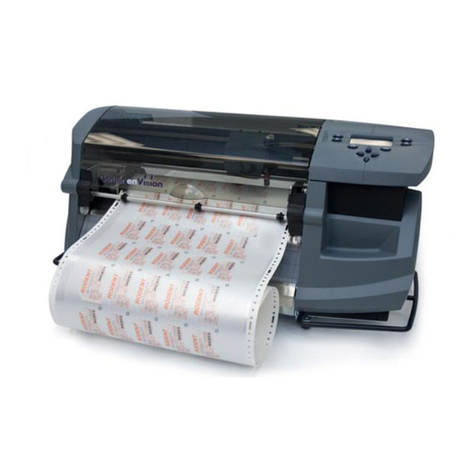
Gerber
Gerber enVision User manual

Gerber
Gerber InkJet Printer User manual

Gerber
Gerber MAXX 2 User manual

Gerber
Gerber EmbossTrack series User manual

Gerber
Gerber P2C 1200 User manual

Gerber
Gerber Sabre User manual

Gerber
Gerber SOLARA UV2 User manual

Gerber
Gerber EDGE 2 User manual










