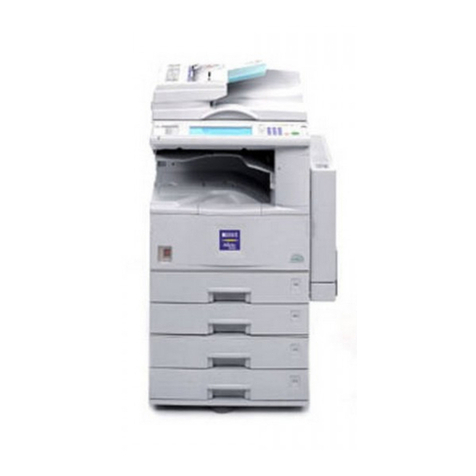
FP FPi 4700 User manual

FPi 4700
User Guide
English
www.fp-usa.com
Revised 02/02/2020
Works Cited:
FP. “FPi 4700.” User Guide, 2 Feb. 2020,
download.fp-usa.com/product_docs/FPi-4700/FPi-4700-User-Guide-EN-Feb-2-2020.pdf.

Table of Contents
Read this First ...............................................................................................11
Safety...............................................................................................................1
Declaration of Conformity (EU only).................................................................1
About this manual............................................................................................1
How this Help Works ....................................................................................32
Help Menu........................................................................................................3
User Guide.......................................................................................................4
Remote Assistance (optional)..........................................................................5
Meet your Document System ......................................................................63
Introduction......................................................................................................6
Operating Controls...........................................................................................8
Control Panel...................................................................................................9
Power Up........................................................................................................10
How to Operate the Touch Screen.................................................................12
Use a Web Browser.......................................................................................13
What is a Job?...............................................................................................14
Job List...........................................................................................................14
Job Overview.................................................................................................15
High Capacity Document Feeder (HCDF)......................................................18
MaxiFeeder....................................................................................................19
Installation of the Side Exit.............................................................................19
High Capacity Vertical Stacker.......................................................................20
Shut Down the System...................................................................................21
Working with Jobs ......................................................................................224
Introduction....................................................................................................22
Use an Existing Job.......................................................................................22
Create a New Job..........................................................................................23
| Page 1 | TOC | Oct-09-2019 11:13 |
Works Cited:
FP. “FPi 4700.” User Guide, 2 Feb. 2020,
download.fp-usa.com/product_docs/FPi-4700/FPi-4700-User-Guide-EN-Feb-2-2020.pdf.

About Automatic Jobs....................................................................................24
Create an Automatic Job................................................................................24
Create a Manual Job......................................................................................25
Create a test mail set.....................................................................................34
Mail Sets........................................................................................................40
Change to Another Feeder Tray.....................................................................44
Link Feeder Trays...........................................................................................45
Edit a Job.......................................................................................................46
Save a Job.....................................................................................................46
Delete or Move an Enclosure.........................................................................47
Copy a Job.....................................................................................................48
Delete a Job...................................................................................................48
Rename a Job................................................................................................49
Lock a Job......................................................................................................50
Loading the System ...................................................................................515
Document Orientation....................................................................................51
Document Feed Trays....................................................................................52
Load Envelopes.............................................................................................63
Fill the Sealing Liquid Reservoir....................................................................65
Settings menu .............................................................................................666
Open the Settings Menu................................................................................66
The Settings Menu Supervisor.......................................................................67
Supervisor Settings Menu..............................................................................68
Connect the System to the Internet ..........................................................877
Options for Connection..................................................................................87
Set up a Wired Connection............................................................................87
Set up a Wireless Connection........................................................................89
Test the Connection.......................................................................................91
Reading .......................................................................................................928
Introduction....................................................................................................92
| Page 2 | TOC | Oct-09-2019 11:13 |
Works Cited:
FP. “FPi 4700.” User Guide, 2 Feb. 2020,
download.fp-usa.com/product_docs/FPi-4700/FPi-4700-User-Guide-EN-Feb-2-2020.pdf.

OCR Code Description..................................................................................93
BCR Code Description...................................................................................95
OMR Code Description..................................................................................99
Flex Reading Code Description...................................................................102
Create Jobs with Reading............................................................................103
Reading Settings..........................................................................................108
Operator Maintenance ..............................................................................1109
Maintenance Schedule................................................................................110
Clean and Replace Brushes........................................................................111
Replace or Clean Moistening Cloth.............................................................112
Calibrate Photocells.....................................................................................113
Fault Finding .............................................................................................11410
Messages.....................................................................................................114
Clearing stoppages......................................................................................117
Operator Troubleshooting.............................................................................122
Troubleshooting............................................................................................122
Specifications ...........................................................................................12611
Technical Specifications...............................................................................126
Hopper and Feeder Capacity.......................................................................127
Configuration Dimensions............................................................................127
Document and Insert Specifications............................................................128
Envelope and Document Set Specifications................................................128
maxiFeeder Specifications...........................................................................130
High Capacity Vertical Stacker Specifications..............................................131
Terminology ..............................................................................................13212
Terminology..................................................................................................132
| Page 3 | TOC | Oct-09-2019 11:13 |
Works Cited:
FP. “FPi 4700.” User Guide, 2 Feb. 2020,
download.fp-usa.com/product_docs/FPi-4700/FPi-4700-User-Guide-EN-Feb-2-2020.pdf.

| Page 4 | TOC | Oct-09-2019 11:13 |
Works Cited:
FP. “FPi 4700.” User Guide, 2 Feb. 2020,
download.fp-usa.com/product_docs/FPi-4700/FPi-4700-User-Guide-EN-Feb-2-2020.pdf.

Read this First1
Safety
Ensure you have read and fully understood the safety requirements
in the Safety Guide.
Declaration of Conformity (EU only)
The product presented in this guide meets the requirements of applicable directives. For
more details refer to the Declaration of Conformity. Contact your authorized distributor for
availability of this document.
About this manual
Disclaimer
This Guide is published without any warranty. Improvements and changes to the online
Guide necessitated by typographical errors, inaccuracies of current information, or
improvementstoprogramsand/orequipment,maybemadeatanytimeand without notice.
Such changes will, however, be incorporated into new editions of the PDF Guide (if
applicable).
1
| Page 1 | Oct-09-2019 11:13 | Read this First
1
English
Works Cited:
FP. “FPi 4700.” User Guide, 2 Feb. 2020,
download.fp-usa.com/product_docs/FPi-4700/FPi-4700-User-Guide-EN-Feb-2-2020.pdf.

Symbols
This manual uses the symbols listed below.
Indicates...This symbol...
WARNING: Indicates a human safety hazard.
ATTENTION: A risk to the equipment or mail could result from an action
you may perform.
NOTE: A remark that explains different cases or specificities.
TIP: Advice to help save you time when processing your mail.
SUPERVISOR: Indicates that you have to use the supervisor menu to
perform the procedure.
Languages
In the EU the user guide must be available in the national language(s) of the country where
the system is delivered. Therefore, if the User Guide is not available in your country’s
language(s), contact your authorized distributor.
Software
The software used for the reading option is based in part on the work of the Independent
JPEG Group.
2
| Page 2 | Oct-09-2019 11:13 | Read this First
1
English
Works Cited:
FP. “FPi 4700.” User Guide, 2 Feb. 2020,
download.fp-usa.com/product_docs/FPi-4700/FPi-4700-User-Guide-EN-Feb-2-2020.pdf.

How this Help Works2
Help Menu
The help button [?] gives access to help topics via a pull-down menu.
The contents of the help menu can be different for your situation. The help menu can contain
the following topics:
• Search: use the search engine to find a specific topic.
• User Guide: user instructions describing how to use the system.
• FAQ's (option); when the system is connected to the internet, frequently asked
questions are answered here (option).
• What can I do here: a list with relevant help topics related to the current screen.
• Remote assistance (option): online remote assistance for helpdesk guidance. Call
the phone number that is displayed and follow the instructions of the support assistant.
3
| Page 3 | Oct-09-2019 11:13 | How this Help Works
2
English
Works Cited:
FP. “FPi 4700.” User Guide, 2 Feb. 2020,
download.fp-usa.com/product_docs/FPi-4700/FPi-4700-User-Guide-EN-Feb-2-2020.pdf.

User Guide
You can use this guide as follows:
1. Use the contents overview to browse the contents. When you are finished you can
close the User Guide with the Close button.
2. To keep the topic from the User Guide active, you can use the Minimize button. When
you click the active Help button, the User Guide is restored.
3. To search for topics; enter a keyword in the Searchbar and press the Search button.
To navigate through the User Guide:
• Tap to select.
• Swipe up/down to scroll.
• Double tap to zoom.
• Pinch in/out to zoom in/out.
See also How to operate the touchscreen on page 12
4
| Page 4 | Oct-09-2019 11:13 | How this Help Works
2
English
Works Cited:
FP. “FPi 4700.” User Guide, 2 Feb. 2020,
download.fp-usa.com/product_docs/FPi-4700/FPi-4700-User-Guide-EN-Feb-2-2020.pdf.

Remote Assistance (optional)
Ask your authorized distributor if this feature is available for your
system/organization.
It is necessary that the system is connected to the internet.
(Online) Remote Assistance is a tool for help desk guidance. The Remote Assistance
screen can be entered by tapping on the "Remote Assistance" button in the Help menu.
Add the support key supplied by the support assistant and follow the instructions as indicated
by the support assistant.
2
English
5
| Page 5 | Oct-09-2019 11:13 | How this Help Works
Works Cited:
FP. “FPi 4700.” User Guide, 2 Feb. 2020,
download.fp-usa.com/product_docs/FPi-4700/FPi-4700-User-Guide-EN-Feb-2-2020.pdf.
Other manuals for FPi 4700
1
Table of contents
Other FP All In One Printer manuals