AIR CONDITIONER FEATURES
TO SELECT THE
OPERATING MODE:
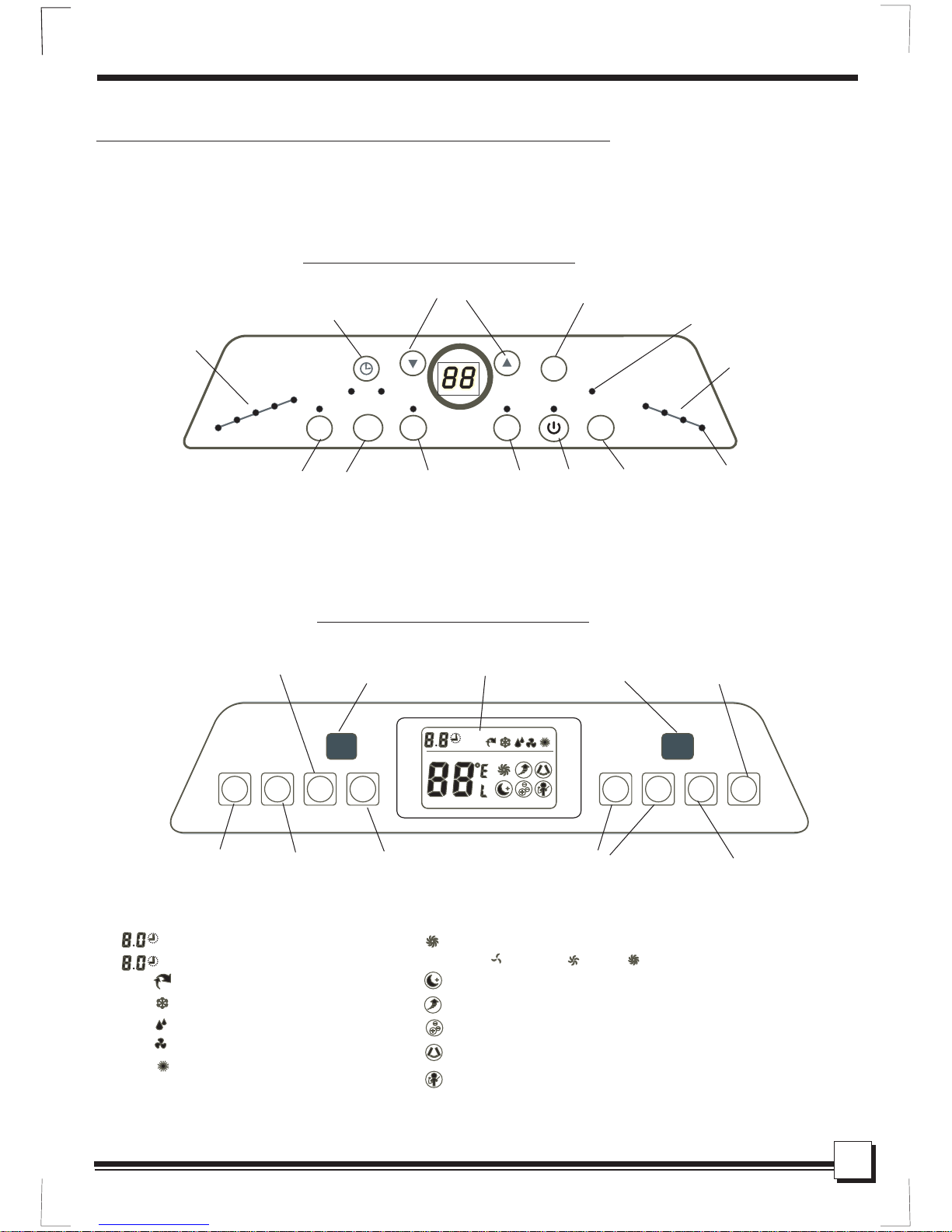
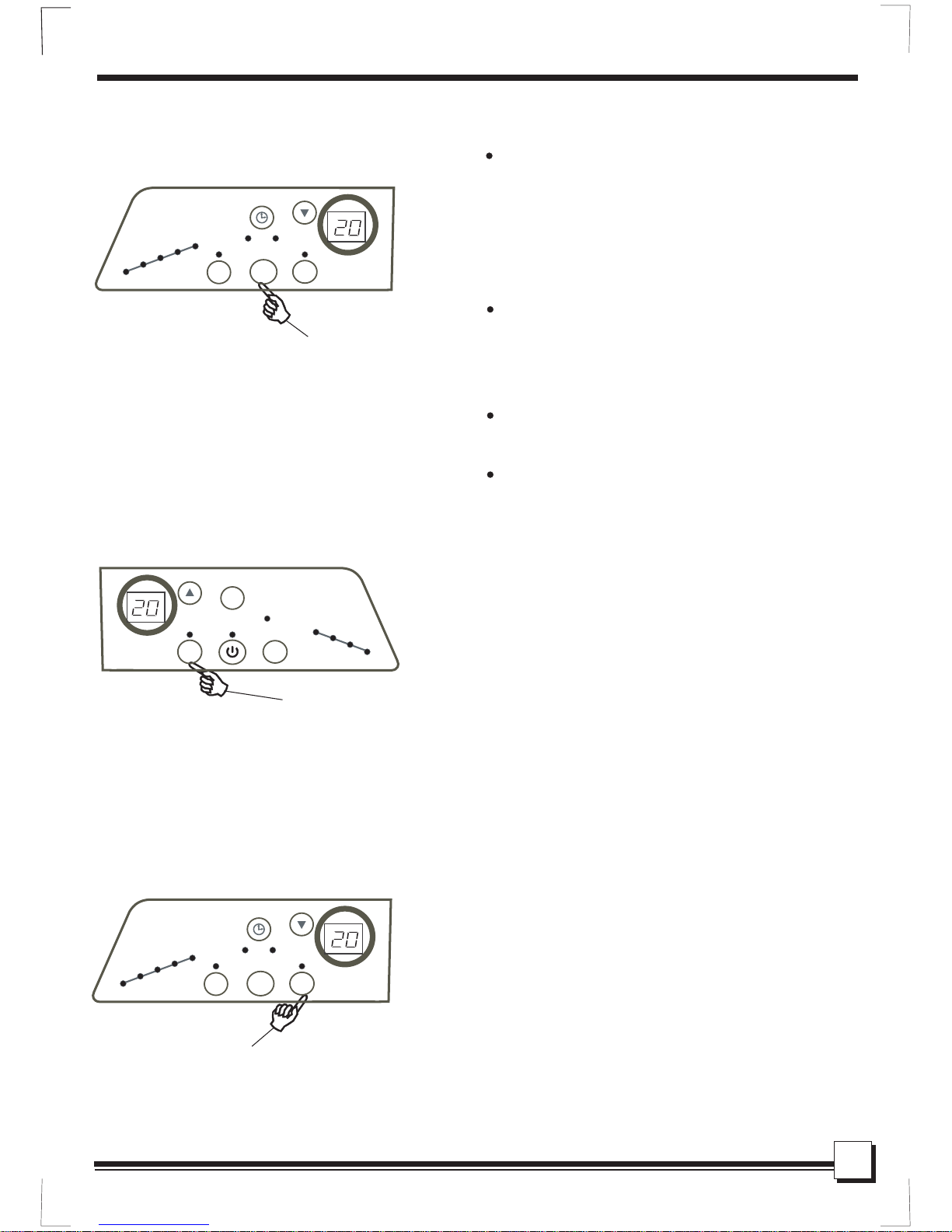
Press the MODE
button.
DO THIS:
To choose operating mode, press the MODE
button. Each time you press the button, a mode
is selected in a sequence that goes from Auto,
Cool, Dry , Fan and Heat(for cooling& heating
models only). The indicator light beside will be
illuminated and remained on once the mode is
selected.
NOTE:
To operate on Auto feature:
In this mode, the fan speed cannot be adjusted,
it starts automatically at a speed according to
the room temperature. If the room does not
get too warm, it will stay at Low speed.
To operate on Fan Only:
Use this function only when cooling is not
desired, such as for room air circulation .
You can choose any fan speed you prefer.
During this function, the display will show the
actual room temperature, not the set temper-
ature as in the cooling mode.
SLEEP FEATURE:
In this mode, the selected temperature will
increase(cooling) or decrease(heating) by
1 30 minutes after the mode is selected.
The temperature will then increase(cooling)
or decrease(heating) by another after
an additional 30 minutes. This new temperature
will be maintained for 7 hours before it returns
to the originally selected temperature. This
ends the Sleep mode and the unit will continue
to operate as originally programmed. The Sleep
mode program can be cancelled at any time
during operation by again pressing the SLEEP
button,or turning off the unit, or pressing the
MODE or FAN button.
This feature is unavailabe under FAN
or DRY mode.
NOTE:
OO
OO
C/2 F
C/2 F
1
NOTE:
TIMER ON TIMER OFF
TURBO/
PUMP
MODE
HEAT
FAN
DRY
COOL
AUTO
ION
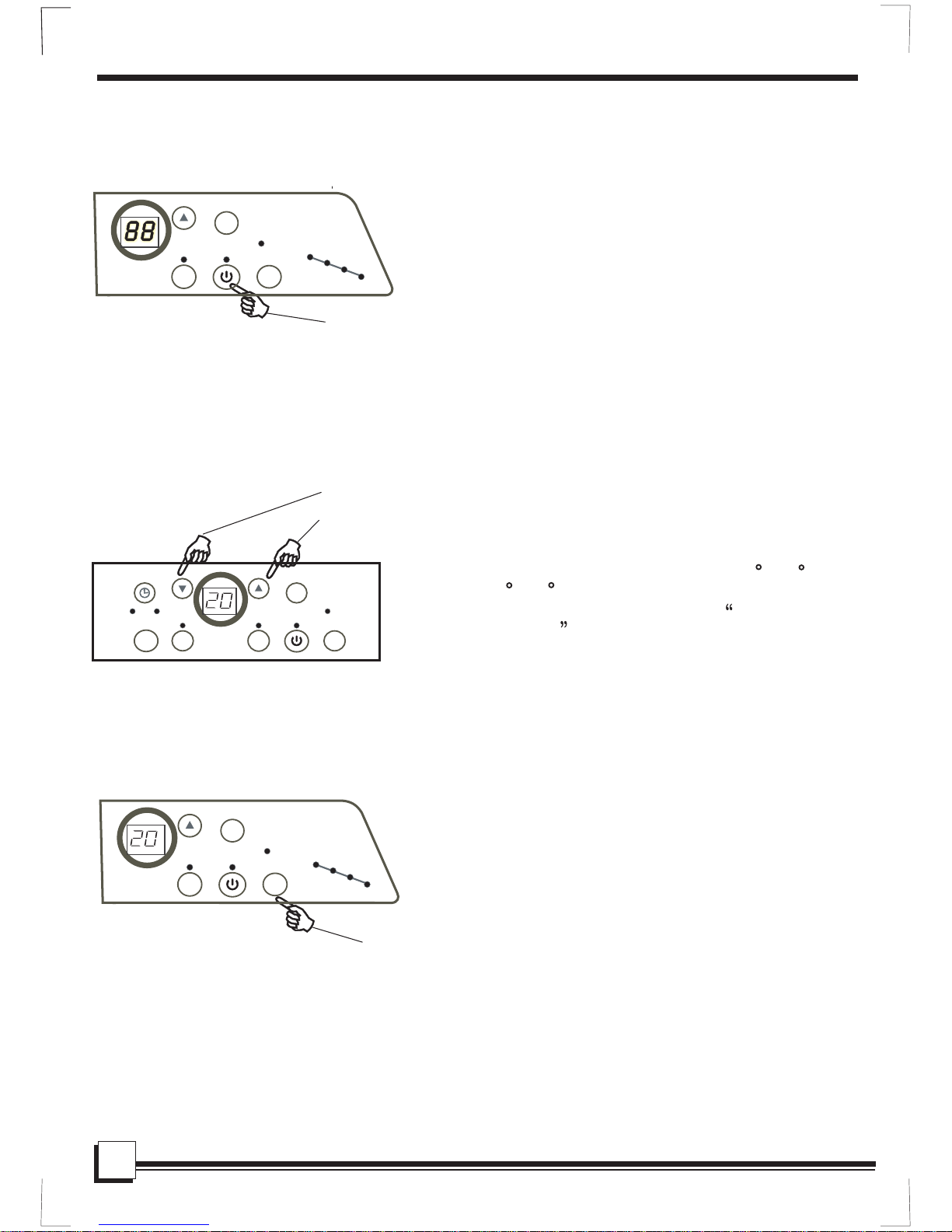
Press the
SLEEP button
DO THIS:
LOW
FAN
SLEEP
FOLLOW ME
HI
MED
SWING
NO WATER FILLING
CLEAN AIR FEATURE:
(on some models)
Press the ION button, the ion generator is ener-
gized and will help to remove pollen and impur-
ities from the air, and trap them in the filter.
NOTE:
Press the ION
button.
DO THIS:
TIMER ON TIMER OFF
MODE
HEAT
FAN
DRY
COOL
AUTO
ION
8
TURBO/
PUMP