DIG LEIT1-000 User manual

Ambient Light Powered
Smart Irrigation Controller
LEIT1-000
LEIT1 ILV-075
LEIT1 ILV-100
LEIT1 ILV-150
LEIT1 ILV-200
INSTRUCTION MANUAL

TABLE OF CONTENTS
1. About the controller ……………………………………………………………………………………………2
2. Component identification ……………………………………………………………………………………3
3. LCD display and controls………………………………………………………………………………………4
4. Valve adapter installation ……………………………………………………………………………………5
5. Valve Installation ………………………………………………………………………………………………6
6. Programming ……………………………………………………………………………………………………7
7. Setting time and date …………………………………………………………………………………………8
8. Setting watering day schedules ………………………………………………………………………… 10
9. Setting watering start times ……………………………………………………………………………… 12
10. Setting watering run times ……………………………………………………………………………… 14
11. Setting the SimpleSmart™ Option …………………………………………………………………… 16
12. Setting Seasonal adjustment …………………………………………………………………………… 19
13. Rain Delay setting ………………………………………………………………………………………… 20
14. Events off setting…………………………………………………………………………………………… 21
15. Manual watering …………………………………………………………………………………………… 23
16. Connecting a rain sensor ………………………………………………………………………………… 24
17. Maintenance,troubleshooting and repairs ………………………………………………………… 25
18.Warranty, technical service ……………………………………………………………………………… 27
1. ABOUT THE CONTROLLERS
Thank you for purchasing DIG’s LEIT1™ambient light powered irrigation controller.
The LEIT1™is a one-station, ambient light (solar) powered smart controller that uses a
patented energy management system to power the controller day and night. The controller
requires no batteries, AC power or direct sunlight and can be installed above grade anywhere
in the landscape.
The controller employs the latest in water conservation features and can be pre-set to
automatically adjust the watering durations according to regional seasonal changes.
2

3 adapters for Rain Bird, Toro,
and Hunter valves
(included with model LEIT1)
30-924 30-922 30-920
2. COMPONENT IDENTIFICATION
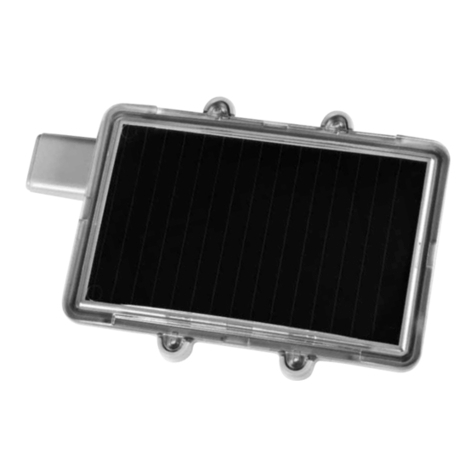
1. Solar PVM
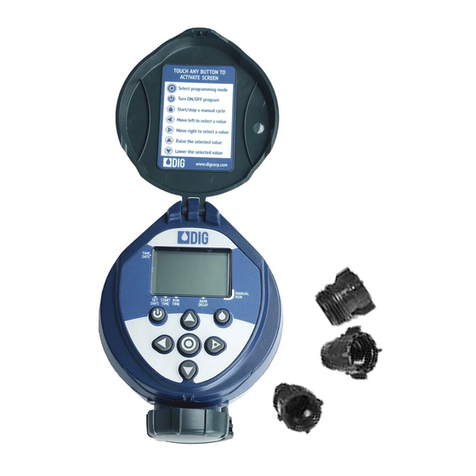
2. LCD screen
3. 7 button keypad
4. Rain sensor connection
5. Quick reference label
Inline valve included
with model
LEIT1-075 or 3/4″
LEIT1-100 or 1″
LEIT1-150 or 1 ½″
LEIT1-200 or 2″
Controller Assembly
30-920 adapter
1
2
3
4
5
6
7
8
8
9
10
6. Collapsible solenoid wire
7. DC Solenoid
8. Solenoid adapters
9. Solenoid adapters
10. Professional grade inline valve
in 3/4″, 1″, 1½″and 2″
3

3. LCD DISPLAY AND CONTROLS
LCD Display
1. Time and Date
Indicates current time and day
2. Set Watering Days
Choose either specific days, odd/even
days, or up to once every 30 days
3. Start Time
Up to 5 start times per day available
4. Run Time
Watering duration from
1 minute to 6 hours
5. Manual Run
Appears when manual
button is pushed
6. Set ET
Used to set one of the 20
SimpleSmart™presets
7. Set Monthly Budget
Seasonal adjustment setting
(0%-200%) in 5% increments or to fine-
tune SimpleSmart™programming
q
wr y io
a
e t u
d
s
8. Rain Delay - Delay irrigation setting
from 1-99 days with automatic restart
9. Events Off - Suspends watering for any month
or any specific day within the month.
10. Power Level - Represents current charge level
11. Sensor - Appears only when sensor is
connected and active
12. Watering - Appears when valve is open
Control Buttons
Select programming mode
Turn program(s) ON/OFF
Start/stop a manual cycle
Move left/right to select a value
Raise/lower the selected value
4

8. Rain Delay - Delay irrigation setting
from 1-99 days with automatic restart
9. Events Off - Suspends watering for any month
or any specific day within the month.
10. Power Level - Represents current charge level
11. Sensor - Appears only when sensor is
connected and active
12. Watering - Appears when valve is open
4. VALVE ADAPTER INSTALLATION
1. Shut off the main water supply
2. Remove the existing solenoid if applicable.
NOTE: If adapting to an IRRITROL valve, remove the solenoid but leave the existing
solenoid adapter installed.
3. Select the appropriate solenoid adapter associated with the valve. (see chart A)
4. Screw the adapter into the valve bonnet solenoid thread by hand; tighten with pliers if
necessary, but do not over tighten.
5. Thread the solenoid clockwise into the adapter. Hand tighten only.
6. Turn the main water supply on and pressurize the valve; the valve may discharge water
momentarily but should then shut off.
7. Test the controller and the installation by pressing the manual button on the
controller, or review the instructions on how to perform a manual run via the
program. To turn on the valve manually using the solenoid, lift the controller from
the solenoid and turn the solenoid counterclockwise 1/2 to 3/4 of a turn, or until you
hear or see water flowing through the valve. To turn the water off, turn the solenoid
clockwise 1/2 to 3/4 of a turn and wait for the a few seconds for the valve to close.
8. Program the controller.
Model Adapter Compatibility
30-920* BERMAD series 200, HIT series 500, DOROT series 80, GRISWOLD
series 2000, DW and BUCKNER series VB valves
30-921
INCLUDED
RAIN BIRD DV,DVF,PGA,PEB (1′′ only),GB,EFB-CP, BPE, PESB
(1′′ only)and ASVF valves
30-922
INCLUDED HUNTER series ASV, HPV,ICV,PGV, SRV, IBV and ASVF valves
30-923* WEATHERMATIC series 12000, 21000, 8200CR valves
30-924
INCLUDED
IRRITROL series 100, 200B, 205, 217B, 700, 2400, 2500, 2600 and
TORO series 220, P220 valves
30-925* SUPERIOR series 950,HUNTER HBV and TORO series 252 valves
(1.5′′ and larger)
30-926* RAIN BIRD series PEB and PESB valves
*Available through your distributor
5

5. VALVE INSTALLATION
The LEIT1™controller with a valve features a female-threaded inlet and outlet. The controller is
generally installed above the ground to allow it to power itself using light.
Operating pressure: 10 to 125 PSI (.7 to 8.6 BAR)
Recommended operating pressure: 10 to 80 PSI (.7 to 5.5 BAR)
NOTE: Wrap all fittings with Teflon tape.
Do not use pipe cement on the valve as this will damage the valve and void the warranty.
Install PVC male adapters (or nipples) into the valve inlet and outlet by turning them clockwise
until hand tight. Make sure when wrapping fittings with Teflon tape that no excess gets into
the internal assembly.
Tighten the fittings with a wrench, but do not over tighten.
NOTE: Additional control valves must not be installed downstream of the valve.
Consult local codes for specific details.
1. Flush the main line until water runs clear before installation.
2. Shut off the main water supply.
3. Install the controller with inline valve directly to the main line and above the ground.
The arrow on the valve body indicates direction of water flow and the solenoid with the
controller should be on the downstream side of the valve.
4. Turn the main water supply on and pressurize the system; the valve may discharge water
momentarily and then shut off.
5. The valve features manual bleed that can be used via the solenoid, which enables the valve
to be operated without the use of the controller.
To turn the valve on via the solenoid, lift the controller from the solenoid and turn the
solenoid counter clockwise ½ to ¾ of a turn, or until you hear or see water flowing through
the valve. To turn the water off, turn the solenoid clockwise ½ to ¾ of a turn and wait for
the a few seconds for the valve to close.
6. Program the controller.
6

6. PROGRAMMING
In order to program the LEIT1™, you must first let the unit sit out in the light to charge. In
bright light conditions (full sun) this will take under 30 minutes.
In shaded conditions this could take up to 2 hours.
This section explains the programming features, and the steps necessary to assign irrigation
schedules. To program the controller press the to select the desired programming mode,
the to make the entry flash and the buttons to change the value.
NOTE: Only a flashing value can be changed.
NOTE: If the last data entered stops blinking, press again to resume. 6. SETTING
TIME AND DATE
30-9XX ADAPTER
WATER FLOW
7

7. SETTING TIME AND DATE
The controller can display the time in either a 12 or 24 hour format.
To change the time format, from the home screen:
1. Press and hold the button for three seconds until the display switches format (AM/PM
disappears).
SETTING THE CURRENT TIME AND DATE
To enable the controller to operate properly, the current time and date must be set.
1. Press the button, until the icon appears along with the time and the day of the
week.
2. If the current time has not been set and needs to be updated, press and the hour digit
starts blinking.
3. To set the current hour, press or (note AM and PM designations).
4. To set the minutes, press again and the minute digit starts blinking. Press the or
to set the current time in minutes.
8

5. Repeat the steps to set the current date, including month, day and year. When the date is
selected and updated, the day of the week will be updated at the same time to correspond
with the date.
MONTH DAY YEAR
6. Press to proceed to the next step SET DAYS or review the program.
Press to move backward.
9

8. SETTING WATERING DAY SCHEDULES
Option 1 - Setting Specific Days of the Week:
This setting determines which days the LEIT-1™controller will operate. Choose either watering
on specific days of the week, EVEN/ODD days or cyclical from daily up to once every 30 days.
The controller’s default setting is to water on all specific days of the week.
For example, if you want to water every Tuesday, Thursday and Sunday:
1. Press the button until the icon and the days of
the week appear on the screen.
2. Press once and M(for Monday) starts blinking.
3. Press, and underscore under M(Monday) disappears.
Monday is de-selected.
4. Press twice and W(for Wednesday) starts blinking.
5. Press and the underscore under W(Wednesday) disappears. Wednesday is de-selected.
6. Press twice and F(Friday) starts blinking.
7. Press and the underscore under F(Friday) disappears. Friday is de-selected.
8. Press and the underscore under Sa (Saturday) starts blinking.
9. Press and the underscore under Sa disappears. Saturday is de-selected.
10. Press the button to proceed to the next step or to set even/odd days.
10
This manual suits for next models
4
Table of contents
Other DIG Controllers manuals

DIG
DIG LEIT-2 User manual

DIG
DIG 710AP Series User manual

DIG
DIG RBC MVA User manual

DIG
DIG LEIT-2ET User manual

DIG
DIG LEIT 4000 Series User manual

DIG
DIG 5004-I Four Station User manual

DIG
DIG 400A Series User manual

DIG
DIG Irrigation-Mart 710 Series User manual

DIG
DIG 510.P Series User manual

DIG
DIG 410BT Series User manual
Popular Controllers manuals by other brands

Digiplex
Digiplex DGP-848 Programming guide

YASKAWA
YASKAWA SGM series user manual

Sinope
Sinope Calypso RM3500ZB installation guide

Isimet
Isimet DLA Series Style 2 Installation, Operations, Start-up and Maintenance Instructions

LSIS
LSIS sv-ip5a user manual

Rockwell Automation
Rockwell Automation 1769-L31 installation instructions