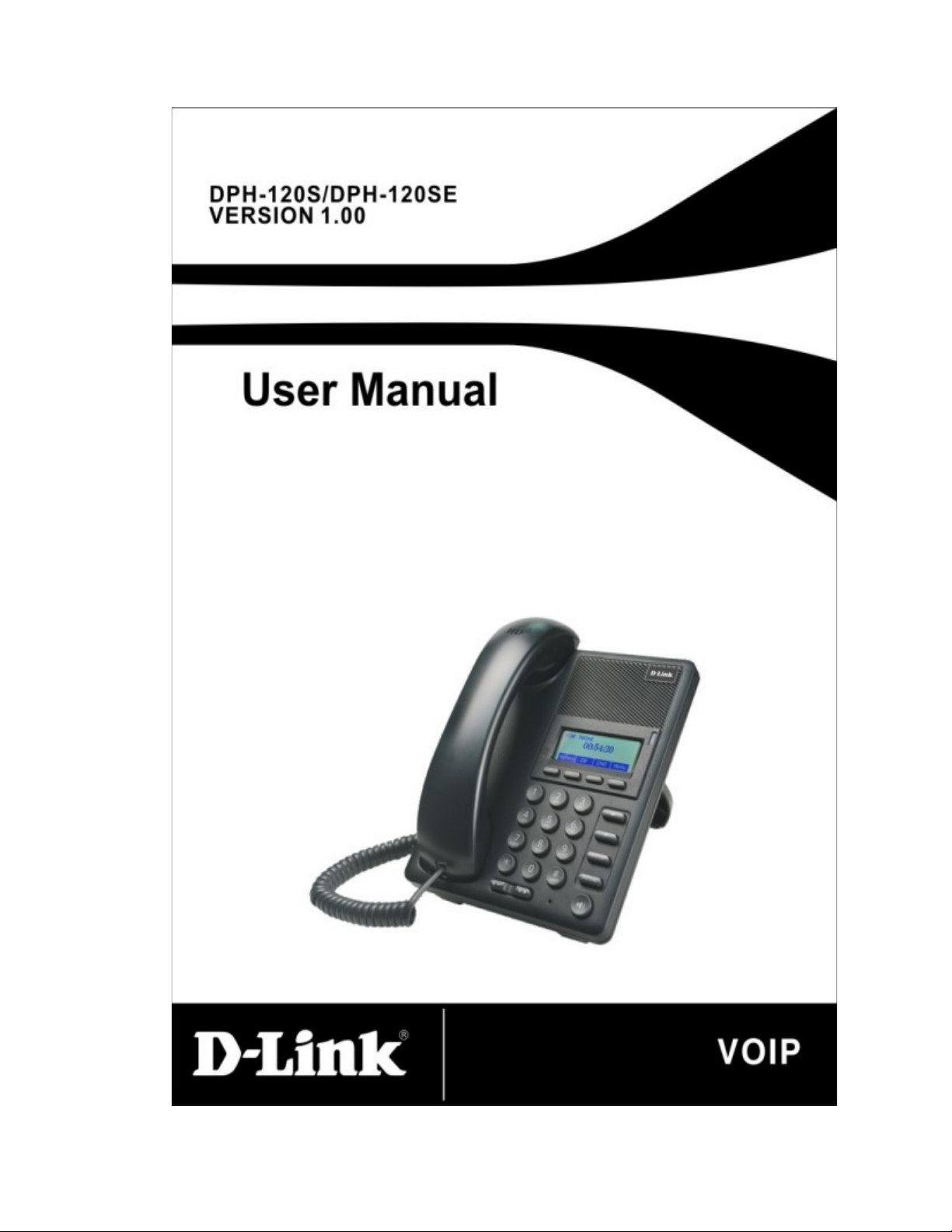
D-Link DPH-120SE User manual


Safety Notices
Please read the following safety notices before installing or using this phone. They
are crucial for the safe and reliable operation of the device.
Please use the external power supply that is included in the package. Other
powers supplies may cause damage to the phone, affect the behavior or induce
noise.
Before using the external power supply in the package, please check with
home power voltage. Inaccurate power voltage may cause fire and damage.
Please do not damage the power cord. If power cord or plug is impaired, do
not use it, it may cause fire or electric shock.
The plug-socket combination must be accessible at all times because it serves
as the main disconnecting device.
Do not drop, knock or shake it. Rough handling can break internal circuit
boards.
Do not install the device in places where there is direct sunlight. Also do not
put the device on carpets or cushions. It may cause fire or breakdown.
Avoid exposure the phone to high temperature, below 0℃ or high humidity.
Avoid wetting the unit with any liquid.
Do not attempt to open it. Non-expert handling of the device could damage it.
Consult your authorized dealer for help, or else it may cause fire, electric
shock and breakdown.
Do not use harsh chemicals, cleaning solvents, or strong detergents to clean it.
Wipe it with a soft cloth that has been slightly dampened in a mild soap and
water solution.
When lightning, do not touch power plug or phone line, it may cause an
electric shock.
Do not install this phone in an ill-ventilated place.
You are in a situation that could cause bodily injury. Before you work on any
equipment, be aware of the hazards involved with electrical circuitry and be
familiar with standard practices for preventing accidents.

Table of Content
1 INTRODUCING DPH-120S/DPH-120SE VOIP PHONE ................................................................ 6
1.1 THANK YOU FOR YOUR PURCHASING DPH-120S/DPH-120SE ....................................................... 6
1.2 DELIVERY CONTENT ....................................................................................................................... 6
1.3 KEYPAD ................................................................................... ERROR! BOOKMARK NOT DEFINED.
1.4 PORT FOR CONNECTING .................................................................................................................. 7
1.5 ICON INTRODUCTION ...................................................................................................................... 8
1.6 LED INTRODUCTION ....................................................................................................................... 9
2 INITIAL CONNECTING AND SETTINGS .....................................................................................10
2.1 CONNECT THE PHONE ....................................................................................................................10
2.1.1 Connect to network ...................................................................................................................10
2.1.2 Power adaptor connection ........................................................................................................ 11
2.2 BASIC INITIALIZATION ................................................................................................................... 11
2.2.1 Network settings ....................................................................................................................... 11
3 BASIC FUNCTION ............................................................................................................................13
3.1 MAKING A CALL ............................................................................................................................13
3.1.1 Call Device ...............................................................................................................................13
3.1.2 Call Methods.............................................................................................................................13
3.2 ANSWERING A CALL ......................................................................................................................13
3.3 DND ..............................................................................................................................................14
3.4 CALL FORWARD ............................................................................................................................14
3.5 CALL HOLD ...................................................................................................................................14
3.6 CALL WAITING ..............................................................................................................................14
3.7 MUTE ............................................................................................................................................14
3.8 CALL TRANSFER ............................................................................................................................15
3.9 3-WAY CONFERENCE CALL .............................................................................................................15
3.10 MULTIPLE-WAY CALL .....................................................................................................................15
4 ADVANCED FUNCTION ..................................................................................................................16
4.1 CALL PICKUP .................................................................................................................................16
4.2 JOIN CALL ......................................................................................................................................16
4.3 REDIAL / UNREDIAL.......................................................................................................................16
4.4 CLICK TO DIAL ...............................................................................................................................17
4.5 CALL BACK ....................................................................................................................................17
4.6 AUTO ANSWER ...............................................................................................................................17
4.7 HOTLINE ........................................................................................................................................17
4.8 APPLICATION .................................................................................................................................17
4.8.1 SMS ...........................................................................................................................................17
4.8.2 Memo ........................................................................................................................................18
4.8.3 Voice Mail ................................................................................................................................18
4.9 PROGRAMMABLE KEY CONFIGURATION .................................. ERROR! BOOKMARK NOT DEFINED.

5 OTHER FUNCTIONS ........................................................................................................................19
5.1 AUTO HANDDOWN ........................................................................................................................19
5.2 BAN ANONYMOUS CALL................................................................................................................19
5.3 DIAL PLAN .....................................................................................................................................19
5.4 DIAL PEER .....................................................................................................................................19
5.5 AUTO REDIAL ................................................................................................................................19
5.6 CALL COMPLETION ........................................................................................................................20
5.7 RING FROM HEADSET .............................................................. ERROR! BOOKMARK NOT DEFINED.
5.8 POWER LIGHT ................................................................................................................................20
5.9 HIDE DTMF ..................................................................................................................................20
5.10 PASSWORD DIAL ............................................................................................................................20
5.11 ACTION URL & ACTIVE URI .........................................................................................................20
5.12 PUSH XML ....................................................................................................................................21
6 BASIC SETTINGS ..............................................................................................................................22
6.1 KEYBOARD ....................................................................................................................................22
6.2 SCREEN SETTINGS .........................................................................................................................22
6.3 RING SETTINGS ..............................................................................................................................22
6.4 VOICE VOLUME .............................................................................................................................22
6.5 TIME & DATE ................................................................................................................................22
6.6 GREETING WORDS .........................................................................................................................23
6.7 LANGUAGE ....................................................................................................................................23
7 ADVANCED SETTINGS ...................................................................................................................24
7.1 ACCOUNTS.....................................................................................................................................24
7.2 NETWORK ......................................................................................................................................24
7.3 SECURITY ......................................................................................................................................24
7.4 MAINTENANCE ..............................................................................................................................24
7.5 FACTORY RESET .............................................................................................................................24
8 WEB CONFIGURATION ..................................................................................................................25
8.1 INTRODUCTION OF CONFIGURATION ..............................................................................................25
8.1.1 Ways to configure .....................................................................................................................25
8.1.2 Password Configuration ...........................................................................................................25
8.2 SETTING VIA WEB BROWSER ..........................................................................................................25
8.3 CONFIGURATION VIA WEB............................................................................................................26
8.3.1 BASIC .......................................................................................................................................26
8.3.1.1 STATUS ......................................................................................................................................... 26
8.3.1.2 WIZARD ........................................................................................................................................ 27
8.3.1.3 CALL LOG .................................................................................................................................... 29
8.3.1.4 LANGUAGE .................................................................................................................................. 29
8.3.2 NETWORK ...............................................................................................................................30
8.3.2.1 WAN .............................................................................................................................................. 30
8.3.2.2 LAN ................................................................................................................................................ 32
8.3.2.3 QoS&VLAN ................................................................................................................................... 33

8.3.2.4 SERVICE PORT ............................................................................................................................ 35
8.3.2.5 DHCP SERVICE ............................................................................................................................ 37
8.3.2.6 TIME&DATE ................................................................................................................................. 38
8.3.3 VOIP .........................................................................................................................................40
8.3.3.1 SIP .................................................................................................................................................. 40
8.3.3.2 STUN.............................................................................................................................................. 48
8.3.3.3 DIAL PEER .................................................................................................................................... 49
8.3.4 PHONE .....................................................................................................................................52
8.3.4.1 AUDIO ........................................................................................................................................... 52
8.3.4.2 FEATURE ...................................................................................................................................... 54
8.3.4.3 DIAL PLAN ................................................................................................................................... 58
8.3.4.4 CONTACT...................................................................................................................................... 60
8.3.4.5 REMOTE CONTACT .................................................................................................................... 62
8.3.4.6 WEB DIAL ..................................................................................................................................... 63
8.3.5 FUNCTION KEY ......................................................................................................................63
8.3.5.1 FUNCTION KEY ........................................................................................................................... 63
8.3.5.2 SOFTKEY ...................................................................................................................................... 64
8.3.6 Maintenance .............................................................................................................................65
8.3.6.1 Auto Provision ................................................................................................................................ 65
8.3.6.2 SYSLOG ........................................................................................................................................ 67
8.3.6.3 CONFIG ......................................................................................................................................... 69
8.3.6.4 UPDATE ........................................................................................................................................ 69
8.3.6.5 ACCESS ......................................................................................................................................... 71
8.3.6.6 REBOOT ........................................................................................................................................ 72
8.3.7 SECURITY ................................................................................................................................72
8.3.7.1 WEB FILTER ................................................................................................................................. 72
8.3.7.2 FIREWALL .................................................................................................................................... 73
8.3.7.3 NAT ................................................................................................................................................ 74
8.3.7.4 VPN ................................................................................................................................................ 76
8.3.7.5 SECURITY..................................................................................................................................... 78
8.3.8 LOGOUT ..................................................................................................................................78
9 APPENDIX ..........................................................................................................................................79
9.1 SPECIFICATION ..............................................................................................................................79
9.1.1 Hardware ..................................................................................................................................79
9.1.2 Voice features ............................................................................. Error! Bookmark not defined.
9.1.3 Network features ......................................................................... Error! Bookmark not defined.
9.1.4 Maintenance and management ................................................... Error! Bookmark not defined.
9.2 DIGIT-CHARACTER MAP TABLE ......................................................................................................79

1 Introducing DPH-120S/DPH-120SE VoIP
Phone
1.1 Thank you for your purchasing
DPH-120S/DPH-120SE
Thank you for your purchasing DPH-120S/DPH-120SE. DPH-120S/DPH-120SE
is a full-feature telephone that provides voice communication over the same data
network that your computer uses. This phone’s functions not only much like a
traditional phone, allowing to place and receive calls, and enjoy other features that
traditional phone has, but it also own many data services features which you could
not expect from a traditional telephone.
This guide will help you easily use the various features and services available on
your phone.
1.2 Delivery Content
Please check whether the delivery contains the following parts:
IP Phone are designed to look like conventional phones, the following photo
shows a broad overview of the IP Phone.
Item Description
IP Phone DPH-120S/DPH-120SE Phone with display and
keypad.
Power Adapter Power supply for telephone.
Network Cable Used to access network for the phone.
Handset Make phone calls with the phone’s basic functions.
Handset Cord Connected with the handset and the phone.
Quick Installation Guide Quick install the DPH-120S/DPH-120SE guide.
CD Containing manual and quick installation guide.
Warranty Safety Information Warranty Safety Information for
DPH-120S/DPH-120SE.

1.3 Keypad
Key Key name Function Description
Navigation
These keys are used in many areas of phone
operation.
Depending on the application they will have
different functions.
Headset The key use to link the headphone.
Volume -/+ Adjust the volume by pressing these two keys.
Redial When off hook, this will dial the last called
number.
Instand-by mode, it will check the Outgoing Call.
Speaker
phone Activate speakerphone mode.
Indicator
light This light blinks to indicate a missed call.

Softkey
1/2/3/4
Various functions depending on the phone mode.
Description will be shown in LCD.
Keyboard Dial phone numbers
1.4 Port for connecting
Port Port name Description
Power switch Input: 5V AC, 1A
WAN 10/100M Connect it to Network
LAN 10/100M Connect it to PC
Handset Port type: RJ-9 connector
1.5 Icon introduction
Icon Description
Call out
Call in
Call hold
Auto answer
Call mute
Contact
DND(Do not Disturb)

In hand-free mode
In handset mode
In headset mode
SMS
Missed call
Call forward
1.6 LED introduction
Power Indication LED (Power Light Enabled)
LED Status Description
Steady red Power on.
Blinking red There is an incoming call.
Off Power off.
Power Indication LED (Power Light Disabled)
LED Status Description
Blinking red There is an incoming call

2 Initial Connecting and Settings
2.1 Connect the phone
Connect to network
Step 1: Connect the IP Phone to the corporate IP telephony network. Before you
connect the phone to the network, please check if your network can work
normally.
You can do this in one of two ways, depending on how your workspace is set up.
Direct network connection—by this method, you need at least one available
Ethernet port in your workspace. Use the Ethernet cable in the package to connect
WAN port on the back of your phone to the Ethernet port in your workspace.
Since this VoIP Phone has router functionality, whether you have a broadband
router or not, you can make direct network connect. The following two figures are
for your reference.
Shared network connection—Use this method if you have a single Ethernet port in
your workspace with your desktop computer already connected to it. First,
disconnect the Ethernet cable from the computer and attach it to the WAN port on
the back of your phone. Next, use the Ethernet cable in the package to connect
LAN port on the back of your phone to your desktop computer. Your IP Phone
now shares a network connection with your computer. The following figure is for
your reference.
Step 2: Connect the handset to the handset port by the handset cable in the
package.
This manual suits for next models
1
Table of contents
Other D-Link IP Phone manuals

D-Link
D-Link DPH-400SE User manual

D-Link
D-Link DPH-400G User manual

D-Link
D-Link DPH-150SE User manual

D-Link
D-Link GLV-540 User manual

D-Link
D-Link DPH-130S User manual

D-Link
D-Link DPH-150S User manual

D-Link
D-Link DPH-150SE User manual

D-Link
D-Link DWR-720/PW User manual

D-Link
D-Link DPH-150S User manual

D-Link
D-Link DPH-80 User manual

D-Link
D-Link DPH-70L User manual

D-Link
D-Link DPH-850S User manual

D-Link
D-Link DPH-80 User manual

D-Link
D-Link DPH-100H User manual

D-Link
D-Link DPH-120S User manual

D-Link
D-Link DPH-400S User manual

D-Link
D-Link DPH-100H User manual

D-Link
D-Link DPH-120S User manual

D-Link
D-Link DWR-920/PW User manual

D-Link
D-Link DPH-150S User manual