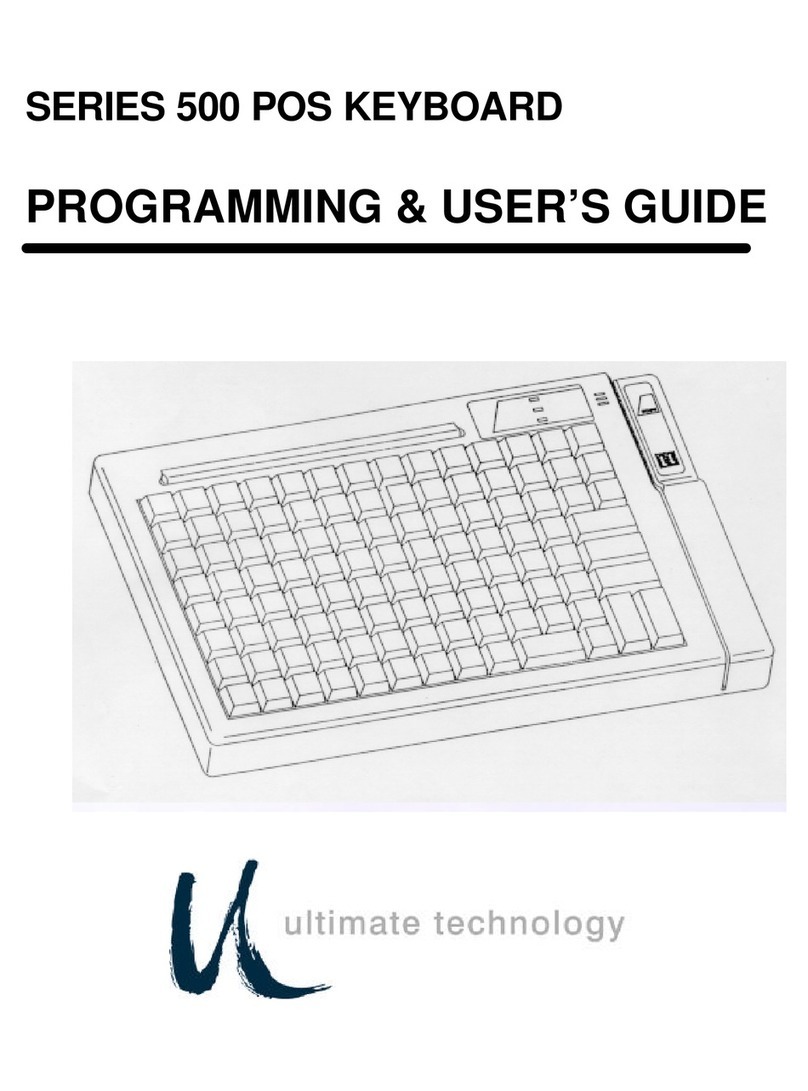
CTX Virtual Technologies VK200 KEYFOB User manual

1
VK200 KEYFOB®
User Guide
• VK200 KEYFOB
®are trademarks or registered trademark of CTX Virtual Technologies Inc.
• All other products are trademarks or registered trademarks of their respective companies.
• Please refer to host device instruction manual for Bluetooth pairing information.
Copyright 2013 All Rights reserved by CTX Virtual Technologies Inc.

1
CONTENTS
1. Product Features. . . . . . . . . . . . . . . . . . . . . . . . . . . . . .2
2. Package Contents. . . . . . . . . . . . . . . . . . . . . . . . . . . . .2
3. Quick Reference Guide .......................10
4. Identifying Parts and their Functions............13
5. Using the Projection Keyboard.................17
5.1 Keyboard Typing Modes ...................17
5.2 Connecting via USB ......................19
5.3 Connecting via Bluetooth .................20
6. Adjusting the Sensitivity ......................33
7. Adjusting Keyboard Brightness ................35
8. Adjusting Volume Settings ....................36
9. Power Saving Mode ..........................37
10. Keyboard and Mouse Mode Switching .........38
11. Mouse Clicking .............................40
12. Menu System...............................41
13. Specication ...............................45

2
1. PRODUCT FEATURES
• English QWERTY keyboard layout.
• Compact size for portability – perfect for on-the-go
• Function icons and shortcut keys for ease of
operation
• Last three keystrokes are displayed on VK200
KEYFOB®screen with a full menu display for settings
• Superior Durability (No moving component inside)
• Built-in Lithium-ion Polymer rechargeable battery for
mobility and convenience
• Compatible with latest devices: Windows XP & later,
Windows Phone 7 & later, iOS4 (iPhone 3GS & later,
iPad), Android 2.0 and later, Mac OS X & later.
2. PACKAGE CONTENTS
• VK200 KEYFOB®
• USB Cable
• User’s Guide

3
SAFETY PRECAUTIONS
1. Avoid exposing this product to direct sunlight for
extended periods of time, and keep it away from
heat sources.
2. There is a risk of malfunction if product is used
in places where sudden or extreme temperature
changes occur.
3. Applying excessive force or impact to this product
may result in product damage, and will void
warranty.
4. To ensure safety and prevent damage, use only the
dedicated micro-USB to USB cable supplied with
this product.
5. Never attempt to disassemble or service this
product yourself. Doing so can result in electrical
shock and will void the warranty.
6. This Class 2 laser product is certied by FDA
safety regulation. For your safety, please do not
stare directly into the laser source. Doing so could
damage your eyes.

4
7. Avoid placing any object within the space between
the main unit and the laser projection keyboard
layout.
8. Please do not use this product on uneven or
irregular surfaces. Place the product on a at
surface. Avoid table or surface that is as transparent
or reective as glass or mirror.
FCC Compliance Information
This device complies with Part 15 of the FCC Rules.
Operation is subject to the following two conditions:
1. This device may not cause harmful interference to
another device, and
2. This device must accept any interference received,
including interference that may cause undesired
operation.

5
FCC Class B Notice
This equipment has been tested and found to comply
within the limits for a Class B digital device, pursuant to
Part 15 of the FCC Rules.
These limits are designed to provide reasonable
protection against harmful interference when the
equipment is operated in a residential environment.
This equipment generates, uses, and radiates radio
frequency energy, and if not installed and used in
accordance with the instructions, may cause harmful
interference to radio communications.
However, there is no guarantee that interference will
not occur with special installation. If this equipment
does cause interference to radio or television reception,
which can be determined by turning the equipment
off and on, the user is encouraged to correct the
interference by one of the following measures:
• Reorient or relocate the receiving antenna.
• Increase separation between the equipment and
receiver.

6
• Connect the equipment to an outlet on a circuit
different from which the receiver is connected.
• Consult the dealer or an experienced radio/TV
technician
FCC Warning
This equipment generates and uses radio frequency
energy. If this equipment is changed or modied
in any way except for modications approved in
this manual, it may cause harmful interference.
Any unauthorized changes or modications to this
equipment could void the user’s authority to operate
this device.
Industry Canada Statement
This device complies with Industry Canada license-
exempt RSS standard(s).
Operation is subject to the following two conditions:
(1) This device may not cause interference, and
(2) This device must accept any interference, including
interference that may cause undesired operation of
the device

7
RF Exposure Information
The antenna used for this transmitter must be installed
to provide a separation distance of at least 20 cm from
all persons and must not be collocated or operating in
conjunction with any other antenna or transmitter.
Caution:
1. Battery may explode if replaced with an
incompatible battery. Dispose the used batteries
according to the instructions.
2. This transmitter must not be collocated or
operated in conjunction with any other antenna or
transmitter.
3. Antenna shall be mounted in such a manner to
minimize the potential for human contact during
normal operation. The antenna should not be
touched during operation to avoid the possibility of
exceeding the FCC radio frequency exposure limit.

8
Environmentally Friendly Disposal and Recycling
This product does not contain any substances known
to be hazardous to human health. To protect the
environment, dispose of this product separately from
household waste once it has reached its end of life,
or take it to your nearest electronics recycling service
center.
About the Built-in Battery
Rechargeable Lithium-ion Polymer Battery :
Battery Operating Time: Approx. 120 minutes (with
continuous use)
Capacity: 500mAh (Max) @ 3.7V
Charging the Battery: Use supplied USB cable to
begin charging the battery.
When charging is complete and VK200 KEYFOB®
all battery status bars will be lled in on the VK200
KEYFOB®screen.
The Battery icon will scroll indicating remaining
charging bars still required for full charge.
When VK200 KEYFOB®is off and charging is
completed “Charged” will be displayed.

9
Charging Time: Approx. 240 minutes
Note
Charging time increases if product is used while
charging.
Cautions
1. For safety reasons, be sure to use only the micro
USB to USB cable specied for this product.
2. Make sure to fully charge the battery before using
the product for the rst time.
3. Battery charging times may vary slightly depending
on the ambient temperature.
4. The battery may not be charged to 100 percent of
its rated cell capacity even when the battery status
on the VK200 KEYFOB® screen indicates all bars.
5. Using or storing the battery in high temperature,
humidity and pressure environments may cause the
battery to explode.
6. Since the battery is a consumable item, its storage
capacity decreases gradually as time passes.
Table of contents