1.2. Ports and Connectors
This section is an overview of the SG50 Series product's external design.
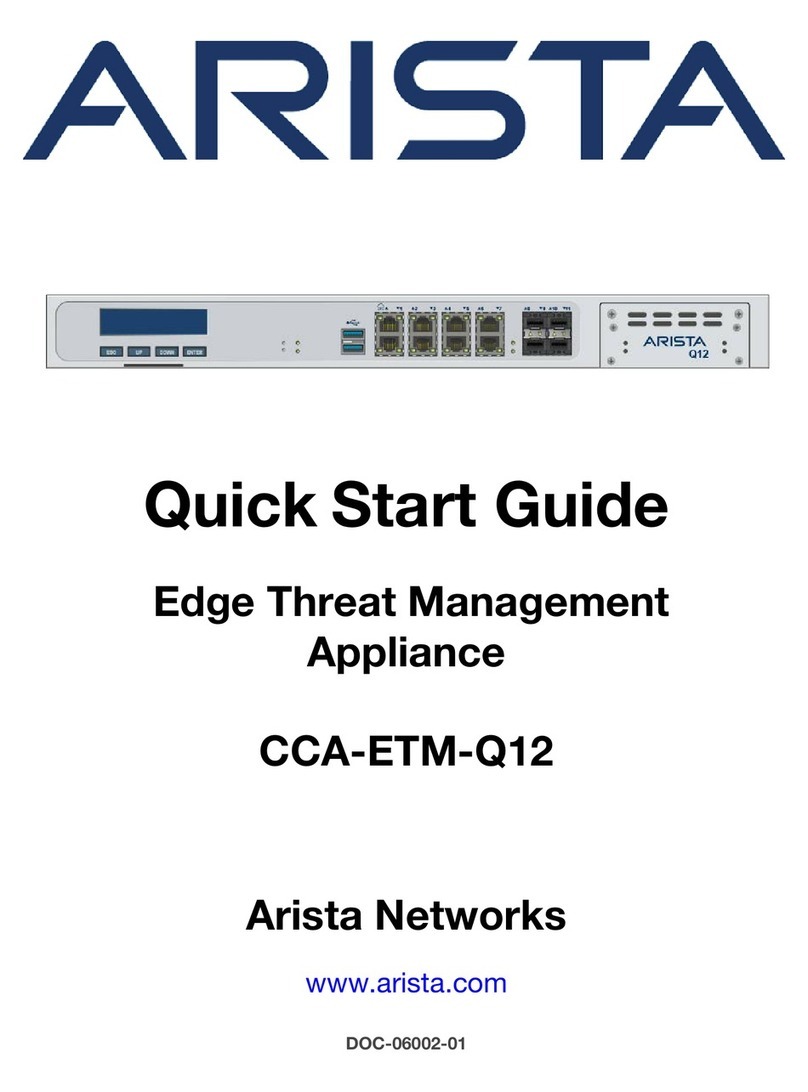
Figure 1.1. Front View of the Clavister SG50 Series.
The SG50 features an RS-232 console port on the far right. To the left are 10 Fast Ethernet ports
which can operate at 10Mb or 100Mb speeds. These ports are referred to by the administrator
using logical interface names. The first two ports are marked as DMZ and AUX, the third as WAN.
The remaining 7 ports are marked LAN1 to LAN7. These ports fulfill the following functions:
WAN This port should be connected to an external wide area network (in most cases,
the Internet). It is 100Base-T or 10Base-T capable. The default CorePlus logical
interface name is wan.
DMZ & AUX These ports are also 100Base-T or 10Base-T capable. Their default CorePlus logical
interface names are dmz and aux.
LAN 1-7 These ports are general purpose interfaces that connect to the main processor via
a switch chip which is common to all seven ports. All are designed to be
connected to internal networks. All 7 ports share a single default logical interface
names which is called lan. This means that any rule in the CorePlus IP rule-set that
uses lan as the source or destination interface will apply to traffic on any of the
physical ports LAN 1-7.
Changing default interface names
The default logical interface names assigned to physical ports can be changed later by the SG50
Series appliance administrator. In the case of lan, changing this name will change the shared
name for physical ports
Important
Traffic that enters the SG50 Series by one of the 7 general purpose interfaces LAN1 to
LAN7 and then leaves by another of those same 7 interfaces destined for the same IP
subnet, will not be subject to the CorePlus IP rule-set. This is because that traffic will pass
through the SG50 Series internal switch logic and it will be sent directly to the
destination interface by the switch.
Power and Status LEDs
The front panel of the SG50 Series features two LED lights. One is for power, the other indicates
Chapter 1: Product Overview
9