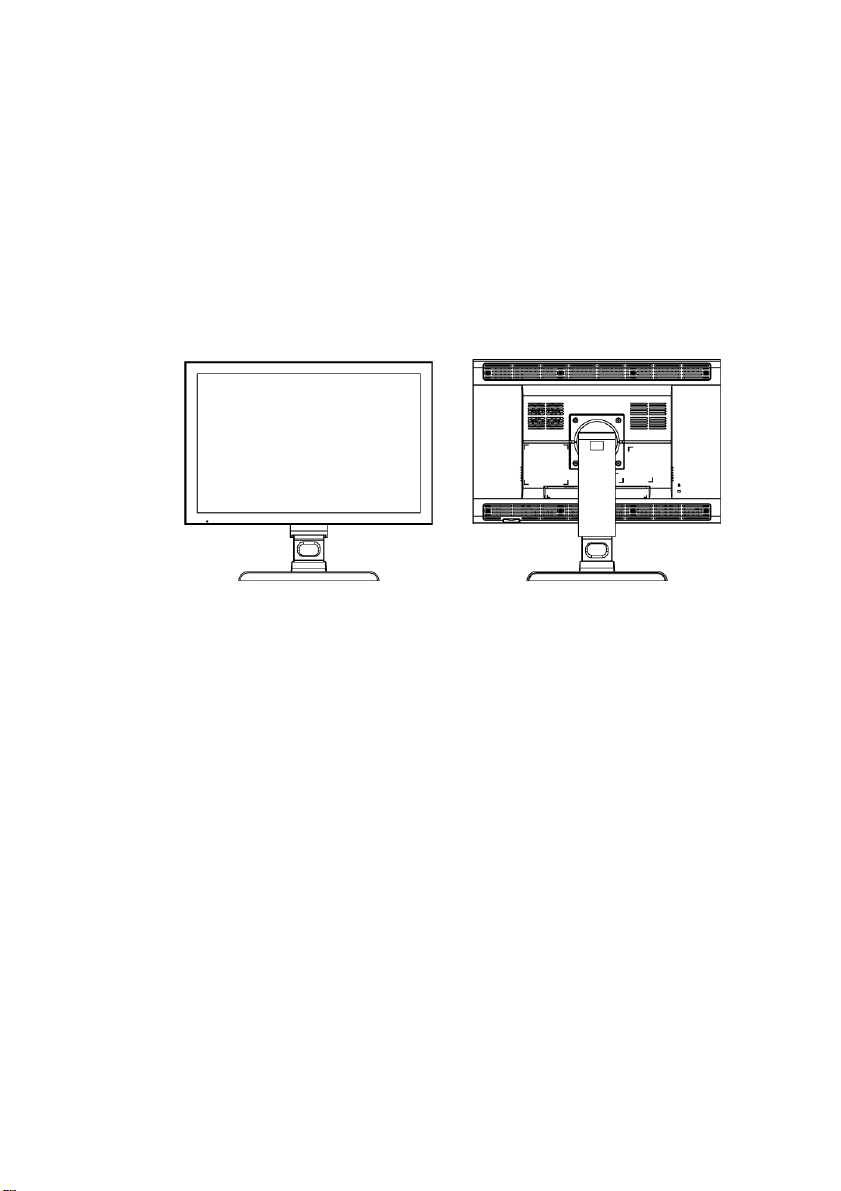
Barco MDRC-2124 User manual

MDRC-2124
User manual

2

3
Copyright notice
This document is copyrighted. All rights are reserved. Nor this
document, nor any part of it, may be reproduced or copied in any form
or by any means - graphical, electronic, or mechanical including
photocopying, taping or information storage and retrieval systems -
without written permission of Barco
© 2010 Barco N.V. All rights reserved.

4
Table of Contents
Table of Contents ....................................................................................... 4
Preface........................................................................................................ 5
Important notice.................................................................................... 5
Environmental information................................................................... 6
Safety Instructions................................................................................. 7
Recommendations for using your display system............................. 10
Unpacking and handling tips ..............................................................11
Preventing fire and injury...................................................................12
Cleaning the display............................................................................ 13
Shipping/storing the display..............................................................13
Explanation of symbols....................................................................... 14
Introduction..............................................................................................15
About the product ...............................................................................15
Package overview............................................................................... 16
Display parts, controls and connections............................................. 17
Front View....................................................................................... 17
Back View .......................................................................................18
Installation................................................................................................ 19
Connecting the display........................................................................19
Adjusting the display position ............................................................21
On-Screen Display menus........................................................................ 22
How to use the OSD menus................................................................ 22
OSD menus overview..........................................................................23
Input selection menu ..................................................................... 23
Adjustments menu......................................................................... 24
Information menu .......................................................................... 29
Appendix ..................................................................................................30
Troubleshooting................................................................................... 30
Warning Signal ....................................................................................31
Product dimensions............................................................................. 32
Technical specifications.......................................................................33
Compatibility modes ........................................................................... 35
Regulatory Compliance....................................................................... 36

5
Preface
Important notice
Notice
Although every attempt has been made to achieve technical accuracy
in this document, we assume no responsibility for errors that may be
found. Our goal is to provide you with the most accurate and usable
documentation possible; if you discover errors, please let us know.
Barco software products are the property of Barco. They are distributed
under copyright by Barco N.V., for use only under the specific terms of
a software license agreement between Barco N.V. and the licensee.
No other use, duplication, or disclosure of a Barco software product, in
any form, is authorized.
The specifications of Barco products are subject to change without
notice.
Trademarks
All trademarks and registered trademarks are property of their
respective owners.

6
Environmental information
Disposal Information
The lamps inside the display contain mercury. Do not throw the display
in the trash. Dispose of it as required by local ordinances or regulations.
This equipment has required the extraction and use of natural
resources for its production. It may contain hazardous substances for
health and environment.
In order to avoid the dissemination of those substances in the
environment and to diminish the pressure on natural resources, we
encourage you to use the appropriate take-back systems.
Those systems will reuse or recycle most of the materials of your
end-of-life equipment in a sound way.
The crossed-out wheeled bin symbol invites you to use those
systems.
If you need more information on the collection, reuse and recycling
systems, please contact your local or regional waste administrator.
You can also contact us for more information on the environmental
performances of our products.

7
Safety Instructions
General Recommendations
•Read the safety and operating instructions before operating the
display.
•Retain safety and operating instructions for future reference.
•Adhere to all warnings on the display and in the operating
instructions manual.
•Follow all instructions for operation and use.
Electrical shock
Warning- T
o prevent the risk of fire or shock hazards, do not expose
this product to rain or moisture
Warning-
Please do not open or disassemble the product as this
may
cause electric shock.
Classification:
Electrical Shock Protection: Class I.
Disconnect Device: Connect / Remove power cord plug directly.
Degree of Protection Against Electric Shock: No applied part.
Degree of Protection Against Harmful Ingress of Water: Ordinary
equipment (IPX0).
Degree of Safety in the Presence of Flammable Anesthetic Mixture with
Air or with Oxygen or Nitrous Oxide: Not suitable for use in the
presence of a flammable anesthetic mixture with air or with oxygen or
nitrous oxide.
Mode of Operation: Continuous.

8
Intended use
This display is an AMLCD display designed for viewing medical X-ray
images. This unit should not be used near patients and should be kept
outside of 1.83 m perimeter and 2.29 m vertical.
Power connection
For use only with power supply SINPRO:HPU100-108
Input:100-240V~, 47-63Hz, 1.2-0.5A
Power cords
Utilize a UL-listed detachable power cord, 3-wire, type SJ or equivalent,
18 AWG min., rated 300 V min., provided with a hospital-grade type
plug 5-15P configuration for 120V application, or 6-15P for 240V
application.
Do not overload wall outlets and extension cords as this may result in
fire or electric shock.
Mains lead protection (U.S.: Power cord): Power cords should be routed
so that they are not likely to be walked upon or pinched by items
placed upon or against them, paying particular attention to cords at
plugs and receptacles.
External equipment
External equipment intended for connection to signal input/output or
other connectors, shall comply with relevant UL/ EN/ IEC standard (e.g.
UL/EN/IEC 60950 for IT equipment and UL/EN 60601-1 / IEC 60601
series for medical electrical equipment). In addition, all such
combinations – systems – shall comply with the standard IEC 60601-1-1,
Safety requirements for medical electrical systems. Equipment not
complying with UL/EN / IEC 60601-1 shall be kept outside the patient
environment, as defined in the standard.

9
Equipment not complying with IEC 60601 must be kept outside the
patient environment, as defined in the standard as at least 1.5 meters
from the patient or the patient support.
Any person who connects external equipment to signal input, signal
output, or other connectors has formed a system and is therefore
responsible for the system to comply with the requirements of IEC
60601-1-1. If in doubt, speak with a qualified technician.
In locations where 240V outlets are used, connect this display only on a
center-tapped, 240V, single-phase supply.
Water and moisture
Never expose the display to rain or moisture.
Never use the display near water - e.g. near a bathtub, washbasin,
swimming pool, kitchen sink, laundry tub or in a wet basement.
Ventilation
Do not cover or block the ventilation openings in the cover of the set.
When installing the display in a cupboard or another closed location,
heed the necessary space between the set and the sides of the
cupboard.
Installation
Place the display on a flat, solid and stable surface that can support the
weight of at least 3 displays. If you use an unstable cart or stand, the
display may fall, causing serious injury to a child or adult, and serious
damage to the equipment.

10
Recommendations for using your display system
1. Optimize the lifetime of your display
Enabling the Display Power Management System (DPMS) of your
display (in the display’s Settings menu) will optimize its diagnostic
lifetime by automatically switching off the backlight when the display
is not used for a specified period of time. By default, DPMS is enabled
on your display, but it also needs to be activated on your workstation.
To do this, go to “Power Options Properties” in the “Control Panel”.
Barco recommends setting DPMS activation after 20 minutes of
non-usage.
2. Use a screen saver to avoid image retention
Prolonged operation of an LCD with the same content on the same
screen area may result in a form of image retention.
You can avoid or significantly reduce the occurrence of this
phenomenon by using a screen saver. You can activate a screen saver
in the “Display properties” window of your workstation.
Barco recommends setting screen saver activation after 5 minutes of
non-usage. A good screen saver displays moving content.
In case you are working with the same image or an application with
static image elements for several hours continuously (so that the
screen saver is not activated), change the image content regularly to
avoid image retention of the static elements.
3. Understand pixel technology
LCD displays use technology based on pixels. As a normal tolerance in
the manufacturing of the LCD, a limited number of these pixels may
remain either dark or permanently lit, without affecting the diagnostic
Other manuals for MDRC-2124
1
Table of contents
Other Barco Monitor manuals

Barco
Barco MDSC-8231 User manual

Barco
Barco Coronis User manual

Barco
Barco Nio Fusion 12MP User manual

Barco
Barco LC Series User manual

Barco
Barco MDSC-2324 Series User manual

Barco
Barco TX-126 User manual

Barco
Barco NX--4 User manual

Barco
Barco MDNC-3321 User manual

Barco
Barco PlantMaster User manual

Barco
Barco Nio 2MP LED User manual

Barco
Barco ILite 6 XP User manual

Barco
Barco MDSC-8527 User manual

Barco
Barco K9352021 User manual

Barco
Barco MDCC-4430 User manual

Barco
Barco MDSC-8527 User manual

Barco
Barco CVM 3000 User manual

Barco
Barco MDSC-1119 User manual

Barco
Barco MDCG-5221 User manual

Barco
Barco CCFD 2320 Instruction Manual

Barco
Barco TCD-361 User manual