
Barco AMM215WTD User manual

AUTO - SCANNING WITH DIGITAL CONTROL
LCD COLOR MEDICAL MONITOR
AMM215WTD
Operation Manual
For future reference, record the serial number of your display
monitor in the space below :
Serial Number
The serial number is located on the back of the monitor


Back of the Monitor
Barco, Inc. 2019
All other trademarks are the property of their reference owners.
This document is subject to change without notice.
Barco provides this information as reference only. Reference to other vendor’s
products does not imply any recommendation or endorsement.
Revision Control
WARNING
The title «WARNING» is used to inform the users of pos-
sible causes that could inict the injury, death, or property
damage to the patients.
CAUTION
The title «CAUTION» is used to inform the users of pos-
sible causes that could inict the patients although it might
not severe enough to cause death.
NOTE
The title «NOTE» is used to inform the users of items that
are of importance in terms of installation, operation, or
maintenance of the Equipment although the failure does
not inict the bodily harm to the patients.
Document number
Rev. K
AMM215WTD 1

Table of Contents
Product Description and Intended Use......................................................
Warnings and Cautions .............................................................................
Symbol Explanations.................................................................................
EU Declaration of Conformity for Medical Applications .............................
Safety Precaution ......................................................................................
Cleaning the Monitor .................................................................................
Recommendation to Use more than One Unit...........................................
On Burn-in .................................................................................................
Power Management Function....................................................................
Preset Modes..............................................................................................
Video Signals.............................................................................................
PIP / POP / PBP function...........................................................................
DDC...........................................................................................................
Installation .................................................................................................
Connecting the Power Cord ......................................................................
User Function / Messages.........................................................................
OSD Section..............................................................................................
Troubleshooting.........................................................................................
Specications of (AMM215WTD) ..............................................................
Classication .............................................................................................
Electromagnetic Compatibility ...................................................................
Dimension Drawing (mm) of AC Adapter...................................................
Dimension Drawing (mm) of AMM215WTD...............................................
Connectors ................................................................................................
Description of Warranty .............................................................................
Accessory Item List ..................................................................................
3
4
7
8
9
9
9
9
10
11
12
13
14
14
15
16
17
25
26
27
28
30
31
32
33
37
2User’s Guide

Product Description and Intended Use
Please check the following items are present when you unpack the box, and save
the packing materials in case you will need to ship or transport the monitor in future.
• AMM215WTD LCD Monitor (the equipment that displays information,
graphic data, image and video on the LED screen) and two video cables
(1) HD15 VGA cable (1) DVI-I cable
• AC Power cord*
• AC-Adapter
• Composite Video BNC Jack Cable, and Super Video Cable.
• User Manual, Quick Reference Guide and 4pcs VESA screws
• Cable Cover
*Might vary pending on region standard
CAUTION
Model No : JMW1100KB1300F02
(Bridgepower)
AMM215WTD 3

Warnings and Cautions
Please read this manual and follow its instructions carefully. The words warning,
caution, and note carry special meanings and should be carefully reviewed:
Warning The personal safety of the patient or physician may be
involved. Disregarding this information could result in
injury to the patient or physician.
Caution Special service procedures or precautions must be
followed to avoid damaging the instrument.
Note Special information to make maintenance easier or important
information more clear.
An exclamation mark within a triangle is intended to alert the
user to the presence of important operating and maintenance
instructions in the literature accompanying the product.
A lightning bolt within a triangle is intended to warn of the
presence of hazardous voltage. Refer all service to authorized
personnel.
Warning TO AVOID POTENTIAL SERIOUS INJURY TO THE USER
AND THE PATIENT AND/OR DAMAGE TO THIS DEVICE,
THE USER MUST :
Warranty is void if any of these warnings are disregarded.
Barco, Inc. accepts full responsibility for the eects on safety, reliability, and
performance of the equipment only if:
• Re-adjustments, modications, and/or repairs are carried out exclusively
by Barco, Inc..
• The electrical installation of the relevant operating room complies with the
applicable IEC and CE requirements.
Warning Federal law (United States of America) restricts this
device to use by, or on order of a physician.
The Barco, Inc. AMM215WTD monitor has been tested under UL (ANSI/AAMI ES
60601-1) standard and UL listed for Medical application.
Barco, Inc. reserves the right to make improvements in the product(s) described
herein. Product(s), therefore, may not agree in detail to the published design
or specications. All specications are subject to change without notice. Please
contact Barco, Inc. directly or phone your local Barco, Inc. sales representative or
agent for information on changes and new products.
4User’s Guide

Warnings
1. Read the operating manual thoroughly and be familiar with its contents prior to using
this equipment.
2. Carefully unpack the unit and check if any damage occurred during shipment.
3. Should any solid object or liquid fall into the panel, unplug the unit and have it checked
by qualied personnel before operating it any further.
4. Uplug the unit if it is not to be used for an extended period of time. To disconnect the
cord, pull it out by the plug. Never pull the cord itself.
5. Be a qualied physician, having complete knowledge of the use of this equipment.
6. Test this equipment prior to a medical procedure. This monitor was fully tested at the
factory before shipment.
7. Avoid removing covers on control unit to avoid electric shock.
8. Attempt no internal repairs or adjustments not specically detailed in this operating
manual.
9. Pay close attention to the care, cleaning instructions in this manual. A deviation may
cause damage (refer to the Cleaning section).
10. DO NOT STERILIZE MONITOR.
11. Read the entire instruction manual before assembling or connecting the camera.
12. Do not place the monitor or any other heavy object on the power cord. Damage to the
cable can cause re or electirc shock.
13. Monitor with power supply is suitable for use in patient environment.
14. DO NOT stack more than 3 boxes high
15. To avoid the risk of electric shock, this equipment must only be connected to a supply
mains with protective earth.
This equipment has been tested and found to comply with the limits for medical devices in
IEC 60601-1-2:2014. These limits are designed to provide reasonable protection against
harmful interference in a typical medical installation.
This equipment generates, uses and can radiate radio frequency energy and, if not installed
and used in accordance with the instructions, may cause harmful interference to other devic-
es in the vicinity. However, there is no guarantee that interference will not occur in a particular
installation. If this equipment does cause harmful interference to other devices, which can be
determined by turning the equipment o and on, the user is encouraged to try to correct the
interference by one or more of the following measures:
- Reorient or relocate the receiving device.
- Increase the separation between the equipment.
- Connect the equipment into an outlet on a circuit dierent from that to which the other
device(s) are connected.
- Consult the manufacturer or eld service technician for help.
NOTICES TO USER
This device complies with Part 15 of the FCC Rules. Operation is subject to the following two
conditions:
(1) this device may not cause harmful interference, and (2) this device must accept any inter-
ference received, including interference that may cause undesired operation.
FCC WARNING
This equipement generates or uses radio frequency energy. Changes or modications not
expressly approved by the party responsible for compliance could void the user’s authority
to operate the equipment. The user could lose the authority to operate this equipment if an
unauthorized change or modication is made.
AMM215WTD 5

Cautions
1. The AC Adapter must be plugged into a Grounded power outlet.
2. Use only the proprietary AMM215WTD power supply for the
AMM215WTD monitor. Make a proper connection by ensuring that the
shrink tubing completely secures the connection between the DC power cord and the
extension cord.
3. Turn power o when unit is not in use.
4. Never operate the unit right after having transported from a cold location directly to a
warm location.
5. Do not expose the monitor to moisture or directly apply liquid cleaners directly to the
screen. Spray the cleaning solution into a soft cloth and clean gently.
6. Handle the monitor with care. Do not strike or scratch the screen.
7. Do not block the monitor cooling vents. The monitor is cooled by natural convection
and has no fan.
8. Do not force the monitor past 28 degrees of vertical when adjusting the screen
position. (For monitors equipped with stands only.)
9. Remove the power module and connection when transporting the unit.
10. Save the original carton and associated packing material. They will be useful should
you have to transport or ship the unit.
11. Allow adequate air circulation to prevent internal heat buildup.
12. Do not place the unit on surfaces (rugs, blankets, etc.) or near materials (curtains,
draperies) that may block the ventilation slots.
13. Do not install the unit near sunlight, excessive dust, mechanical vibration or shock.
14. The unit is designed for operation in a horizontal position. Never operate the unit in
a vertical position.
15. Keep the unit away from equipment with strong magnets (i.e. a large loudspeaker.)
16. Do not expose the monitor to moisture or excessive dust.
17. Equipment with SIP/SOP connectors should either comply with IEC 60601-1 and/or
IEC 60601-1-1 harmonized national standard or the combination should be evaluated.
Do not touch the patient with signal input or output connectors.
18. Use only a hospital grade power supply cord.
19. This equipment has been tested and found to comply with the limit for a Class B digital
device, pursuant to Part 15 of the FCC Rules. These limits are designed to provide
reasonable generate uses and can radiate radio frequency energy, if not installed and
used in accordance with the instructions, may cause harmful interference to radio
communications. However, there is no guarantee that interference will not occur in a
particular installation, which can be detemined by turning the equipment o and on,
the user is encouraged to try to correct the interference by one or more of the following
measures:
• Reorient or relocate the receiving device.
• Increase the separation distance between the equipment.
• Connect the equipment to an outlet on a circuit dierent from that to which the
other device(s) are connected.
• Consult the manufacturer or eld service technican for help.
20. Grounding reliability can only be achieved when the equipment is connected to an
equipment receptacle labeled “Hospital Only” or “Hospital Grade.”
21. The products have Lower breaking capacity type. So do not install at the building power
system prospective short-circuit current exceeding 35 A.
22. Disconnecting of the power cord from the AC/DC Adaptor is the proper means of isolation
from the supply mains.
Note To connect to an international power supply, use a an attachment plug
appropriate for the power outlet.
Note Refer to the “Electromagnetic Compatibility” (EMC) section of this manual to
ensure EMC. The AMM215WTD must be installed and operated
according to the EMC information provided in this manual.
6User’s Guide

Symbol Denitions
AMM215WTD 7
Dangerous: High Voltage
Direct Current
Serial Number
This Way Up
Fragile, Handle with Care
Stacking Limit by Number
Keep Dry
Recyclable
See Accompanying Document
Indicates proof of confor-
mity to applicable European
Economic Community Council
directives and to harmonized
standards published in the of-
cial journal of the European
Communities.
Authorized Representative in
Europe
Date of Manufacture
Manufacturer
Medical Equipment
Indicates Protective Earth
Ground.
For Indoor Use Only.
Tested to Comply with FCC
Class B Standards.
Stand-By
Tested to Comply with Japan
VCCI Certication
Tested to Comply with China
CCC Certication
Mark for CU Countries-
Russia,Kazakhstan, Belarus
China RoHS symbol. Number
indicates EFUP(Environmental
Friendly Use Period) from the
date of manufacturing.
Medical Equipment is in ac-
cordance with UL 60601-1 and
CAN/CSA C22.2 No. 601.1
in regards to electric shock,
re hazards, and mechanical
hazards.
Tested to Comply with IP
(Ingression Protection) Rating
WEEE symbol for recyclable
product. Please do not throw
the product with this symbol in
the bin.
A

EU Declaration of Conformity for Medical Applications
A Declaration of Conformity has been led for this product. A sample
of this document may be found in the addendum which accompanies
this manual. For a copy of the Declaration of Conformity document,
please contact Barco, Inc.. and request the AMM215WTD DOC.
Prepare to Unpack Monitor
Before you unpack your monitor, prepare a suitable workspace. You
need a stable and level surface near a grounded wall outlet in an area
which is relatively free of glare from sunlight or other sources of bright
light. The monitor is cooled by natural convection (it has no fan).
For optimum performance, do not block the cooling vents.
While unpacking the monitor, inspect it and other package contents
for shipping damage that could cause a re or shock hazard. Imme-
diately report any shipping damage to the carrier or transportation
company and contact customer service for monitor in case of return.
After you unpack the monitor, make sure the following items are in-
cluded
• Monitor with video cable
• AC adapter with cable
CAUTION: AC Adapter must be plugged into Grounded a power outlet
CAUTION : AC adapter
Model No: JMW1100KB1300F02 (Bridgepower)
• This operation manual
Note: Your system provider may oer alternative cords or cables
depending on the installation requirement and local geography issues.
8User’s Guide
Other manuals for AMM215WTD
1
Table of contents
Other Barco Monitor manuals

Barco
Barco Encore User manual

Barco
Barco MFCD 1219 (TS) Instruction Manual

Barco
Barco CVM 2037 User manual

Barco
Barco Eonis MDRC-2224 User manual

Barco
Barco Nio 5MP LED User manual

Barco
Barco iStudio User manual

Barco
Barco iUtilities User manual

Barco
Barco LC series R5976934 User manual

Barco
Barco NX--4 User manual
Barco
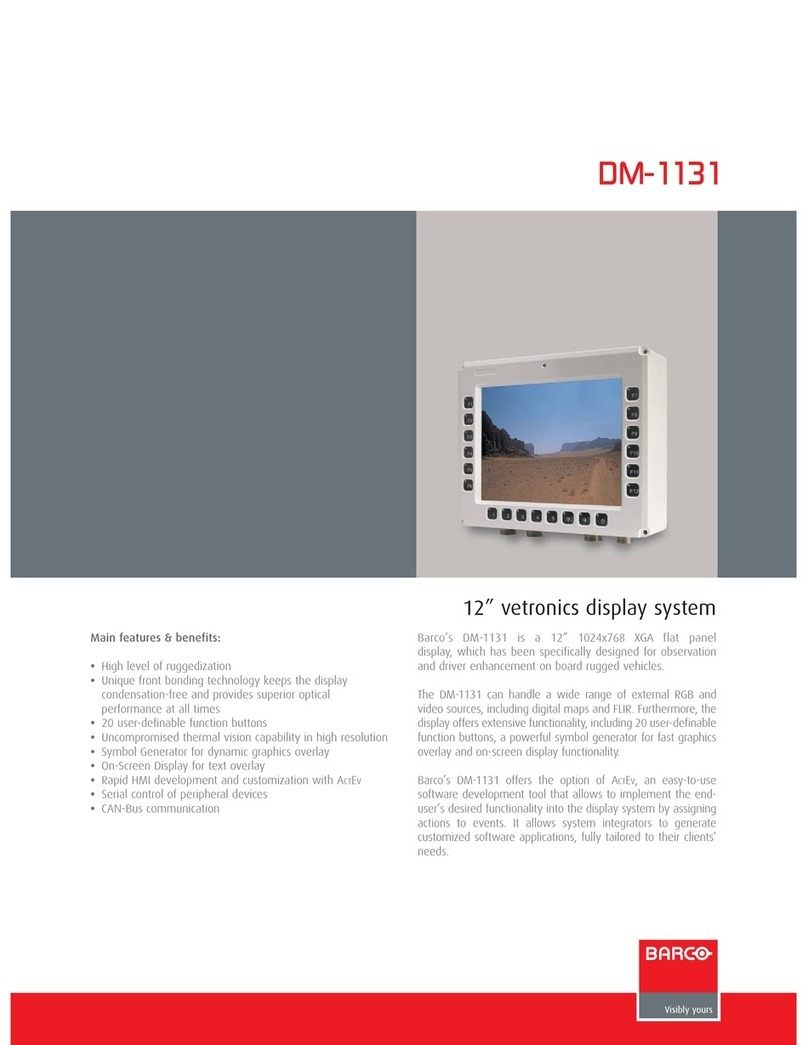
Barco DM-1131 User manual

Barco
Barco Coronis MDCC 2121 User manual

Barco
Barco MDCG-5221 User manual

Barco
Barco NX--4 User manual

Barco
Barco Coronis Uniti User manual

Barco
Barco TCD-361 User manual

Barco
Barco RHDM-1701 User manual

Barco
Barco MDRC-2124 User manual

Barco
Barco MDRC-1219 (TS) User manual

Barco
Barco MFCD 1218 User manual

Barco
Barco HDM 5049 PLUS User manual






