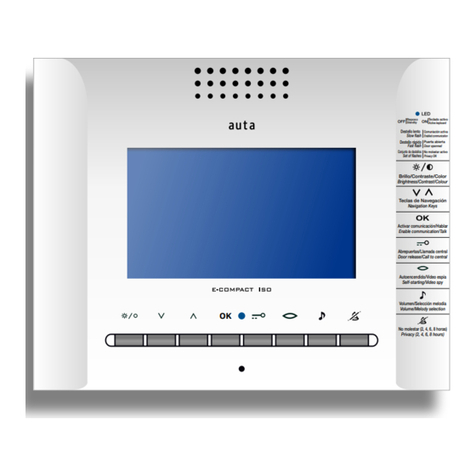
Auta 2H User manual

Bringing people together
auta
2W COMPACT MONITOR
MONITOR COMPACT 2H
EN
ES
755005
REF.
2H

Bringing people together
Descripción Description
Características Features
Monitor digital COLOR. Permite ser instalado en cualquier sistema Auta digital 2 . Incorpora una pantalla LCD COLOR 4”,
audio D, salidas auxiliares multi-función, selección de melodías, funciones especiales.
COLOUR digital monitor. It can be installed on any Auta 2W digital system. It incorporates a LCD COLOUR 4”, D audio,
auxiliary multi-function outputs, selection of melodies, special functions.
AUX
Pantalla
Screen
Selección
MELODÍAS
melody
SELECTION
VOLUMEN
llamada
call
VOLUME
LED
estado
status
LED
Altavoz
Speaker
conmutador
CUELGUE
hang
SWITC
Micrófono
Microphone
funciones ESPECIALES
Special FUNCTIONS
ONOFF
Ajuste BRILLO
BRIG TNESS adjust
Ajuste COLOR
COLOUR adjust
230
195 55
Montaje Mounting
Supericie
(módulo de conexión, NO INCLUIDO)
Escritorio
(adaptador 730482, NO INCLUIDO)
Desk
(adapter 730482, NOT INCLUDED)
Surface
(connection bracket, NOT INCLUDED)
APERTURA 1
OPENING 1
VIDEO ESPÍA VIDEO SPY
Funciones ESPECIALES special FUNCTIONS
AUTOENCENDIDO
SELFSTARTING
APERTURA 2 OPENING 2

Bringing people together
2ºA
2ºA
2ºB
H1
H2
COD. 7
H1
H2
COD. 7
H1
H2
COD. 8
H1
H2
COD. 7
Instalación Installation
Conguración Conguration
Funciones especiales (USUARIO) Special functions (USER)
AUX
Manual de instalación 2H
Installation manual 2W
Código de llamada
(Binario)
Call code
(Binary)
Selector PRINCIPAL_SECUNDARIO
MAIN_SECONDARY selector
Principal
Main
Secundario
Secondary
Configuración del sistema digital
Digital system configuration
▶Entrar en programación presionando durante 3 segundos , led parpadea ROJO.
(Esperar 30 segundos para salir)
○Si pulsamos activamos (destello VERDE) o desactivamos (destello ROJO) la
función ALARMA DE PUERTA.
○Si pulsamos activamos el modo PRIVACIDAD, 2 horas (1 destello VERDE en
reposo), 4 horas (2 destellos VERDES en reposo) u 8 horas (3 destellos VERDES en
reposo). Durante este modo no se generarán timbrazos de llamada.
○Si pulsamos activamos (destello VERDE) o desactivamos (destello ROJO) la
función APERTURA AUTOMÁTICA. Durante 4 horas el monitor abrirá la puerta
automáticamente al recibir una llamada.
Esta función ha de habilitarse previamente en “Funciones especiales (INSTALACIÓN)”
▶Enter programming by pressing for 3 seconds, led lashes RED.
(Wait 30 seconds to exit)
○If we press we activate (GREEN lash) or deactivate (RED lash) the DOOR ALARM
function.
○If we press , we activate the PRIVACY mode, 2 hours (1 GREEN lash at standby), 4
hours (2 GREEN lashes at standby) or 8 hours (3 GREEN lashes at standby). During this
mode call rings will not be generated.
○If we press , we activate (GREEN lash) or deactivate (RED lash) the AUTOMATIC
OPENING function. For 4 hours the monitor will open the door automatically upon
receiving a call.
This function must be previously enabled in “Special functions (INSTALLATION)”
AUX
AUX

Bringing people together
Funcionamiento
llamada y conversación
Cuando se recibe una llamada desde placa de calle el monitor comienza a sonar durante un tiempo máximo de 30 segundos.
De forma estándar efectúa 4 timbrazos con intervalos de 4 segundos entre cada uno de ellos.
Durante el periodo de llamada la imagen aparece en la pantalla, el usuario podrá abrir directamente, presionando el
pulsador / , o descolgar el auricular para establecer una conversación. La conversación tiene un máximo de 90
segundos. Si se desea continuar con la conversación se deberá presionar el pulsador
AUX
auto-encendido
Presionando el pulsador el usuario podrá establecer comunicación con la PLACA DE CALLE / CÁMARA CCTV que desee
en el caso de existir más de una en la instalación.
Con cada pulsación el sistema conmutará automáticamente al siguiente dispositivo, mostrando imagen y permitiendo la
apertura de este presionando el pulsador /
AUX
función ding dong
El monitor permite prescindir del timbre interior de la vivienda, integrando así las dos llamadas (placa exterior y vivienda) en
un solo dispositivo. Se diferenciarán automáticamente dichas llamadas con melodías y destellos diferentes. Para disponer de
esta función tan solo se ha de conectar el pulsador de la vivienda interior al monitor.
función privacidad
El monitor incorpora un modo privacidad en el que se silencian los tonos de llamada durante un tiempo determinado. Si el
modo privacidad está activo el monitor muestra mediante destellos la franja de tiempo seleccionada (1 destello - 2 horas, 2
destellos - 4 horas, 3 destellos - 8 horas). Pasada la franja horaria seleccionada el monitor vuelve automáticamente a
funcionamiento estándar. Para activar el modo privacidad se presionará el pulsador durante 4 segundos (LED comenzará
a parpadear), seleccionaremos la franja horaria deseada presionando el pulsador .Cada pulsación activará una franja
horaria distinta entre las 3 disponibles.
AUX
función sensor de puea
Si se instala un contacto de puerta, el monitor permite la monitorización, en tiempo real, de la entrada al ediicio. Si la puerta
permanece abierta durante un periodo de tiempo más largo al estipulado en los ajustes, el sistema envía una alarma visual a
todos los monitores de la instalación que permanece activa hasta que dicha puerta se cierra correctamente.
gestión de una segunda puea
El sistema Auta 2 incorpora gestión para 2 puertas en su placa de calle. Si presionamos el pulsador activaremos el relé
de placa RYa y si presionamos el pulsador activaremos el relé de placa RYb.
AUX
ajuste del volumen de llamada
Para ajustar el volumen de la llamada se ha de introducir un clip o similar por el oriicio indicado y presionar levemente.
El monitor cuenta con dos niveles de volumen (MEDIO y ALTO)
selección de melodías
Para seleccionar una melodía de llamada se ha de descolgar el auricular y presionar con el dedo el conmutador de cuelgue.
Con él presionado se ha de introducir un clip o similar en el oriicio indicado presionando suavemente.
Cada pulsación selecciona una melodía diferente entre 8 disponibles.
ES

Bringing people together
Functioning
EN
calling and conversation
When a call is received from the entrance panel, the monitor starts ringing for a maximum of 30 seconds. As standard,
it performs 4 rings with intervals of 4 seconds between each of them.
During the call period the image appears on the screen, the user can open directly, pressing the button / , or
pick up the handset to establish conversation. The conversation has a maximum of 90 seconds. If you want to continue
with the conversation, press the button
AUX
self-staing
By pressing the button the user can establish communication with the PANEL / CCTV CAMERA that he wishes in
the case of more than one is present in the installation.
With each press the system will automatically switch to the next device, showing the image and allowing the opening
of it by pressing the button /
AUX
ding dong function
The monitor allows to replace the interior bell of the house, this integrates the two calls (outside panel and house bell)
in a single device. These calls will be dierentiated with dierent melodies and lashes automatically. In order to have
this function, you only have to connect the button of the house bell to the monitor.
privacy function
The monitor incorporates a privacy mode in which the ringing tones are muted for a selected time. If the privacy mode
is active, the monitor shows by lashes the selected period of time (1 lash - 2 hours, 2 lashes - 4 hours, 3 lashes -
8 hours). After the selected period of time inished, the monitor automatically returns to standard mode. To activate the
privacy mode press the button for 4 seconds (LED will start to blink), select the desired period of time by pressing
the button . Each press will activate a dierent period of time between the 3 available ones.
AUX
function door sensor
If a door contact is installed, the monitor allows monitoring, in real time, the entrance to the building. If the door remains
open for a longer period of time than stipulated in the settings, the system sends a visual alarm to all the monitors of
the installation that remains active until the door is closed correctly.
management of a second door
The Auta 2W system incorporates the management for 2 doors in its entrance panel. If we press the button we will
activate the RYa panel relay and if we press the button we will activate the RYb panel relay.
AUX
adjust of the calling volume
To adjust the volume of the call, insert a clip or similar through the indicated hole and press with it lightly.
The monitor has two volume levels (MEDIUM and IG )
melody selection
To select a ring tone, you have to pick up the handset and press the hang switch with your inger. With it pressed, a clip
or similar must be inserted in the indicated hole and press with it lightly.
Each press selects a dierent melody from 8 ones available.

Bringing people together
auta.es
HI-767 _ V 1.0
FUNCIÓN
FUNCTION BINARIO BINARY
2, 3, 4, 5 Nº de tonos de llamada
Nº of calling tones
6
La entrada permite la apertura de puerta, solo al recibir una llamada.
En el módulo 750799 la entrada sería TP1
The input allows open the door, only when a call is received.
In the module 750799 the input would be T 1
7Activa la función “Apertura automática” durante la llamada
Activates the function “Automatic opening” during the call
8El pulsador AUX pasa a controlar la salida “AUX2” con el módulo (750799)
The AUX push-button control the “AUX2” output with the module (750799)
255 Retorno a valores de fábrica
Back to factory settings
1 tono 1 tone 2 tonos 2 tones 3 tonos 3 tones 4 tonos 4 tones
Funciones especiales (INSTALACIÓN) Special functions (INSTALLATION)
Tabla de funciones especiales Special functions table
Programación de funciones especiales Programming of special functions
AUX
AUX
1º Apagar el monitor Turn OFF the monitor
2º Anotar coniguración del monitor Write down monitor settings
3º Realizar un puente como indica el dibujo Do a bridge as picture shows
4º Descolgar el auricular Pick up the handset
5º Encender el monitor (led ROJO) Turn ON the monitor (RED led)
6º Conigurar el código de función (tabla) Set the desired function code (template)
7º
Validar el código presionando el pulsador
AUX (led NARANJA)
Validate the code by pressing the AUX
push-button (ORANGE led)
8º Apagar el monitor Turn OFF the monitor
9º Deshacer el puente realizado en el paso 3 Remove the bridge done in the step 3
10º Restablecer coniguración del monitor
anotada en el paso 2
Restore the monitor coniguration written
in the step 2
11º Encender el monitor Turn ON the monitor
AUX
AUX
AUX
AUX
AUXAUX
This manual suits for next models
1
Table of contents
Languages:
Other Auta Intercom System manuals

Auta
Auta 700105 User manual

Auta
Auta COMPACT VISUALTECH User manual

Auta
Auta neos 751948 User manual

Auta
Auta 752105 User manual

Auta
Auta 760595 User manual

Auta
Auta Neos Digital User manual

Auta
Auta CENTRAL COMPACT INTEGRADA User manual

Auta
Auta 754005 User manual

Auta
Auta 743083 User manual

Auta
Auta neos Series User manual

Auta
Auta onex DIGITAL 743067 User manual

Auta
Auta SLIM 2H User manual

Auta
Auta 701905 User manual

Auta
Auta DIGITAL COMPACT User manual

Auta
Auta CCA GUARD PORTER User manual

Auta
Auta NEOS Series User manual

Auta
Auta Neos Digital User manual

Auta
Auta Avant HI-245 User manual

Auta
Auta COMPACT DIGITAL 2H User manual

Auta
Auta 701805 User manual