ATTO Technology Celerity FC-164E User manual
ATTO Celerity Fibre Channel Host Adapters
Installation and Operation Manual
Celerity FC-164E
16Gb FC quad channel PCIe 3.0 host adapter
Celerity FC-162E
16Gb FC dual channel PCIe 3.0 host adapter
Celerity FC-161E
16Gb FC single channel PCIe 3.0 host adapter
Celerity FC-84EN
8Gb FC quad channel PCIe 2.0 host adapter
Celerity FC-82EN
8Gb FC dual channel PCIe 2.0 host adapter
Celerity FC-81EN
8Gb FC single channel PCIe 2.0 host adapter

ATTO Technology, Inc.
155 CrossPoint Parkway
Amherst, New York 14068 USA
www.attotech.com
Tel (716) 691-1999
Fax (716) 691-9353
Sales support: [email protected]
Technical support: Please visit
https://www.attotech.com/support/
for hours of operation.
(716) 691-1999 ext. 242
© 2016 ATTO Technology, Inc. All rights reserved. All brand or product names are trademarks of their respective
holders. No part of this manual may be reproduced in any form or by any means without the express written
permission of ATTO Technology, Inc.
1/2016 PRMA-0344-000

Contents
1 ATTO Celerity HBA Features & Overview ........................................................1
Celerity Getting started
Celerity 164E technical specifications
Celerity 162E Technical specifications
Celerity 161E Technical specifications
Celerity 84EN Technical specifications
Celerity 82EN Technical specifications
Celerity 81EN Technical specifications
2 Install Drivers .....................................................................................................8
Windows
OS X
Linux
VMware ESXi 5
VMware ESX/ESXi 4
FreeBSD
Specialized configurations
3 Hardware Installation..........................................................................................14
Bracket details
Adapter board details
4 Updating Hardware Flash, Drivers ....................................................................20
5 Troubleshooting .................................................................................................22
General suggestions
Mac OS X
Windows
Linux
VMware
Celerity FreeBSD
Celerity Supplemental Guide for VMware ESX/ESXi
Celerity Virtual Ports (NPIV)
Appendix A Glossary ............................................................................................i
Appendix B Accessories ......................................................................................iii
Appendix C Standards, Compliances: 16Gb adapters ......................................ix
FCC standards: radio and television interference
Canadian standards
European standards

Appendix D Standards, Compliances: 8Gb adapters ........................................x
FCC standards: radio and television interference
Canadian standards
European standards
Appendix E Safety, Warranty ...............................................................................xii
Safety
ATTO Technology, Inc. limited warranty

1
1 ATTO Celerity HBA Features & Overview
The ATTO Celerity Fibre Channel family of storage products provides connectivity, intelligence and scalability.
Celerity FC host adapters simplify advanced storage
networking needs such as switching, backup and data
management. Specifically designed to enhance the
functionality of third party fabric hardware and
software, Celerity FC products are the industry-
leading platform for storage connectivity.
Fibre Channel is a serial communications technology
designed to transfer large amounts of data among a
variety of hardware systems over long distances. It is
a key technology for applications that require shared,
high bandwidth access to storage.
Fibre Channel provides a logical, point-to-point, serial
channel for the transfer of data between a buffer at a
source device and a buffer at a destination device. It
moves buffer contents from one port to another,
without regard to the format or meaning of the data so
different upper level protocols are able to run over
Fibre Channel hardware.
The Fibre Channel architecture is structured as a
hierarchical set of protocol layers. Defined within these
layers are rules for signal interfaces, serial encoding
and decoding, error control, frame format and
communications protocols.
Getting started
In general, to install the ATTO Celerity FC host
adapter, you must:
1 Ensure you have the equipment and software
you need for the installation:
• Celerity FC adapter
• ATTO Celerity drivers, downloaded from the
ATTO website (https://www.attotech.com/)
• A computer with an available expansion slot
• Storage, cables and connectors
2 Install drivers for your operating system. Refer
to Install Drivers.
3 Install the configuration software from the
ATTO download pages.
4 Install the Celerity adapter. Refer to Hardware
Installation.
5 Attach storage.
6 If required, configure your Celerity adapter
using the ATTO Configuration Tool.
Note
Default settings are appropriate for most
systems but you may change settings using
the ATTO Configuration Tool.
2 ATTO Technology Inc. Celerity FC Host Adapters Installation and Operation Manual
Celerity Fibre Channel 16Gb Adapters
The ATTO Celerity 16Gb HBAs leverage two next-
generation storage technologies: PCIe 3.0
interconnect and 16-Gigabit Fibre Channel.
With 16-Gb FC speeds of up to 1600 MB/sec. per
channel, 16Gb Celerity adapters support the most
demanding application requirements, including high-
definition video, rich content databases and other
high-bandwidth environments.
ATTO Celerity host adapters are an integrated family
of advanced storage connectivity solutions that are
designed to provide reliable connectivity, intelligence
and scalability.
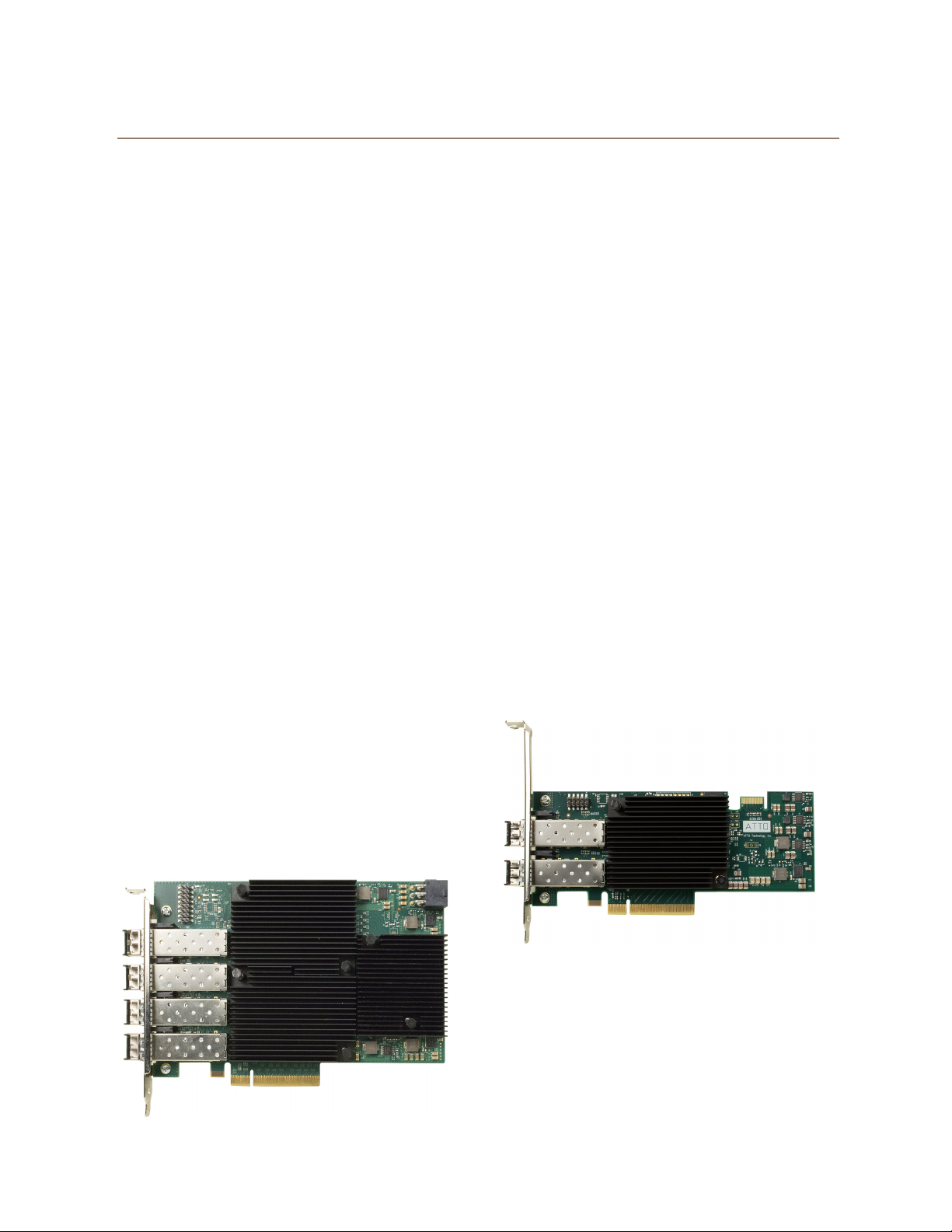
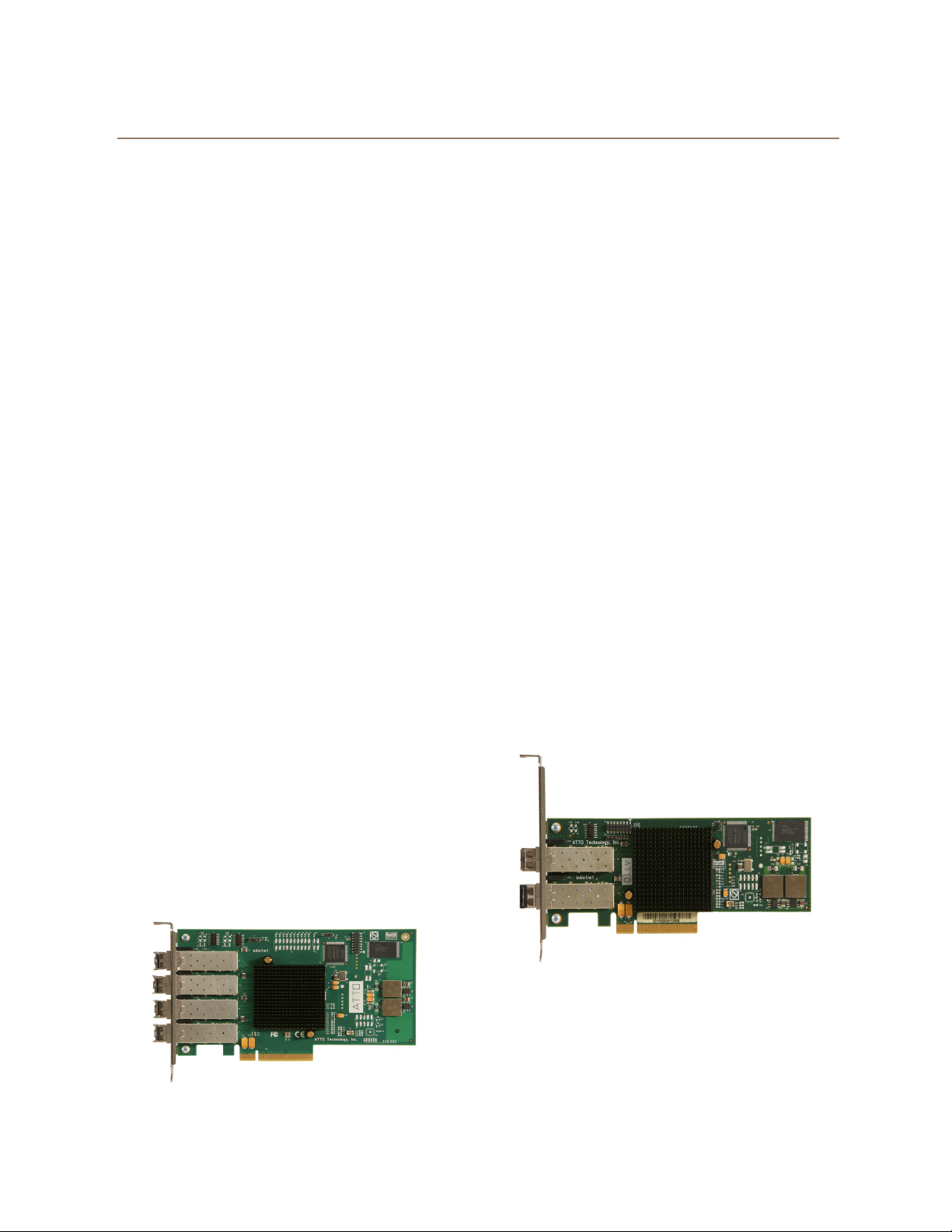
164E technical specifications
• Four independent Fibre Channel ports
• 16-Gigabit data transfer rates
• 3200 MB/sec. maximum full-duplex throughput
per channel
• Supports all FC topologies: fabric, arbitrated
loop and point-to-point
• ANSI Fibre Channel: FC-FS, FC-AL, FCP, FC-
AL2, FC-PLDA, FC-FLA
• Flash ROM for easy field upgrades
• FC Class 3 support
• Local management and diagnostics
• Buffer credits: 81
• ATTO Advanced Data Streaming (ADS™)
Technology
• Length: 6.600 inches
• Height: 4.376 inches
• Operating temperature and Airflow: 0-40 ºC (32-
104 ºF) 100lfm minimum recommended;
40-55 ºC (104-132
ºF) 300lfm minimum
recommended
• Storage temperature: -40 to 70 ºC (-40 to 158 ºF)
• Relative humidity: 10 to 95% non-condensing
• RoHS compliant
162E Technical specifications
• Two independent Fibre Channel ports
• 16-Gigabit data transfer rates
• 3200 MB/sec. maximum full-duplex throughput
per channel
• Supports all FC topologies: fabric, arbitrated
loop and point-to-point
• ANSI Fibre Channel: FC-FS, FC-AL, FCP, FC-
AL2, FC-PLDA, FC-FLA
• Flash ROM for easy field upgrades
• FC Class 3 support
• Local management and diagnostics
• Buffer credits: 81
• ATTO Advanced Data Streaming (ADS™)
Technology
• Length: 6.600 inches
• Height: 2.731 inches
• Operating temperature and Airflow: 0-40 ºC (32-
104 ºF) - 60lfm minimum recommended;
40-55 ºC (104-132
ºF) 100lfm minimum
recommended
• Storage temperature: -40 to 70 ºC (-40 to 158 ºF)
• Relative humidity: 10 to 95% non-condensing
• RoHS compliant
3
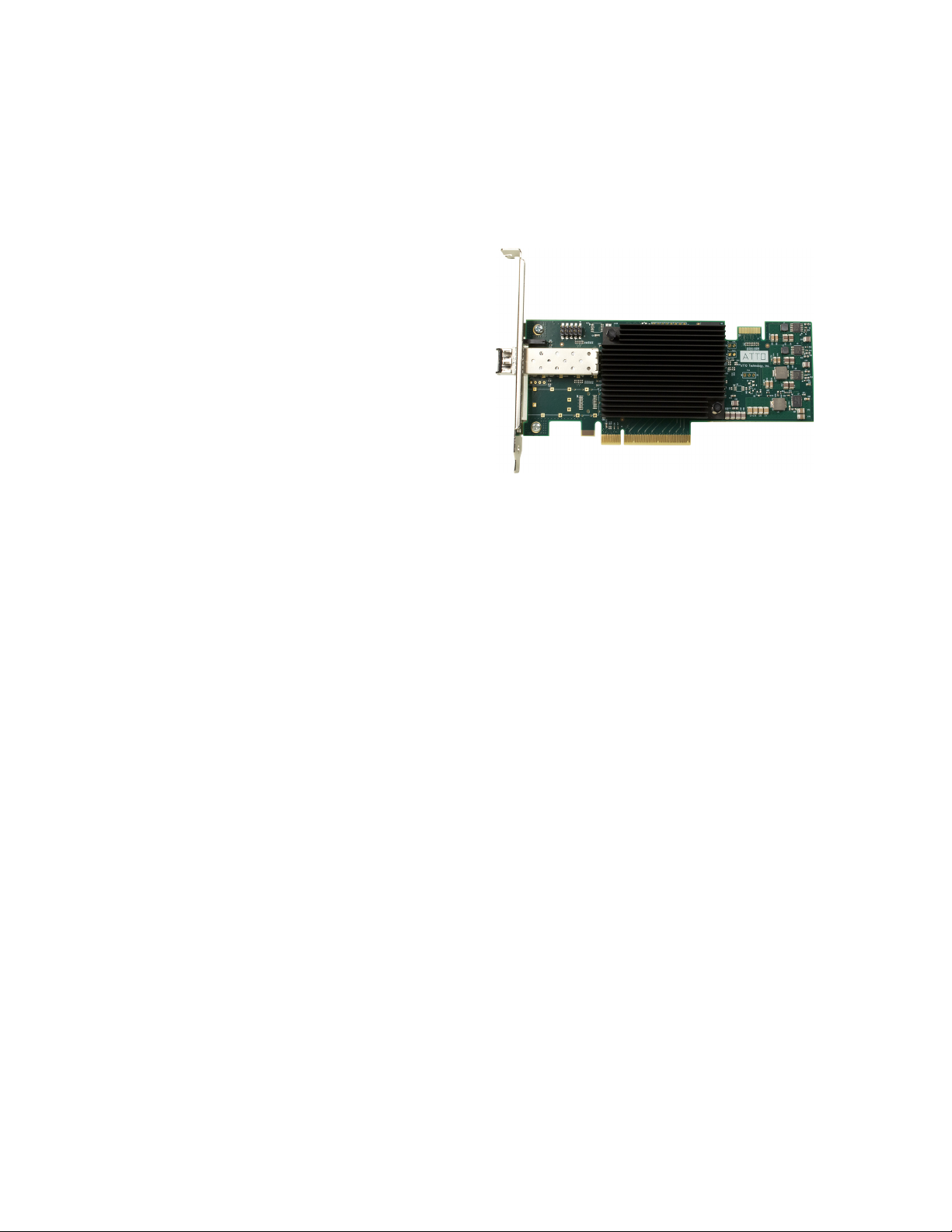
161E Technical specifications
• One Fibre Channel port
• 16-Gigabit data transfer rates
• 3200 MB/sec. maximum full-duplex throughput
per channel
• Supports all FC topologies: fabric, arbitrated
loop and point-to-point
• ANSI Fibre Channel: FC-FS, FC-AL, FCP, FC-
AL2, FC-PLDA, FC-FLA
• Flash ROM for easy field upgrades
• FC Class 3 support
• Local management and diagnostics
• Buffer credits: 81
• ATTO Advanced Data Streaming (ADS™)
Technology
• Length: 6.600 inches
• Height: 2.731 inches
• Operating temperature and Airflow: 0-40 ºC (32-
104 ºF) - 60lfm minimum recommended;
40-55 ºC (104-132 ºF) 100lfm minimum
recommended
• Storage temperature: -40 to 70 ºC (-40 to 158 ºF)
• Relative humidity: 5 to 95% non-condensing
• 10.97W
• RoHS compliant
4 ATTO Technology Inc. Celerity FC Host Adapters Installation and Operation Manual
Celerity Fibre Channel 8Gb Adapters
The ATTO Celerity 8Gb HBAs leverage two next-
generation storage technologies: PCIe 2.0
interconnect and 8-Gigabit Fibre Channel.
With 8-Gb FC speeds of up to 800 MB/sec. per
channel, 8Gb Celerity adapters support the most
demanding application requirements, including high-
definition video, rich content databases and other
high-bandwidth environments.
ATTO Celerity host adapters are an integrated family
of advanced storage connectivity solutions that are
designed to provide reliable connectivity, intelligence
and scalability.
84EN Technical specifications
• Four independent Fibre Channel ports 8-Gigabit
data transfer rates
• 1600 MB/sec. maximum full-duplex throughput
per channel
• Supports all FC topologies: fabric, arbitrated
loop and point-to-point
• ANSI Fibre Channel: FC-FS, FC-AL, FCP, FC-
AL2, FC-PLDA, FC-FLA
• Flash ROM for easy field upgrades
• FC Class 3 support
• Local management and diagnostics
• Buffer credits: 41
• ATTO Advanced Data Streaming (ADS™)
Technology
• Length: 6.6 inches
• Height: 3.987 inches
• Operating temperature: 0-40 ºC (32-104 ºF)
• Storage temperature: -40 to 70 ºC (-40 to 158 ºF)
• Relative humidity: 10 to 90% non-condensing
• 7.8 W (typical)
• 100 lf/m (minimum) airflow recommended
• RoHS compliant
82EN Technical specifications
• Two independent Fibre Channel ports
• 1600 MB/sec. maximum throughput per channel
in full-duplex mode
• 8-Gigabit data transfer rates
• Conforms to PCI Express Low Profile form-
factor specifications
• Supports all FC topologies: fabric, arbitrated
loop and point-to-point
• ANSI Fibre Channel: FC-FS, FC-AL, FCP, FC-
AL2, FC-PLDA, FC-FLA
• Flash ROM for easy field upgrades
• FC Class 3 support
• Local management and diagnostics
• Buffer credits: 41
• ATTO Advanced Data Streaming (ADS™)
Technology
• Length: 6.6 inches
• Height: 2.731 inches
• Operating temperature: 0-40 ºC (32-104 ºF)
• Storage temperature: -40 to 70 ºC (-40 to 158 ºF)
• Relative humidity: 10 to 90% non-condensing
• 5.9W (typical)
• 100 lf/m (minimum) airflow recommended
• RoHS compliant
5
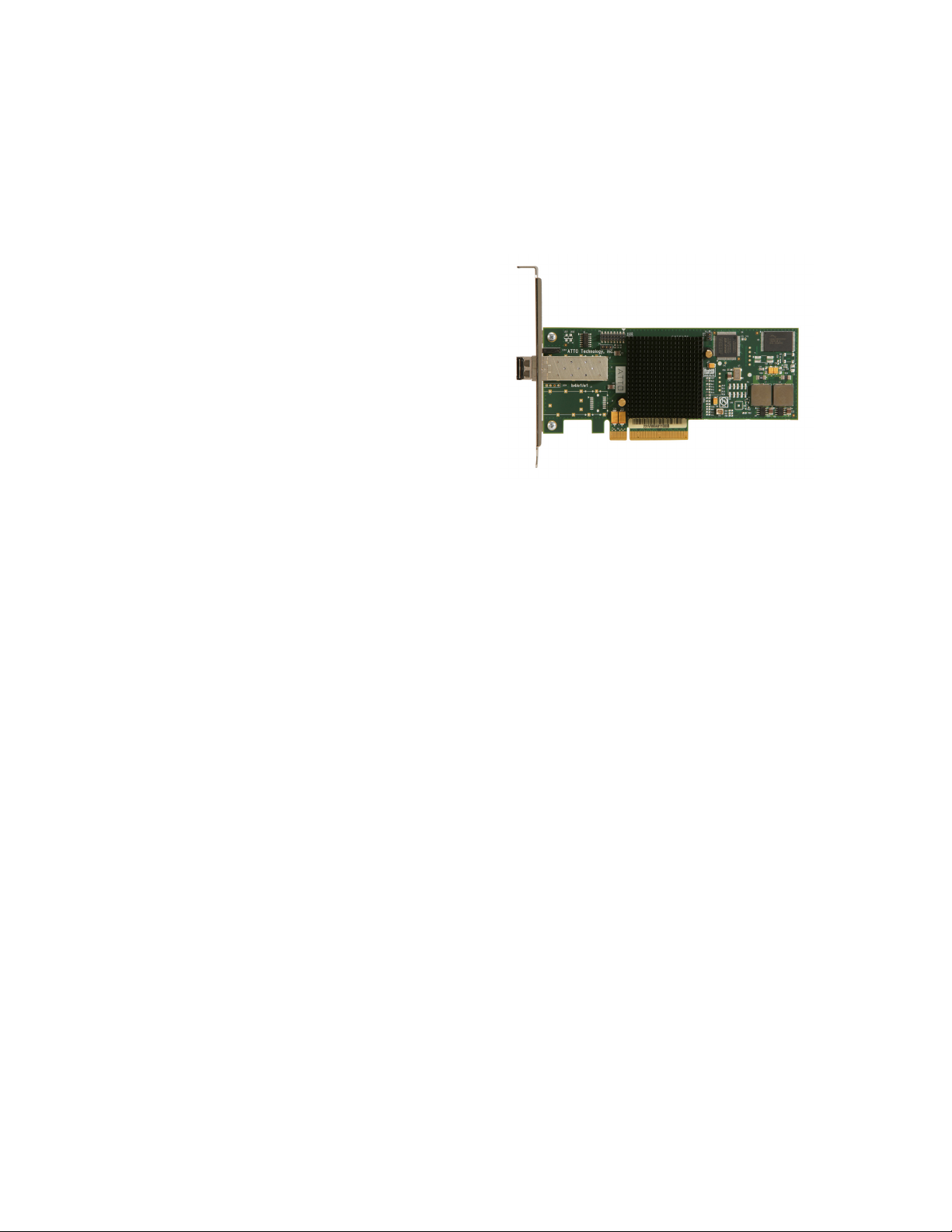
81EN Technical specifications
• One independent Fibre Channel port
• 8-Gigabit FC data transfer rates
• 1600 MB/sec. throughput in full-duplex mode
• Supports all FC topologies: fabric, arbitrated
loop and point-to-point
• ANSI Fibre Channel: FC-FS, FC-AL, FCP, FC-
AL2, FC-PLDA, FC-FLA
• Flash ROM for easy field upgrades
• FC Class 3 support
• Local management and diagnostics
• Buffer credits: 41
• ATTO Advanced Data Streaming (ADS™)
Technology
• Length: 6.6 inches
• Height: 2.731 inches
• Operating temperature: 0-45ºC (32-113ºF)
• Storage temperature: -40 to 70ºC (-40 to 158ºF)
• Relative humidity: 10 to 90% non-condensing
• 5.3 W (typical)
• 100 lf/m (minimum) airflow recommended
• RoHS compliant

6 ATTO Technology Inc. Celerity FC Host Adapters Installation and Operation Manual
Selection guide: Celerity 16Gb adapters
Product Features FC-164E FC-162E FC-161E
Fibre Channel Ports 421
FC protocol 16-Gb 16-Gb 16-Gb
Maximum Transfer Rate (full duplex) 6400 MB/sec 3200 MB/sec 1600 MB/sec.
Bus type PCIe 3.0 PCIe 3.0 PCIe 3.0
Bus characteristics 8 lane 8 lane 8 lane
Optical interface SFP+ LC SFP+ LC SFP+ LC
Maximum cable length (OM2 type cable) 50m@8-Gb
35m@16-Gb
50m@8-Gb
35m@16-Gb
50m@8-Gb
35m@16-Gb
Low profile form factor
Advanced Data Streaming (ADS™) Technology
Software RAID support1
Developer's kit (Target Mode & API)
Windows support
Linux driver support
Macintosh OS X driver support
FreeBSD driver support
VMware ESXi Server 6.0, 5.5 and 5.1
Windows Hyper-V
1 ATTO Express Power Center recommended
Other manuals for Celerity FC-164E
1
This manual suits for next models
5
Table of contents
Other ATTO Technology Adapter manuals

ATTO Technology
ATTO Technology UL25 User manual

ATTO Technology
ATTO Technology R30F User manual

ATTO Technology
ATTO Technology ThunderStream User manual

ATTO Technology
ATTO Technology Celerity FC-21PS User manual

ATTO Technology
ATTO Technology ATTO Celerity FC-41XS User manual

ATTO Technology
ATTO Technology FC 3300 User manual

ATTO Technology
ATTO Technology EPCI-UL4D User manual

ATTO Technology
ATTO Technology ThunderLink FC 3322 User manual

ATTO Technology
ATTO Technology ATTO ExpressPCI FC 2600 User manual

ATTO Technology
ATTO Technology FastFrame Series User manual