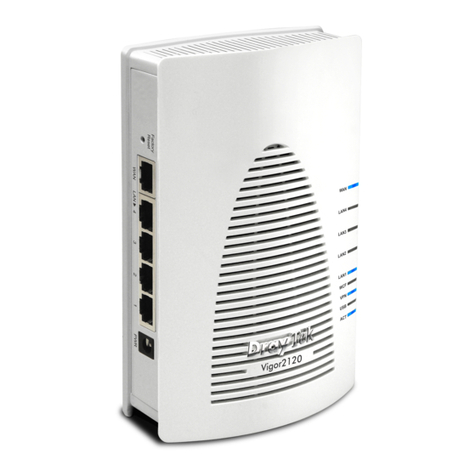
Asus SRT-AC1900 User manual

Page 1
ASUS SRT-AC1900
Wireless Smart Router
Quick Start Guide

Page 2
Package Contents
SRT-AC1900 AC adapter
Network cable (RJ-45) x 2 Quick Start Guide
Support CD (User manual) Cable management clip
A Quick look at your SRT-AC1900
LED indicator
LAN
Firmware restoration
WAN
USB 3.0 port
Power (DC-IN) port

Page 3
Installing your router
1. Prepare your modem
a、Unplug the AC adapter from the power outlet and
disconnect it from your cable / ADSL modem
b、Disconnect the network cable from your cable/ADSL
modem
c、Reboot your computer (recommend).

Page 4
2. Set up your wireless environment
1. Insert your wireless router’s AC adapter to the DC-IN port
and plug it to a power outlet
2. Using another network cable, connect your modem to your
wireless router’s WAN port.
3. Insert your modem’s AC adapter to the DC-IN port and plug
it to a power outlet.
4. Using the bundled network cable, connect your computer to
your wireless router’s LAN port.
3. Disable some settings on your computer
a、Disable the proxy server, if enabled.
b、Set the TCP/IP settings to automatically obtain an IP
address.
c、Disable the dial-up connection, if enabled.

Page 5
Setting up your router using the Quick Internet
Setup Wizard
To set up your router using QIS ((Quick Internet Setup):
1. Plug in the adapter at the back of your router. Ensure that the
LED in the front is on.
2. Launch your web browser such as Internet Explorer, Firefox,
Google Chrome, or Safari.
3. Assign your router login name and password and click Next. You
will need this login name and password to log into SRT-AC1900
to view or change the router settings. You can take note of your
router login name and password for future use.
4. The wireless router’s Quick Internet Setup (QIS) feature
automatically detects if your ISP connection type is Dynamic IP,
PPPoE, PPTP, L2TP, and Static IP. Please obtain the
necessary information about your Internet connection type from
your Internet Service Provider (ISP). If your connection type is
Dynamic IP (DHCP), QIS wizard will automatically direct you to

Page 6
the next step.
5. Assign the network name (SSID) and security key for your
wireless connection. Click Apply when done.
6. Your Internet and wireless settings are displayed. Click Next to
continue.
7. Read the wireless network connection tutorial. When done, click
Finish.

Page 7
Connect to the wireless network
To connect to the wireless network manually from your wireless
clients (notebook, tablet PC, smart phone and so on):
1. Enable the Wi-Fi function on your wireless client to scan for
available wireless networks.
2. Select the SSID or network name that you assigned to your
SRT-AC1900 network.
3. Enter the password and click Connect.
Managing the router via the ASUSWRT web
GUI
Your wireless router comes with the intuitive ASUSWRT web
graphical user interface. ASUSWRT allows you to easily configure
its various features through a web browser such as Internet
Explorer, Firefox, Safari or Google Chrome.

Page 8
Frequently Asked Questions (FAQs)
1. After following the steps, I still cannot access the wireless
router’s web graphics user interface (web GUI) to configure the
wireless router settings.
Ensure that your PC's proxy settings are disabled and your PC'S IP
address is obtained from the DHCP server automatically. For
details on disabling the proxy settings, visit the ASUS Support site
at http://support.asus.com. For details on using the DHCP server to
obtain IP addresses automatically, refer to your Windows®or Mac
operating system’s help feature.
2. The client cannot establish a wireless connection with the router.
Out of Range:
•Put the router closer to the wireless client.
•Try to change the channel settings.
Authentication:
•Use wired connection to connect to the router.
•Check the wireless security settings.
•Press the Reset button at the rear panel for more than five
seconds.
Cannot find the router:
•Press the Reset button at the rear panel for more than five
seconds.
•Check the setting in the wireless adapter such as SSID and
encryption settings.

Page 9
3. Cannot access the Internet via wireless LAN adapter.
•Move the router closer to the wireless client.
•Check whether the wireless adapter is connected to the correct
wireless router.
•Check whether the wireless channel in use conforms to the
channels available in your country/area.
•Check the encryption settings.
•Check if the ADSL or Cable connection is correct.
•Retry using another Ethernet cable.
4. If the ADSL “LINK”light blinks continuously or stays off, Internet
access is not possible - the Router is unable to establish a
connection with the ADSL network.
•Ensure that all your cables are all properly connected .
•Disconnect the power cord from the ADSL or cable modem, wait
a few minutes, then reconnect the cord.
•If the ADSL light continues to blink or stays OFF, contact your
ADSL service provider.
5. Network name or encryption keys are forgotten.
•Try setting up the wired connection and configuring the wireless
encryption again.
•Press the Reset button of the wireless router for more than five
seconds.
•Factory default settings:

Page 10
6. Where can I find more information about the wireless router?
•User Manual in the support CD
•Online FAQ site: http://support.asus.com/faq
•Technical Support site: http://support.asus.com
•Customer Hotline: Refer to the Support Hotline in this Quick Start
Guide
Other manuals for SRT-AC1900
1
Table of contents
Other Asus Wireless Router manuals

Asus
Asus DSL-N16UP Series User manual

Asus
Asus RT-N16 User manual

Asus
Asus RT-AC68U V3 User manual

Asus
Asus RT-AC1200G User manual

Asus
Asus DSL-N66U User manual

Asus
Asus RT-AC67P User manual

Asus
Asus RT-AC1200HP User manual

Asus
Asus RT-AC68U User manual

Asus
Asus RT-N66U Dark Knight User manual

Asus
Asus RT-AC68U Operator's manual

Asus
Asus ZenWiFi XD4S User manual

Asus
Asus CM-32 User manual

Asus
Asus RT-AC53U User manual

Asus
Asus WL-700GE - Wireless Router User manual

Asus
Asus WL-330GE_M User manual

Asus
Asus WL-500W SuperSpeed N User manual

Asus
Asus WL520GC - Wireless Router User manual

Asus
Asus RT-N10E EZ N User manual

Asus
Asus TM-AC1900 User manual

Asus
Asus RT-N13 User manual