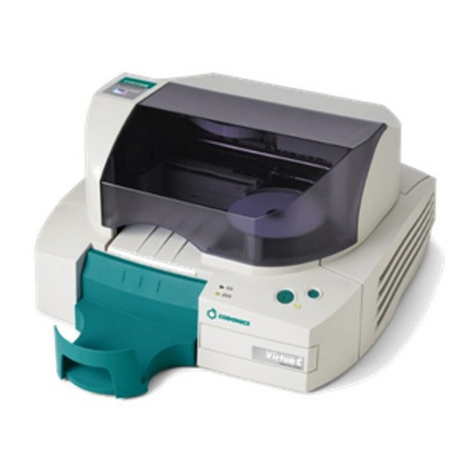
All Pro Solutions HERA Series User manual

Standalone, fully automated
CD/DVD Duplication System
User Manual
5542 Brisa Street, Suite F • Livermore, CA 94550
Tel: 925-447-8484 • Fax: 925-447-8811 • .all-pro-sol.com

HERA Series CD/DVD Duplication System / User Manual
Table Of Contents
Introduction........................................................................................................................ 1
Quick Start.......................................................................................................................... 2
Getting Started ………………………………………………………………………………..2
Mounting the ower
…………...……………………………………………………………...3
Operating Environment............................................................................................................ 3
Connecting Power
……………………………………………………………………………..5
Overview ………………………………………………………………………………….7
1. Welcome .……………………………………………………………………………………7
2. he Robotic Platform
.….…………………………………………………………………..9
3. he LCD Control Panel .………………………………………………………………….10
4. Menu Overview .…………………………………………………………………………..11
5. Introduction to Manage Accounts .………………………………………………………16
6. Single Master and Multi Master Mode .…………………………………………………17
7. Setting Conters and Assigning Names
……………………………………………………18
Operation ………………………………………………………………………………..20
1. Copy ……………………………………………………………………………………….20
2. est .………………………………………………………………………………………..24
3. Compare ……………………………………………………………………………….…..25
4. est + Copy …………………………………………………………………………….….26
5. Copy + Compare
…………………………………………………………………………..26
6. Select Burn Speed …………………………………………………………………………26
7. Select Source ………………………………………………………………………………28
8. Master Mode ………………………………………………………………………………28
9. Erase RW ………………………………………………………………………………….28
10. Hard Drive Setup ………………………………………………………………………..29
11. Setup ……………………………………………………………………………………...33
12. System Utilities …………………………………………………………………………..39
13. Loader Utilities …………………………………………………………………………..42

Automated CD-R Duplicator System / CD-2, CD-4 CD-7 Series / User Manual
3
14. Manage Accounts
………………………………………………………………………...44
15. Shutdown
………………………………………………………………………………....47
Trouble Shooting ……………………………………………………………………….4

HERA Series CD/DVD Duplication System / User Manual
1
Introduction
Thank you for choosing the HERA Series duplication systems. Hopefully this equipment will bring you
satisfaction and great pleasure in C / V duplication.
Features:
• Stand-alone design, no PC nor software required.
• Easy operation, no training required.
• Support various C and V formats
• Load, Copy, Compare, Verify, Emulate, Editing, etc.
• Track selection available for copying music tracks
• On-the-fly direct copy or through hard drive loading
• User friendly LC display
Important Note:
• Make sure voltage setting (AC115/230V) is correct.
• Stable input of power required for normal operation.
• uplicator should be placed on a flat and stable surface inside clean & cool working area.
• Check, clean the master and C / V discs before duplication starts.
• o not touch recording surface of the discs.
•
o not move the duplicator during operation.

HERA Series CD/DVD Duplication System / User Manual
2
Quick Start
Getting started
Carefully remove your system from the shipping box and verify that all parts are present. If there are
missing or damaged parts contact All Pro Solutions or an authorized distributor immediately to correct any
miss-packed or missing parts.
You should find the following packaged with your duplicator:
Automated transport system (Autoloader)
Tower populated with drives
Power and Serial Cables
This User Manual
Tower Plate
5/64 hex head key (Allen wrench)
Warranty card
NOTE:
If your system is damaged during shipment, please contact the freight carrier first, and then contact your
distributor or All Pro Solutions.
NOTE:
You should save your shipping materials so that if the need arises you can return your system for service.
This packaging was designed specifically for shipping your system. Other packaging may not be as
suitable.

HERA Series CD/DVD Duplication System / User Manual
3
Operating Environment
Your C / V System should be used in a climate-controlled environment free of dirt, dust, excess
humidity, excessive heat or electro-magnetic interference.
Allo at least four (4) inches of clearance around the sides and back of the system for ventilation.
Mounting the tower
For all systems, the tower is provided with a tower plate mounted on the bottom. This plate will help in
stabilizing the tower on the adapter (see Fig. 1 for Hera-3 and 6 or Fig. 5 for Hera-9)
Make sure all thumbscrews are loose, place the tower on top of the adapter matching the colored marks
(see Fig.2). Tight gently thumbscrews # 1 on both sides until they touch the adapter and then tight
thumbscrews # 2 (they consolidate the tower on the adapter) as shown in Fig. 3.
After the tower has been mounted successfully, proceed with “Connecting Power” (page 5) and “ rive
Alignment” (page 43)
In case you don’t have good alignment, loose all thumbscrews, adjust the tower (left and right, back and
forth) and tight back the thumbscrews as described above. Repeat the steps above until you obtain the
right alignment.

HERA Series CD/DVD Duplication System / User Manual
4
Fig. 1
System unassembled HERA-3 and HERA-6)
Fig.2 Fig. 3
Tower alignment Side view

HERA Series CD/DVD Duplication System / User Manual
5
Connecting power
Plug one power cable into the tower system, and the other one into the autoloader. Plug each power cable
into the proper power source and connect Serial Cable as shown in Fig. 4b for Hera-3 and 6 or Fig. 5b for
Hera-9.
The power On/Off switch for the tower is located in the front and the one for the autoloader is located in the
back. Power the tower on first, then turn on the autoloader.
Fig. 4a
HERA-9 - System assembled
Fig. 4b
Back view – cables HERA-3 and 6)
Fig. 5a

HERA Series CD/DVD Duplication System / User Manual
6
HERA-9 system unassembled)
Fig. 5b Fig. 5c
HERA-9 system assembled) HERA-9 back view – cables)

HERA Series CD/DVD Duplication System / User Manual
7
OVERVIEW
1. Welcome
The Autoloader is a reliable, high performance, high speed, standalone, robotic V and/or C
autoloader. With its professional industrial design and simple user interface, it makes your duplicating
experience easier than ever.
With the Autoloader, you can have a capacity up to 1000 discs, duplicate continuously for 24 hours (even
with multiple masters), and get the highest quality duplication, all at an extremely affordable price. The
Autoloader is the most reliable and affordable autoloader on the market, even compared to units with half
the drives and capacity.
Before you start using this autoloader, please read the following to ensure proper operation:
DVD Duplication Limitations
The V autoloader will not copy any V s that have Copy Protection encoded in the content. Typically,
most V s you purchase or rent from a store contain Copy Protection.
In addition to the copy protection limitation, the autoloader will only copy a V 5 format (4.7 GB) disc to
another V 5 format recordable V media. If your autoloader has double layer/dual layer capability,
you can copy a V 9 format (8.5 GB) disc to another V 9 format recordable V media, but you
cannot duplicate a V 5 format disc on to a V 9 format recordable media or vice versa.
Temperature Warning
If the Autoloader was stored in a location where the temperature dropped below 32° F (0° C) within the
past 24 hours, leave the autoloader in a warm room with temperatures at least 65° F (19° C) for four
hours prior to powering it on for the first time. Failure to do so may cause irreparable harm and prevent
the autoloader from functioning.
Maintenance
It is very important to operate and keep the autoloader in a dust free, clean environment since dust is the
number one killer of C / V recording devices. Failure to do so can severely damage your autoloader.
We strongly suggest that you constantly use an Air uster (Canned Air) to clear off any dust on the
surface of the autoloader.
Note: Do not try to use an Air Duster to clean the autoloader while the writer trays are open. In doing so,
you may inadvertently blow dust into the recording device and damage it.

Other manuals for HERA Series
2
This manual suits for next models
1
Table of contents
Other All Pro Solutions Disc Duplicator manuals
Popular Disc Duplicator manuals by other brands

Kanguru
Kanguru U2-DVDDUPE-S user guide

StarTech.com
StarTech.com 8STSATDUP11 manual

DUPLO SEIKO CORPORATION
DUPLO SEIKO CORPORATION Duprinter DP-460 Service manual

Addonics Technologies
Addonics Technologies UDFH7 user guide

Vinpower Digital
Vinpower Digital MiniLoader VDX-1 user manual

Addonics Technologies
Addonics Technologies CFASTD5 user guide