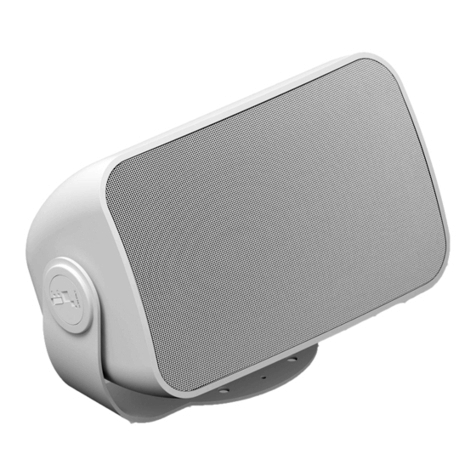
Alcons VR5 User manual

product manual
evolutionary audio solutions™


VR5 Product Manual. Rev. 1.0 3
1. Introduction
Dear customer,
Congratulations on your purchase of an Alcons Audio VR5 mini versatile monitor, and thank you for your condence in Alcons products.
We are very honoured to welcome you to the growing family of Alcons ambassadors!
The Alcons systems are handmade with pride in The Netherlands, combining the latest production techniques and technologies with dedication and
traditional craftsmanship.
Ever since its founding in 2002, the Alcons Audio team has been striving for the best possible sound reproduction for any type of source material and in any
size of application.To get the best performance out of your Alcons system, please read the precautions section in this manual before installing and operating.
We wish you many happy listening hours!
With best regards from the Alcons team,
Tom H. Back
Managing Director

VR5 Product Manual. Rev. 1.0 4
2. Product Description
VR5 - mini versatile monitor
• RBN202 pro-ribbon HF driver with exceptional intelligibility and dynamic output
• Patented “Real-90” horizontal and “Real-60” vertical dispersion
• 1:1 non-compressed linear sound reproduction, with up to 90% less distortion
• SIS™ pre-wired for very high damping and further reduced distortion (with ALC
• Ultra-compact, multi-angle enclosure provides versatile deployment
• All Neodymium drivers for excellent performance-to-weight ratio
The VR5 is a 2-way mini versatile loudspeaker, specically designed for near-eld applications where ultimate delity response needs to be projected with wide
horizontal and vertical coverage.
The system brings the typical clear, dynamic and ultra-low distortion Alcons signature sound of the larger systems in a very small and unobtrusive package, for
both portable and permanent applications.
The VR5 consists of the RBN202 pro-ribbon driver for HF and a dedicated-designed 5” mid-bass with Active Coil™ for extremely low-distortion LF reproduction.
The VR5 HF section has a 500 W peak power input, enabling a 1:16 dynamic range with up to 90% less distortion from 1 kHz to beyond 20 kHz.
The patented (90-degrees) horizontal and (60-degrees) vertical dispersion of the revolvable waveguide, offers a wide and consistent coverage up to the highest
frequencies; Very important for the imaging in stereo or immersive systems.
Due to the “compression-less” principle of the pro-ribbon transducer technology, the system has a fully linear response at any SPL, for an intuitive 1:1
performance.
For full system performance, the VR5 needs to be driven by an ALC controller-amplier, delivering maximum sound quality with increased headroom and utmost
operation reliability and exibility.
The Signal Integrity Sensing™ pre-wiring ensures complete cable/connector compensation between the VR5 and ALC, signicantly increasing response accuracy,
regardless of cable length and system impedance, with tight and accurate mid and bass response as result.
The combination of the asymmetric multi-angle enclosure, the revolvable waveguide and the ACO™ color option provides for inconspicuous low prole stage,
stand, wall or ceiling positioning. The 5 M10 mounting points enable swivel bracket, shoulder eye bolt and mic stand deployment.
Typical (short to medium throw) applications for the VR5 range from reference monitor, low-prole stage-lip/front-ll, stage monitor, under-balcony system up to a
neareld main PA system, in combination with a separate subwoofer. The BF121 subwoofer is a perfect companion for the VR5 monitor as super-compact PA
system; It packs the same punch and accuracy as its bigger brothers BF151 and BF181 compact subwoofers.

VR5 Product Manual. Rev. 1.0 5
3. Precautions
Read this manual carefully before installing and operating your system. Retain this documentation for future reference.
1. Due to the extremely low distortion performance of the Alcons sound systems, the experienced sound pressure level is higher than it appears. Prolonged
exposure to high sound pressure levels can lead to hearing damage; Protective gear should always be available.
2. Work with qualied personnel for installing the system; Installation should only be carried out by qualied personnel who are familiar with the techniques,
procedures and safety recommendations stated in this manual.
3. Ensure health and safety during installation and operation; All persons must wear protective headgear and footwear at all times.
4. Check conformity of any conguration and respect the maximum allowed values and the safety level recommended by Alcons Audio outlined in this manual.
5. Verify that the Working Load Limit (WLL) of all mounting hardware and accessories is respected. Alcons Audio is not responsible for any equipment and
accessories provided by third party manufacturers.
6. Ensure that the surface is suitable for mounting a loudspeaker; Do not mount the loudspeaker assembly on unstable ground or surface. As a general rule,
Alcons Audio recommends the use of safety straps at all times.
7. Do not make connections with the loudspeaker to the amplier while it is switched on. Always shut off the amplier when making connections to it, and mute the
inputs when making connections to preceding equipment in the chain.
8. Do not operate the system in wet environments and protect it from excessive water or sun / UV exposure. The system has an IP43 rating and should be treated
accordingly.
9. Regularly check the loudspeaker for damage to the transducers, cabinet and mounting points, as this can severely compromise the system’s performance. Refer
10. Save the packing material. Should you ever need to ship the loudspeaker, use only the original packing.

VR5 Product Manual. Rev. 1.0 6
4. Connection
The VR5 is a passive-ltered loudspeaker and features a high quality crossover network. As such, the VR5 requires one processing/amplier channel for
amplication. To activate the Signal Integrity Sensing™ circuit in the amplied loudspeaker controller (ALC), the use of a 4-core loudspeaker cable with NL4
Speakon® connectors is required;
The two extra wires are used for voltage sensing at the loudspeaker terminals. The output+ and sense+ wires are connected together at the loudspeaker+
terminal, and the output- and sense- wires are connected together at the loudspeaker- terminal.
The Speakon®connector is wired as follows:
Speakon®male plug viewed from the wiring side
1+ Output+
1 - Ouput –
2+ Sense +
2 - Sense -

VR5 Product Manual. Rev. 1.0 7
4. Connection
If you do not want to use the SIS feature at all, the sense wires should be connected to the output wires at the amplier output in the Speakon® connector.
Warning!
Never connect the sense+ to the output- terminal or vice versa, or short circuit both sense wires! Since you are disabling the amplier’s feedback network, the
amplier can produce a large amount of DC at its output. Through its protection circuitry, the Sentinel will shut-off and will not pass any audio.
Loudspeaker connection without SIS™ Normal loudspeaker operation
Use bridge mode when you want to combine the power of amplier channel
1+2 or 3+4 into one loudspeaker load.
In bridge mode connect your loudspeaker with or without SIS to the channel 1
and channel 2 outputs (or channel 3 and 4) as shown above. Sentinel 3 only!

VR5 Product Manual. Rev. 1.0 8
4. Connection
For a given loudspeaker impedance, the proportional power loss as a function of cable length and cable gauge is given in the next table:
To calculate the SPL losses from these percentages in dB’s, the following equation may be used:
dB loss = 20 * log(1 – (%loss/100))
In the next table a few percentages are converted to dBs:
“The VR5 has a 16 ohms impedance which makes parallel connection possible of multiple cabinets.
It is technically possible to connect up to 8 VR5 cabinets on one amp channel, with a resulting impedance of 2 ohms; However, we recommend not going any
lower in impedance than 2.7 ohms, which is 6 VR5 cabinets in parallel, to provide ample power to each cabinet.”
8Ω4Ω
1.5 mm² 2.5 m² 4 mm² 6 mm² 1.5 mm² 2.5 m² 4 mm² 6 mm²
5 meters 1.4 % 0.8 % 0.5 % 0.4 % 2.8 % 1.7 % 1.1 % 0.7 %
10 meters 2.8 % 1.7 % 1.1 % 0.7 % 5.4 % 3.3 % 2.1 % 1.4 %
15 meters 4.1 % 2.5 % 1.6 % 1.1 % 7.8 % 4.9 % 3.1 % 2.1 %
20 meters 5.4 % 3.3 % 2.1 % 1.4 % 10.2 % 6.4 % 4.1 % 2.8 %
25 meters 6.6 % 4.1 % 2.6 % 1.7 % 12.4 % 7.8 % 5.0 % 3.4 %
30 meters 7.8 % 4.9 % 3.1 % 2.1 % 14.5 % 9.3 % 6.0 % 4.1 %
40 meters 10.2 % 6.4 % 4.1 % 2.8 % 18.5 % 12.0 % 7.8 % 5.4 %
50 meters 12.4 % 7.8 % 5.0 % 3.4 % 22.1 % 14.5 % 9.6 % 6.6 %
% loss dB loss
1 % 0.1 dB
2 % 0.2 dB
5 % 0.4 dB
10 % 0.9 dB
15 % 1.4 dB
20 % 1.9 dB
25 % 2.5 dB
30 % 3.1 dB
35 % 3.7 dB

VR5 Product Manual. Rev. 1.0 9
Fig 1. Select loudspeaker 1 > Select V-series
Fig 3. Select loudspeaker 1 > Conrm VR5, be aware
of possible audio interruptions
Fig 2. Select loudspeaker 1 > Select VR5
Fig 4. Select loudspeaker 2 >
Repeat the previous three steps for your 2nd loudspeaker
5. Installation
The VR5 is to be driven by the ALC controller-amplier for full system performance, delivering maximum sound quality with increased headroom and utmost
operation reliability and exibility.
The operation reliability is guaranteed by the advanced limiting algorithms in the DSP; The values of the dedicated preset are based on the VR5 system
surviving a 1000 hours durability test in the R&D test bunker at Alcons Audio HQ.
On the ALC, the correct VR5 preset needs to be selected. Go to the “Preset” tab; tap the button on the channel you wish to operate the VR5 with;
A selection box will appear with the different series groups.
(See g 1)
With the encoder select the “V-series”; then select “VR5”;
(See g 2)
A conrm box will appear.
(See g 3)
. Repeat these steps for your 2nd loudspeaker
(See g 4)

VR5 Product Manual. Rev. 1.0 10
Fig 5. Range selection
Select fullrange or HP at 80Hz or 100 Hz Fig 6. Low-pass ltering
Optional setting for low-pass ltering at 80 Hz or 100 Hz
Optional settings:
5. Installation
Now the VR5 is dedicated to this channel; Next you can make a choice of lter settings within the preset: 80Hz high-pass, 100Hz high-pass or full-range operation.
The Alcons VHIR™ processing ensures a at phase response down to 200Hz with minimal latency; This enables the user to select any Alcons subwoofer to
seamlessly work with the VR5, with optimized phase response.
Optional settings in combination with a subwoofer (BF121 in example): The VR5 preset can be set on high-pass ltering at 100Hz, depending on the requirement
(typically, the 100Hz setting is preferred in higher SPL applications).
To match the VR5 and obtain a at system response, the BF121 preset needs to be set on the same frequency preset, 80Hz or 100Hz.
(See g 5)
In applications where the VR5 is positioned further away from the subwoofer, the VR5 preset may be set on full-range, with the accompanying sub set on 80Hz.
(See g 6)
Table of contents
Other Alcons Speakers manuals