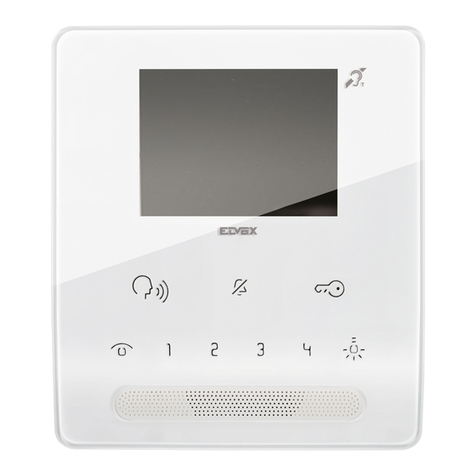
Akuvox IT82 Series User manual

1
IT82 Indoor Monitor User Manual

Content
1 Production Overview .................................................................. 4
1.1 Production Description .....................................................................................4
1.2 Technical Specification ......................................................................................4
1.3 Button Instruction............................................................................................. 5
1.4 Dimension .........................................................................................................5
1.5 Equipment Appearance And Interface Description ..........................................7
1.6 Installation.........................................................................................................8
1.7 Installation Considerations ............................................................................... 9
1.8 Equipment Packaging........................................................................................9
2 Setting ...................................................................................... 10
2.1 Main interface instruction ..............................................................................10
2.2 Network...........................................................................................................11
2.2.1 DHCP .....................................................................................................11
2.2.2 Static IP.................................................................................................. 11
2.3 Register Account .............................................................................................12
2.4 Display.............................................................................................................14
2.4.1 Brightness..............................................................................................14
2.4.2 Sleep......................................................................................................14
2.5 Sound ..............................................................................................................14
2.5.1 Sound ....................................................................................................14
2.5.2 Call Ringtone Vibrate ............................................................................15
2.5.3 System...................................................................................................15
2.6 Time ................................................................................................................15
2.7 DND Setting.....................................................................................................16
2.8 Language .........................................................................................................17
2.9 System.............................................................................................................18
2.10 Backup...........................................................................................................18
3 Function.................................................................................... 20
3.1 Make a call ......................................................................................................20
3.1.1 Call SIP...................................................................................................20
3.1.2 Call resident ..........................................................................................21
3.1.3 Call from Call Log ..................................................................................21
3.1.4 Call from Contacts................................................................................. 22
3.1.5 Call DoorPhone .....................................................................................23
3.1.6 Call Center............................................................................................. 23
3.2 Receive a call................................................................................................... 24
3.3 Answer a call ...................................................................................................24
3.4 Reject a call .....................................................................................................26

3.5 Contacts ..........................................................................................................26
3.5.1 New contacts.........................................................................................26
3.5.2 Modify the contact................................................................................26
3.5.3 Delete the contact................................................................................. 27
3.6 Call log............................................................................................................. 27
3.6.1 Modify the call log ................................................................................28
3.6.2 Delete the log........................................................................................29
3.7 Capture............................................................................................................29
3.8 DND .................................................................................................................29
3.9 Auto Answer....................................................................................................29
3.10 Message ........................................................................................................30
3.10.1 Alarm................................................................................................... 30
3.10.2 Message ..............................................................................................30
3.10.3 Maintenance ....................................................................................... 30
3.11 Live View .......................................................................................................31
3.12 Unlock ...........................................................................................................31
3.13 SOS ................................................................................................................31
3.14 Security .........................................................................................................32
3.15 System Advanced ..........................................................................................33
3.15.1 SSH console.........................................................................................33
3.15.2 Upgrade...............................................................................................34
3.16 Upgrade.........................................................................................................34

4
1Production Overview
1.1 Production Description
IT82 is an Android SIP-based with smooth touch-screen Indoor monitor. It can be
connected with Akuvox door phone for unlock and monitor. Residents can
communicate with visitors via audio and video call, and support remote unlock the
door. It is more convenient and safe for residents to check the visitor identity through
its video preview function. IT82 is often applicable in villas , apartments, building and
so on
1.2 Technical Specification
Model
IT82
Graphic Display
7 inch capacitive touch screen TFT LCD, 1024x600
resolution, 16:9 wide screen aspect ratio
Network
Protocol
SIP RFC3261,TCP/UDP/IP,RTP
Voice Codec
G.711A/U, G.729, G.722, iLBC_13_3, iLBC_15_2,OPUS
Video Codec
H.264, H.263,H.265,MJPEG
Network
Interface
Dual switched 10/100Mbps port
IP assignment
Static IP, DHCP

5
Memory RAM:2GB, Flash:4GB
Management LCD Menu Configuration, WebUI
Dimension
232x160x21mm
Storage
Album
External SD device
1.3 Button Instruction
Interface Description
Manage center button. Click to make a call with manage center.
Message button. Click to direct access to message interface.
Monitor button. Click to view the monitoring from outdoor
environment.
Intercom button. Click to enter the dialing interface.
Unlock sensor button. The physical Unlock key is only used for
E10S now.
1.4 Dimension

6

7
1.5 Equipment Appearance And Interface Description
Interface
Description
8 PIN
connector
For power supply and 485 connector
10PINconnect
For 8 security connector
Ethernet 1
Network interface can be connected to a hub, switch or other
network access devices.
Ethernet 2
Share the network access from ethernet 1 port, and for PC and
other equipment connection.

8
1.6 Installation
Device Mounting
Use the pencil to
mark 4 fixation holes
through wall bracket
on the wall
Use a 5mm hand
drill to make the 4
fixation holes on
the wall
Once the fixation
holes are made,
insert the four
expansion anchors
provided
Use 4 ST4X20 screws
to fix the wall
bracket in the wall
Push down so that the
device is fixed securely

9
1.7 Installation Considerations
Here are some safety recommendations about the installation and the usage:
Do not use this product near water, such as: bath, washbasin, kitchen sink and
other damp places and so on.
Place the device in a place away from heat.
Place the device away from traffic areas to prevent collisions.
Please use the equipment with the matching power adapter or POE.
1.8 Equipment Packaging
Name Quantity
IT82 1
Wall bracket 1
Quick Start Guide 1
10 Pin cable 1
8 Pin cable 1
Expansion anchor 4
ST4x20 screw 4

10
2Setting
2.1
Main interface instruction
It82 supports two pages of main interface. Click the corresponding area to operate.
Other manuals for IT82 Series
4
Table of contents
Other Akuvox Intercom System manuals

Akuvox
Akuvox A01X User manual

Akuvox
Akuvox E16 Series User manual

Akuvox
Akuvox C315X User manual

Akuvox
Akuvox X916 series User manual

Akuvox
Akuvox R29 Series Service manual

Akuvox
Akuvox SPD-R25 User manual

Akuvox
Akuvox R28 Series User manual

Akuvox
Akuvox IT82A Manual

Akuvox
Akuvox E16 Series Service manual

Akuvox
Akuvox R28 Series Manual