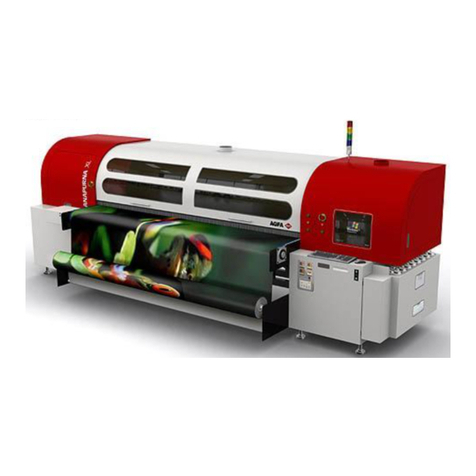
AGFA DRYSTAR AXYS User manual

Drystar AXYS
User Manual
2852 A EN 20070205

2
2852 A EN 20070205
DRYSTAR AXYS
No parts of this document may be reproduced, copied, adapted or transmitted in any form or by any means with-
out the written permission of Agfa-Gevaert N.V.
Agfa-Gevaert N.V. makes no warranties or representation, expressed or implied, with respect to the accuracy,
completeness or usefulness of the information contained in this document and specifically disclaims warranties of
suitability for any particular purpose. Agfa-Gevaert N.V. shall under no circumstances be liable for any damage
arising from the use or inability to use any information, apparatus, method or process disclosed in this document.
Agfa-Gevaert N.V. reserves the right to make changes to this document without prior notice.
Agfa-Gevaert N.V., Septestraat 27, B-2640 Mortsel, Belgium.
Windows® and Windows® XP are trademarks of Microsoft Corporation.
The Drystar AXYS uses software developed by the Apache Software Foundation (http://www.apache.org/
licenses/LICENSE).
Drystar AXYS is a trademark of Agfa-Gevaert N.V., Belgium.
Agfa and Agfa-Rhombus are trademarks of Agfa-Gevaert N.V., Belgium or one of its affiliates.
For more information on Agfa products and Agfa HealthCare products, please visit www.agfa.com.
© Agfa-Gevaert N.V. 2007.
0413

3
2852 A EN 20070205
DRYSTAR AXYS
1Introduction .......................................................................................7
Introduction to this Manual................................................................................ 8
Scope of this Manual............................................................................................ 8
Warnings, Cautions, Instructions and Notes ......................................................... 9
Disclaimer.......................................................................................................... 10
Introduction to Drystar AXYS ........................................................................... 11
Intended Use...................................................................................................... 11
Intended User .................................................................................................... 11
Configuration .................................................................................................... 12
Main Components ......................................................................................... 12
Functional Description .................................................................................. 13
Film Formats ................................................................................................. 14
Operation Controls ............................................................................................ 15
Overview of user interface controls................................................................ 15
The status indicator LED................................................................................ 16
The control buttons ....................................................................................... 16
System Documentation ...................................................................................... 17
Options and Accessories..................................................................................... 18
Training ............................................................................................................. 20
Product Complaints............................................................................................ 20
Compatibility ..................................................................................................... 21
Compliance........................................................................................................ 22
Directive........................................................................................................ 22
Quality Control.............................................................................................. 22
Standards...................................................................................................... 23
Additional standards for documentation........................................................25
Harmonization .............................................................................................. 25
Performance ...................................................................................................... 26
Connectivity....................................................................................................... 27
Network features ........................................................................................... 27
Network configuration .................................................................................. 28
Installation ........................................................................................................ 29
Connections .................................................................................................. 30
Transport after installation ............................................................................ 31
Changing the film format of the trays ............................................................ 32
Messages............................................................................................................ 35
Labels ................................................................................................................ 36
Patient Data Security ......................................................................................... 39
Node authentication, certificates and Certification Authority ........................ 39
Maintenance ...................................................................................................... 40

42852 A EN 20070205
DRYSTAR AXYS
Environmental protection................................................................................... 41
Waste Disposal and Environmental Regulations............................................. 41
Restriction of the Use of Certain Hazardous Substances (RoHS) ....................42
Safety Directions ................................................................................................43
2Getting Started ............................................................................... 45
Drystar AXYS Basic Features ............................................................................ 46
Switching on the Drystar AXYS ........................................................................ 48
Drystar AXYS Basic Workflow .......................................................................... 50
Controlling the Working of the Drystar AXYS .....................................................50
Operator mode ..............................................................................................51
Key-operator mode ........................................................................................ 51
Service mode................................................................................................. 51
Specialist mode .............................................................................................52
Administrator mode (also known as Security)................................................52
Working with the keypad....................................................................................53
The display.........................................................................................................55
General display features ................................................................................56
Operator mode ..............................................................................................57
Key-operator mode ........................................................................................58
Data entry .....................................................................................................58
Audio signals......................................................................................................59
Working with Compact flash cards (CF-card)......................................................60
Cooling down the Drystar AXYS ....................................................................... 62
Switching off the Drystar AXYS ........................................................................ 63
3Basic operation
(Operator mode) ...................................................................................... 65
Overview of operator functions........................................................................ 66
Managing the print queue .................................................................................67
Checking the print queue ................................................................................... 67
The local print queue screen...............................................................................68
Pausing the print queue ................................................................................... 69
Viewing the film count info .............................................................................. 70
Viewing the printer status ................................................................................ 71
Deleting print jobs............................................................................................ 72
About Drystar AXYS consumables .................................................................... 73

5
2852 A EN 20070205
DRYSTAR AXYS
Labeling the input trays...................................................................................... 74
Loading films.................................................................................................... 76
When the Drystar AXYS is printing or calculating and an input tray is empty ...... 77
When the Drystar AXYS is in the ready state and an input tray is empty.............. 78
Film loading procedure ...................................................................................... 79
Checking the correct position of a film in the input tray...................................... 83
4Advanced operation
(Key-operator mode) ...............................................................................85
Overview of key-operator functions ................................................................. 86
Quality Control for general radiography applications (DT 2 B & DT 2 C) ......... 87
Establishing the reference values and verifying image quality for general radiogra-
phy applications (DT 2 B and DT 2 C).................................................................88
QC test image for general radiography applications (DT 2 B and DT 2 C) ....... 90
Establishing the daily operating reference density levels for general radiography
applications (DT 2 B and DT 2 C)................................................................... 91
Establishing the image geometry reference values for general radiography
applications (DT 2 B and DT 2 C)................................................................... 95
Verifying Acceptable Spatial Resolution, Artifact Levels and Low Contrast Visi-
bility for general radiography applications (DT 2 B and DT 2 C)..................... 96
Performing quality control (QC) tests for general radiography applications (DT 2 B
and DT 2 C)........................................................................................................ 98
Performing the daily QC test for general radiography applications (DT 2 B and
DT 2 C).......................................................................................................... 99
Performing the Weekly QC tests for general radiography applications (DT 2 B
and DT 2 C)................................................................................................. 101
Performing the Annual QC tests for general radiography applications (DT 2 B
and DT 2 C)................................................................................................. 103
Quality control for mammography application (DT 2 Mammo) (optional).... 104
Establishing the reference values and verifying image quality for mammography
application (DT 2 Mammo) (optional) ............................................................. 105
QC test image for mammography applications (DT 2 Mammo) (optional) ... 107
Establishing the daily operating reference density levels for mammography
application (DT 2 Mammo) (optional)......................................................... 108
Establishing the image geometry reference values for mammography applica-
tion (DT 2 Mammo) (optional).................................................................... 112
Verifying Acceptable Spatial Resolution and Artifact Levels and Low Contrast
Visibility for mammography application (DT 2 Mammo) (optional)............. 113
Performing quality control (QC) tests for mammography application
(DT 2 Mammo) (optional) ............................................................................... 115

62852 A EN 20070205
DRYSTAR AXYS
Performing the daily QC test for mammography application (DT 2 Mammo)
(optional).................................................................................................... 116
Performing the Weekly QC tests for mammography application (DT 2 Mammo)
(optional).................................................................................................... 118
Performing the Annual QC tests for mammography application (DT 2 Mammo)
(optional)....................................................................................................120
Preventive maintenance schedule ...................................................................121
Safety guidelines .............................................................................................. 121
Cleaning the exterior...................................................................................... 122
Cleaning the print head.................................................................................. 123
Troubleshooting checklist ...............................................................................127
Clearing of film jams ...................................................................................... 129
Film input tray jams.......................................................................................... 130
Film transport jams (clearing from the top)......................................................133
Unauthorized opening of the printer ................................................................136
Film identification problems ...........................................................................137
No identification code detected ........................................................................138
Invalid content of Film Identification tag ......................................................... 141
Film overrun from current pack........................................................................ 141
AEquipment information sheet ....................................................143
Specifications..................................................................................................144
Viewing the system info area on a film............................................................148
BQuality Control Charts ................................................................149
Charts for general radiography QC ................................................................ 150
Charts for mammography QC (optional) ....................................................... 155

1 Introduction
This chapter covers the following topics:
❑Introduction to this Manual
❑Introduction to Drystar AXYS

82852 A EN 20070205
DRYSTAR AXYS
Introduction to this Manual
Scope of this Manual
This manual contains information for the safe and effective operation of AGFA
Healthcare products.
This manual contains all instructions for the key-operator or any other skilled
person, to work easily and correctly with the Drystar AXYS.

9
2852 A EN 20070205
DRYSTAR AXYS
Warnings, Cautions, Instructions and
Notes
The following samples show how warnings, cautions, instructions and notes
appear in this document. The text explains their intended use.
Figure 1: Safety icons
The purpose of the safety icons shown above is to indicate at a glance the type of
warning or danger.
WARNING: Warnings are directions which, if they are not followed,
can cause fatal or serious injuries to a user, engineer, patient or any
other person or can lead to a mistreatment.
Caution: Cautions are directions which, if they are not followed, can
cause damage to the equipment described in this manual or any other
equipment or goods and can cause environmental pollution.
Instruction: This sign is typically used in combination with the warning
sign when providing a specific instruction. If it is followed exactly, it
should avoid the subject of the warning
Note: Notes provide advice and highlight unusual points. A note is not
intended as an instruction.

10 2852 A EN 20070205
DRYSTAR AXYS
Disclaimer
Agfa assumes no liability for use of this document if any unauthorized changes
to the content or format have been made.
Every care has been taken to ensure the accuracy of the information in this doc-
ument. However, Agfa assumes no responsibility or liability for errors, inaccura-
cies, or omissions that may appear in this document.
Agfa reserves the right to change the product without further notice to improve
reliability, function or design. This manual is provided without warranty of any
kind, implied or expressed, including, but not limited to, the implied warranties
of merchantability and fitness for a particular purpose.
Other manuals for DRYSTAR AXYS
6
Table of contents
Other AGFA Printer manuals

AGFA
AGFA Drystar 5500 User manual

AGFA
AGFA Dry 2.4M User manual

AGFA
AGFA Drystar 5301 User manual

AGFA
AGFA Drystar AXYS XL User manual

AGFA
AGFA DRY 1.4 User manual

AGFA
AGFA JETSPEED RTR JETI 5024 User manual

AGFA
AGFA W Class User manual

AGFA
AGFA Drystar 5302 User manual

AGFA
AGFA Avalon N User manual

AGFA
AGFA d-lab.1 Operating instructions

AGFA
AGFA Drystar AXYS XL User manual

AGFA
AGFA Drystar 5302 User manual

AGFA
AGFA ANAPURNA M4F User manual

AGFA
AGFA Jeti Tauro H3300LED Series User manual

AGFA
AGFA DRYSTAR AXYS User manual

AGFA
AGFA Crystal Imager User manual

AGFA
AGFA DRY 3.4 User manual

AGFA
AGFA Crystal Imager User manual

AGFA
AGFA MSC 100 Guide

AGFA
AGFA DRYSTAR AXYS User manual