Aficio dsc424 User manual

/
Operating Instructions
Copy Reference
Printed in The Netherlands
GB B156-7506A
NRG Group PLC DSc424
DSc432
ThemisC1_NRG_Copy_GB_F2.fm Page 1 Monday, June 27, 2005 4:05 PM

Introduction
This manual contains detailed instructions and notes on the operation and use of this machine. For your
safety and benefit, read this manual carefully before using the machine. Keep this manual in a handy
place for quick reference.
For safe and correct use of this machine, please be sure to read the Safety Information in the General
Settings Guide before you use it.
Important
Contents of this manual are subject to change without prior notice. In no event will the company be li-
able for direct, indirect, special, incidental, or consequential damages as a result of handling or oper-
ating the machine.
Notes
Some illustrations in this manual might be slightly different from the machine.
Certain options might not be available in some countries. For details, please contact your local dealer.
Caution:
Use of controls or adjustments or performance of procedures other than those specified in this manual
might result in hazardous radiation exposure.
Notes:
The model names of the machines do not appear in the following pages. Check the type of your ma-
chine before reading this manual. (For details, see p.3 “Machine Types”.)
• Type 1: DSc424
• Type 2: DSc432
Certain types might not be available in some countries. For details, please contact your local dealer.
Two kinds of size notation are employed in this manual. With this machine refer to the metric version.
For good copy quality, the supplier recommends that you use genuine toner from the supplier.
The supplier shall not be responsible for any damage or expense that might result from the use of parts
other than genuine parts from the supplier with your office products.
Power Source
220–240V, 50/60Hz, 8A or more
Please be sure to connect the power cord to a power source as shown above. For details about power
source, see “Power Connection” in the General Settings Guide.
ThemisC1_GB_Copy_F_FM.book Page 1 Wednesday, June 22, 2005 10:00 AM

i
Manuals for This Machine
The following manuals describe the operational procedures of this machine. For
particular functions, see the relevant parts of the manual.
Note
❒Manuals provided are specific to machine type.
❒Adobe Acrobat Reader/Adobe Reader is necessary to view the manuals as a
PDF file.
❒Two CD-ROMs are provided:
• CD-ROM 1 “Operating Instructions”
• CD-ROM 2 “Scanner Driver and Document Management Utility”
❖
❖❖
❖General Settings Guide
Provides an overview of the machine and describes System Settings (such as
Tray Paper Settings), Document Server functions, and troubleshooting.
Refer to this manual for Address Book procedures such as registering fax
numbers, e-mail addresses, and user codes.
❖
❖❖
❖Security Reference
This manual is for administrators of this machine. It describes security func-
tions that the administrators can use to protect data from being tampered, or
prevent the machine from unauthorized use.
Also refer to this manual for the procedures for registering administrators, as
well as setting user and administrator authentication.
❖
❖❖
❖Network Guide (PDF file - CD-ROM1)
Provides information about configuring and operating the printer in a net-
work environment or using software.
This manual covers all models, and therefore contains functions and settings
that may not be available for your model. Images, illustrations, functions, and
supported operating systems may differ from those of your model.
❖
❖❖
❖Copy Reference (this manual)
Describes operations, functions, and troubleshooting for the machine's copier
function.
❖
❖❖
❖Facsimile Reference <Basic Features>
Describes operations, functions, and troubleshooting for the machine's fac-
simile function.
❖
❖❖
❖Facsimile Reference <Advanced Features>
Describes advanced facsimile functions such as line settings and procedures
for registering IDs.
❖
❖❖
❖Printer Reference
Describes system settings, operations, functions, and troubleshooting for the
machine's printer function.
ThemisC1_GB_Copy_F_FM.book Page i Wednesday, June 22, 2005 10:00 AM

ii
❖
❖❖
❖Scanner Reference (PDF file - CD-ROM1)
Describes operations, functions, and troubleshooting for the machine's scan-
ner function.
❖
❖❖
❖Manuals for DeskTopBinder Lite
DeskTopBinder Lite is a utility included on the CD-ROM labeled “Scanner
Driver and Document Management Utility”.
•DeskTopBinder Lite Setup Guide (PDF file - CD-ROM2)
Describes installation of, and the operating environment for DeskTop-
Binder Lite in detail. This guide can be displayed from the [Setup]display
when DeskTopBinder Lite is installed.
•DeskTopBinder Introduction Guide (PDF file - CD-ROM2)
Describes operations of DeskTopBinder Lite and provides an overview of
its functions. This guide is added to the [Start]menu when DeskTopBinder
Lite is installed.
•Auto Document Link Guide (PDF file - CD-ROM2)
Describes operations and functions of Auto Document Link installed with
DeskTopBinder Lite. This guide is added to the [Start]menu when Desk-
TopBinder Lite is installed.
❖
❖❖
❖Other manuals
•PS3 Supplement (PDF file - CD-ROM1)
•Unix Supplement (Available from an authorized dealer, or as a PDF file on
our Web site.)
ThemisC1_GB_Copy_F_FM.book Page ii Wednesday, June 22, 2005 10:00 AM

iii
What You Can Do with This Machine
<Colour Functions/Colour Adjustments>
You can switch the colour copy mode depending on the type of originals used and the desired
finish.
Copies using four colours: yellow,
magenta, cyan and black.
Copies in black and white, even when the
original is in colour.
Copies in the designated colour.
Colour: Copies using 2 registered colours. Black/Red: Copies the red part of the
original in red, and copies all other areas
in black and white.
2-Colour Copy (see p.28)
Single Colour Copy (see p.28)
Full Colour Copy (see p.28) Black/White Copy (see p.28)
Colour Copying (see p.28)
Yellow Beige Orange Red
Light green
Cyan
Pink Magenta Green
Marine blue
Blue Purple Registered colour
GCMO022e
ThemisC1_GB_Copy_F_FM.book Page iii Wednesday, June 22, 2005 10:00 AM

iv
Colour Copying (see p.28)
Copies with the date, page numbers, etc.
The stamp colour can be yellow, red,
cyan, magenta, green, blue, and black.
Printed inserts types:
• Background Numbering (p.65)
• Preset Stamp (p.66)
• User Stamp (p.67)
• Date Stamp (p.70)
• Page Numbering (p.72)
Stamping on Copies (see p.65)
Copies by changing a specific colour in
the original to another colour.
Convert Colours (see p.29)
Copies by deleting a specific colour in the
original.
Erase Specified Colour (see p.30 )
Copies by adding a colour to the whole
page.
Colour Background (see p.31)
AFT010S
ThemisC1_GB_Copy_F_FM.book Page iv Wednesday, June 22, 2005 10:00 AM

v
Primary Colours
Adjusting Colours (see p.83)
Colours can be created by combining the 3 primary colours:
yellow, magenta and cyan. Black can be made by combining
yellow, magenta and cyan, however, as there might be some
slight differences, "black" will be expressed using a black
toner.
Adjusts the specific colours (yellow, red,
magenta, blue, cyan and green) by mixing
them with adjacent colours in the colour
circle.
Adjusts the overall colour tone of copies.
Adjust Colour (see p.83) Colour Balance (see p.84)
Adjusting Images (see p.86)
Adjusts the outline of the image. Adjusts the background density of the image.
Sharp/Soft (see p.86) Background Density (see p.86)
Adjusts the shades of the image. Adjust U.C.R (see p.87)
Text/Photo Sensitivity (see p.87)
A.C.S. Sensitivity (see p.121)
Colour Sensitivity (see p.120)
Contrast (see p.86) Other Adjustments (see p.86)
Soft Sharp
Low High
Light Dark
Make yellow
more green
Make yellow
more red
Darker Lighter
Yellow Cyan
Magenta Black
Yellow
Red
Black
Magenta
Blue
Green
Cyan
Yellow
Red
Magenta
Blue
Green
Cyan
GCMO023e
ThemisC1_GB_Copy_F_FM.book Page v Wednesday, June 22, 2005 10:00 AM

vi
What You Can Do with This Machine
Functions differ depending on machine type and options. See p.4 “Functions Re-
quiring Optional Configurations”.
2-sided 2 Pages 2-sided 1 Page (see p.53
" 2 Sided 4 Pages Combine 2 Side")
Front
Front
Back
Back
Front
Back
Front Back
Types of Duplex Copies
1-sided 4 Pages 2-sided 1 Page (see p.52
" 1 Sided 4 Pages Combine 2 Side")
2-sided 4 Pages 2-sided 1 Page (see p.53
" 2 Sided 8 Pages Combine 2 Side")
1-sided 8 Pages 2-sided 1 Page (see p.52
" 1 Sided 8 Pages Combine 2 Side")
1-sided 16 Pages
2-sided 1 Page
(see p.53
" 1 Sided 16 Pages Combine 2 Side")
1-sided 2 Pages 2-sided 1 Page (see p.49
" 1 Sided 2 Sided")
2-sided 1 Page 2-sided 1 Page (see p.49
" 2 Sided 2 Sided")
2-sided 8 Pages
2-sided 1 Page
(see p.53
" 2 Sided 16 Pages Combine 2 Side")
Front/Back Bound Originals
2-sided Pages (see p.54
" Front & Back 2 Sided")
Bound Originals 2-sided Pages (see p.54
" Book 2 Sided")
ThemisC1_GB_Copy_F_FM.book Page vi Wednesday, June 22, 2005 10:00 AM

vii
Copying Book Originals
1-sided 4 Pages Booklet ( P.55 " 1 Sided Booklet")
4
3
2
1
4
32
1
Open to Left
3
1
Open to Right
3
1
4
3
2
1
1
23
4
2-sided 2 Pages Booklet ( P.56 " 2 Sided Booklet")
Open to Left
Open to Right
Open to Left
Open to Right
1-sided Magazine ( P.56 " 1 Sided Magazine")
2
1
8
7
8
72
16
54
3
2
1
8
7
1
27
83
45
6
13
5
31
5
Open to Left
Open to Right
2-sided Magazine ( P.56 " 2 Sided Magazine")
13
5
31
5
3
1
3
1
ThemisC1_GB_Copy_F_FM.book Page vii Wednesday, June 22, 2005 10:00 AM

viii
Combining Multiple Pages onto a Single Page (see p.51 " One-Sided Combine")
1-sided 2 Pages 1-sided 1 Page 2-sided 1 Page 1-sided 1 Page
1-sided 4 Pages 1-sided 1 Page 2-sided 2 Pages 1-sided 1 Page
1-sided 8 Pages 1-sided 1 Page
Bound Originals 1-sided Pages
Bound Originals 2-sided Pages
Front/Back Bound Originals
2-sided Pages
2-sided 4 Pages 1-sided 1 Page
Copying Originals Such as Books
(see p.54 "Series Copies")
2-sided 1 Page 1-sided 2 Pages
Copying 2-Sided Pages onto 1-Sided Pages
(see p.49 "2 Sided 1 Sided")
Copying onto Envelopes (see p.26)
ThemisC1_GB_Copy_F_FM.book Page viii Wednesday, June 22, 2005 10:00 AM
This manual suits for next models
1
Table of contents
Other Aficio All In One Printer manuals

Aficio
Aficio SP 5100N User manual

Aficio
Aficio 3235C User manual
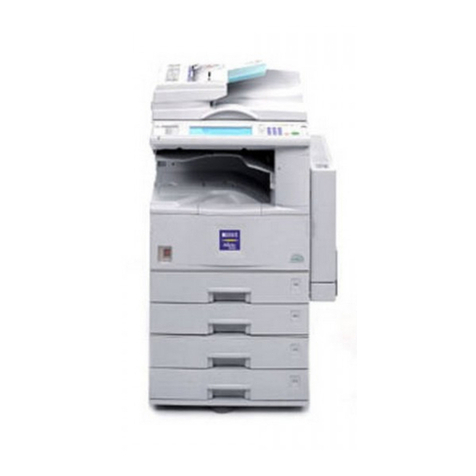
Aficio
Aficio 200 User manual

Aficio
Aficio cl7300 User manual

Aficio
Aficio SP C231SF User manual

Aficio
Aficio nashuatec DSc328 User manual

Aficio
Aficio MP1900 User manual

Aficio
Aficio 1015 User manual

Aficio
Aficio C6055 User manual

Aficio
Aficio MP 301spf User manual