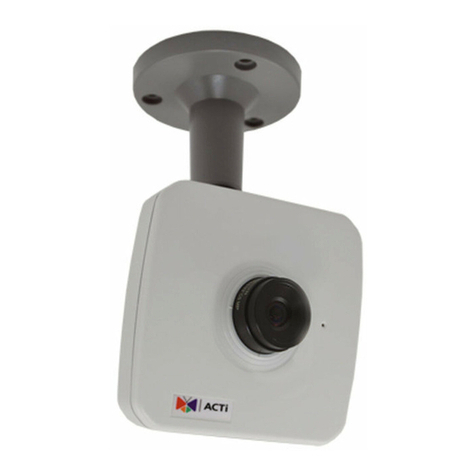
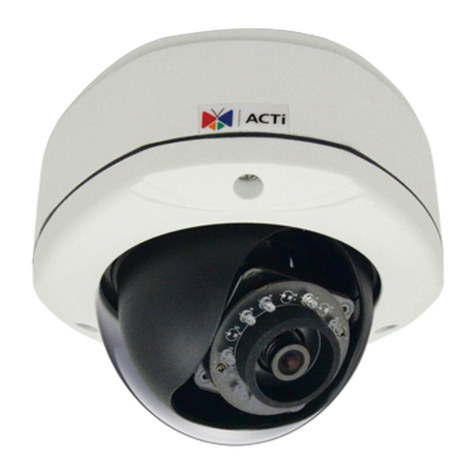
ACTi E92 Instructions for use

E92
3MP Indoor Mini Dome with Basic WDR,
Fixed lens
Hardware User’s Manual
(PoE)
Ver. 2013/02/04

www.acti.com
E92 Hardware User’s Manual
2
Table of Contents
0. Precautions 3
1. Introduction 4
Package Contents ........................................................................... 4
Features and Benefits ..................................................................... 5
Safety Instructions .......................................................................... 6
Physical description ........................................................................ 7
Installation Procedure .................................................................... 8
Surface Mount................................................................................8
Gang Box Mount..........................................................................10
Adjust Viewing Angle and Focus..................................................12
Basic Connections ......................................................................... 14
Product Specification.................................................................... 15
2. Accessing Camera 16
If you have DHCP server / router in your network: ...................... 16
If you do
NOT
have DHCP server / router in your network: ......... 16

www.acti.com
E92 Hardware User’s Manual
3
0. Precautions
Read these instructions
You should read all the safety and operating instructions before using this product.
Heed all warnings
You must adhere to all the warnings on the product and in the instruction manual. Failure to
follow the safety instruction given may directly endanger people, cause damage to the system
or to other equipment.
Servicing
Do not attempt to service this video device yourself as opening or removing covers may
expose you to dangerous voltage or other hazards. Refer all servicing to qualified service
personnel.
Trademarks
All names used in this manual are probably registered trademarks of respective companies.
Liability
Every reasonable care has been taken during the writing of this manual. Please inform your
local office if you find any inaccuracies or omissions. We cannot be held responsible for any
typographical or technical errors and reserve the right to make changes to the product and
manuals without prior notice.
FCC/CE Regulation
NOTE:This equipment has been tested and found to comply with the limits for a Class A digital
device, pursuant to Part 15 of the FCC Rules. These limits are designed to provide reasonable
protection against harmful interference when the equipment is operated in a commercial
environment. This equipment generates, uses, and can radiate radio frequency energy and, if
not installed and used in accordance with the instruction manual, may cause harmful
interference to radio communications. Operation of this equipment in a residential area is likely
to cause harmful interference in which case the users will be required to correct the
interference at their own expense.

www.acti.com
E92 Hardware User’s Manual
4
1. Introduction
Package Contents
E92 Accessories
Lens Focus Tuner Warranty Card
Quick Installation Guide Drill Template

www.acti.com
E92 Hardware User’s Manual
5
Features and Benefits
This is a cutting-edge digital video surveillance camera.It can compress and transmit real time
images with outstanding image quality through a standard TCP/IP network. This camera is
your best choice to build an intelligent IP surveillance system.
H.264 High Profile/MJPEG Multi-Codec Dual Streaming
This device supports 2 compression formats, H.264 High Profile and MJPEG.It brings superior
image quality at 15 frames per second up to resolution of 2048 x 1536 pixels.In Full HD 1080p
(1920 x 1080 pixels), 720p (1280 x 720 pixels) and VGA (640 x 480 pixels) resolution the
device reaches 30 frames per second.
Built-in Hardware Motion Detection
No more external motion sensors are required. You may assign up to 3 video motion detection
areas. By tuning the object size and sensitivity, it will reliably detect objects passing though is
view. Hardware motion detection also offers better sensitivity and faster response time than
software motion detection.
Powerful Surveillance Software
To extend the capabilities of the IP Camera series, a powerful surveillance program is available
to download for free from our website.
http://www.acti.com/product/category/Video_Management_System
Users can easily use an existing PC as a digital video recorder. Scheduled recording and
manual recording keep every important video recorded in the local hard disk. Reliable and
accurate motion detection with instant warning enables immediate response in every condition.
Quick and simple search and playback function lets you easily find the images and video you
want.
Software Development Kit Support
This IP Camera can be integrated or controlled by applications from third party software
developers. Software developers can save considerable efforts by using our Streaming Library
or ActiveX control. Please contact us for details on integration support.

www.acti.com
E92 Hardware User’s Manual
6
Safety Instructions
Cleaning
Disconnect this video product from the power supply before cleaning.
Attachments
Do not use attachments not recommended by the video product manufacturer as they may
cause hazards.
Water and Moisture
Do not use this video product near water, for example, near a bathtub, washbowl, kitchen sink,
or laundry tub, in a wet basement, or near a swimming pool and the like.
Don’t use accessories not recommended by the manufacturer
Only install this device in a dry place protected from weather
Servicing
Do not attempt to service this video product yourself as opening or removing covers may
expose you to dangerous voltage or other hazards. Refer all servicing to qualified service
personnel.
Damage Requiring service
Disconnect this video product from the power supply immediately and refer servicing to
qualified service personnel under the following conditions.
1) When the power-supply cord or plug is damaged
2) If liquid has been spilled, or objects have fallen into the video product.
3) If the video product has been directly exposed to rain or water.
4) If the video product does not operate normally by following the operating Instructions in
this manual. Adjust only those controls that are covered by the instruction manual, as an
improper adjustment of other controls may result in damage, and will often require
extensive work by a qualified technician to restore the video product to its normal
operation.
Safety Check
Upon completion of any service or repairs to this video product, ask the service technician to
perform safety checks to determine if the video product is in proper operating condition.

www.acti.com
E92 Hardware User’s Manual
7
Physical description
1) Power LED
LED light will light up while the power is on.LED light will light off after the unit has successfully
completed the boot process.
2) Ethernet Port
The IP device connects to the Ethernet via a standard RJ45 connector.Supporting NWAY, this
IP device can auto detect the speed of local network segment (10Base-T/100Base-TX
Ethernet).
3) Reset Button
Step 1: Press and continue to hold the Reset Button for 15 seconds (with a sharp tipped object,
like a pen.) while the power of the unit is on.
Step 2: The Ethernet LED light will turn off for about 1~2 seconds and flash on for another
second. By this time the reset to default operation is already completed. You may then release
the reset button. This length of time fluctuates slightly with the environment. The unit will come
back on and stay on after a few more seconds.The unit will start up with factory default settings
automatically.

www.acti.com
E92 Hardware User’s Manual
8
Installation Procedure
Remove the cover of the camera by loosen the 3 screws holding it.
Surface Mount
Drill three holes with φ3.5 on the ceiling according to the marks provided on the template.
Route cables through the ceiling, taking as a reference the Conduit Hole on the drilling
template. Or you may take off the removable part from the cable exit hole at the rear of the
cover by sliding it out from the cover to route the cable from the camera.

www.acti.com
E92 Hardware User’s Manual
9
Use the camera body and locate the correct three screw holes.
Tighten the camera body to the ceiling using the 3 screws included.
Please make sure the screw is flat on the plate, protruding is incorrect.
Attach the cover back to the camera body and tighten the 3 screws.

www.acti.com
E92 Hardware User’s Manual
10
Gang Box Adapter Mount
This camera can also be mounted using the Gang Box Converter accessory PMAX-0803 used
for 3” and 4” indoor domes.However please note that if used in combination with this accessory,
a part of the plate of PMAX-0803 will remain visible after installation as shown in the picture
below.
First, locate the three screw holes on the accessory that can be used to attach this camera
model.
Connect cables through the hole on PMAX-0803 accessory.
Table of contents
Other ACTi Security Camera manuals