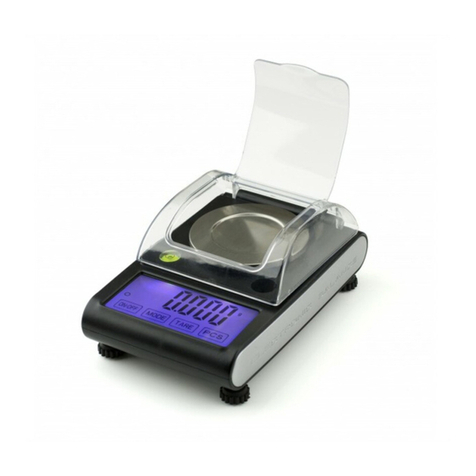
A&D GX-M Series User manual

1WMPD4003846A
GX-M series
GX-8202M / GX-8202MD / GX-10202M / GX-12001M
GX-22001M /GX-32001M / GX-32001MD
GF-M series
GF-8202M / GF-8202MD / GF-10202M / GF-12001M
GF-22001M / GF-32001M / GF-32001MD

© 2020 A&D Company Ltd. All rights reserved.
No part of this publication may be reproduced, transmitted, transcribed, or translated into
any language in any form by any means without the written permission of A&D Company
Ltd.
The contents of this manual and the specifications of the instrument covered by this
manual are subject to change for improvement without notice.
Windows, Word and Excel are registered trademarks of the Microsoft Corporation.

3
Contents
1. Introduction .................................................................................................................... 6
1-1 Features ................................................................................................................................................. 6
1-2 About The Models ................................................................................................................................... 7
1-3 Compliance ............................................................................................................................................. 7
1-4 About Communication Manual ............................................................................................................... 8
2. Unpacking The Balance ................................................................................................. 9
2-1 Installing The Balance .......................................................................................................................... 10
3. Precautions ................................................................................................................... 11
3-1 Before Use ............................................................................................................................................. 11
3-2 During Use ............................................................................................................................................ 12
3-3 After Use ............................................................................................................................................... 12
3-4 Power Supply ....................................................................................................................................... 13
4. Display Symbols And Key Operation ........................................................................... 14
4-1 Smart Range Function ......................................................................................................................... 16
5. Weighing Units ............................................................................................................. 17
5-1 Units ..................................................................................................................................................... 17
5-2 Storing Units ......................................................................................................................................... 22
6. Weighing ...................................................................................................................... 24
6-1 Basic Operation .................................................................................................................................... 24
6-2 Counting Mode(PCS) ...................................................................................................................... 26
6-3 Percent Mode (%) ................................................................................................................................ 28
6-4 Animal Weighing Mode(Hold Function) ........................................................................................... 29
7. Impact Detection Function ........................................................................................... 30
7-1 Recording Impact History ..................................................................................................................... 31
7-2 Output Impact History ........................................................................................................................... 31
8. Response Adjustment / Self Check Function ............................................................. 33
8-1 Response Adjustment .......................................................................................................................... 33
8-2 Self-Check-Function / Automatic Setting Of Minimum Weight Value ................................................... 34
9. Calibration .................................................................................................................... 36
9-1 Automatic Self Calibration For The GX-M Series ................................................................................... 37
9-2 One-Touch Calibration For The GX-M Series ...................................................................................... 38
9-3 Calibration Using An External Weight .................................................................................................. 39
9-4 Calibration Test Using An External Weight ........................................................................................... 40
9-5 How to set the External Weight Value .................................................................................................. 41
9-6 Correcting The Internal Mass Value Of The GX-M series .................................................................... 42
9-7 Correcting The Internal Mass Value Of The GX-M series (Auto) .............................................................. 43
10. Function Switch And Initialization ............................................................................... 44
10-1 Permit Or Inhibit ................................................................................................................................. 44

4
10-2 Initializing The Balance ....................................................................................................................... 46
11. Function Table ............................................................................................................ 47
11-1 Setting The Function Table ................................................................................................................. 47
11-2 Details Of The Function Table ............................................................................................................ 49
11-3 Description Of The Class "Environment, Display" .............................................................................. 56
11-4 Description Of The Data Output ......................................................................................................... 57
11-5 Description Of The Data Format ......................................................................................................... 57
11-6 Output Example Of The Data Format ................................................................................................. 57
11-7 Clock And Calendar Function ............................................................................................................. 58
11-8 Comparator Function .......................................................................................................................... 60
11-9 Adding the Comparison Results ......................................................................................................... 66
11-10 Main Display Comparison Function .................................................................................................. 67
11-11 Description Of Application ................................................................................................................. 68
11-12 Outputting the function setting information ....................................................................................... 69
12. ID Number And GLP Report ....................................................................................... 72
12-1 Main Objective .................................................................................................................................... 72
12-2 Setting The ID Number ....................................................................................................................... 72
12-3 GLP Report ......................................................................................................................................... 74
13. Data Memory .............................................................................................................. 7 8
13-1 Data Memory For Weighing Data ....................................................................................................... 78
13-2 Data Memory For Calibration And Calibration Test ............................................................................ 82
13-3 Data Memory for Unit Mass in the Counting Mode ............................................................................ 85
13-4 Data Memory for Comparator Settings ............................................................................................... 88
13-5 Data Memory for Tare Value ............................................................................................................... 91
13-6 Data Memory: Quick Selection Mode ................................................................................................. 94
13-7 Data Memory: Confirmation and Storage Mode ................................................................................. 95
14. Statistical Calculation Mode ........................................................................................ 97
14-1 How To Use The Statistical Calculation .............................................................................................. 97
14-2 Statistical Calculation Mode (Example Of Use) ................................................................................ 102
15. Flow Measurement ................................................................................................... 104
15-1 How To Use Flow Measurement ...................................................................................................... 104
16. Gross Net Tare Function ........................................................................................... 108
16-1 Preparation Of Gross Net Tare Function .......................................................................................... 108
16-2 Example Of Using The Gross Net Tare Function ............................................................................. 110
17. Minimum Weighing Warning Function ...................................................................... 111
17-1 Comparing the minimum weighing value .......................................................................................... 111
17-2 Entering and outputting the minimum weighing value ...................................................................... 112
18. Underhook ................................................................................................................ 117
19. Programmable-Unit .................................................................................................. 118
20. Density Measurement ............................................................................................... 119

5
21. Password Lock Function .......................................................................................... 124
21-1 Enable Password Lock Function ...................................................................................................... 125
21-2 How To Input The Password At The Start Of Weighing .................................................................... 126
21-3 How To Logout .................................................................................................................................. 127
21-4 Registering Password (Changing) ................................................................................................... 128
21-5 Changing Password ......................................................................................................................... 129
21-6 How To Delete The Password(U5ER 01~10) ................................................................................. 130
21-7 Missing Password ............................................................................................................................ 130
22. Repeatability Check Function (GX-M series only) ................................................. 131
23. Interface Specification(Standard) ........................................................................ 132
24. Maintenance ............................................................................................................ 132
24-1 Treatment Of The Balance. .............................................................................................................. 132
25. Troubleshooting ....................................................................................................... 133
25-1 Checking The Balance Performance And Environment ................................................................... 133
25-2 Error Codes ...................................................................................................................................... 134
25-3 Other Display .................................................................................................................................... 137
25-4 Asking For Repair ............................................................................................................................. 137
26. Connection With Periphecal Device ......................................................................... 138
26-1 Command ......................................................................................................................................... 138
26-2 Key Lock Function ............................................................................................................................ 138
27. How To Check The Software Version Of The Balance ............................................. 138
28. Specifications ........................................................................................................... 139
29. External Dimention ................................................................................................... 141
29-1 Options And Peripheral Instruments................................................................................................. 142

6
1. Introduction
This manual describes how the GX-M/GF-M series balance works and how to get the most out of it in
terms of performance. Read this manual thoroughly before using the balance and keep it at hand for
future reference.
Depending on the software version of your balance, there are cases that behave differently.
For confirmation of the software version of the balance, refer to "27. How To Check The Software
Version Of The Balance".
1-1 Features
□ The balance has a self-check function that inspects the balance itself using electronically
controlled load (ECL) and evaluates performance. Read this manual thoroughly before using the
balance and keep it at hand for future reference.
□ The balance can detect impact applied to its mass sensor and display the level of that impact.
ISD (Impact Shock Detection).
□ Continuous change of the balance can be calculated as flow rate, displayed and output. FRD :( Flow
Rate Display).
□ The balance is equipped with a data memory function, which can record weighing value,
calibration result, and multiple unit mass (mass per sample in counting mode) (Up to 200 items
are stored for weighing value).
□ The GX-M series has automatic self calibration using the internal mass, adapting to temperature
changes, setting time and interval time.
□ Good laboratory practice (GLP) / Good manufacturing practice (GMP) data can be output using
the RS-232C serial interface.
□ A built-in clock and calendar that can add the time and date to the output data.
(Setting changes due to the clock can be limited only for an administrator. (Password Lock
Function))
□ Comparator Indicators, displaying the comparison results with HI OK LO .(Depending on
the setting, 5-step comparison is also possible.)
□ Capacity Indicator, displaying the weight value in percentage relative to the weighing capacity.
□ Hold Function, provided for weighing a moving object such as an animal.
□ Underhook, for measuring density and weighing magnetic materials.
□ Password lock function can limit users for the balance to be used or changes due to the function
settings by setting a password.
□ Key lock function allows the balance to only operate using commands from an external equipment
by disabling key operations on the balance.
□ The balance is equipped with an RS-232C serial interface and a USB interface to communicate
with a computer. Windows computer using the Windows communication tools software (WinCT)
make building a system very easy. The latest Win-CT software can be downloaded from the A&D
website.
Windows is the registered trademark of the Microsoft Corporation.
□ A breeze break is included with the model featuring a minimum display of 0.01g.

7
1-2 About The Models
There are many models in the GX-M series and GF-M series with differences in the models being the
minimum display and weighing capacity. In this manual, they are listed collectively by the minimum
display as shown in the table below.
Model Minimum
display
Applicable model
Internal mass type General type
0.01g model 0.01g GX-8202M / GX-8202MD
GX-10202M
GF-8202M / GF-8202MD
GF-10202M
0.1g model 0.1g GX-12001M / GX-22001M
GX-32001M / GX-32001MD
GF-12001M / GF-22001M
GF-32001M / GF-32001MD
□ For the GX-M series, a weight for sensitivity adjustment is built in. It is possible to use functions
such as calibration and auto calibration using the internal mass.
□ For the GF-M series, sensitivity adjustment weights are not built-in. When calibrating, it is
necessary to prepare an external weight.
1-3 Compliance
Compliance with FCC Rules
Please note that this equipment generates, uses and can radiate radio frequency energy. This
equipment has been tested and has been found to comply with the limits of a Class A computing
device pursuant to Subpart J of Part 15 of FCC rules. These rules are designed to provide
reasonable protection against interference when equipment is operated in a commercial
environment. If this unit is operated in a residential area, it may cause some interference and under
these circumstances the user would be required to take, at his own expense, whatever measures
are necessary to eliminate the interference.
(FCC = Federal Communications Commission in the U.S.A.)

8
1-4 About Communication Manual
About the contents of the communication, download "Communication manual" from our website
(https://www.aandd.jp/) and refer to it.

9
2. Unpacking The Balance
The balance is a precision instrument.
Unpack the balance carefully. Keep the
packing material to be used for
transporting the balance in the future.
The packing contents depend on the
balance model. See the illustrations to
confirm that everything is contained.
AX-TB248
Serial
number
Breeze beak provided for
GX-8202M, GX-8202MD, GX-10202M,
GF-8202M, GF-8202MD, GF-10202M
.
Grounding
terminal Note AC adapter plug
Insert the plug into the jack
firmly. The connection is tight
to keep waterproof and
dustproof.
RS-232C terminals
(
D-sub9
p
in
)
Note Terminal cove
r
Cover the terminal or
connect the waterproof
RS-232C cable
(AX-KO2737-500EX) to keep
waterproof and dustproof.
AC adapter jack
Draft gate
Remove the gate
when cleaning.
Position of placing
AC adapter labels
Weighing pan
Bubble sprit level
Displa
y
Ke
y
s
USB
(
min
i
-
B
)
Levelin
g
foot
Pan support
A clear display cover
Handlin
g
hole
Note AC adapter plug
Please confirm that the AC
adapter type is correct for your
local voltage and receptacle type.
USB cable
(approx. 1.8m)
AC adapter labels

10
2-1 Installing The Balance
Install the balance as follows:
1 Refer to "3. Precautions" for installing the balance.
2 Install the pan support, weighing pan and draft gate.
Refer to the previous page.
3 Adjust the leveling feet to level the balance.
Confirm it using the bubble spirit level.
4 Confirm that the AC adapter type is correct for the
local voltage and power receptacle type.
5 Connect the AC adapter to the balance firmly. Earth
the balance. Warm up the balance for at least 30
minutes with nothing on the weighing pan.
Bubble sprit level
Leveling foot
Grounding
(Earth) To AC adapter
Good No good
Other manuals for GX-M Series
1
This manual suits for next models
15
Table of contents
Other A&D Scale manuals