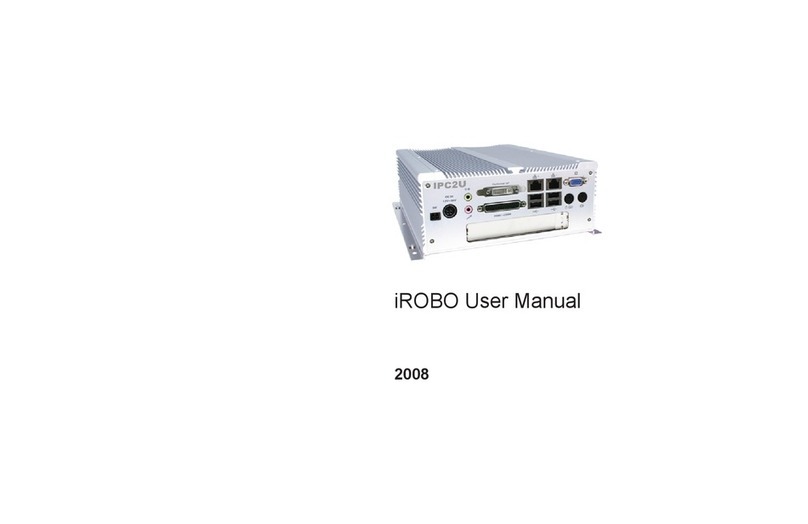
3S Vision S20712ch User manual

- 0 -

S20712ch / S40714ch H.264 Video Server
- 1 -
TABLE OF CONTENT
INTRODUCTION .......................................................................................................................................................................... 4
FEATURES .......................................................................................................................................................................................... 4
PACKAGE CONTENTS ............................................................................................................................................................................ 5
SYSTEM REQUIREMENTS ............................................................................................................................................................ 6
VIEW OF S2071/S4071 H.264 VIDEO SERVER............................................................................................................................... 7
Outer View................................................................................................................................................................................. 7
Front View ................................................................................................................................................................................. 7
Rear View .................................................................................................................................................................................. 8
Dimension Diagram ................................................................................................................................................................... 9
MAKING CONNECTIONS ........................................................................................................................................................... 10
Power....................................................................................................................................................................................... 11
Lan ........................................................................................................................................................................................... 12
Video In ................................................................................................................................................................................... 12
Audio In ................................................................................................................................................................................... 13
MIC In ...................................................................................................................................................................................... 14
Line Out ................................................................................................................................................................................... 14
Reset (Button).......................................................................................................................................................................... 14
SD Card .................................................................................................................................................................................... 15
External Devices....................................................................................................................................................................... 16
Alarm Input..............................................................................................................................................................................................17
Alarm Output ...........................................................................................................................................................................................17
PTZ (Speed Dome) ....................................................................................................................................................................................17
External Alarm I/O Circuit Diagram .........................................................................................................................................................18
HARDWARE INSTALLATION ....................................................................................................................................................... 19
MOUNTING ..................................................................................................................................................................................... 19
SOFTWARE INSTALLATION ........................................................................................................................................................ 21
READY TO USE .......................................................................................................................................................................... 23
ACCESS TO THE IP CAMERA ................................................................................................................................................................. 23
VIEW OF CAMERA MAIN PAGE ................................................................................................................................................. 25
LIVE VIEW........................................................................................................................................................................................ 25
3Svision Logo ........................................................................................................................................................................... 25
Product Name.......................................................................................................................................................................... 26
Mode ....................................................................................................................................................................................... 26
Language................................................................................................................................................................................. 26
Video Source............................................................................................................................................................................ 28
Video Format........................................................................................................................................................................... 30
View Size.................................................................................................................................................................................. 31
Streaming ................................................................................................................................................................................ 32
Color ........................................................................................................................................................................................ 33
Brightness ................................................................................................................................................................................................34
Contrast ...................................................................................................................................................................................................34
Saturation ................................................................................................................................................................................................34
Set to default............................................................................................................................................................................................34
Alert......................................................................................................................................................................................... 35
Alert Message.......................................................................................................................................................................... 36
Alert Message Text...................................................................................................................................................................................36
Disable .....................................................................................................................................................................................................37
Alert Snapshot..........................................................................................................................................................................................37
Clear.........................................................................................................................................................................................................37
PTZ Control Panel .................................................................................................................................................................... 38
Camera Direction .....................................................................................................................................................................................39

S20712ch / S40714ch H.264 Video Server
- 2 -
PTZ Device................................................................................................................................................................................................39
Camera Speed ..........................................................................................................................................................................................40
Zoom ........................................................................................................................................................................................................40
Focus ........................................................................................................................................................................................................40
Aux ...........................................................................................................................................................................................................40
Preset.......................................................................................................................................................................................................40
Tour ..........................................................................................................................................................................................................42
Shortcuts.................................................................................................................................................................................. 43
+ZOOM IN ................................................................................................................................................................................................44
-ZOOM OUT .............................................................................................................................................................................................45
Original Size .............................................................................................................................................................................................45
Full Screen................................................................................................................................................................................................46
Jitter Time ................................................................................................................................................................................................47
Record ......................................................................................................................................................................................................48
Snapshot ..................................................................................................................................................................................................49
Version .....................................................................................................................................................................................................49
Shortcut Bar............................................................................................................................................................................. 50
Record ......................................................................................................................................................................................................50
Path..........................................................................................................................................................................................................50
Snapshot ..................................................................................................................................................................................................52
Shortcut Bar Message..............................................................................................................................................................................52
SETTING USER PREFERENCES ............................................................................................................................................................... 53
Basic Setting ............................................................................................................................................................................ 54
System......................................................................................................................................................................................................54
System Setting ....................................................................................................................................................................................54
System Log..........................................................................................................................................................................................55
Video/Image ............................................................................................................................................................................................56
Video ..................................................................................................................................................................................................56
PreProc/Overlay..................................................................................................................................................................................57
Audio........................................................................................................................................................................................................59
PTZ ...........................................................................................................................................................................................................60
User..........................................................................................................................................................................................................61
Network ...................................................................................................................................................................................................64
Network Setting..................................................................................................................................................................................64
Services...............................................................................................................................................................................................65
Stream Setting ....................................................................................................................................................................................66
PPPoE Setting (Dial-up Networking Setting) .......................................................................................................................................67
DDNS (Dynamic Domain Name Server) ..............................................................................................................................................69
UPnP (Universal Plug and Play)...........................................................................................................................................................71
SMTP (Mail Server Setting).................................................................................................................................................................74
Samba.................................................................................................................................................................................................75
Notification.........................................................................................................................................................................................76
Multicast.............................................................................................................................................................................................77
Date/Time................................................................................................................................................................................................78
IP Filter.....................................................................................................................................................................................................79
Storage.....................................................................................................................................................................................................80
Application Setting .................................................................................................................................................................. 82
Event ........................................................................................................................................................................................................82
Event...................................................................................................................................................................................................83
Trigger.................................................................................................................................................................................................86
Event Servers (Upload Server) ............................................................................................................................................................88
Recording List...........................................................................................................................................................................................90
Motion Detection .....................................................................................................................................................................................91
Blind Detection.........................................................................................................................................................................................92
Privacy Mask............................................................................................................................................................................................93
Firmware upgrade ...................................................................................................................................................................................95
Factory Default ........................................................................................................................................................................................98
Reboot....................................................................................................................................................................................................101
APPENDIX............................................................................................................................................................................... 102
CHANGE THE INTERNET EXPLORER SETTINGS......................................................................................................................................... 102
SET UP THE ROUTER SETTING WITH IP CAMERA..................................................................................................................................... 103
DDNS APPLICATION ........................................................................................................................................................................ 104

S20712ch / S40714ch H.264 Video Server
- 3 -
How to apply and setup the DDNS service?........................................................................................................................... 104
How to check if the DDNS service is successful? .................................................................................................................... 109
MOBILE APPLICATION ...................................................................................................................................................................... 110
Symbain System..................................................................................................................................................................... 114
iPhone System........................................................................................................................................................................ 117
SUPPORT THE CELLULAR /MOBILE PHONE LIST..................................................................................................................................... 122
MULTICAST APPLICATION.................................................................................................................................................................. 123
H264 (Main)........................................................................................................................................................................... 126
H264 (Sub) ............................................................................................................................................................................. 127
Motion JPEG .......................................................................................................................................................................... 128
TROUBLESHOOTING AND FAQS.......................................................................................................................................................... 131

S20712ch / S40714ch H.264 Video Server
- 4 -
Introduction
Thank you for purchasing the fully functional H.264 Internet Video Server, S2071(2ch) /
S4071(4ch), it has a built-in high power CPU and H.264 encode chip to provides user with a
mechanism for the security or remote monitoring applications. It supports the high resolution
of real time image for each channel, and deliver multi-video streams simultaneously (Motion
JPEG and H.264), The quality of image and bandwidth can be optimized.
After connecting it with an analog camera, all elements of an existing surveillance system can
be upgraded to a new IP surveillance system. IT can send live video and audio through the
internet and users can monitor the surveillance via a web browser anywhere in the world.
It offers the application which is contain multi-function such as 2 Way audio, DDNS, SAMBA,
FTP, Mail, Multicast, Blind detection, Motion detection, Privacy Mask, Event management and
depending on the security need of on-line users, it provides diverse and multi-level password
setup.
It is easy to install, convenient to operate.
Features
S2071(2ch) / S4071(4ch) can operate smoothly and to install additional software or hardware
is unnecessary. All you need is a PC that is equipped with IE browser (6.0 or above) and
connect the internet camera to the network to monitor the pre-set places remotely. It provides
you with protection for your personal, home and property security.
Resolution: D1 (704x576@25fps/704x480 @30fps) /
CIF (352x288@25fps/352x240@30fps)
H.264/MJPEG Dual Codec & Streaming simultaneously
Supports 3GPP (WM6 / Symbian / Android / iPhone).
2 Way Audio Supported (external MIC IN x 1, LINE IN x 4, LINE OUT x 1).
Built-in smart detection (Motion / Blind) to monitor abnormal situations automatically and
transmit real-time trigger command actively as preset;
Built-in intelligent dynamic video detection for automatic monitoring of abnormal situations
and sending a real-time trigger signal according to the active settings.
Dynamic IP domain name support for use of the product at locations where fixed IP is not
available.
User permission can be set based on different levels to ensure the security of the camera
and protection of the property.
The simple and clear design is suitable for airports, train stations, office buildings, large
gymnasiums, warehouses, factories, shopping malls and schools.
Support SD card.
RS-485 Remote PTZ camera control (Pelco-P, Pelco-D)

S20712ch / S40714ch H.264 Video Server
- 5 -
Package Contents
The manual are both available for S2071 for 2 channels and S4071 for 4 channels.
After unpacking, check that if all the following items have been included:
H.264 Video Server
S2071 for 2 channels
S4071 for 4 channels
Quick Guide
Installation CD (Manual & Software)
Mounting Bracket x2
Screw Pack
Contact your dealer immediately if any items are missing, appear damaged, or if the unit does not work.

S20712ch / S40714ch H.264 Video Server
- 6 -
System Requirements
Before installing S20712ch/S40714ch, please make sure your system has the following
recommended minimum hardware requirements.
Internet Environment
Ethernet 10/100M Ethernet
Monitor System Requirements
OS support Windows 2000, XP, Vista and 7
Browser support Internet Explorer 6.x or later, Chrome, Firefox, Safari
Hardware CPU: Pentium 4 2.4 GHz or later
Memory: 512 MB (1GB recommended)
VGA card resolution: 1024 x 768 or higher

S20712ch / S40714ch H.264 Video Server
- 7 -
View of S2071/S4071 H.264 Video Server
Outer View
Front View
Model: S2071
Model: S4071
DESCRIPTION
1
Video In
Connect to the video in here.
2
Mic In
Connect to microphone in.
3
Line Out
Connect to speaker out.
4
Audio In
Connect to the audio in here.
5
Power Display
The LED indictor will be green when power on.
S2071 for 2 channels
S4071 for 4 channels
1
3
2
4
5
1
3
2
4
5

S20712ch / S40714ch H.264 Video Server
- 8 -
Rear View
DESCRIPTION
1
Power
Connect to DC12V power.
2
Alarm In
Connect to external Alarm in here.
3
DC Out
Connect to external DC out here.
4
RS485
Connect to external RS485 here.
5
Alarm Out
Connect to external Alarm out here.
6
SD Card
SD card slot.
7
LAN
Connect to 10/100 RJ45 Network.
8
Reset
Default reset by press here for 5~10 seconds.
1
2
3
4
5
6
7
8

S20712ch / S40714ch H.264 Video Server
- 9 -
Dimension Diagram
This manual suits for next models
3
Table of contents