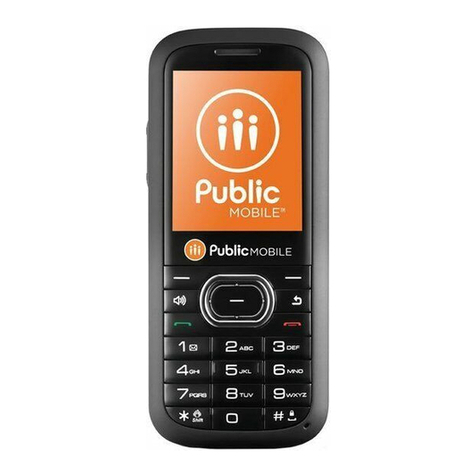
Zte -J G730 User manual

ZTE-J G730/G740/G750/G780
GoTa Digital Mobile Phone
User Manual

LEGAL INFORMATION
Copyright © 2009 ZTE CORPORATION.
All rights reserved.
No part of this publication may be excerpted, reproduced, translated
or utilized in any form or by any means, electronic or mechanical,
including photocopying and microfilm, without the prior written
permission of ZTE Corporation.
The manual is published by ZTE Corporation. We reserve the right
to make modifications on print errors or update specifications without
prior notice.
Version No. : V 1.0
Manual No. : 079584500477
Edition Time : 20090807

ZTE-J G730/G740/G750/G780 GoTa Digital Mobile Phone User Manual
3
Contents
General Information ........................................................ 8
Welcome ........................................................................................8
Security ..........................................................................................8
Safety Precautions.......................................................... 9
SAR (Specific Absorption Rate) .....................................................9
Operational Precautions...............................................................10
Precautions While Driving ............................................................10
Precautions for Medical Devices and Facilities............................11
Mobile Phone ...............................................................................11
Precautions for Potentially Explosive Atmospheres.....................12
Precautions for Electronic Devices ..............................................13
Safety and General Use in Vehicles ............................................13
Aircraft Safety...............................................................................13
Battery Use ..................................................................................14
Getting Started .............................................................. 15
What’re Included ..........................................................................15
Technical Parameters ..................................................................15
Key Definition ...............................................................................16
Icon Introduction...........................................................................18
Battery..........................................................................................19
Installing the Battery ...............................................................19
Charging the Battery...............................................................19
Removing the Battery .............................................................21
Inserting and Removing UIM Card...............................................21
Powering On/Off your Phone .......................................................23

ZTE-J G730/G740/G750/G780 GoTa Digital Mobile Phone User Manual
4
Power On ............................................................................... 23
Power Off ............................................................................... 23
Locking/Unlocking Your Phone ................................................... 23
Text Input ....................................................................... 24
Overview...................................................................................... 24
eziEn Mode.................................................................................. 24
123 Mode..................................................................................... 24
ABC and abc Mode ..................................................................... 25
Making and Receiving PTT Calls ................................. 26
Make Private Calls....................................................................... 26
Make Group Calls........................................................................ 27
Receive PTT Calls....................................................................... 28
End PTT Calls.............................................................................. 28
Broadcast Call ............................................................................. 29
PTT Emergency Calls.................................................................. 29
Functions during PTT Calls ......................................................... 30
Group Members Status Query ............................................... 30
Group Members Management ............................................... 30
Upgrade Ordinary Calls to Emergency Calls ......................... 30
Switch Sound ......................................................................... 31
Watching Function.................................................................. 31
Accessory Mode..................................................................... 31
Call Attribute........................................................................... 32
Dynamic Management ........................................................... 32
Supplement Service ............................................................... 33
Make and Receive Normal Calls................................... 35
Make Normal Calls ...................................................................... 35
Receive Normal Calls .................................................................. 36

ZTE-J G730/G740/G750/G780 GoTa Digital Mobile Phone User Manual
5
End Normal Calls .........................................................................36
Functions during Normal Calls .....................................................36
Adjust Volume.........................................................................36
View Book...............................................................................36
Set Muted ...............................................................................36
Switch Sound..........................................................................36
Three-way Call........................................................................37
Call Waiting.............................................................................37
Setting ..........................................................................................37
Call Forward ...........................................................................37
Call Waiting.............................................................................38
Emergency..............................................................................38
Call Answer.............................................................................38
Dial Restrict ............................................................................39
Free Dial .................................................................................39
Phone Book ................................................................... 40
Personal Book..............................................................................40
View ........................................................................................40
Add .........................................................................................41
Search ....................................................................................41
Delete .....................................................................................42
Set Ringtone ...........................................................................42
Rename ..................................................................................43
Move .......................................................................................43
Check Space ..........................................................................44
Delete All ................................................................................44
Send Message........................................................................44
System Book ................................................................................45
Call History .................................................................... 46
Call Icons .....................................................................................46
View .............................................................................................46

ZTE-J G730/G740/G750/G780 GoTa Digital Mobile Phone User Manual
6
Delete .......................................................................................... 47
Delete All ..................................................................................... 47
Save Number............................................................................... 47
Make Normal Calls ...................................................................... 47
Make PTT Calls ........................................................................... 47
Send Message............................................................................. 48
View Phone Book Information ..................................................... 48
SMS................................................................................. 49
Compose ..................................................................................... 49
Send ....................................................................................... 49
Phrases .................................................................................. 49
Save as Draft.......................................................................... 49
Back ....................................................................................... 50
Inbox............................................................................................ 50
View........................................................................................ 50
Receive New Message........................................................... 51
Outbox ......................................................................................... 51
Drafts ........................................................................................... 51
Delete All ..................................................................................... 52
Settings........................................................................................ 52
Preset Messages......................................................................... 53
Assistant ........................................................................ 54
Alarm Clock ................................................................................. 54
Add ......................................................................................... 54
View / Edit .............................................................................. 54
Delete ..................................................................................... 54
Set Alarm Ring ....................................................................... 55
Turn Off Alarm Ring ............................................................... 55
Calculator..................................................................................... 55

ZTE-J G730/G740/G750/G780 GoTa Digital Mobile Phone User Manual
7
Calendar.......................................................................................55
View Event..............................................................................55
View All ...................................................................................56
Add Event ...............................................................................56
Goto ........................................................................................56
Delete .....................................................................................56
Delete All ................................................................................56
World Time...................................................................................57
Stopwatch ....................................................................................57
General Time Counting...........................................................57
Record Multiple Time Records in the Counting ......................57
Settings.......................................................................... 58
Profiles .........................................................................................58
Change Profile ........................................................................58
View / Edit Profile....................................................................58
Phone...........................................................................................59
Idle Display .............................................................................59
Backlight .................................................................................59
LCD Contrast ..........................................................................60
Language................................................................................60
Shortcuts.................................................................................60
Personal Info...........................................................................60
Time Format ...........................................................................60
Security ........................................................................................61
Default Reset ...............................................................................62
Appendix........................................................................ 63
Fallback........................................................................................63
Troubleshooting ...........................................................................63

ZTE-J G730/G740/G750/G780 GoTa Digital Mobile Phone User Manual
8
General Information
Welcome
Thank you for using ZTE-J G730/G740/G750/G780 GoTa digital
mobile phone.
To guarantee the mobile phone always in its best condition, please
read this manual carefully and keep it for further use.
The pictures, symbols and contents in this manual are just for your
reference. They might not be completely identical with your mobile
phone.
Security
To protect your mobile phone from illegal use, take the security
measures as follows.
•Set PIN code of the UIM card (if your mobile phone supports
UIM card).
•Set handset lock code.
•Set call restrictions.

ZTE-J G730/G740/G750/G780 GoTa Digital Mobile Phone User Manual
9
Safety Precautions
This section includes some important information on safe and efficient
operation. Please read this information before using the phone.
SAR (Specific Absorption Rate)
The exposure guidelines for mobile devices employ a unit of
measurement known as the Specific Absorption Rate (SAR). The
SAR limit stated in the international guidelines is 2.0 watts/kilogram
(W/kg) averaged over ten grams of tissue. Tests for SAR are
conducted using standard operating positions with the device
transmitting at its highest certified power level in all tested
frequency bands. The actual SAR level of an operating device can
be well below the maximum value because the device is designed
to use only the power required to reach the network. That amount
changes depending on a number of factors such as how close you
are to a network base station.
The highest SAR value when tested according to international
testing procedures recommended by International Guidelines
for Exposure to Radio Waves (ICNIRP) for use is 2.00 W/kg.
SAR values may vary depending on national reporting and testing
requirements and the network band. Use of device accessories
and enhancements may result in different SAR values.
Note: The SAR limit of 2W/kg averaged over ten grams of tissue is
the permitted level of RF energy for the general population. The
standards and guidelines include a substantial safety margin
designed to assure the safety of the public, regardless of age and
health and to account for any variations in measurements.

ZTE-J G730/G740/G750/G780 GoTa Digital Mobile Phone User Manual
10
Operational Precautions
•Please use your phone properly. When making or answering a
call, please hold your phone as holding a wire line telephone.
Make sure that the phone is at least one inch (two point five
centimeters) from your body when transmitting.
•Do not touch the antenna area when the phone is in use. Touching
the antenna area affects call quality and may cause the phone
to operate at a higher power level than needed.
•Some people may be susceptible to epileptic seizures or blackouts
when exposed to flashing lights, such as when watching television
or playing video games. If you have experienced seizures or
blackouts, or if you have a family history of such occurrences, please
consult your doctor before playing video games on your phone
or enabling a flashing-light feature on your phone. (The video
games and flashing-light features are not available on all products.)
•Keep the phone out of the reach of small children. The phone
may cause injury if used as a toy.
Precautions While Driving
•Please pay attention to the traffic safety. Check the laws and
regulations on the use of your phone in the area where you drive.
Always obey them.
•Use hands-free function of the phone, if available.
•Pull off the road and park before making or answering a call if
conditions require.
This manual suits for next models
3
Table of contents
Other Zte Cell Phone manuals