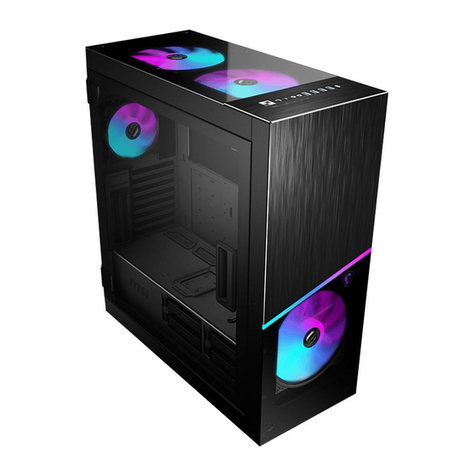
VIPowER VPM-6228H User manual

User’s Manual
We are your DataBridgeTM
http://www.vipower.com
VPM-6228H
Ture Metal USB 2.0 External
Enclosure with 3 ports HUB
for 5.25-inch CD/DVD ROM, CD/DVD-RW,
DVD+RW and 3.5-inch HDD

TRADEMARKS
MS-DOS, Windows, Windows 98SE/NT/2000/Me/XP are
trademarks of Microsoft Corporation.
PC is a trademark of International Business Machines
Corporation.
Macintosh and Mac are trademarks of Apple Computer, Inc.
All of the third-party brands and names are the property of their
respectiveowners.
VPM-6228H -Ture Metal USB 2.0 External Enclosure with 3
ports HUB for 5.25-inch CD/DVD ROM, CD/DVD-RW,
DVD+RW and 3.5-inch HDD User’s Manual
Rev. 1.0 Date: October 27, 2004
© Copyright 2004 ViPowER, Inc. All rights reserved.
PROPRIETARY NOTICE
We make no warranty of any kind with regards to this material,
including, but not limited to, the implied warranties of merchantability
and fitness for a particular purpose. We shall not be liable for errors
contained herein or for incidental or consequential damages in connec-
tion with the furnishing, performance, or use of this material.
This document contains proprietary information which is
protected by copyright. All rights are reserved. No part of this document
may be photocopied, reproduced, or translated to another language
without our written consent. The information contained in this document
is subject to change without notice.

Content
1. Features and Specifications........................................... 4
1-1 VPM-6228H external enclosure................................................ 4
1-2 USB 2.0 External Drive............................................................. 6
1-3 Package Checklist.................................................................... 7
2. Hardware ......................................................................... 8
2-1 LEDindicators located on the front panel................................. 8
2-2 Connectors located on Back panel........................................... 8
2-3 Installation ................................................................................ 9
2-4 Connecting the VPM-6228H to a Computer ........................... 18
3. Drivers Installation ........................................................ 20
3-1 Windows 98SE ...................................................................... 20
3-2 Windows Me/2000/XP ............................................................ 24
3-3 Mac OS .................................................................................. 25
3-4 Linux 2.4................................................................................. 25
4. Use The USB 2.0 External Enclosure VPM-6228H ..... 25
4-1 Connect the USB 2.0 External Enclosure VPM-6228H
Computer................................................................................ 25
4-2 Disconnect the USB 2.0 External Enclosure VPM-6228H from
Computer................................................................................ 27
5. Partition the External USB 2.0 Hard Disk..................... 29
5-1 Partition Under Windows 98/ME............................................. 29
5-2 Partition under Windows 2000/XP ......................................... 31

VPM-6228H USER MANUAL4
Specifications:
1. Complete Metal case design maximizes and aides heat
dissipation.
2. Compatible with all 5.25” devices and 3.5” HDD.
3. One special High-power USB port for USB 2.5” HDD, slim CD/
DVD-ROM, slim CD/DVD±RW, and USB Reader, etc..
4. Worldwide Patented 3 in one integrated USB 2.0 HUB for easy
USB expansions.
5. Stackable design for multiple connection between external USB
devices (USB HDD, Card reader etc.) and extra USB
expansions.
6. USB 2.0/1.1 compliant with data transfer rate up to 480Mbit/sec.
1. Features and Specifications
1-1 VPM-6228H external enclosure
Features
1. USB 2.0/1.1 compliant with data transfer rate up to 480Mbit/sec.
2. Worldwide Patented 3 in one integrated USB 2.0 HUB for easy
USB expansions.
3. Compatible with all 5.25” devices and 3.5” HDD.
4. One special High-power USB port for USB 2.5” HDD, slim CD/
DVD-ROM, slim CD/DVD±RW, and USB Reader, etc..
5. Native hardware Plug-n-Play supports under Windows Me/2000/
XP, Mac OS 9.1X and above and Linux Kernel 2.4 and above, no
software driver required (driver for Windows 98SE).
6. Stackable design for multiple connection between external USB
devices (USB HDD, Card reader etc.) and extra USB
expansions.
7. Complete Metal case design maximizes and aides heat
dissipation.

VPM-6228H USER MANUAL 5
7. USB 2.0 / IDE compliant:
a) Integrated USB transceiver.
b) High speed (480 Mbit) and full speed (12 Mbit) support.
c) USB suspend / resume, remote wake up support.
8. SupportsATA PIO modes 0-4 : ATAinterface operation mode is
automatically selected during device initialization or manually
programmed with configuration data.
9. Supports UDMA modes 0-4 of operation.
10. Supports 48-bit LBA (large HDD), when the VPM-6228H con-
nects with one 3.5” HDDinstalled in the Mobile Rack.
11. Native hardware Plug-n-Play supports under Windows Me/2000/
XP, Mac OS 9.1X and above and Linux Kernel 2.4 and above, no
software driver required (driver for Windows 98SE).
12. LEDindicator displayed power and drive activity are located on
the front panel of the VPM-6228H external enclosure.
13. One Screw secure the top enclosure cover and locate on the
back panel of the VPM-6228H can easy disassemble without
any screwdriver and has a beautiful outlook.
14. Provide the diagram ”Eye-Pattern” fo proving the best transmis-
sion signal. In other words “The VPM-6228H has the best high-
quality”.
Operating Systems
•Windows Me/2000/XP – no drivers required (software drivers
for Windows 98SE included)
•Mac OS 9.0 or later – no drivers required
•Linux 2.4 – no drivers required

VPM-6228H USER MANUAL6
1-2 USB 2.0 External Drive
The USB 2.0 External Drive is a portable compact storage drive
that incorporates the USB 2.0 (Universal Serial Bus 2.0) high
speed interface. The USB 2.0 External Drive provides a fast and
easy way to add more storage space to your computer.
Its hot-swapping and Plug-n-Play features gives you a great
convenienceontheroad,whereitcanbeconnected/disconnected
without powering down your system. The VPM-6228H USB 2.0
External Drive is compatible with Apple Macintosh and Windows
computers. Note:
In order to reach USB 2.0 speed, your computer must have
a host adapter card with USB 2.0 support. The VPM-6228H
will auto detect the speed of your USB port and adjust be-
tween USB 1.0 and USB 2.0 speed.

VPM-6228H USER MANUAL 7
1-3 Package Checklist
The VPM-6228H / True Metal USB 2.0 External Enclosure with
3 ports HUB package contains the following items:
1) The VPM-6228H external enclosure
2) One USB 2.0 Cable
3) One +5V/+12V Power Adapter
4) One Power Adapter Power Cord
5) One “Drivers and Utility Installation” CD
6) VPM-6228H User’s Manual
If any of these items are missing or damaged, please contact
your dealer or sales representative for assistance.
Package Contents
VPM-6228H enclosure
USB 2.0 Cable
Driver CD
+5V/+12V Power
Adapter
Power adapter
Power Cord

VPM-6228H USER MANUAL8
2-2 Connectors located on Back panel
2. Hardware
2-1 LED indicators located on the front panel
The Red and Green indicators are located on the front panel of the
VPM-6228H.
The Green LED is lit when the power ON.
TheRedLEDflasheswhenconnectwithone HDD.ButtheRedLED
does NOT flashes when connect with one 5.25” device.
Fan Power
Jack
USB
Port Power
Switch
HUB
(x3)
LEDIndicators
RedLED
(Device Access)
Green LED
(Power)

VPM-6228H USER MANUAL 9
2-3 Installation
Assemble with one 5.25” Device
Step1.
Remove the three retaining screws on the back of the external
enclosure. Separate the top and bottom enclosure covers.
The following sections will guide you trough the installation of one
5.25” device or one 3.5” HDD assembled with the VPM-6228H
enclosure. There are two parts to the installation:
1. Assembly with one 5.25” IDE device.
2. Assembly with one 3.5” HDD.
A small screwdriver is the only tool required.

VPM-6228H USER MANUAL10
Step2.
a) Place one 5.25” IDE device in the bottom enclosure cover. Align
the 5.25” IDE device mounting holes with the mounting holes on the
bottom cover and secure with four screws (two on each side).
Table of contents
Other VIPowER Enclosure manuals

VIPowER
VIPowER CD-ROM Box Enclosure VP-6020 User manual

VIPowER
VIPowER VPA2-25011 User manual

VIPowER
VIPowER VP-9059 User manual

VIPowER
VIPowER Portable 3.5 in. External Enclosure VP-9258V User manual

VIPowER
VIPowER VPA-5010KP2F User manual

VIPowER
VIPowER VPM-6248T User manual

VIPowER
VIPowER USB 2.0, 5.25-inch External Enclosure... User manual

VIPowER
VIPowER VPM-62289 User manual

VIPowER
VIPowER Portable External Enclosure VP-9258(T) User manual