4. Operation Instructions
5. Setup Instructions
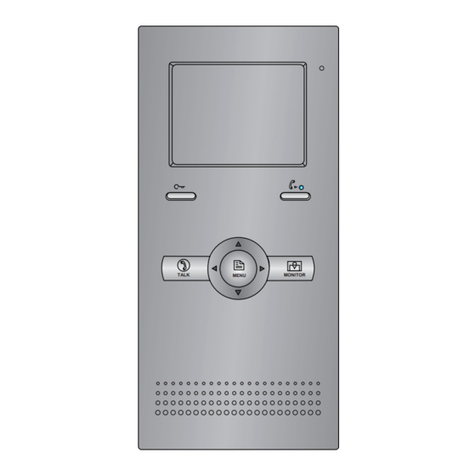
1) Door release function: When visitor calls from outdoor station, the monitor rings,
press Talk button to talk with the visitor, then press the Unlock button to open the door.
If the system connect 2 locks, press Unlock 2nd button to open the second door.
2) Intercom call:When the monitor is in standby mode, press Unlock 2nd button/
Intercom button to activate the intercom call, all monitors connected to the system will
ring at the same time. whichever Monitor answers the call, conversation is started. and
the other monitors will stop ringing at the same time.(note that the user code must be
the same for all monitors to activate the intercom call function)
5.1 User Code Setting(DIP1 to set it)
In the DT system, every apartment must have a unique identication called User Code.
The DIP1 switches are used to congure the User Code for each Monitor.
• Bit-1~5 of DIP1 are used to User Code setting. The value is from 1 to 32, which
have 32 different codes for 32 apartments.
• Bit-6 of DIP1 is used to video match.
Bit state User Code Bit state User Code Bit state User Code
1 2 3 4 5 6
ON
Code=1
1 2 3 4 5 6
ON
Code=12
1 2 3 4 5 6
ON
Code=23
1 2 3 4 5 6
ON
Code=2
1 2 3 4 5 6
ON
Code=13
1 2 3 4 5 6
ON
Code=24
1 2 3 4 5 6
ON
Code=3
1 2 3 4 5 6
ON
Code=14
1 2 3 4 5 6
ON
Code=25
1 2 3 4 5 6
ON
Code=4
1 2 3 4 5 6
ON
Code=15
1 2 3 4 5 6
ON
Code=26
1 2 3 4 5 6
ON
Code=5
1 2 3 4 5 6
ON
Code=16
1 2 3 4 5 6
ON
Code=27