
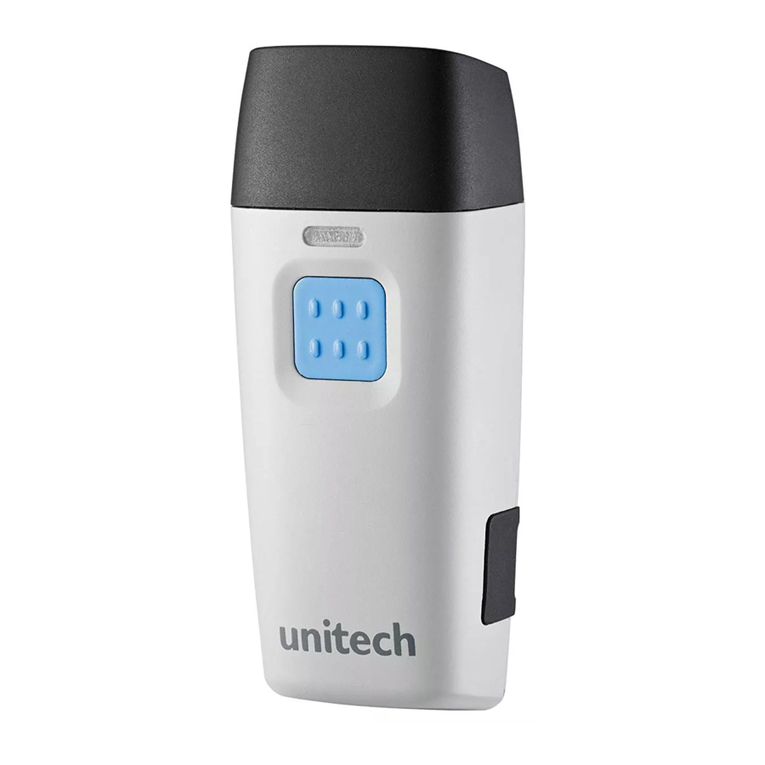
Unitech MS920 User manual

Wireless Pocket 2D Imager Scanner
- MS920 -
User's
Manual
Version 3
.1
© 2014 unitech Electronics Co., Ltd. All rights reserved. unitech is a registered trademark of unitech Electronics Co., Ltd.

Table ofContents
Chapter 1
Overview............................................................................................................
1
Package
Contents..................................................................................................
1
Scanner Detail
.......................................................................................................
.2
Getting
Start
...........................................................................................................
3
Battery Charging
....................................................................................................
3
Specification
...........................................................................................................
4
Chapter 2
Bluetooth Function Setting
................................................................................
5
Pairing With PC/Notebook For The First
T
ime
.......................................................
5
Buffer Mode
............................................................................................................
6
Switching Between HID and SPP Mode
................................................................
7
Factory Default
.......................................................................................................
8
Display F/W
V
ersion
...............................................................................................
8
BT Un-pair
..............................................................................................................
8
iOS Keypad
............................................................................................................
8
Batch Send
.............................................................................................................
8
Batch Space
Left....................................................................................................
8
Beep on Good Read (Toggle)
................................................................................
8
Beep on Connection Charge (
T
oggle)
....................................................................
8
Erasing the Buffer
..................................................................................................
9
MCU Power Saving
..............................................................................................
10

HID Keyborad Character
Delay............................................................................
11
HID Keyborad Block Delay
...................................................................................
12
HID Keyborad Case
.............................................................................................
12
HID Keyborad Languages
....................................................................................
13
Enter BT Pairing Code
.........................................................................................
14
Chapter 3
Symbologies
....................................................................................................
15
Disable all symbologies
........................................................................................
15
Codabar
...............................................................................................................
15
Codablock
............................................................................................................
19
Code 11
................................................................................................................
21
Code 39
................................................................................................................
24
Code 93/ Code 93i
...............................................................................................
30
Code 128 / GS1-128
............................................................................................
32
DataMatrix
............................................................................................................
37
EAN / UPC
...........................................................................................................
40
GS1 DataBar (RSS)
.............................................................................................
48
Interleaved 2 of 5
.................................................................................................
52
Matrix 2 of 5
.........................................................................................................
55
MaxCode
..............................................................................................................
58
MicroPDF417
.......................................................................................................
60
MSI Code
.............................................................................................................
61
PDF 417
...............................................................................................................
64
Plessey Code
.......................................................................................................
66
QR Code
..............................................................................................................
68

Standard 2 of 5
....................................................................................................
71
T
elepen
.................................................................................................................
75
Chapter 4
Operating
Settings...........................................................................................
78
Pre-defined trigger modes
...................................................................................
78
Scanning /
Triggering ...........................................................................................
79
Data decoding security
........................................................................................
86
Beeps / LEDs
.......................................................................................................
89
Chapter 5
Data Transmission
Settings.............................................................................
96
Symbology identifier
...........................................................................................
94
Preamble
............................................................................................................
95
Postamble
..........................................................................................................
95
Inter-Character / message delay
........................................................................
96
Data editing
........................................................................................................
97
Appendix I
Worldwide Support .........................................................................................103

i
© 2016 unitech Electronics Co., Ltd. All rights reserved.
unitech is a registered trademark of unitech Electronics Co., Ltd.
About This Manual
Preface
Thank you for purchasing the unitech product.
This manual explains how to install, operate and maintain our product.
No part of this publication may be reproduced or used in any form, or by any
electrical or mechanical means, such as photocopying, recording, or
information storage and retrieval systems, without permission in writing from
the manufacturer. The material in this manual is subject to change without
notice.
Regulatory Compliance Statements
FCC Warning Statement
This device has been tested and found to comply with the limits for a Class B
digital device, pursuant to part 15 of the FCC rules. These limits are designed
to provide reasonable protection against harmful interference in a residential
installation. This equipment generates, uses and can radiate radio frequency
energy and, if not installed and used in accordance with the instructions, may
cause harmful interference with radio communications. However, there is no
guarantee that interference will not occur in a particular installation. If this
equipment does cause harmful interference with radio or television reception,
which can be determined by turning the equipment off and on, the user is
encouraged to try to correct the interference by one or more of the following
measures:

ii
© 2016 unitech Electronics Co., Ltd. All rights reserved.
unitech is a registered trademark of unitech Electronics Co., Ltd.
–Reorient or relocate the receiving antenna.
–Increase the separation between the equipment and receiver.
–Connect the equipment into an outlet on a circuit different from that to
which the receiver is connected.
–Consult the dealer or an experienced radio/TV technician for help.
1. This transmitter must not be co-located or operating in conjunction with
any other antenna or transmitter.
2. This device complies with FCC RF radiation exposure limits set forth for
an uncontrolled environment. To maintain compliance with FCC RF
exposure requirements, avoid direct contact to the transmitting antenna
during transmitting.
3. Any changes or modifications (including the antennas) made to this device
that are not expressly approved by the manufacturer may void the user’s
authority to operate the equipment.
Operation on the 5.15 - 5.25GHz frequency band is restricted to indoor use
only. The FCC requires indoor use for the 5.15-5.25GHz band to reduce the
potential for harmful interference to co-channel Mobile Satellite Systems.
Therefore, it will only transmit on the 5.25-5.35 GHz, 5.47-5.725 GHz and
5.725–5.850 GHz band when associated with an access point (AP).
FCC Label Statement
This device complies with part 15 of the FCC rules. Operation is subject to the
following two conditions:
1. This device may not cause harmful interference.
2. This device must accept any interference received, including interference
that may cause undesired operation.
RF Radiation Exposure Statement
For body contact during operation, this device has been tested and meets FCC
RF exposure guidelines when used with an accessory that contains no metal
and that positions the handset a minimum of 0.5 cm from the body.
Use of other accessories may not ensure compliance with FCC RF exposure
guidelines.

iii
© 2016 unitech Electronics Co., Ltd. All rights reserved.
unitech is a registered trademark of unitech Electronics Co., Ltd.
Canadian Compliance Statement
This Class B Digital apparatus meets all requirements of the Canadian
Interference-Causing Equipment Regulations.
Cet appareil numerique de la classe B respecte les exigences du Reglement
sur le material broilleur du Canada.
European Conformity Statement
unitech Electronics co., Ltd herewith declares that the unitech product is in
compliance with the essential requirements and all other provisions of the RED
2014/53/EU directive, the EMC 2014/30/EU directive and the Low Voltage
2014/35/EU directive.
The declaration of conformity is available for download at :
https://portal.unitech.eu/public/Safetyregulatorystatement
CE RF Exposure Compliance
This device meets EU requirements (2014/53/EC) on the limitation of
exposure of the general public to electromagnetic fields by way of health
protection.
For body-worn operation, this device has been tested and meets the ICNIRP
guidelines and the European Standard EN 62209-2, for use with dedicated
accessories, SAR is measured with this device at a separation of 0.5 cm to the
body, while transmitting at the highest certified output power level in all
frequency bands of this device. Use of other accessories which contain metals
may not ensure compliance with ICNIRP exposure guidelines.
CE Mark Warning
This equipment complies with the requirements of Directive 2014/53/EC of the
European Parliament and Commission from 24 May, 2014 governing Radio
and Telecommunications Equipment and mutual recognition of conformity.

iv
© 2016 unitech Electronics Co., Ltd. All rights reserved.
unitech is a registered trademark of unitech Electronics Co., Ltd.
RoHS Statement
This device conforms to RoHS (Restriction Of
Hazardous Substances) European Union regulations
that set maximum concentration limits on hazardous
materials used in electrical and electronic equipment.
Waste electrical and electronic equipment (WEEE)
unitech has set up a policy and process to meet the EU
directive 2002/96/EC and update 2003/108/EC
concerning electronic waste disposal.
For more detailed information of the electronic waste
disposal of the products you have purchased from
unitech directly or via unitech’s resellers, you shall either
contact your local supplier or visit us at :
https://portal.unitech.eu/public/WEEE

v
© 2016 unitech Electronics Co., Ltd. All rights reserved.
unitech is a registered trademark of unitech Electronics Co., Ltd.
Taiwan NCC Warning Statement
低功率電波輻射性電機管理辦法
第十二條:經型式認證合格之低功率射頻電機,非經許可,公司、商號或使用者
均不得擅自變更頻率、加大功率或變更原設計之特性及功能。
第十四條:低功率射頻電機之使用不得影響飛航安全及干擾合法通信;經發現有
干擾現象時,應立即停用,並改善至無干擾時方得繼續使用。
前項合法通信,指依電信法規定作業之無線電通信。
低功率射頻電機需忍受合法通信或工業、科學及醫療用電波輻射性電機設備
之干擾。
注意事項:
1. 使用過度恐傷害視力。
2. 使用30分鐘請休息10分鐘;2歲以下幼兒不看螢幕,2歲以上每天看螢幕不要超過
1小時。
3. 減少電磁波影響,請妥適使用。
SAR 標準值 2.0W/Kg,送測產品實測值為 0.217 W/kg@10g

vi
© 2016 unitech Electronics Co., Ltd. All rights reserved.
unitech is a registered trademark of unitech Electronics Co., Ltd.
Laser Information
The unitech product is certified in the U.S. to conform to the requirements of
DHHS/CDRH 21CFR Subchapter J and to the requirements of IEC 825-1.
Class II and Class 2 products are not considered to be hazardous. The unitech
product contains internally a Visible Laser Diode (VLD) whose emissions do
not exceed the maximum limits as set forth in the above regulations. The
scanner is designed so that there is no human access to harmful laser light
during normal operation, user maintenance or prescribed service operations.
The laser safety warning label required by the DHHS/IEC for the unitech
product’s optional laser scanner module is located on the memory
compartment cover, on the back of the unit.
* Laser information only applies to the products with laser components.
CAUTION! Use of controls or adjustments or performance of procedures
other than those specified herein may result in hazardous laser
light. Use of optical instruments with the scanner, including
binoculars, microscopes, and magnifying glasses, with will
increase eye damage. This does not include eyeglasses worn by
the user.
LED Information
The unitech product contains LED indicator(s) or LED ring whose luminance is
not harmful to human eyes during normal operation, user maintenance or
prescribed service operations.
*LED information only applies to the products with LED components.
Other manuals for MS920
5
Table of contents
Other Unitech Barcode Reader manuals

Unitech
Unitech MS652 User manual

Unitech
Unitech MS320 User manual

Unitech
Unitech MS916 User manual

Unitech
Unitech MS912+ User manual

Unitech
Unitech MS926 User manual

Unitech
Unitech MS140 User manual

Unitech
Unitech MS926P User manual

Unitech
Unitech MS916 User manual
Unitech
Unitech MS912 User manual

Unitech
Unitech MS084 User manual

Unitech
Unitech MS912 User manual

Unitech
Unitech MS840B User manual

Unitech
Unitech MS920P User manual

Unitech
Unitech ES910 User manual

Unitech
Unitech RG630 User manual

Unitech
Unitech MS852Plus Auto Switching User manual

Unitech
Unitech MS842P User manual

Unitech
Unitech MS340 User manual

Unitech
Unitech MS852 User manual

Unitech
Unitech MS340 User manual


