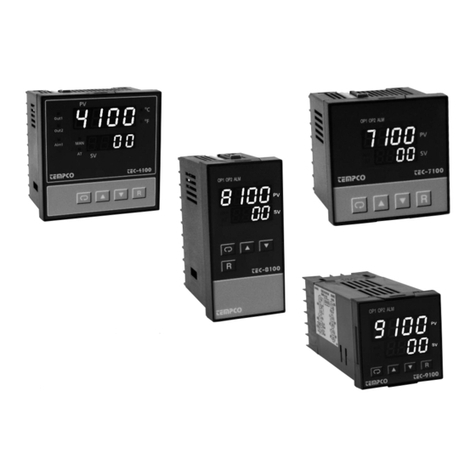
Tempco TEC-2500 User manual

Instruction Manual
TEC-2500
Self-Tune Fuzzy / PID
Process Temperature Controller
Manual TEC-2500 Revision 9/2013
Agency Approvals
TEMPCO Electric Heater Corporation
607 N. Central Avenue • Wood Dale, IL 60191-1452 USA
Tel: 630-350-2252 • Toll Free: 800-323-6859
Fax: 630-350-0232 • E-mail: [email protected]
Web: www.tempco.com
Serving Industry Since 1972

OTES

CONTENTS
Page No.
Chapter 1 Overview
1-1 Features . . . . . . . . . . . . . . . . . . . . . . . . . . . . . . . . . 1
1-2 Ordering Code . . . . . . . . . . . . . . . . . . . . . . . . . . . . 3
1-3 Programming Port and DIP Switch . . . . . . . . . . . . . 4
1-4 Keys and Displays . . . . . . . . . . . . . . . . . . . . . . . . . 5
1-5 Menu Overview . . . . . . . . . . . . . . . . . . . . . . . . . . . . 7
1-6 System Modes . . . . . . . . . . . . . . . . . . . . . . . . . . . . 8
1-7 Parameter Description . . . . . . . . . . . . . . . . . . . . . . 9
Chapter 2 Installation
2-1 Unpacking . . . . . . . . . . . . . . . . . . . . . . . . . . . . . . . 17
2-2 Mounting . . . . . . . . . . . . . . . . . . . . . . . . . . . . . . . . 17
2-3 Wiring Precautions . . . . . . . . . . . . . . . . . . . . . . . . 18
2-4 Power Wiring . . . . . . . . . . . . . . . . . . . . . . . . . . . . 18
2-5 Sensor Installation Guidelines . . . . . . . . . . . . . . . 19
2-6 Thermocouple Input Wiring . . . . . . . . . . . . . . . . . 19
2-7 RTD Input Wiring . . . . . . . . . . . . . . . . . . . . . . . . . 20
2-8 Linear DC Input Wiring . . . . . . . . . . . . . . . . . . . . . 20
2-9 CT/Heater Current Input Wiring . . . . . . . . . . . . . . 21
2-10 vent Input wiring . . . . . . . . . . . . . . . . . . . . . . . . 22
2-11 Output 1 Wiring . . . . . . . . . . . . . . . . . . . . . . . . . . 22
2-12 Output 2 Wiring . . . . . . . . . . . . . . . . . . . . . . . . . . 24
2-13 Alarm 1 Wiring . . . . . . . . . . . . . . . . . . . . . . . . . . 26
2-14 Alarm 2 Wiring . . . . . . . . . . . . . . . . . . . . . . . . . . 27
2-15 RS-485 . . . . . . . . . . . . . . . . . . . . . . . . . . . . . . . . 28
2-16 RS-232 . . . . . . . . . . . . . . . . . . . . . . . . . . . . . . . . 29
2-17 Analog Retransmission . . . . . . . . . . . . . . . . . . . . 30
2-18 Programming Port . . . . . . . . . . . . . . . . . . . . . . . 31
Chapter 3 Programming Basic Functions
3-1 Input 1 . . . . . . . . . . . . . . . . . . . . . . . . . . . . . . . . . . 33
3-2 OUT1 and OUT2 Types . . . . . . . . . . . . . . . . . . . . 34
3-3 Configuring User Menu . . . . . . . . . . . . . . . . . . . . . 35
3-4 Display SV Instead of PV . . . . . . . . . . . . . . . . . . . 35
3-5 Heat Only Control . . . . . . . . . . . . . . . . . . . . . . . . . 36
3-6 Cool Only Control . . . . . . . . . . . . . . . . . . . . . . . . . 37
3-7 Heat-Cool Control . . . . . . . . . . . . . . . . . . . . . . . . . 38
3-8 Dwell Timer . . . . . . . . . . . . . . . . . . . . . . . . . . . . . . 39
3-9 Process Alarms . . . . . . . . . . . . . . . . . . . . . . . . . . . 40
3-10 Deviation Alarms . . . . . . . . . . . . . . . . . . . . . . . . . 42
3-11 Deviation Band Alarms . . . . . . . . . . . . . . . . . . . . 43
3-12 Heater Break Alarm . . . . . . . . . . . . . . . . . . . . . . 44
3-13 Loop Break Alarm . . . . . . . . . . . . . . . . . . . . . . . . 45
3-14 Sensor Break Alarm . . . . . . . . . . . . . . . . . . . . . . 46
3-15 SP1 Range . . . . . . . . . . . . . . . . . . . . . . . . . . . . . 46
3-16 PV1 Shift . . . . . . . . . . . . . . . . . . . . . . . . . . . . . . . 47
3-17 Failure Transfer . . . . . . . . . . . . . . . . . . . . . . . . . 48
CONTENTS
Page No.
3-18 Bumpless Transfer . . . . . . . . . . . . . . . . . . . . . . . 49
3-19 Self-tuning . . . . . . . . . . . . . . . . . . . . . . . . . . . . . . 50
3-20 Auto-tuning . . . . . . . . . . . . . . . . . . . . . . . . . . . . . 51
3-21 Manual Tuning . . . . . . . . . . . . . . . . . . . . . . . . . . 53
3-22 Signal Conditioner DC Power Supply . . . . . . . . . 55
3-23 Manual Control . . . . . . . . . . . . . . . . . . . . . . . . . . 56
3-24 Display Mode . . . . . . . . . . . . . . . . . . . . . . . . . . . 57
3-25 Heater Current Monitoring . . . . . . . . . . . . . . . . . 58
3-26 Reload Default Values . . . . . . . . . . . . . . . . . . . . . 58
Chapter 4 Full Function Programming
4-1 vent Input . . . . . . . . . . . . . . . . . . . . . . . . . . . . . . 59
4-2 Second Set Point . . . . . . . . . . . . . . . . . . . . . . . . . 60
4-3 Second PID Set . . . . . . . . . . . . . . . . . . . . . . . . . . 61
4-4 Ramp and Dwell . . . . . . . . . . . . . . . . . . . . . . . . . . 62
4-5 Remote Set Point . . . . . . . . . . . . . . . . . . . . . . . . . 63
4-6 Differential Control . . . . . . . . . . . . . . . . . . . . . . . . 64
4-7 Output Power Limits . . . . . . . . . . . . . . . . . . . . . . . 65
4-8 Data Communication . . . . . . . . . . . . . . . . . . . . . . 66
4-9 Analog Retransmission . . . . . . . . . . . . . . . . . . . . . 67
4-10 Digital Filter . . . . . . . . . . . . . . . . . . . . . . . . . . . . . 68
4-11 Sleep Mode . . . . . . . . . . . . . . . . . . . . . . . . . . . . . 68
4-12 Pump Control . . . . . . . . . . . . . . . . . . . . . . . . . . . 69
4-13 Remote Lockout . . . . . . . . . . . . . . . . . . . . . . . . . 70
Chapter 5 Applications
5-1 Pump/Pressure Control . . . . . . . . . . . . . . . . . . . . 71
5-2 Variable Period Full Wave SSR (VPFW SSR) . . . 73
5-3 Heat Only Control . . . . . . . . . . . . . . . . . . . . . . . . . 75
5-4 Cool Only Control . . . . . . . . . . . . . . . . . . . . . . . . . 76
5-5 Heat-Cool Control . . . . . . . . . . . . . . . . . . . . . . . . . 77
5-6 Ramp and Dwell . . . . . . . . . . . . . . . . . . . . . . . . . . 78
5-7 Remote Set Point . . . . . . . . . . . . . . . . . . . . . . . . . 80
5-8 Differential Control . . . . . . . . . . . . . . . . . . . . . . . . 81
5-9 Dual Set Point/PID . . . . . . . . . . . . . . . . . . . . . . . . 82
5-10 RS-485 . . . . . . . . . . . . . . . . . . . . . . . . . . . . . . . . 84
5-11 RS-232 . . . . . . . . . . . . . . . . . . . . . . . . . . . . . . . . 85
5-12 Retransmit . . . . . . . . . . . . . . . . . . . . . . . . . . . . . 86
Chapter 6 Calibration . . . . . . . . . . . . . . . . . . . . . . . . 87
Chapter 7 Error Codes and Troubleshooting . . . . 91
Chapter 8 Specifications . . . . . . . . . . . . . . . . . . . . . 95
Appendix
A-1 Menu xistence Conditions . . . . . . . . . . . . . . . . . 97
A-2 Factory Menu Description . . . . . . . . . . . . . . . . . 100
A-5 Memo . . . . . . . . . . . . . . . . . . . . . . . . . . . . . . . . . 101
A-6 Warranty . . . . . . . . . . . . . . . . . . . . . . . . . . . . . . . 103
Warnin Symbol
This symbol calls attention to an operating procedure, practice, or
the like which, if not correctly performed or adhered to, could
result in personal injury or damage to or destruction of part or all
of the product and system. Do not proceed beyond a warning
symbol until the indicated conditions are fully understood and met.
Usin the Manual
Installers. . . . . . . . . . . . . . . . . . . . . . . . . . . . Read Chapters 1, 2
Basic Function User. . . . . . . . . . . . . . . . . Read Chapters 1, 3, 5
Enhanced Function User . . . . . . . . . . . Read Chapters 1, 3, 4, 5
System Designer . . . . . . . . . . . . . . . . . . . . . . Read All Chapters
Expert User. . . . . . . . . . . . . . . . . . . . . . . . . . . . . . Read Page 10
NOTE:
It is strongly recommended t at a process s ould incorporate
a LIMIT CONTROL like TEC-910 w ic will s ut down t e
equipment at a preset process condition in order to preclude
possible damage to products or system.
Information in this user’s manual is subject to change without
notice.
Copyright © 2011, Tempco Electric Heater Corporation, all rights
reserved. No part of this publication may be reproduced,
transmitted, transcribed or stored in a retrieval system, or
translated into any language in any form by any means without
the written permission of Tempco Electric Heater Corporation.

OTES

1
Unique
** High accuracy 18-bit input A–D
** High accuracy 15-bit output D–A
** Fast input sample rate (5 times/second)
** Two function complexity levels
** User menu configurable
** Pump control
Chapter 1 Overview
1–1 Features
* Fuzzy plus PID microprocessor-based control
* Automatic programming
* Differential control
* Auto-tune function
* Self-tune function
* Sleep mode function
* "Soft-start" ramp and dwell timer
* Programmable inputs(thermocouple, RTD, mA, VDC)
* Analog input for remote set point and CT
* vent input for changing function and set point
* Programmable digital filter
* Hardware lockout and remote lockout protection
* Loop break alarm
* Heater break alarm
* Sensor break alarm and bumpless transfer
* RS-485, RS-232 communication
* Analog retransmission
* Signal conditioner DC power supply
* A wide variety of output modules available
* Safety UL/CSA/I C1010–1
* MC/C N61326
* Front panel sealed to N MA 4X and IP65
TEC-2500 Fuzzy ogic plus PID microprocessor-based controller
incorporates a bright, easy to read, 4-digit ED display which
indicates the process value. Fuzzy ogic technology enables a
process to reach a predetermined set point in the shortest time,
with the minimum of overshoot during power-up or external load
disturbance. The units are housed in a 1/32 DIN case, measuring
24mm x 48mm with 98mm behind-panel depth. The units feature
three touch keys to select the various control and input
parameters. Using a unique function, you can put up to five
parameters at the front of the user menu by using SE 1 to SE 5
found in the setup menu. This is particularly useful to OEM's as it
is easy to configure the menu to suit the specific application.
TEC-2500 is powered by 11–26 or 90–264VDC/AC supply,
incorporating a 2 amp control relay output, 5V logic alarm output
and a 2 amp alarm relay output as standard with a second alarm
that can be configured in the second output for cooling purposes
or as a dwell timer. Alternative output options include SSR drive,
triac, 4–20mA and 0–10 volts. TEC-2500 is fully programmable
for PT100, thermocouple types J, K, T, E, B, R, S, N, , 0–20mA,
4–20mA, and voltage signal input, with no need to modify the
unit. The input signals are digitized by using an 18-bit A to D
converter. Its fast sampling rate allows the TEC-2500 to control
fast processes such as pressure and flow. Self-tuning is
incorporated. Self-tuning can be used to optimize the control
parameters as soon as undesired control results are observed.
Unlike auto-tuning, self-tuning will produce less disturbance to
the process during tuning, and can be used at any time.
Digital communications formats RS-485, RS-232 or 4–20mA
retransmission are available as an additional option. These options
allow the TEC-2500 to be integrated with supervisory control
systems and software, or alternatively to drive remote displays,
chart recorders, or data loggers.
Two different methods can be used to program the TEC-2500.
1. Use the keys on the front panel to program the unit manually or
2. use a PC with setup software to program the unit via the RS-
485 or RS-232 COMM port.
For nearly a hundred years, PID control has been used and has
proven to be an efficient controlling method by many industries,
yet PID has difficulty dealing with some sophisticated systems
such as second and higher order systems, long time-lag systems,
during set point changes and/or load disturbances, etc. The PID
principle is based on a mathematical model which is obtained by
tuning the process. Unfortunately, many systems are too complex
to describe precisely in numerical terms. In addition, these
systems may vary from time to time. In order to overcome the
imperfections of PID control, Fuzzy ogic was introduced.
What is Fuzzy Control? It works like a good driver. Under
different speeds and circumstances, he can control a car well
based on previous experience, and does not require knowledge of
the kinetic theory of motion. Fuzzy ogic is a linguistic control
which is different from numerical PID control. It controls the
system by experience and does not need to simulate the system
precisely as a PID controller would.

2
The function of Fuzzy Logic is to adjust PID parameters
internally in order to make manipulation of output value
MV more flexible and adaptive to various processes.
The Fuzzy Rule may work like this:
If the temperature difference is large, and the temperature
rate is large, then ΔMV is large.
If the temperature difference is large, and the temperature
rate is small, then ΔMV is small.
PID+Fuzzy Control has been proven to be an efficient
method to improve the control stability as shown by the
comparison curves below:

3
Accessories
TEC-101-101 — Isolated 4–20mA/0–20mA analog output module
TEC-101-114 — Isolated 1–5V/0–5V analog output module
TEC-101-115 — Isolated 0–10V analog output module
TEC-101-109 — Isolated 1A/240VAC triac output module (SSR)
TEC-101-111 — Isolated 20V/25mA DC output power supply
TEC-101-112 — Isolated 12V/40mA DC output power supply
TEC-101-113 — Isolated 5V/80mA DC output power supply
TEC-102-101 — Isolated RS-485 interface module
TEC-102-103 — Isolated RS-232 interface module
TEC-102-104 — Isolated 4–20mA/0–20mA retransmission module
TEC-102-105 — Isolated 1–5V/0–5V retransmission module
TEC-102-106 — Isolated 0–10V retransmission module
TEC99014 — RS-232 interface cable (2M)
TEC99999 — 0–50amp AC current transformer
Related Products
TEC99001 — Smart network adapter for third party software; converts 255 channels of RS-485 or RS-422 to RS-232 network
TEC99002 — Smart network adapter for BC-Net software; converts 255 channels of RS-485 or RS-422 to RS-232 network
TEC99927 — RS-232/485 ->USB Adapter
1–2 Ordering Code

4
1–3 Programming Port and DIP Switch
The programming port is used for off-line automatic setup
and testing procedures only. Do not attempt to make any
connection to these pins when the unit is being used for
normal control purposes.
When the unit leaves the factory, the DIP switch is set so
that TC and RTD are selected for input 1 and all parameters
are unlocked.
Lockout function is used to disable the adjustment of
parameters as well as operation of calibration mode.
However, the menu can still be viewed even under lockout
condition.
*S L1-S L5 represent those parameters which are
selected by using S L1, S L2,...S L5 parameters
contained in the setup menu. The parameters that have
been selected are then allocated at the beginning of the
user menu.

5
1–4 Keys and Displays
The unit is programmed by using the three keys on the front panel. The available key functions are listed in the following
table.
How to display a 5-digit number:
For a number with a decimal point, the display
will be shifted one digit to the right:
-199.99 will be displayed as -199.9
4553.6 will be displayed as 4553
For a number without a decimal point, the
display will be divided into two alternating
phases:

6
Table of contents
Other Tempco Temperature Controllers manuals
Popular Temperature Controllers manuals by other brands

SMC Networks
SMC Networks Thermo-con INR-244-639 Operation manual

eltherm
eltherm Ex-TC It Series operating instructions

Omron
Omron C200H-TV Series Operation manual

industrie technik
industrie technik CA1 instructions

KRAL
KRAL EET 32 operating instructions

dixell
dixell XR420C Installing and operating instructions