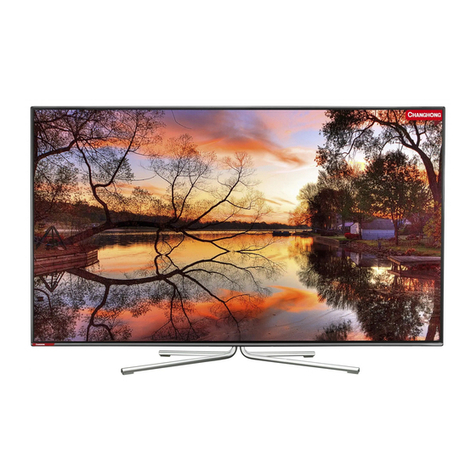
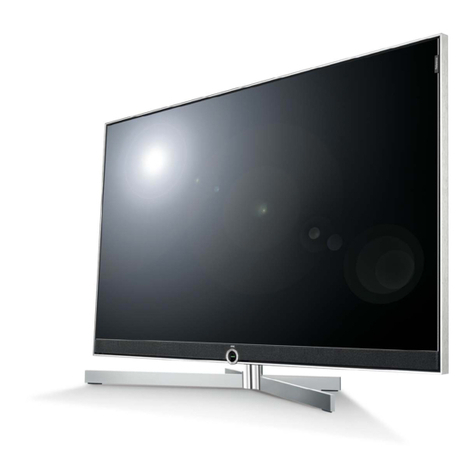
TCL LED39T3510 User manual

TCL
SERVICE MANUAL
LED39T3510/MS82F-AP
1. Caution…………………………………………………………………………2
2. specification……………………………………………………………………6
3. Alignment Procedure…………………………………………………………7
4.Block diagram…………………………………………………………………1
5.Scheme Diagram ……………………………………………………………
5. Troubleshooting………………………………………………………………26
6. PCB Layout …………………………………………………………………3
([SORGHGUDZLQJ2
8. BOM list..............................................................................................................33
This m anual i s t he l atest at t he t ime of pr inting, and doe s not
include the modification which may be made after the printing, by
the constant improvement of product

CA UTION: TO RE DUCE THE RIS K OF
ELECTR ICA L SHOCK, DO NOT RE MOVE
COVER (OR BACK). NO USER SERVICEABLE
PAR TS INSIDE . RE FE R SER VIC ING TO
QUALIFIED SERVICE PERSONNEL.
The lighting flash with arrowhead symbol, with an equilateral triangle is intended to
alert the user to the presence of uninsulated voltage within the products
enclosure that may be of sufficient magnitude to constitute a risk of electric shock to
the person.
The exclamation point within an equilateral triangle is intended to alert the user to the
presence of important operating and maintenance (servicing) instructions in the
literature accompanying the appliance.
CAUTION:
Use of controls, adjustments or procedures other than those specified herein may result in
hazardous radiation exposure.
CA U T ION
RISK
RISK OF
ELECTRI
ELECTRIC
SHOCK
SHOCK DO
NOT
NOT
OPEN.
OPEN.
2
dangerous
WARNING: TO REDUCE RISK OF FIRE OR ELECTRIC SHOCK, DO NOT
EXPOSE THIS APPLIANCE TO RAIN OR MOISTURE.
SCHNEIDER ELECTRONICS GMBH-GERMANY
1. CAUTION
2

1. When the power cord or plug is damaged or frayed, unplug this television set from the wall outlet and refer servicing to
qualified service personnel.
2. Do not overload wall outlets and extension cords as this can result in fire or electric shock.
3. Do not allow anything to rest on or roll over the power cord, and do not place the TV where power cord is subject to
traffic or abuse. This may result in a shock or fire hazard.
4. Do not attempt to service this television set yourself as opening or removing covers may expose you to dangerous
voltage or other hazards. Refer all servicing to qualified service personnel.
5. Never push objects of any kind into this television set through cabinet slots as they may touch dangerous voltage
points or short out parts that could result in a fire or electric shock. Never spill liquid of any kind on the television set.
6. If the television set has been dropped or the cabinet has been damaged, unplug this television set from the wall outlet
and refer servicing to qualified service personnel.
7. If liquid has been spilled into the television set, unplug this television set from the wall outlet and refer servicing to
qualified service personnel.
8. Do not subject your television set to impact of any kind. Be particularly careful not to damage the picture tube surface.
9. Unplug this television set from the wall outlet before cleaning. Do not use liquid cleaners or aerosol cleaners. Use a
damp cloth for cleaning.
10.1. Do not place this television set on an unstable cart, stand, or table. The television set may fall, causing serious injury
to a child or an adult, and serious damage to the appliance. Use only with a cart or stand recommended by the
manufacturer, or sold with the television set. Wall or shelf mounting should follow the manufacturer s instructions, and
should use a mounting kit approved by the manufacturer.
10.2. An appliance and cart combination should be moved with care. Quick stops, excessive force, and uneven surfaces
may cause the appliance and cart combination to overturn.
CAUTION:
Read all of these instructions. Sa ve these instructions for later use . Follo w all Warnings and
Instructions marked on the audio equipment.
1. Read Instructions-All the safety and operatinginstructionsshouldbe read before the productis operated.
2. Retain Instructions- The safety and operating instructions should be retained for future reference.
3. Heed Warnings- All warnings on the product and in the operating instructions should be adhered to.
4. Follow Instructions- All operating and use instructions should be followed.
3
SCHNEIDER ELECTRONICS GMBH-GERMANY
IMPORTANT SAFETY INSTRUCTIONS
FOR YOUR PERSONAL SAFETY
3

11. Do not use this television set near water ... for example, near a bathtub, washbowl, kitchen sink, or laundry tub, in a
wet basement, or near a swimming pool, etc.
Never expose the set to rain or water. If the set has been exposed to rain or water, unplug the set from the wall
outlet and refer servicing to qualified service personnel.
12. Choose a place where light (artificial or sunlight) does not shine directly on the screen.
13. Avoid dusty places, since piling up of dust inside TV chassis may cause failure of the set when high humidity persists.
14. The set has slots, or openings in the cabinet for ventilation purposes, to provide reliable operation of the receiver, to
protect it from overheating. These openings must not be blocked or covered.
Never cover the slots or openings with cloth or other material.
Never block the bottom ventilation slots of the set by placing it on a bed, sofa, rug, etc.
Never place the set near or over a radiator or heat register.
Never place the set in enclosure, unless proper ventilation is provided.
15.1. If an outside antenna is connected to the television set, be sure the antenna system is grounded so as to provide some
protection against voltage surges and built up static charges, Section 810 of the National Electrical Code, NFPA No.
70-1975, provides information with respect to proper grounding of the mast and supporting structure, grounding of the
lead-in wire to an antenna discharge unit, size of grounding conductors, location of antenna discharge unit, connection
to grounding electrode, and requirements for the grounding electrode.
15.2. Note to CATV system installer : (Only for the television set with CATV reception)
This reminder is provided to call the CATV system attention to Article 820-40 of the NEC that provides
guidelines for proper grounding and, in particular, specifies that the cable ground shall be connected to the grounding
system of the building, as close to the point of cable entry as practical.
16. An outside antenna system should not be located in the vicinity of overhead power lines or other electric lights or power
circuits, or where it can fall into such power lines or circuits. When installing an outside antenna system, extreme care
should be taken to keep from touching such power lines or circuits as contact with them might be fatal.
17. For added protection for this television set during a lightning storm, or when it is left unattended and unused for long
periods of time, unplug it from the wall outlet and disconnect the antenna. This will prevent damage due to lightning
and power-line surges.
ANTENNA
LEAD- IN WIRE
ANTENNA DISCHARGE
UNIT (NEC SECTION
810-20)
GROUNDING
CONDUCTORS
(NEC SECTION810-21)
GROUND CLAMPS
POWER SERVICE GROUNDING
ELECTRODE SYSTEM
(NEC ART 250. PART H)
ELECTRIC SERVICE
EQUIPMENT
GROUND CLAMP
NEC-NATIONAL ELECTRICAL CODE
EXAMPLE OF ANTENNA GROUNDING AS PER
NATIONAL ELECTRICAL CODE
EXAMPLE OF ANTENNA GROUNDING AS PER NATIONAL ELECTRICAL CODE INSTRUCTIONS
a built-in
installer s
4
SCHNEIDER ELECTRONICS GMBH-GERMANY
PROTECTION AND LOCATION OF YOUR SET
PROTECTION AND LOCATION OF YOUR SET
4

18.
This television set should be operated only from the type of power source indicated on the marking label.If you are not
sure of the type of power supply at your home, consult your television dealer or local power company. For television
sets designed to operate from battery power, refer to the operating instructions.
19. If the television set does not operate normally by following the operating instructions, unplug this television set from the
wall outlet and refer servicing to qualified service personnel. Adjust only those controls that are covered in the operating
instructions as improper adjustment of other controls may result in damage and will often require extensive work by a
qualified technician to restore the television set to normal operation.
20. When going on a holiday : If your television set is to remain unused for a period of time, for instance, when you go on
a holiday, turn the television set and unplug the television set from the wall outlet.
21. If you are unable to restore normal operation by following the detailedprocedurein your operatinginstructions,
do not attempt any further adjustment. Unplug the set and call your dealer or service technician.
22. Whenever the television set is damaged or fails, or a distinct change in performance indicates a need for
service, unplug the set and have it checked by a professional service technician.
23. It is normal for some TV sets to make occasional snapping or popping sounds, particularly when being
turned on or off. If the snapping or popping is continuous or frequent, unplug the set and consult your
dealer or service technician.
24. Do not use attachments not recommendedby the television set manufacturer as they may cause hazards.
25. When replacementparts are required, be sure the service technicianhas used replacementparts specified
by the manufacturer that have the same characteristics as the original part. Unauthorized substitutions
may result in fire, electric shock, or other hazards.
26. Upon completion of any service or repairs to the television set, ask the service technician to perform
routine safety checks to determine that the television is in safe operating condition.
off
5
SCHNEIDER ELECTRONICS GMBH-GERMANY
OPERATION OF YOUR SET
IF THE SET DOES NOT OPERATE PROPERLY
FOR SERVICE AND MODIFICATION
5

第1页共 11 页
OEM 事业部
OEM 设计中心
Alignment Procedure
(MODEL):MS82) Series
VERSION:V1.0
PREPAREDBY: Xiongzp DATE : 2012-12-25
APPROVEDBY: DATE:
文件编号:CRT/SJ/FK02-2010
序号:

第2页共 11 页
History Description of major changes Release Date
V1.0 2012-12-25
1.Overview
MS82L chassis is designed for Asia Pacific/South America market. Both
Full HD panel and HD panel can be compatible. The signal sources include
TV,AV,YPBPR/YCBCR,VGA,HDMI and USB. For YPBPR,HDMI source ,Format up to
1080p can be supported; USB support image, audio and video(up to
H.264)playing; The whole process of alignment includes ADC calibration
and White Balance adjustments.
2.Factory Menu
1、Methods of Entering
Method 1:Using the remote ,enter the “Picture” submenu in the OSD;
choosing the “contrast” item and press the 9,7,3 and 5 in series,
Factory Menu will appear in the left top of screen
Method 2:Press RETURN button when FACTORY HOTKEY is enabled(ON).
2. General introduction
FACTORY MENU
ITEMS Default
Setting
Description Status
1-FAC HOTKEY OFF Factory hotkey Switch
(OFF/ON).Should be OFF after factory
alignment
OK
2-WARM UP OFF OFF:The set would enter standby mode
after 15 minutes without input
signal;
ON : Aging mode. Aging time will
display on the left bottom of screen.
OK
3-ADC ADC calibration(refer as follow) OK
4-WHITE BALANCE White Balance data adjustment(refer
as follow)
The balance data is set by PE before
the mass production. Do not need
adjust.
OK

第3页共 11 页
5-SHOP DO Reset the set after production
alignment;(This operation will
remove all unnecessary factory value;
The factory hotkey will be turn off)
OK
6-NVM reset DO System initialization. Restore all
data except the White Balance and ADC
data ;Only for R&D.
OK
7-SET FAC CH DO Preset specific factory channels for
specific factory. Press left and
right button to select the factory,
and then press OK to confirm.
OK
8-POWER ON
LAST ON: Always turns on TV when AC power
on
STB:Always goes to standby mode when
AC power on
LAST:Restore the status before the
last AC power off
OK
9-USB UPDATE USB update,(refer as follow) OK
10
ReloadEFBItem…
This item only factory used, OK
Note: Below the factory menu, some model information are showed, including
software version, Project Name, SIACP Version, and SW release time.
ADC Submenu:
ITEMS Default
Setting
Description Status
Source RGB/YPbP
r
(HD)
Sources need calibration. RGB means PC and
YPbPr(HD) means YPbPr
OK
R-GAIN 4478 R-GAIN OK
G-GAIN 4478 R-GAIN OK
B-GAIN 4478 R-GAIN OK
R-OFFSET 2048 B-OFFSET OK
G-OFFSET 2048 B-OFFSET OK
B-OFFSET 2048 B-OFFSET OK
AUTO ADC WAIT/OK With appropriate pattern (mentioned below)
inputted, press left or right key to start auto
calibration.
OK
WHITE BALANCE Submenu

第4页共 11 页
ITEMS Default
Setting
Description Statu
s
Source Current
Source
Current Source( TV,AV1/AV2/YPbPr, HDMI need
adjustment)
OK
COLOR TEMP NORMAL NORMAL/COOL/WARM OK
R-GAIN 128 R-GAIN OK
G-GAIN 128 G-GAIN OK
B-GAIN 128 B-GAIN OK
R-OFFSET 128 R-OFFSET OK
G-OFFSET 128 G-OFFSET OK
B-OFFSET 128 B-OFFSET OK
WB INIT DO ONLY FOR TCL R&D OK
The first step is to adjust HDMI.
3.Design Menu
1、Methods of Entering:
Method 1:Using the remote, enter the “Picture” submenu in the OSD; choosing
the “contrast” item and press the 1,9,5,and 0 in series ,Design Menu will
appear in the left top of screen.
Method 2: Press RETURN button when DESIGN HOTKEY is enabled (ON).
2、General introduction
DESIGN MENU
ITEMS Default
Setting
Description Status
1-DESIGN
HOTKEY
OFF ON/OFF OK
2-FACTORY
MENU
ON/OFF OK
3-SHOP INIT Default setting submenu after production
alignment refer to **
OK
4-OTHER Other set .Only for TCL R&D OK

第5页共 11 页
5-SERVICE
MENU
After service menu description OK
6-PARAM
SETTING
Parameter setting submenu OK
7-HOTEL
MENU
Hotel submenu OK
8,LANGUAGE
MENU
OSD 语言设定
SHOP INIT submenu
ITEMS Default
Setting
Description Status
Volume 30 0-100 adjustable OK
PIC MODE STANDARD STANDARD/BRIGHT/SOFT/PERSONAL OK
SOUND MODE STEREO STEREO/MUSIC/MOVIE/NEWS OK
Channel 199 0-199 adjustable OK
Language English Up to 7 languages optional OK
COLOR SYS AUTO AUTO、PAL、 NTSC、SECAM OK
SOUND SYS DK DK、BG、I、M OK
PRESET CH 1 0-199 adjustable OK
COLOR TEMP NORMAL NORMAL、WARM、COOL OK
Other
ITEMS Default
Setting
Description Status
VIF1 VIF adjust OK
VIF2 VIF adjust OK
VIF3 VIF adjust OK
QMAP
ADJUST
PQ debug OK
This manual suits for next models
1
Table of contents
Other TCL TV manuals