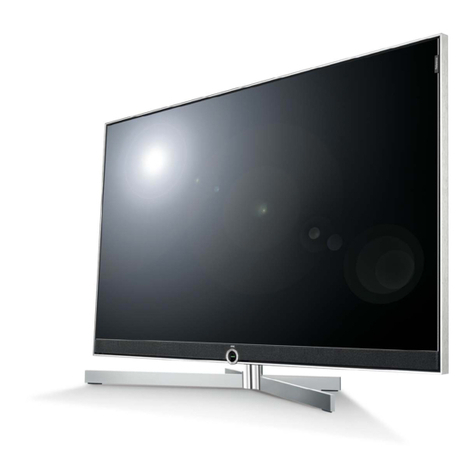
TCL 6 Series User manual

1:1
80123-000018
65&75R648
2021.3.23
TCL/NA
R0
100g
A5
PANTONE186C
Hi! Let’s get started.
Hi! Let’s get started.
6-Series
R648
REGISTER NOW
See inside for details &
protect your purchase
Product Replacement
Free 1-time replacement if product cannot be fixed.
TCL Parts & Service
Genuine TCL parts & factory certified service.
No Deductible
$0 out of pocket expense.
Pixel Repair and Burn-In Coverage
Don’t let shadow xels prevent you from clear viewing.
Accidental Damage Protection
Coverage for drops, breaks and spills starts after 30 days.
Complimentary Remove & Reinstall
Don’t risk it-we’ll remove and reinstall televisions 65” and larger.
Lost Your Remote?
No problem! We’ll replace your remote, so you never have to
leave your couch. One time only.
Priority Service
Free shipping and rapid turn-around time.
Extended Manufacturer Coverage
Extended parts & labor coverage for manufacturer defects.
PROTECT PROTECT PLUS
Thank you for choosing TCL. We want your ownership experience to bring you as much joy as the
you purchase during registration. Add a TCL Protection Plan within your first 30 days of ownership
to receive the best value and we won’t let anything get in the way of your viewing pleasure.
Add a TCL Protection Plan when you register your
product and be covered from life’s mishaps
Benefits & Description
Up To 4 Years
3-5 Days 3-5 Days
Up T
o 4 Years
Text a photo of the
camera icon to 71403
TEXT TO REGISTER
Or register online at register.tcl.com
Need help? Visit photoregister.com/help or text HELP to 71403
Register and protect your purchase
TCL-6RKUTV
DO NOT RETURN TO STORE
TCL SUPPORT:
support.tcl.com/us
1-877-300-9509
contact us first
with any questions
WE ARE
READY TO
HELP
TAKE CARE WHEN
REMOVING THE TV

1
Important Information
Caution: To reduce the risk of electric shock, do not remove cover (or back). No user serviceable parts inside.
Refer servicing to qualified service personnel.
This symbol indicates “dangerous voltage”
inside the product that presents a risk of
electric shock or personal injury.
This symbol indicates important instructions
accompanying the product.
CAUTION/ATTENTION
RISK OF ELECTRIC SHOCK. DO NOT OPEN.
This symbol indicates that this product incorporates
double insulation between hazardous main voltage
and user accessible parts. When servicing, use only
identical replacement parts.
WARNING
To reduce the risk of fire or electric shock, do
not expose this product to rain or moisture.
This product should not be exposed to dripping
or splashing. No objects filled with liquids, such
as vases, should be placed on the apparatus.
WARNING
The TV is unstable if it is not properly attached
to the base or mounted to the wall. Please
follow the base or wall mounting instructions
provided in the User’s Guide to ensure your
safety.
Warning: The batteries should not be exposed to excessive heat, such as prolonged direct
sunlight, open flame, or fire of any kind. Refer to the identification/rating label located on the back
panel of your product for its proper operating voltage.
Cable TV Installer: This reminder is provided to call your attention to Article 820-40 of the National
Electrical Code (Section 54 of the Canadian Electrical Code, Part 1) which provides guidelines for proper
grounding and, in particular, specifies that the cable ground should be connected to the grounding system
of the building as close to the point of cable entry as practical.
Important:
Make sure the TV stand or base you use is of adequate size and strength to prevent the TV from
being accidentally tipped over, pushed o, or pulled o. This may cause personal injury and/or
damage the TV. Refer to the Important Safety Instructions on the next page.
The Power button on this TV and your remote control puts the TV into a very low-power standby
mode
need to disconnect the power cord from the outlet. The mains plug/appliance coupler is used to
TV in a manner that allows you to disconnect the power cord when desired.
Model No.
Purchase Date
Serial No.
Dealer/Address/Phone
For the best viewing experience, remove the energy guide label from the TV front panel or TV screen
before use.
Product Information
Keep your sales receipt to obtain warranty parts and service and for proof of purchase. Attach it here
and record the serial and model numbers in case you need them. These numbers are located on the
product.
Warning: Changes or modifications to this unit not expressly approved by the party responsible for
compliance could void the user’s authority to operate the equipment. Keep the apparatus at least 8
inches away from the human body.
Input Signal Compatibility
480p, 720p/60Hz, 1080p/24/30/60/120Hz,
1440p/24/30/60/120Hz, 2160p/24/30/60/120Hz, 4320p/24/30/60Hz
480i
480i, 480p, 720p, 1080i (NTSC, ATSC, and QAM formats)
HDMI 1 & 2
480p, 720p/60Hz, 1080p/24/30/60/120Hz,
1440p/24/30/60/120Hz, 2160p/24/30/60Hz
HDMI 3 & 4
Composite Video
Antenna/Cable
RISQUE DE CHOC ELECTRIQUE. NE PAS OUVRIR.
CAUTION: Neutral fusing. Disconnect mains before servicing.
ATTENTION: Fusible sur le neutre. Débrancher I’alimentation avant I’entretien.

2
Important Safety Instructions
1. Read these instructions.
2. Keep these instructions.
3. Heed all warnings.
4. Follow all instructions.
5. Do not use this apparatus near water.
6. Clean only with a dry cloth.
7. Do not block any ventilation openings. Install in accordance with the manufacturer’s instructions.
8. Do not install near any heat sources such as radiators, heat registers, stoves, or other apparatus (including
amplifiers) that produce heat.
9. Protect the power cord from being walked on or pinched particularly at plugs, convenience receptacles,
and the point where they exit from the apparatus.
10. WARNING: Please refer the information on exterior bottom enclosure for electrical and safety information
before installing or operating the apparatus.
11. WARNING: The main plug is used to disconnect the device and should remain readily operable.
12. When not in use, tie up the power cordset with a cable tie or with something similar. It should not be
near sharp edges as it may cause abrasion of the power cordset. When put into use again, please make
sure the power cordset is not damaged. If any damage is found, please use a replacement power cord
specified by the manufacturer or that is identical to the original one.
13. No open flame sources, such as lit candles, should be placed on, under, or near the apparatus.
14.
Unplug this apparatus during lightning storms or when unused for long periods of time.
15. Only use attachments/accessories specified by the manufacturer.
16. Use only with the cart, stand, tripod, bracket, or table specified by the manufacturer,
or sold with the apparatus. When a cart is used, use caution when moving the
cart/apparatus combination to avoid any injury.
17. Refer all servicing to qualified service personnel. Servicing is required when the apparatus has been
damaged in any way, such as power-supply cord or plug is damaged, liquid has been spilled or objects
have fallen into the apparatus, the apparatus has been exposed to rain or moisture, does not operate
normally, or has been dropped.
18. For safe operation of the apparatus, please follow these installation requirements:
Keep at least 2 inches of ventilation space between the rear cover of the apparatus and the wall.
Keep at least 1 inch of ventilation space between the apparatus and all other surfaces. Do not allow
any of the apparatus’ ventilation openings to be blocked by objects that might obstruct them, such
as newspapers, curtains, table-cloths or any other objects. Do not expose the apparatus to any external
heat sources. Do not place any heat sources such as candles, lamps, etc. on the apparatus. Do not expose
the device to high levels of humidity or to any possible sources of moisture. When disposing of used
batteries
from the remote control, consult local regulations regarding proper disposal.
19. If an outside antenna or cable system is connected to the product, be sure the antenna or cable system
is grounded so as to provide some protection against voltage surges and built-up static charges. Section
810 of the National Electrical Code, ANSI/NFPA No. 70-2011 (Section 54 of Canadian Electrical Code,
Part 1) provides information with respect to proper grounding of the mast and supporting structure,
grounding of the lead in wire to an antenna-discharge unit, size of grounding conductors, location of
antenna discharge unit, connection to grounding electrodes, and requirements for the grounding electrode.
See following example:
ANTENNA LEAD IN WIRE
GROUND CLAMP
ANTENNA DISCHARGE UNIT
(NEC SECTION 810-20)
GROUND CLAMPS
GROUNDING CONDUCTORS
(NEC SECTION 810-21)
ELECTRIC SERVICE
EQUIPMENT
POWER SERVICE GROUNDING
ELECTRODE SYSTEM (NEC ART
250, PART H)
3
FCC Information
This equipment has been tested and found to comply with the limits for a Class B digital device, pursuant to Part
15 of the FCC Rules. These limits are designed to provide reasonable protection against harmful interference in a
residential installation. This equipment generates, uses, and can radiate radio frequency energy and, if not installed
and used in accordance with the instructions, may cause harmful interference to radio communications. However,
there is no guarantee that interference will not occur in a particular installation. If this equipment does cause
harmful interference to radio or television reception, which can be determined by turning the equipment o and
on, the user is encouraged to try to correct the interference by one or more of the following measures:
Reorient or relocate the receiving antenna.
Increase the separation between the equipment and receiver.
Connect the equipment into an outlet on a circuit di erent from that to which the receiver is connected.
Consult the dealer or an experienced radio/TV technician for help.
This Class B digital apparatus complies with Canadian ICES-003.
6-series, include models (R648)
This device complies with part 15 of the FCC Rules. Operation is subject to the following two conditions:
(1) This device may not cause harmful interference, and
(2) this device must accept any interference received, including interference that may cause undesired operation.
Supplier Name: TTE Technology, Inc. (dba TCL North America)
Supplier Address: 1860 Compton Ave, Corona, CA 92881, USA
Supplier phone number and internet contact information: 1-877-300-9509 support.tcl.com/us.
The terms HDMI, HDMI High-Definition Multimedia Interface, and the
HDMI Logo are trademarks or registered trademarks of HDMI Licensing
Administrator, Inc.
Dolby, Dolby Vision, Dolby Atmos, and the double-D symbol are registered
trademarks of Dolby Laboratories Licensing Corporation. Manufactured
under license from Dolby Laboratories. Confidential unpublished works.
Copyright © 2012-2020 Dolby Laboratories. All rights reserved.
Battery Caution & Disposal Information
1. For best results, use alkaline type batteries.
2. Install only new batteries of the same type in your product.
3. Failure to insert batteries in the correct polarity, as indicated in the battery compartment, may
shorten the life of the batteries or cause batteries to leak.
4. Do not mix old and new batteries.
5. Do not use Rechargeable (Nickel Cadmium or Nickel Metal Hydride) batteries.
6. Do not mix Alkaline, Standard (Carbon-Zinc) or Rechargeable (Nickel Cadmium or Nickel Metal
Hydride) batteries.
7.
8. Batteries should be recycled or disposed of as per state and local guidelines.
Do not dispose of batteries in fire.
9. Replacement of a BATTERY with an incorrect type that can defeat a SAFEGUARD (for example,
in the case of some lithium BATTERY types).
ELECTRONICS & PACKAGING RECYCLING INFORMATION
For information on recycling your old TVs, sound bars, and home comfort products, and to find drop-o
locations in your area, please visit the “Electronics Recycling” area of the TCL website at www.tcl.com.
Click on our convenient interactive map to quickly locate a solution in your community. TCL encourages
consumers to always look for a recycling or reuse alternative to discarding televisions and other electronics,
and in many areas TCL has programs for consumers to drop-o and recycle televisions free of charge.
Look for convenient How2Recycle® labels on the product box for help preparing your new TV packaging for
recycling. These labels show important information identifying the various types of packaging material included
with your new TV along with easy-to-understand recycling instructions.

4
What’s in the box
What you need
Phillips head
screwdriver
For additional support, please see User Manual at: support.tcl.com/us
Key things to know: A paid subscription or other payments may be required for some streaming channels.
Channel availability subject to change and varies by country.
Make the most of your Smart TV
Router + Internet Connection
(needed for streaming)
TCL Roku TV 2 x AAA batteries
for remote
TV remoteTV stands and decoration covers4 x Stand screws
(M5x20mm)
Power cable
The longer panel should be installed facing
towards the screen to ensure stability.
*

5
Step 1 Set up your TV
Ready for the step-by-step? You’re only minutes away from TV bliss!
Remove your TV from the box
Be careful, it’s heavy!
Warning:
Never place a television set in an unstable location. A television set may fall, causing serious
personal injury or death. Many injuries, particularly to children, can be avoided by taking simple
precautions such as:
- Using cabinets or stands recommended by the manufacturer of the television set.
- Only using furniture that can safely support the television set.
- Ensuring the television set is not overhanging the edge of the supporting furniture.
- Not placing the television set on tall furniture (for example, cupboards or bookcases)
without anchoring both the furniture and the television set to a suitable support.
- Not placing the television set on cloth or other materials that may be located between
the television set and supporting furniture.
- Educating children about the dangers of climbing on furniture to reach the television
set or its controls.
If your existing television set is being retained and relocated, the same considerations as
above should be applied.
To prevent damage to the screen, carefully place your TV on a soft, cushioned surface.
To mount your TV on a wall, skip to page 6.
A
Put the column of the stands into the TV, align the stands with the screw holes located on the
TV. Secure the stands to the TV with four (4) screws.
B
To use the stand
1 2
M5x20mm
Screws
A
B

Optional - To mount on a wall
(wall mount not included)
Preparation must be done before mounting your TV on a wall.
To mount on a wall
The VESA number is the horizontal and vertical measurement of the mounting holes. For
example, 300X300 refers to the fact that the mounting measurements are 300mm horizontally
and 300mm vertically.
Follow the instructions that come with the wall mount.
Your wall mount must be able to bear a minimum of five times the TV’s net weight to avoid
causing damage.
65” Models Purchase a VESA 600x400, 4 M6x20mm screws
To mount your TV to the wall, purchase a VESA wall mount
If you are mounting your TV to the wall, don’t attach the stands.
75” Models Purchase a VESA 600x400, 4 M6x20mm screws
1 2
6
3 4
Follow the instructions that come with the wall
mount to hang the TV on the wall.
Screw the VESA bracket tightly onto the back cover
with 4 VESA screws.
Place your TV on a soft, cushioned surface. Remove the 4 screws on the back of the TV.
VESA screws:
M6x20mm
Other manuals for 6 Series
3
This manual suits for next models
3
Table of contents
Other TCL TV manuals