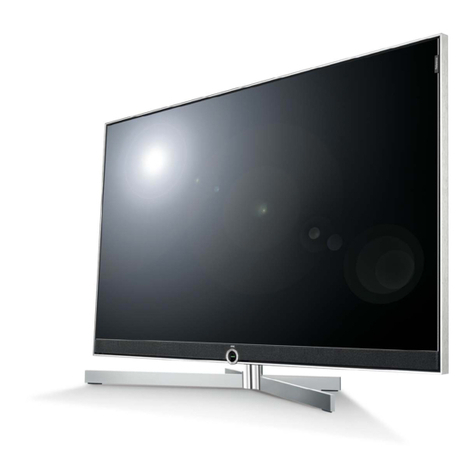
SOLE SLTV15MS3D User manual

1
SLTV15MS3D
Please read this manual carefully before operating your set.
WIDE TFT-LCD TV
Owner’s Manual
15

2
15” WIDE TFT-LCD TV
Owner’s Manual

3
Thank you for buying our 15” LCD TV.
Please take the time to read this manual for the best performance of this TV.
Please keep this manual for future reference.
The present home appliance is certified and approved by EMC/EMI and can be used in
all places including residency area.
Information in this manual is subject to change without prior notice.
Ver 1.00ASO
FCC Information
This equipment has been tested and found to comply with limits for a class B digital device, pursuant to Part 15 of the FCC
Rules. These limits are designed to provide reasonable protection against harmful interference in a residential installation.
This equipment can generates, uses, and radiate radio frequency energy and, if not installed and used in accordance with
the instructions, may cause harmful interference to radio Communications.
However, there is no guarantee that interference will not occur in a particular installation.
If this equipment does cause unacceptable interference to radio and television reception, which can be determined by
turning the equipment off and on, the use is encouraged to try to correct the interference by one or more of the following
measures.
zReorient or relocate the receiving antenna.
zIncrease the separation between the equipment and receiver.
zConnect the equipment into an outlet on a circuit different from that to which the receiver is connected.
zConsult the dealer or experienced Radio/TV technician for help.
Caution
Any changes or modifications in construction of this device which are not expressly approved by the party responsible for
compliance could void the user’s authority to operate the equipment.

4
SAFETY INSTRUCTIONS
Notes & Descriptions
To reduce the risk of fire, electrical shock and other injuries, keep these safety precautions in mind when installing, using
and maintaining your TV.
The socket-outlet shall be installed near the equipment and shall be easily accessible.
A warning that an apparatus with class I constructions shall be connected to a main socket outlet with a protective earth
connection.
<Warning> : If you manipulate against the notice, it may cause serious injury or death to user.
<Caution> : If you manipulate against the notice, it may cause slight injury to user or appliance.
To preserve the Environment do not rubbish.
Warning
For added protection for this product during a lighting storm, or when it is left unattended and unused for long
periods of time, unplug it from the wall outlet and disconnect the antenna.
Do not attempt to touch its power cord with wet hands.
If any electric pin is wet or dusty, remove the moisture or dust first before use.
It is recommended to pull out the power cord unless you use it for a long time.
Damaged power cord, plug or unfitted outlet may be very dangerous.
Do not use the product close to any heat sources such as radiators, heat registers, stoves, or other products
that produce heat.
Do not cover or block vents and openings since insufficient ventilation can cause overheating and/or shorten
the life of the product.
Do not place the product on an unstable cart, stand, tripod or table. Placing the product on an unstable base
can cause the product to fall, resulting in serious personal injuries as well as damage to the product.
If you notice any smog or scorched smell from the product, unplug power cord and refer servicing to qualified
service personal.
To prevent fire or shock hazard, do not expose this product to dripping or splashing.
No objects filled with liquids, such as vases, should be placed on the product.
Do not use or place any combustible sprayer or inflammable substances close to the product.
An outside antenna system should not be located in the vicinity of overhead power lines or other electric light
or power circuits, or where is can fall into such power lines or circuits.

5
Use a soft damp cloth and gently wipe the surface of the display panel.
Caution
Turn off the main power and unplug the AC cord from the wall outlet before handling.
Ventilation should be always open and the set should be placed in a well-ventilated and wide enough place
(a minimum distance away from a wall 10cm or more).
Select a place with no direct sunlight.

6
Available Temperature & Humidity
Operating Temperature 0 ~ 40°C
Storage Temperature -10 ~ 50°C
Operating Humidity 10 ~ 80% RH
Storage Humidity 1- ~ 90% RH
For dot defect [dead pixel] of LCD ;
TFT-LCD produced by using high-end semiconductor technology with precision of 99.9% above is used for this TV
(2,359,296 pixels).
However the pixels of R.G.B. & White color seem to be bright sometimes or some of black pixels could be seen on the LCD.
This is not from bad quality or functional problem and you can use it without any problem.
When used as a PC monitor ;
Optimal Resolution : 1024 x 768 @ 60Hz

7
Contents
FCC Information .................................................................................................................................................3
Caution................................................................................................................................................................3
SAFETY INSTRUCTIONS ...................................................................................................................................4
CHAPTER 1. Before Use..................................................................................................................................10
1-1. Accessories ............................................................................................................................................... 10
1-2. Panels ....................................................................................................................................................... 11
1-2-1. Front Panels ............................................................................................................................................ 11
1-2-2. Rear Panels ............................................................................................................................................. 12
1-3. Remote Control ......................................................................................................................................... 13
1-4. MENU Configuration..................................................................................................................................15
1-5. Insert Remote Control Batteries ................................................................................................................16
CHAPTER 2. Connection ................................................................................................................................. 18
2-1. Preparation................................................................................................................................................18
2-2. Connecting Power .....................................................................................................................................18
2-3. Connecting TV Antenna ............................................................................................................................18
2-4. Connecting Video / S-Video ......................................................................................................................19
2-5. Connecting DVD........................................................................................................................................19
2-6. Connecting HDMI ......................................................................................................................................20
2-7. Connecting PC ..........................................................................................................................................21
2-8. Connecting Lineout (External Speaker)..................................................................................................... 21
2-9. Source Selection .......................................................................................................................................22
CHAPTER 3. Remote Control ..........................................................................................................................24
3-1. Use Remote Control.................................................................................................................................. 24
CHAPTER 4. TV Functions .............................................................................................................................. 27
4-1. Watching TV..............................................................................................................................................27
4-2. V-CHIP ...................................................................................................................................................... 30
4-3. Closed Caption..........................................................................................................................................33
4-4. Time Zone Setting .....................................................................................................................................35
CHAPTER 5. Picture Mode ..............................................................................................................................37
5-1. Picture Mode Setting .................................................................................................................................37
5-2. Picture Mode – <User> Setting ................................................................................................................. 37
5-3. Image Scale Setting .................................................................................................................................. 38
CHAPTER 6. Sound Mode ...............................................................................................................................40

8
6-1. Sound Mode Setting.................................................................................................................................. 40
6-2. Sound Mode – <User> Setting ..................................................................................................................40
6-3. Surround Sound Mode Setting ..................................................................................................................40
CHAPTER 7. Timer Setting ..............................................................................................................................43
7-1. Sleep timer ................................................................................................................................................43
7-2. Menu Timeout............................................................................................................................................43
CHAPTER 8. PC Functions.............................................................................................................................. 45
8-1. Preparation................................................................................................................................................45
8-2. Auto Adjustment ........................................................................................................................................45
8-3. Phase ........................................................................................................................................................45
8-4. H/V Position............................................................................................................................................... 46
8-5. Image Scale Setting .................................................................................................................................. 46
CHAPTER 9. Option Setup ..............................................................................................................................48
9-1. Menu Language......................................................................................................................................... 48
9-2. Factory Reset ............................................................................................................................................48
9-3. Version Check ........................................................................................................................................... 48
CHAPTER 10. Specifications...........................................................................................................................50
10-1. Dimensions.............................................................................................................................................. 50
10-2. Specification ............................................................................................................................................ 51
CHAPTER 11 Troubleshooting........................................................................................................................53
11-1. Troubleshooting.......................................................................................................................................53

9
CHAPTER 1. Before Use 10
1-1. Accessories 10
1-2. Panels 11
1-2-1. Front Panels 11
1-2-2. Rear Panels 12
1-3. Remote Control 13
1-4. MENU Configuration 15
1-5. Insert Remote Control Batteries 16

10
CHAPTER 1. Before Use
1-1. Accessories
Please make sure the following items are included with your LCD TV.
If any items are missing, contact your dealer.
A
A
A
-t
yp
e batter
y(
x2
)
RF Cable
Power Cord
Owner’s Manual
AC/DC 12V Adaptor
Table of contents
Other SOLE TV manuals