
Skystar SR-300 User manual

BEAM MOVING-HEAD
USER MANUAL
SR-300
Http://www.lightskystar.com
PROFESSIONAL SHOW LIGHTING
GUANGZHOU LIGHTSTAR LIGHT CO.,LTD

EN
I
Page1 Page12
1.INDEX
2.Packing
Many thanks for choosing SR-300 beam moving head.
Thedesign&production are passed through the full quality
control to ensure the fineness ability.
This manual covers important information about install-
ation&operation of this projector.Please rsad this user manual
carefully before installing or operating this projector.Please do
follow the safety instruction.list as below carefully and keep this
manual in a safety place for future reference.
Note:As part of our ongoing commitment to continuos products
development,company will keep the right to improve this products,
the information in this menu may be changed in the future,the
company reserve the right to change the data without any advise.
2.1 The packing of the series of products is paper carton,the
flycase can order.
2.2 To open the carton
First please open the carton and take out the relative accessories,
Take out the projector from the polybad and put it on a very smooth
& horizontal surface place for the next operation.
Attention:Do not press the plastics parts to avoid any damage and
distortion.
2.3 Packing list
The following parts are packed
together with the projector:
Attachment
DMX cable 1pc
User manual 1pc
Moutnting Bracket 2pc

page2
EN
I
Page11
3.Install and safe usage
3.1 Install the porjector:
3.1.1 Requirement for the installing place:
Please do ensure fasten the mount bracket firmly before installing.
The mount bracket must share the weight 10 multiple weight of the
projector`s.
3.1.2 The method of installstion and caution:
3.1.2.1 Connect the mount bracket well and fix the clamp firmly
to the truss in order to avoid the projector loose or falling.
3.1.2.2 The projector should be mounted via its clamp by using 2
bolts.The clamp itself attached tothe underside of the projector with
4 boltsprovided in the package. Always make sure that the projector
is anchored firmly to avoid any vibration or falling.
3.1.2.3 For safety the projector should have a secondary fixing with
a safety cord through the truss and the handle of projector.The safety
cord will fasten the projector on the truss tightly to avoid any vibration
or falling directly if the clamp or the truss is loose.
3.1.2.4 When in stalling the projector, not allow any person pass by,
3.1.2.5 After installing the light.Please inspect whether the safety
cord atrried,clamp or truss is loose in order to avoid the projector will
slip. If any dangers is happened by falling,the manufacturer won`t be
risponsible for it.
3.1.2.6 Other safety terms
3.1.2.6.1 Mininum distance between the projector`s shot&goal
project:
0.8M 2.0M
Picture 1
Picture 2

EN
I
page3
Page10
When fix the orientation of the projector. Please keep the minimum
distance between the flammable retarding subject and the porjector`s
shot is 0.8M at least.(Picture1) But the minimum distance between the
inflammable and the projector`s lens should be kept away 2m at least.
(Picture2).
3.1.2.6.2 The minimum distance between the inflaming retarding
subject and any other part of the light:
When fix the orientation of the projector.Please keep the minimum
distance between the inflaming retarding subject and the projector
shot is 0.3m at least.
3.1.2.6.3 MAX ambient temperature:
In order to ensure the light could operate normally, the ambient te-
mperature couldn`t be highter than33 degree and no lower than 2
degree.
3.1.2.6.4 Electric shock&static electricity portection:
These projectors are designed depends on the electric shock
protection, the projector should be connected when the power supply
is enough.The projector`s ground cable should be connected with the
ground cable of the power supply system as well.
3.1.2.6.5 Surface temperature:
Under normal condition,the highest sectional surface temperature
may be up to 90-120 degree.
3.1.2.6.6 Connct the main power supply:
Connecting the main power supply should be done by the professi-
onal person.
SR-300 DMX Channel Control
6 color
Prism1 rotate
Prism2 rotate
GOBO
Shake
Color
Adjust

Page4
EN
I
Page9
3.1.2..6.6.1 Please check the voltage, frequency data of power sup-
ply system id suitable for the mentioned on the projector. Please do
avoid the different voltage between them and burn the projector.
3.1.2.6.6.2 Please refer to the actual wattage of the projector`s
lamp multiply 1.5 multiple multiply total quantity of the projector then
you could get the minimum power supply loading. Lf your power cable
can`t share the minimum power supply loading.Please don`t connect
all the porjectors meantiome.
4.1 Lamp description:
Model Lamp discription
SR-300 Recharge lamp:12R
Color temperature:8000K
4.2 Lamp replacement
Per to the SR-300 ,please open the lamp access panel at
the rear of the projector by undoing the 4 hand-operated screw.then
you can begin to replace the lamp.Pull out the old lamp from the lamp
bracket and then pug in the new lamp. Remount the lamp bracket
and faster the screw at bothside tightly or the lamp`s loose connection
will result in high tension short circuit or electric discharge which will
effect the lamp life or damage the PCB board.When finished the lamp
replacement,please close the cover and faster the screw at both side
tightly.
4.Lamp replacement
8.TECHNICAL PARAMETER
Page8
EN
I
Page5
5.Power supply and singal connection
4.3 Warning!
Warning1:Disconnecting the power supply if there are no
lamp fixed inside the light well. Or it will burn downthe light.
Warning2:Disconnecting the power supply before replacing
the lamps.
Warning3:When the lamp is operating, its temperature will be
extremly high.The feature of the recharge lamp couldn`t work un-
der the interruption power supply.Therefore,please let the lamp
cool down completely(Approx 15 minutes at least).then you could
operate the light again. Otherwise,it will be lead to high tension,
short circuit or electric discharge.Morever,the part of the control
board will be burn down.
Warning4:All the lamps have its usage life,please inspect the
lamp timing and ensure the lamp`s usage life not exceed the rated
life, otherwife,it may result in the lamp broken,deformation or black-
en.if the lamp is broken,the caused impact will demage the project-
or`s spot system. The electric parts on the circuit board may be sta-
ved by the high voltage.The got lamp fragments may injure people,
explode or set on fire.
5.1Power supply connection and control
Use the professional plug to connect the projector and main
power supply. Please pay attention to the voltage,frequency the
same as the mentioned on the projector. Suggest each light has a
seperatelly switch of the power supply so that could turn on or turn
off each projector desultorily.
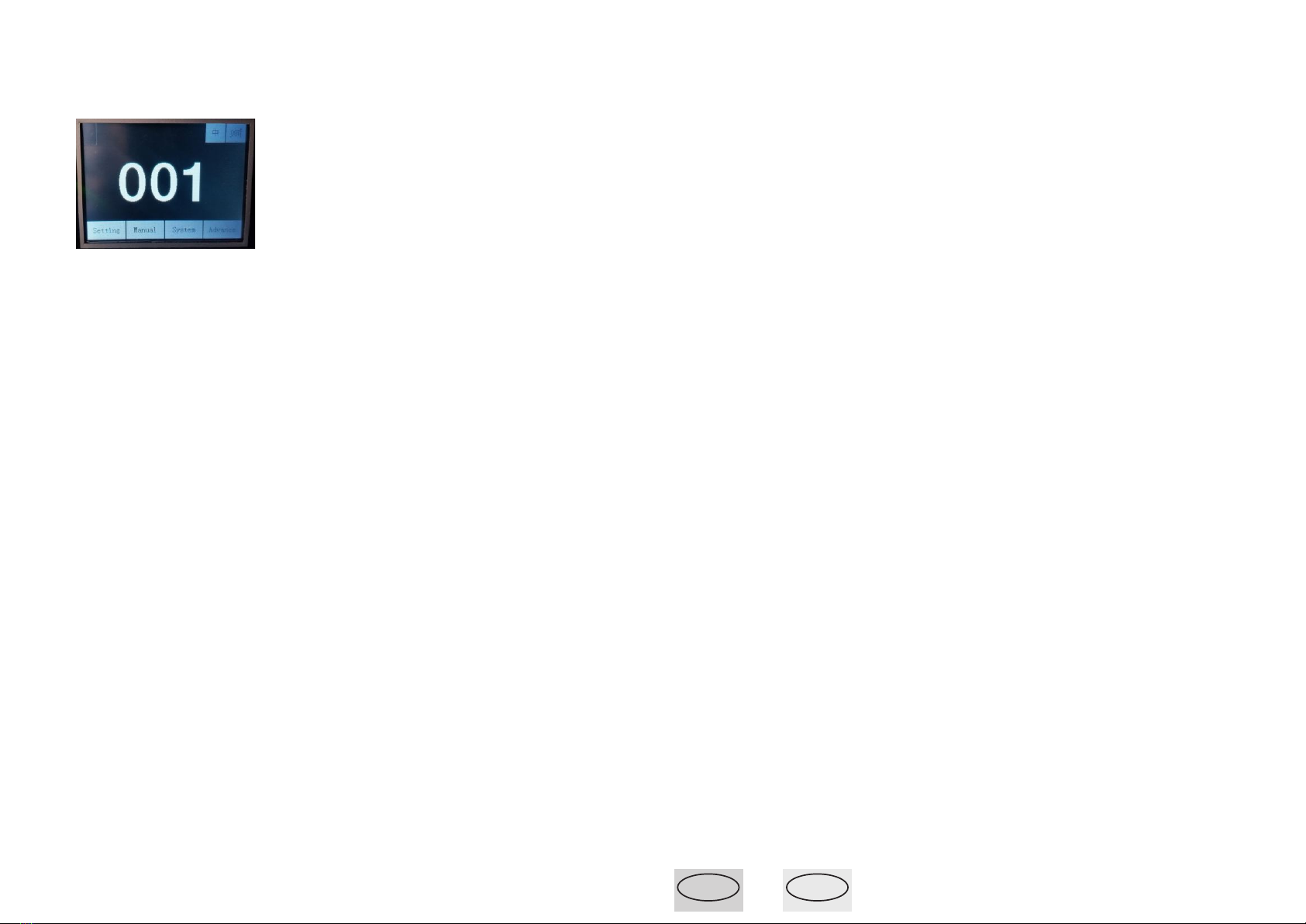
menu selection
setting:
1.Run mode- dmx(use controller) ,music,auto
2.Dmx address--(6.Set the DMX IP code)
3.channel mode--16ch
4,Invert pan---(off)
5,Invert pan---(off)
6,pan-tilt swap ----(off)
7,pan-tilt encoder ----(on)Digital correction
8,No dmx signal ------(keep)
9,Display----(on)
10,Lamp on@start up------(on) open light the lamp on
11,Linear color-----(off) select color full change
12,Load default
Manual:
Use the manual control dmx data of lamps and lanterns
for 16ch
System:
The light running information
Advance:
only use factory setting
password: up down up down

Page6
EN
I
Page7
5.2 Signal connection
Please use the round 3-pin XLR plugs&sockets offered by menu
facture to connect the first projector`s output to the second projector`
input and connect the second projector`s output to the third projector`s
input.And in the same way for the rest,Eventually connect the last p-
rojector`s output,all the projectors are together as the following figure
(picture3)
The projectors`s control signal output or input by using the 3pin
XLR pug and socket..lf need to lengthen the communication cable,
please make sure the both side of 3-pin plug is one to one.(one to
one,two to two ,three to three). Otherwise, the communication cable
will be interrupted.. The communicate cable is 2-cord screened cable
75 RESISTANCE with each core is at least a 0.5mm diameter.
(Caution: All the inside leading wire of 3-pin XLR plug couldn`t touch
each other or plinth).
5.3 Lihgt connection
After doing the above operation and making sure all the projectors
had been installed with suitable lamps,press the power switch to check
whether everything is working normally.The Led display will show the
original DMX signal address.lf the DMX signal is input, the green light
will be shark.
Dmx512
Picture 3
6.Set the DMX IP code
To make sure every projector react to the control signal correctly a
digital starting IP code should be given to every MAX projector. Digital
star IP code is a channel munber. By this number ,the projector should
obey the command form the controller.Digital staring IP code is set by
the operation panel,progressing to the staring IP value
When you use fixable channel controller,the address count method
as following:
First light`s IP code value=(value of the former star IP CODE)+
( channel on the controller)
when you use any unfixable channel controller:
1.The first projector`s starting IP code is 001
2.Channel number on the controller should not be less than the
channel number of the projector.
7.Control Display
Control KEY
Display: data show that the product information
Menu selection: touch screen& control key both use control
menu selection
Table of contents
Other Skystar Light Fixture manuals

Popular Light Fixture manuals by other brands

Emos
Emos CLASSIC ZY1431T manual

Westinghouse
Westinghouse Outdoor Lighting Fixture owner's manual

Hedler
Hedler C 12 silent Operation manual
Blizzard Lighting
Blizzard Lighting Puck: CSI manual

Energetic Lighting
Energetic Lighting ELYSL-5004 Series installation instructions

Lightmaxx
Lightmaxx Shaft 5R user manual


Cooper Lighting
Cooper Lighting Halo L3232E Specification sheet

Stageline
Stageline ODW-2410RGBW instruction manual

Light Sky
Light Sky Tornado Series user manual

Lightolier
Lightolier Paralyte 2424 PLA2G9LS26U specification

Lightolier
Lightolier Lytespan 83ED17S specification

Lightolier
Lightolier Calculite CS8226 specification