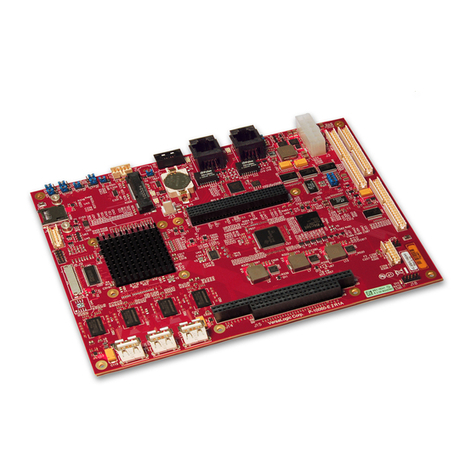
Shenzhen Xunlong Software Orange Pi Plus User manual

Orange Pi Plus User Manual Shenzhen Xunlong Software CO., Limited
www.orangepi.org www.xunlong.tv
Orange Pi Plus
User Manual
<Version: V0.9 >

Orange Pi Plus User Manual Shenzhen Xunlong Software CO., Limited
www.orangepi.org www.xunlong.tv
What’s Orange Pi Plus?
It’s an open-source single-board computer. It can run Android 4.4, Ubuntu, Debian, Rasberry
Pi Image, as well as the Banana Pi Image. It uses the AllWinner H3 SoC, and has 1GB DDR3
SDRAM.
What can I do with Orange Pi Plus?
Build…
A computer
A wireless server
Games
Music and sounds
HD video
A speaker
Android
Scratch
Pretty much anything else, because Orange Pi Plus is open source.
Who’s it for?
Orange Pi Plus is for anyone who wants to start creating with technology – not just consuming
it. It's a simple, fun, useful tool that you can use to start taking control of the world around you.

Orange Pi Plus User Manual Shenzhen Xunlong Software CO., Limited
www.orangepi.org www.xunlong.tv
Hardware specification
CPU H3 Quad-core Cortex-A7 H.265/HEVC 4K
GPU Mali400MP2 GPU @600MHz, Supports OpenGL ES 2.0
Memory (SDRAM) 1GB DDR3 (shared with GPU)
Onboard Storage TF card (Max. 64GB) / MMC card slot , up to 2T on 2.5 SATA disk
8GB EMMC Flash
Onboard Network 10/100/1000M Ethernet RJ45
Onboard WIFI Realtek RTL8189ETV, IEEE 802.11 b/g/n
Video Input
A CSI input connector Camera:
Supports 8-bit YUV422 CMOS sensor interface
Supports CCIR656 protocol for NTSC and PAL
Supports SM pixel camera sensor
Supports video capture solution up to 1080p@30fps
Audio Input MIC
Video Outputs
Supports HDMI output with HDCP
Supports HDMI CEC
Supports HDMI 30 function
Integrated CVBS
Supports simultaneous output of HDMI and CVBS
Audio Output 3.5 mm Jack and HDMI
Power Source DC input can supply power, but USB OTG input don’t supply power
USB 2.0 Ports Four USB 2.0 HOST, one USB 2.0 OTG
Buttons Power Button(SW4), Recovery Button(SW2), Uboot Button(SW3)

Orange Pi Plus User Manual Shenzhen Xunlong Software CO., Limited
www.orangepi.org www.xunlong.tv
Low-level peripherals 40 Pins Header,compatible with Raspberry Pi B+
GPIO(1x3) pin UART, ground.
LED Power led & Status led
Key IR input, UBOOT, POWER
Supported OS Android, Ubuntu, Debian, Rasberry Pi Image
Interface definition
Product size 108 mm × 60mm
Weight 50g
Orange Pi™ is a trademark of the Shenzhen Xunlong Software CO., Limited
Hardware
Top view:

Orange Pi Plus User Manual Shenzhen Xunlong Software CO., Limited
www.orangepi.org www.xunlong.tv
Bottom view:

Orange Pi Plus User Manual Shenzhen Xunlong Software CO., Limited
www.orangepi.org www.xunlong.tv
Interface:

Orange Pi Plus User Manual Shenzhen Xunlong Software CO., Limited
www.orangepi.org www.xunlong.tv
Use method
By following this short quick start guide, you can use your Orange Pi Plus in just a few

Orange Pi Plus User Manual Shenzhen Xunlong Software CO., Limited
www.orangepi.org www.xunlong.tv
minutes. There are three steps to boot your Orange Pi Plus.
Step 1: Get what you need
To enjoy the use of your Orange Pi Plus, you will need at least the accessories in the
table below.
No. Item Minimum recommended specification & notes
1TF card •Minimum size 4Gb; class 4 (the class indicates how fast the card is).
•We recommend using branded TF cards as they are more reliable.
2a HDMI(Full
sized) to HDMI
/ DVI lead
•HDMI to HDMI lead (for HD TVs and monitors with HDMI input).
OR
HDMI to DVI lead (for monitors with DVI input).
2b AV video lead •A standard AV video lead to connect to your analogue display if
you are not using the HDMI output.
3Keyboard and
mouse
•Any standard USB keyboard and mouse should work.
•Keyboards or mice that take a lot of power from the USB ports, however,
may need a powered USB hub. This may include some wireless devices.
4Ethernet
cable/USB
WiFi(Optional)
•Networking is optional, although it makes updating and getting new
software for your Orange Pi Plus much easier.
5DC power
adapter
•A good quality, DC power supply that can provide at least
2.0A at 5V is essential. While the USB OTG input cann’t be used.
6Audio lead
(Optional)
•You can choose a 3.5mm jack audio led to connect to
audio port to get stereo audio.
7Mobile Hard
disk (Optional)
•You can choose to connect a mobile hard disk to SATA port to store more files.

Orange Pi Plus User Manual Shenzhen Xunlong Software CO., Limited
www.orangepi.org www.xunlong.tv
HDMI to HDMI lead HDMI to DVI lead AV video lead
TFcard DCpoweradapter
Step2: Prepare your TF card for the Orange Pi Plus
In order to enjoy your Orange Pi Plus, you will need to install an Operating
System (OS) onto a TF card. Instructions below will teach you how to write
an OS image to your TF card under Windows and Linux.
How to write an OS image (except Android OS image) to your TF card?
Windows:
1. Insert your TF card into your computer. The size of TF card should be
larger than the OS image size, generally 4GB or greater.
2. Format the TF card.
i. Download a TF card format tool such as TF Formatter from
https://www.sdcard.org/downloads/formatter_4/eula_windows/.
ii. Unzip the download file and run the setup.exe to install the tool on
your machine.
iii. In the "Options" menu, set "FORMAT TYPE" option to "QUICK",
"FORMAT SIZE ADJUSTMENT" option to "ON".

Orange Pi Plus User Manual Shenzhen Xunlong Software CO., Limited
www.orangepi.org www.xunlong.tv
iv. Check the TF card you inserted matches the one selected by
the tool.
v. Click the “Format” button.
3. Download the OS image from the Downloads webpage.
i. Website:http://www.orangepi.org/downloaded/download.html
4. Unzip the download file to get the OS image (exclude android os
image, android os image need other burn mode.).
i. Right click on the file and choose “Extract all”.
5. Write the image file to the TF card.
i. Download a tool that can wirte image to TF card, such as Win32
Diskimager from:
http://sourceforge.net/projects/win32diskimager/files/Archive/
ii. Open the unzipped image file.
iii. Click “Write” button. Wait patiently to successfully complete
Table of contents
Other Shenzhen Xunlong Software Single Board Computer manuals