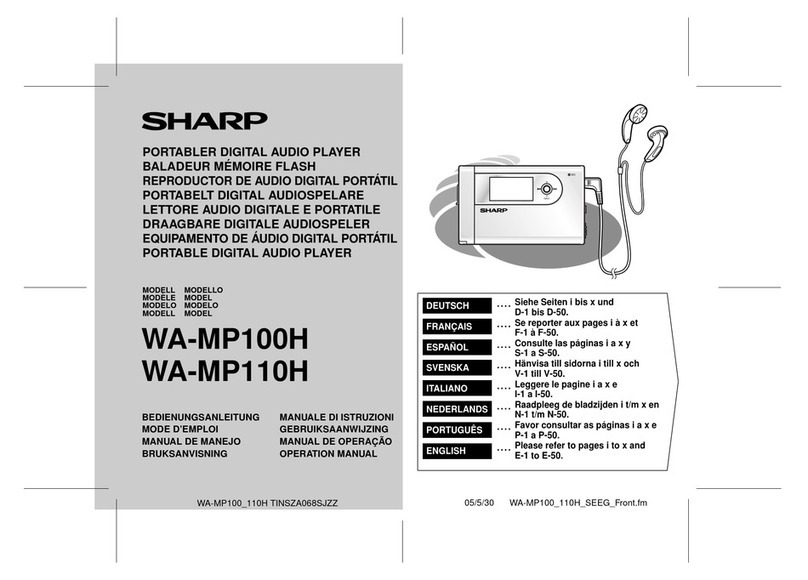
Sharp JG545X(GY) User manual

SHARP
SERVICE
MANUAL
S9381 JC545XGY
JG545X(GY)
l
In the interests of user-safety the set should be restored to its original
condition and only parts identical to those specified be used.
INDEX
TO
CONTENTS
Page
SPECIFICATIONS..
..
.............................................................................................................
2
NAMES OF PARTS
........................... ....................................................................................
2
DISASSEMBLY.. ....................................................................................................................
3
REMOVING AND REINSTALLING THE MAIN PARTS.........................................................
4
ADJUSTMENT .......................................................................................................................
5
NOTES ON SCHEMATIC DIAGRAM ....................................................................................
6
TYPES OF TRANSISTOR AND
LED
...................... ...............................................................
6
FITING
OF DIAL POINTER ...............................
.
.
...................................................................
6
EXPLODED VIEW
......................................... ....................................................................
7,
a
SCHEMATIC
DIAGRAM
/WIRING
SIDE OF P.W.BOARD
.............................................
9-12
REPLACEMENT PARTS LIST
.......................................................................................
13-15
SHARP
CORPORATION

FOR A COMPLETE DESCRIPTION OF THE OPERATION OF THIS UNIT, PLEASE REFER
TO THE OPERATION MANUAL.
SPECIFICATIONS
General Tape deck
Power source:
Output power:
DC 3 V[“AA”size
(UM/SUM-3,
R6
or
HP-7) battery
x
2 or external DC 3 V]
Max;20mW(10mW+10mW)
(DC operation)
Dimension:
Weight:
RMS;
10
mW
(5
mW
+
5mW)
(DC operation, 10
%
T
.H.D)
Width;
61
mm
(3-3116”)
Height; 117 mm
(4-9/l
6”)
Depth; 29.9 mm
(1
-l/8”)
185
g
(6.5 oz.) without batteries
Frequency response:
40
-
15,000 Hz
(MetaKrOJNormal
tape)
Radio
Frequency range:
FM
;
aa
-
108
MHZ
AM; 526.5
-
1,606.5
kHz
Headphones
Type:
Impedance:
Inner-ear dynamic
24 ohms
Specifications for this model are subject to change without
prior notice.
NAMES
OF
PARTS
1. Power/Battery Indicator
2. Extra Bass Switch: X-BASS
3. Volume Control
4. FunctionTape Selector switch
5.
Headphones Socket
6.
Tape Direction Switch: 41,
7. Stop Button:
q
8.
Fast Wind Buttons:
t(
/
w
9.
Play Botton:
0
10. External DC Power Input Socket
Il.
Tuning Control
12. Band Selector Switch
13.
Cassette Compartment
14.
Battery Compartment
15.
Headphones
1
2345
\
\
\
Figure
2-l
Figure 2-2 Figure 2-3
-2-

DISASSEMBLY
Caution on Disassembly
Follow the below-mentioned notes when disassem-bling the
unit and reassembling it, to keep its safety and excellent
performance:
1,
Take cassette tape out of the unit.
2.
Be sure to remove the batteries from the unit.
3.
After servicing the unit, be sure to rearrange the leads
where they were before disassembling.
4. Take sufficient care on static electricity of integrated
circuits and other circuits when servicing.
Front
Cabinet
Cassette
Compartment
I
(Front Cabinet)
k
Rear Cabinet,
1
y
(‘&(Front Cabinet)
Button Cover
(B%on Cover)
Black
Figure 3-l
Figure 3-2
Figure 3-3
(Dl\
x
1
Front
’
\
Cabinet
u
,y/
‘Motor
Figure 3-4
(Fl)
x2
Mechanism
Block
v
Motor
Figure 3-5

REMOVING
AND
REINSTALLING
THE
MAIN
PARTS
TAPE MECHANISM SECTION
Perform steps 1, 2, 5, 6 and 7 of the disassembly method to
remove the tape mechanism. (See Page 3.)
How to remove the playback head
(See Fig. 4-l
.)
1.
Removethescrews(A1)
x2pcs.,
to remove the playback head.
Note: After replacing the playback head and completing the
azimuth adjustment, be sure to apply screwlock.
How to remove the pinch roller
(See Fig. 4-l.)
1.
Rotate the pinch roller
(Bl)
x
2
PCS.,
as shown in
@
and raise
it.
How to remove the main/motor belt
(See Fig. 4-2.)
1. Remove the motor belt (Cl) xl pc.
2. Remove the main belt (C2) x
1
pc.
How
to remove the motor
(See Fig. 4-2.)
I.
Remove the motor belt (Cl)
x
1 pc.
2. Remove the screws
(Dl)
x2
PCS.,
to remove the motor.
How to remove the flywheel
(See Figs. 4-2 and 4-3.)
1. Remove the main belt (C2)
x
1 pc.
2. Remove the washers
(Dl)
x
2pcs.
3. Remove the stop washers (D2) x2
PCS.,
with a small precision
screwdriver to extract flywheel from the capstan
matal.
Note: When the stop washer is deformed or damaged, replace it
with a new one.
How to reinstall the parts
Install each part in the reverse order of the removal with care.
(Al)
x
2
$2
x2.2mm Playback
a
Head
Figure
4-1
(DlIx2
Flywheel
Figure 4-2
Flywheel
Figure 4-3
-4-

ADJUSTMENT
TUNER SECTION
fL: Low-range frequency
fH:
High-range frequency
l
AM IF/RF
MECHANISM SECTION
l
Driving Force check
I
Torque Meter Specified value
Play: TW-2412
Reverse play:
TW-2422
l
Torque Check
Torque Meter
Over 30
g
Over 30
g
Specified value
rest Stage Adjusting Point
runing
doltage
1
VR301Voltage Vt
=
14.65 +0.01
V
(input: Antenna
Output: TP5)
2
1.
VRl
(fH)
Voltage Vt
=
Obtain 9
+O.l
V
2. VR2 (Input: Antenna
Output:
TPl)
3
1.
VRl
(fL)
Voltage Vt
=
Obtain 1.5
+
0.03
V
2. VR3 (input: Antenna
1
Output:
TPl)
4
Repeat steps 2 and 3 until no further improvement
can be made.
Specified Value/
Instrument Connection
1
Plav: TW-2111
1
Reverse play: Tw-2121
1
Fast forward:
TW-2231
I 20 to 50
a.cm
I
20 to 50
g.cm
I
1
55
g.cm
I
l
Head Azimuth
I
Test Tape
I
Instrument Connection
I
)
Ml-T-114
1
Headphones Socket
T
F
Tl
(455
kHz)
Obtain the best output.
(Input: Antenna.
Output: TP3)
Maximize the output.
(Input: Antenna
Output: Headphones Socket)
(Lord resistance: 24 ohms)
l
Tape Speed
Test Tape Adjusting Specified value Instrument Connection
Point
MTT-111
VR201
3,000
+
90 Hz Headphones Socket
3and
:overage
fL:
L3
(510
kHz)
fH:
TC3
(1,650
kHz)
Tracking
fL:
L4
(600
kHz)
fH:
Checking
(I ,400
kHz)
Maximize the output.
(input: Antenna
Output: Headphones Socket)
(Lord resistance: 24 ohms)
I
l
FM IF/RF
Test Stage Adjusting Point Specified Value/
Instrument Connection
IF
Checking
(10.7
MHz) Check the
S
curve to the center.
(Input: TP2
Output: TP3)
------I
Maximize the output.
(Input: TP4
Output: Headphones Socket)
(Lord resistance: 24 ohms)
Band
coverage
fL:
L2
(87.3 MHz)
fH:
TC2
(108.3
MHz)
Tracking
fL:
Ll
(88 MHz)
fH:
Checking
(108MHz)
Maximize the output.
(Input: TP4
Output: Headphones Socket)
(Lord resistance: 24 ohms)
[
TUNER PWB-A
/
(
IAM
TRACKlNGfL]
7
Top1
\FM TRACKING
fL\
FM BAND COVERAGE
TC2tZl
fH
1
fL
AMBANDCOVERAGE
Figure 5 ADJUSTMENT POINTS
-5-

NOTES
ON
SCHEMATIC
DIAGRAM
. Resistor:
To differentite the units of resistors, such symbol as
K
and
M
are
used: the symbol
K
means 1000 ohm and the symbol
M
means
1000 Kohm and the resistor without any symbol is ohm-type
resistor. Beside, the one with “Fusible” is a fuse type.
0
Capacitor:
To indicate the unit of capacitor, a symbol
P
is used: this symbol
P
means micro-micro-farad and the unit of the capacitor without
such a symbol is
microfarad.
As to electrolytic capacitor, the
expression “capacitance/withstand voltage” is used.
(CH), (TH), (RH), (UJ): Temperature compensation
(ML): Mylar type
(P.P):
Polypropylene type
DTC144 EK
2SC1623
L6
2SKl067
TR
Cl
B2
E2
El
Bl
C2
IMD6
l
The indicated voltage in each section is the one measured by
Digital Multimeter between such a section and the chassis with
no signal given.
1.
Tuner
(
):
FM mode
<
>:
FM stereo mode
Mraking except for
( )
/c
5:
AM mode
l
Schematic Diagram and Wiring Side of
P.W.Board
forthis
model
are subject to change for improvement without prior notice.
REF. NO.
1
DESCRIPTION
POSITION
SW1
BAND FM ST
SW101
DIRECTION
FWD
SW102 X-BASS OFF
SW103 FUNCTION
TAPE/NORMAL
SW104 MAIN
ON
TOP VIEW
svc341
TOP VIEW
LB
1
SV160
TOP VIEW
63
SVC203CP
Figure
6-1
TYPES OF
TRNSISTOR
AND LED
FITTING
OF
DIAL
POINTER
1. Turn the tuning knob fully to direction
@.
2. Set the dial pointer to the
“0”
point, insert it into the tuner frame.
Tuning Knob
(VRl)
‘Tuner Frame (115)
’
Figure 6-2

-(
FM SIGNAL
j_,
r----------
, ,
_-._
!
!
!
TUNING
-
!
!
pi%%--
I
!
0
AM
S
I
G
N
A
L
.;>,
s
-:a-
p
L
A
'
----_
-----
L301
r--------
.
,
CONVERTER
:I26
OOP
I
CH)
C?“d
-
PLAYBACK HEAD
L---w.-
DPHONES
Q102
2
DICI
44EK
YZII
-I
!a,
“2
c
:
I
cf
K
:.‘:;4
i.‘Z
4.7.
----P-v--
-----.--
l
NOTES
ON
-._--._.
_
SCHEMATIC
UIAtiHAM
can be
tout-d
on page 6.
1
2
3
4
5
6
1
Figure 9
SCHEMA~

'LAYBACK
SIGNAL
PUNCT ION
MAIN
SW1
a4
?I
EXT. DC POWER
Ita2
+--$‘“”
PI01
BATTERIES
3”
*
AA’
s
IZE
f
UWSUM-3,
R-E
or
HP7lX2
Y2F
or
EXTERNAL DC
3”
:;
X-BASS
1
Q103
T
25C1623
16
MUTING
--7cE--
3.
3K
X-BASS
SW!
02-B
-4
ON
OFF
ICZOI
MM1
038BF
-
MOTOR
YI”
DRIVER
-1
Y
“2’
”
CZOl
bB
“*l/4
C203
0. 022
II
II
c20’2
220/A
X-BASS
PI04
ZSCI
623 L6
12
I
HEMATIC
DIAGRAM
-lO-

I
I
I
<------I
\------\
I
.
I
I
‘------7
I
1
1
GY,
f”UNER”
PWB-A
1
L4
AMBAR ANT.
BATTERY
TERMlNf
(128)
-
BATTER
I
ES
‘AA”
SIZE
iUM/SUM-3
or
external DC
3v
i-7
---
B
T
IR
I
I
Figure
11
WIRING
SIDE

I
SW103
FUNCTION
I
JlOl
RADIO -TAPE
-
TAPE
VRIOI
PHONES NORMAL-METAL/VOLUME
r-----y
CrO2
I
r1
8
T
BATTERIES DC
3V
(Uhl/SUM-3
,R6
al DC
3V or
HP-71
x2
\
11201
BATTERY
TERMINAL
@
R
1
SPEED
1
GR
WI01
:CTION
SW
104
MAIN
PLAY
BACK
HEAD
ASS’Y
(II1
yL
rL
J102
EXT. DC POWER
MI
MOTOR
78
910
11
12
I
llNG
SIDE OF
P.W.BOARD
-12-
This manual suits for next models
1
Table of contents
Other Sharp MP3 Player manuals

Sharp
Sharp WA-MP50H User manual

Sharp
Sharp MD-DS55 User manual

Sharp
Sharp WA-MP50H User manual

Sharp
Sharp CD-JX20X(GY) User manual

Sharp
Sharp WA-MP50H User manual

Sharp
Sharp WA-MP100H User manual

Sharp
Sharp WA-TR30BK User manual

Sharp
Sharp WA-ST20(BK)/(W) User manual

Sharp
Sharp GF-4949ZS User manual

Sharp
Sharp WA-MP40W User manual