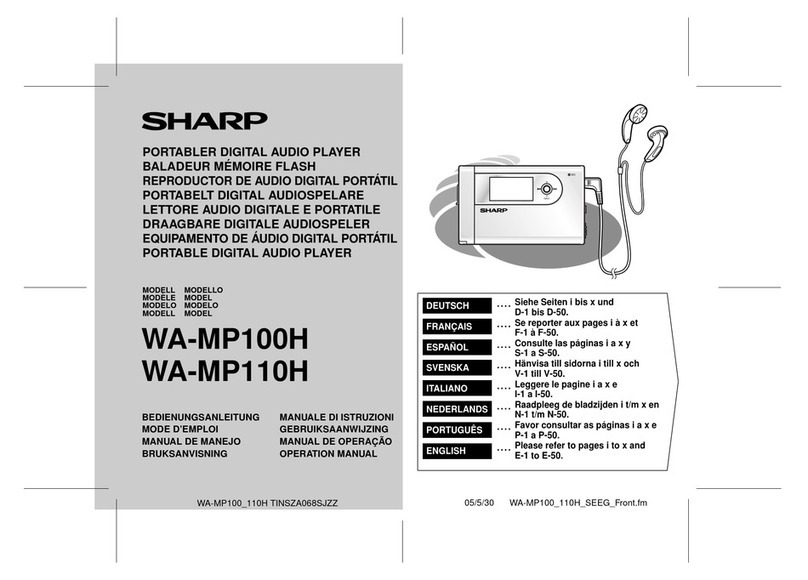
Sharp GF-4949ZS User manual

SHARP
SERVICE
MANUAL
S03C4G
F4949ZG
PHOTO:
G
F-4949ZG
GENERAL
Power source
:
Speakers:
Output power:
Semiconductors:
Dimensions: Width;
Height;
Depth;
Weight:
GF-4949ZG
GF-4949ZS
In the interests of user-safety the set should be
restored to its original condition and only parts
identical to those specified be used.
For the mechanical adjustment, refer to the
620X
Service Manual
(ATSM281022TRC)
already
issued.
SPECIFICATIONS
(AC operation)
RMS; 6W (3W +3W) (DC opera-
AC 1
IOV-127V
and
22OV-24OV,
tion, 10% distortion)
5
ICS
4 Transistors
50/60Hz
11
Diodes
2 LEDs
445mm
(17-l/2”)
233.5mm
(9-3/l
6”)
DC
9V
(UM/SUM-1
or
R20
type
x
6)
98mm
(3-7/8”)
3.1 kg (6.8
tbs.)
without batteries
12cm
(4-3/4”)
woofer x2
Ceramic type tweeter
x
2
PMPO; 16W
(BW
+8W)
(AC operation)
MPO; 12W (6W +6W)
TAPE RECORDER
Tape
:
Compact cassette tape
Frequency response:
50Hz
-
10,OOOHz
Signal/noise ratio: 45dB
Input sensitivity and impedance:
External mic.; 600 ohms
Loaded impedance:
Headphones; 8 ohms
-
25 ohms
RADIO
Frequency range: FM; 87.6 MHz
-
108
MHz
AM; 526.5
-
1605.5
kHz
SW1
;
2.3 MHz
-
7.3 MHz
SW2
;
7.3 MHz
-
22.0 MHz
Specifications for this model are subject to change without
prior notice.

FOR A COMPLETE DESCRIPTION OF THE OPERATION OF THIS UNIT,
PLEASE REFER TO THE OPERATION MANUAL.
NAMES OF PARTS
1. Built-in Microphone (L-ch)
2. Power Indicator
3. FM Stereo indicator
4. Band Selector
5. Function Selector
6. Volume Control
7. Tone Control
8. Fine Tuning
9. Tuning Control
10. FM/SW Telescopic Rod Antenna
11. Built-in Microphone (R-ch)
12. Headphones Jack
13. AC Power Supply Socket
‘1
1.
14. Cassette Holder
:
,‘i
-’
15. Record Button
16. Rewind Button
‘-
17. Playback Button
18. Fast-forward Button
19. Stop Button
20. Eject Button
21. Beat Cancel Switch
22. External Microphone Jacks
23. Battery Compartment Lid
Figure 2-l Figure 2-2
VOLTAGE SELECTION
Before operating the unit on mains, check the preset voltage.
If
the voltage is different from your local voltage, adjust the
voltage as follows: Slide the AC power supply socket cover
by a little loosing one screw to the visible indication of the side
of your local voltage. See Figure 2-3.
c
7
PHONES
’
0
Figure 2-3
-2-

DISASSEMBLY
Caution:
Prior to the
disassembly,
be sure to remove the AC power
supply cord, cassette tape and batteries from the unit.
n
FRONT CABINET REMOVAL
(Refer to Figures
3-1
and 3-2.)
1. Remove five screws
@
and four knobs
@j).
2. Pull the front cabinet frontward by holding its upper
part and disconnect three tips
0.
n
MECHANISM BLOCK REMOVAL
(Refer to Figure 3-2.)
1. Remove two screws
@
.
2. Disconnect two sockets
0
.
3. Unsolder two tips
@
and then the mechanism block
can be removed.
Figure 3-l
q
MAIN P.W.B. REMOVAL
(Refer to Figure 3-3.)
1.
Remove eight screws
0.
2. Remove the LED P.W.B. from two stoppers
@
.
Then the main P.W.B. can be removed from the back
cabinet.
=POWER P.W.B. REMOVAL
(Refer to Figure 3-3.)
1,
Remove two screws
0.
2. Disconnect one socket@. Figure 3-3
DIAL CORD STRINGING
1)
Turn the drum fully clockwise and stretch its cord over
the parts in the numerical order as shown in Figure 3-4.
2) Turn the tuning control shaft fully counterclockwise, and
fix it with the pointer aligned with the zero (0) point on
the frame. See Figure 3-5.
Drum
(I
15)
i
Pulley(ll9)
Spring
(127)
Figure 3-5 Figure 3-4

0
SH
SH
f
I
i
r
-
-
-
-
-
r
Figure 4 BLOCK DIAGRAM
-4-

MECHANICAL ADJUSTMENT
Except for the following item, refer to the
RD620X
Service
Manual already issued.
n
RECORD/PLAYBACK HEAD AZIMUTH ADJUSTMENT
As shown in Figure 5-1, connect instruments, and adjust
the head azimuth adjusting screw so that the output signals
from both channels will have maximum waveform with the
same phase in right and left.
SPEAKER
f-1
SPEAKER
(+I
Figure 5-l
GENERAL ALIGNMENT INSTRUCTION
Should it become necessary at any time to check the alignment of this receiver, proceed as follows;
1.
Set the volume control
(VR103)
to maximum.
2. Attenuate the signals from the generator enough to swing
the most sensitive range of the output meter.
3. Use a non-metallic alignment tool.
4. Repeat adjustments to insure good results.
5. Set the Function Selector Switch (SW102) to “radio”
position.
AM IF/RF ALIGNMENT
l
Set the signal generator to produce a signal of
400Hz,
30%,
AM modulated.
0For adjustments in steps 4 and 9, see
-1.
E
TEST FRE-
‘TEP
BAND
STAGE
QUEN-
SET-
D’AL
A;;\y-
REMARKS
CY
TING
IF
(Connect instruments as shown in Figure
5-2.)
RF (Connect
instrumentsas
shown in Figure
5-3.)
4
output.
AM
600
600
kHz kHz
L7
Track-
5
AM
ing
1400 1400
kHz kHz
TC5
6
Repeat steps
2.3.4
and 5 until no further Improvement
can be made.
RF (Connect instruments as shown in Figure
5-4.)
2.25
LOW
Band MHz end of
L9
dial
cover-
age
7.4 High
end of TC7
MHz Adjust for
dial maximum
/I
“A
n,.
I
OUtDUt.
c
-
11
0
SW,
w
6.0 6.0
MHz MHZ TC4
11
1
Repeat steps
7.8.9
and 10 until no further improvement
,
.
can be made.
7.2 Low
12 SW, MHz end of La
Band dial
-
cover- 22.5 High
13 SW,
age
end of TC6 Adjust for
MHz dial maximum
a.5 a.5 output.
14 SW, MHz MHz
L6
Track-
15 SW,
ing
19
19
MHz MHz TC3
16 Repeat steps 12, 13, 14 and 15 until no further impro-
vement can be made.
1
1
-5-
Figure 5-2
Figure 5-3
Figure 5-4
1-1
Check the alignment of the receiver antenna coil by
bringing a piece of ferrite (such as a coil slug) near the antenna
loop stick, then a piece of brass. If ferrite increases output,
loop requires more inductance. If brass increases output, loop
requires less inductance. Change loop inductance by sliding the
bobbin toward the center of the ferrite core to increase induct-
ance, or away to decrease inductance.

FM IF/RF
ALIGNEMNT
l
Set the signal generator to produce a signal of 4OOHz.
30%.
FM modulated.
iTP1
I
10
7
MH%.
Teletcoplc
ITPZ)
Figure
6-l
c
TEST FRE- DIAL
AD-
STEP BAND
STA-
QUEN-
SET- JUST- REMARKS
GE CY
TING
MENT
IF (Connect instruments as shown in Figure 6-l
.)’
I I
1
(
FM
/
I 10.7 High
T,
Adjust for
F
MHZ end of
T2
best “S”
dial curve.
I
I
RF (Connect instruments as shown in Figure
6-2.)
ITPll
ELECTRONIC
FM
SIGNAL VOLTMETER
GENERATOR
lTP21
87.1
Low
2
FM Band
MHz
end of
L3
dial
cover-
age
3
FM 109.0 High
MHz end of TC2
dial
4
FM 88
a8
Track-
MHz MHz L2
7
5
r.*
Adjust for
maximum
output.
Figure 6-2
io”
FM
STEREO
(5Pll
Tekc0pl.Z IC3
SlGNAL
GENERATOR FREOVENCY
@pin
?mJoPF
COUNTER
IllIll
_
330K
ohm
GNO
(See
Figure
6-4
iTP2)
1
I
I
II
I
cIRepeat steps
2,3,4
and 5 until no further improvement
”
can be made.
I
CUrYe
1
Figure 6-3
”
VCO FREQUENCY
ALIGNEMNT
l
Set the Band Selector Switch
(SWI)
to “FM” position and
Function Switch
(SW102)
to “stereo” position.
l
Before this adjustment, connect the anode side of Stereo
Indicator
(D103)
to GND.
l
As shown in Figures 6-3 and
6-4,
connect instruments.
FREQUENCY DIALAD JUST
POINTER MENT REMARKS
98MHz
(54dB) 98MHz
VRl
Adjust for
unmodulated
38
f
O.lSkHz.
To
Telescopic
Rod
Antenna
2
=
,5
ohm
(
Rl
=
37.5
ohm
R2
=
75 OhIn
iTER
Figure
6-4.
FM DUMMY
Figure 6-5 ALIGNMENT POINTS
NOTES ON SCHEMATIC DIAGRAM
1,
Voltage readings are measured with Digital
Multimeter
under
no signal condition at tape position.
()
:
AM mode
:
FM mode
2. Unless otherwise specified, all resistance is shown in ohms.
K
=
1000 ohms
3, Unless otherwise specified, all capacitance is shown in
microfarads.
P
=
Picofarads
(CH), (RH)
:
Temperature compensation
4.
-ub-
:
Printed resistor
5.
B
and
F
in Band Selector Switch
(SWI),
at each mode, are
shown in Table 6. And the Terminals except for the mode
in use are connected to the ground.
MODE
1
POSITION
/
by
na
-c
oP
he
ct-
FM
SW,
Table 6
-6-

FJ-
/@
/
/
IWO
ANTEtwM
/
1
MAIN P.W.B.
1
A
1’
(’
,/zj
1I
23
I
4I5
I
6
A
B
C
D
E
F
G
n
1
I
2
I
3
I
4
I
5
I
6
I:
Figure 7 WIRING
SIDE
OF
-7-
.._
.-_
_.-.--.--~-.
-
__-._
._.,...__.
_”
.
-.-..--------..--...~~.___-._.i
..-

6
I
7
I
8
I
9
I
10
I
11
I
12
---
-I
\
\
\
\
\\
\
I
I
SWITCH P.W.B.
6
I
7
I
8
I
9
I
10
I
11
I
12
\IG
SIDE OF
P.
W. BOARD
-8-

0401
ZSCI~ISGR
RIPPL
E FlLTER
0301
2SC945AK
BIAS
OX
t
(Specifications
or
wiring diagrams
of
this model are subject to change for improvement
without
prior
notice.)
l
N
O
TE
S
ON
SC~+EMATIC DIAGRAM can be found on
Page’
6.
1
I
2
I
3,
I
4
I
5
Notes: Parts
maint
I
6
I
Figure
9
SCHEMATII
-9-

I
7
I
8
I
9
I
10
I
11
I
12
r
L
5%!
-
Q201.020:
2
2SC1alsGR
RIPPLE
FILTER
Notes: Parts marked with
”
1
”
(
)
are important for maintaining the safety of the set. Be sure to replace these parts with specified ones for
.
_
maintaining the safety and
pertormance
ot
the set.
I
7
I
8
I
9
I
10
I
11
I
12
1
SCHEMATIC
DIAGRAM
This manual suits for next models
1
Table of contents
Other Sharp MP3 Player manuals

Sharp
Sharp WA-MP40W User manual

Sharp
Sharp WA-MP50H User manual

Sharp
Sharp WA-ST20(BK)/(W) User manual

Sharp
Sharp WA-MP100H User manual

Sharp
Sharp JG545X(GY) User manual

Sharp
Sharp WA-MP50H User manual

Sharp
Sharp MD-DS55 User manual

Sharp
Sharp CD-JX20X(GY) User manual

Sharp
Sharp WA-TR30BK User manual

Sharp
Sharp WA-MP50H User manual