Sharp UX-K01 User manual

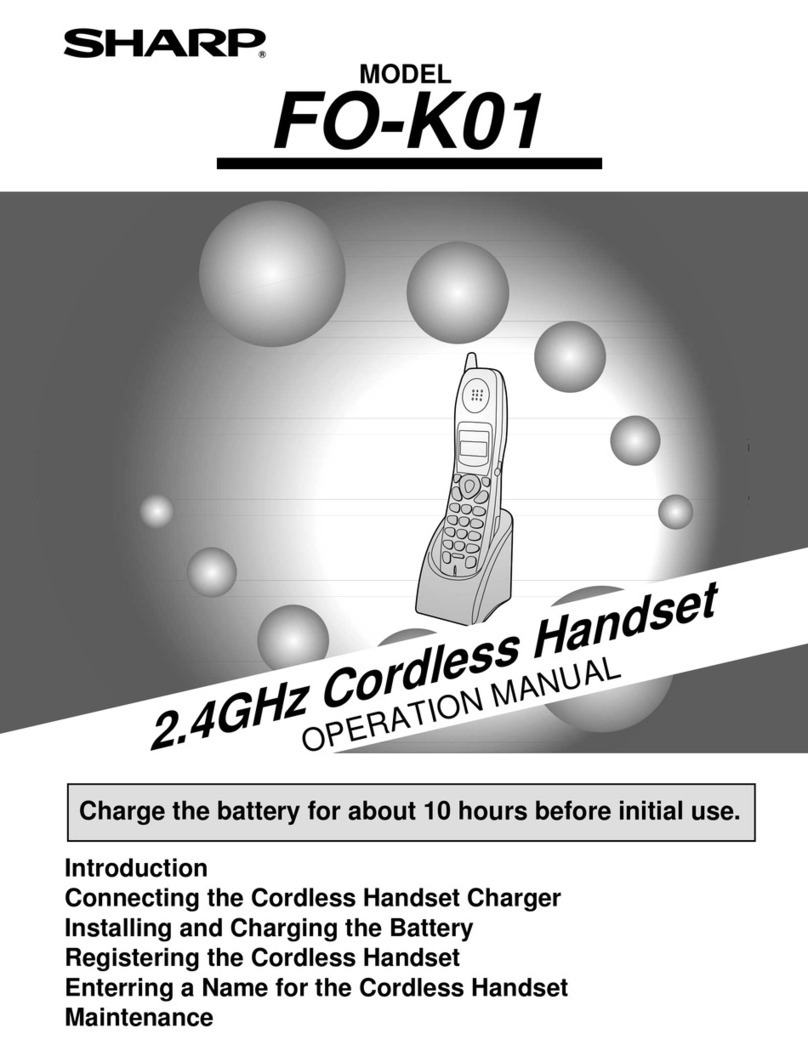
MODEL
UX-K01
2.4GHz Cordless Handset
OPERATION MANUAL
1. Introduction
2. Connecting the Cordless Handset Charger
3. Installing and Charging the Battery
4. Registering the Cordless Handset
5. Enterring a Name for the Cordless Handset
6. Maintenance
Charge the battery for about 10 hours before initial use.

1
Introduction
Specifications
As a part of our policy of continuous improvement, SHARP reserves the right to make design
and specification changes for product improvement without prior notice. The performance
specification figures indicated are nominal values of production units. There may be some
deviations from these values in individual units.
Frequency 2.4 GHz (2.405 to 2.475 GHz)
Dimensions Width: 1.8" (46 mm)
Depth: 1.7" (42 mm)
Height: 7.1" (180 mm) (not including antenna)
Weight Approx. 0.3 lbs. (115 g) (without battery)
Battery 3.6 V Ni-MH battery; capacity: 850 mAh
Power consumption
Initial charging
Battery life
Battery life in standby
mode
Approx. 1.0 W (in standby mode)
Approx. 10 hours for initial charge
Approx. 4 hours (240 minutes) (at room temp.)
Approx. 3 days with one full charge (at room
temperature)
Battery life (both normal and in standby mode)
may vary depending on usage, range from base
machine, and environmental conditions such as
temperature.
Thank you for
purchasing a UX-K01
cordless handset.
To use the UX-K01
cordless handset, you
must have a UX-CC500
fax machine.

2
Important safety information
Do not disassemble this product or attempt any procedures not described in this manual.
Refer all servicing to qualified service personnel.
Do not this product near water, or when you are wet. For example, do not use the product near
a bath tub, wash bowl, kitchen sink or laundry tub, in a wet basement, or near a swimming
pool. Take care not to spill any liquids on the product.
Unplug the product from the power outlet and consult a qualified service representative if any
of the following situations occur:
- Liquid has been spilled into the product or the product has been
exposed to rain or water.
- The product produces odors, smoke, or unusual noises.
- The power cord is frayed or damaged.
- The product has been dropped or the housing damaged.
Do not allow anything to rest on the power cord, and do not install the product where people
may walk on the power cord.
The AC adapter must only be connected to a 120 V, 60 Hz outlet. Connecting it to any other
kind of outlet will damage the machine and invalidate the warranty.
Never insert objects of any kind into slots or openings on the product. This could create a risk
of fire or electric shock. If an object falls into the product that you cannot remove, unplug the
product and consult a qualified service representative.
Do not place this product on an unstable cart, stand or table. The product could be seriously
damaged if it falls.
Battery
Use only the battery specified in this manual. Use only the provided charger to charge the
battery.
Do not open or mutilate the battery pack. Corrosive fluid may leak out and cause injury or
burns to the eyes and skin. The fluid may be toxic if swallowed. In case of contact with eyes,
flush with clean water (do not rub), and seek medical attention immediately.
Do not store or carry the battery with other metal objects such as keys or pins. These may
short the battery and cause it to overheat.
Do not allow the battery to become wet.
Do not dispose of the battery in a fire or heat the battery. The battery may explode.
Health care facilities and equipment
Radio frequency energy emitted from the cordless handset equipment may cause medical
equipment to malfunction. Verify that any personal medical equipment you are using is
adequately shielded from external radio frequency energy before using the cordless handset
equipment. Do not use the cordless handset equipment in health care facilities where such
use is prohibited.

3
Connecting the Cordless Handset Charger
1Connect the AC adapter to the
cordless handset charger.
2Plug the AC adapter into a standard
120 V AC outlet.
Fit the cord into
the holders.
Installing and Charging the Battery
1Connect the battery connector ➊, and then place the battery pack in the
cordless handset.
2Place the battery cover on the cordless
handset, making sure it snaps firmly
into place.
•Make sure the wires are not caught or
pinched by the cover.
Black
Red
Black
Red
Important: Nevercover the charger and
AC adapter with a blanket, cloth, or
other material. Excessive heating may
result and cause fire.

4
3Place the cordless handset in the
charger with the dial pad facing
forward.
•Important! The dial pad must face
forward, or the battery will not charge.
•The battery charges automatically while
the cordless handset is in the charger.
While charging, the display shows
CHARGING.
•When charging is completed the first
time, the display shows PLEASE
REGISTER. After the handset is
registered, the display shows IN
CHARGER while in the charger.
♦The cordless handset and charger may feel warm while charging. This is
normal.
♦The battery cannot be overcharged. When not using the cordless handset,
keep it in the charger to ensure that it is always charged.
Charge the battery
at least 10 hours
the first time!
When the battery needs charging, LOW BATTERY will appear in the display
and you will hear beeps during a phone conversation. Place the cordless
handset in the charger and let it charge.
Note: If the battery is extremely low, nothing may appear in the display during
the first several minutes that the cordless handset is in the charger. The
battery will begin to charge normally after several minutes.
Reinforced concreteMetalAluminum sash
Talking range
The talking range of the cordless handset is approximately 1200 ft. (400 m)
(line of sight). If you hear noise or interference while talking on the cordless
handset, move closer to the fax machine.
♦When outside the talking range, OUT OF RANGE appears in the display. If
you move out of the talking range while talking on the cordless handset,
the handset will beep and you may hear interference.
Large metal objects,
metal structures, and
thick walls reduce the
talking range.

5
Registering the Cordless Handset
PLEASE REGISTER
After the initial charging,
the cordless handset
display shows:
To use the cordless
handset, you must
first register it using
the fax machine.
1On the cordless handset, hold down
until the display at right appears.
2Press on the cordless handset.
•If FAX BUSY appears in the display,
wait until the fax machine is no longer in
use and then start from Step 1 again.
3On the fax machine, hold down
until the display at right appears.
4Press on the fax machine.
•If HS FULL ENTRY appears in the display, the maximum number (3) of
additional cordless handsets have already been registered.
5On the fax machine, enter a number
from 2 to 4. This number identifies the
cordless handset. This completes the
registration procedure.
•If ALREADY STORED appears in the
display, the number you selected has
already been assigned to a cordless
handset. Try a different number.
INTER
COM
1
INTERCOM
1
MODE SELECT
1: HS ENTRY
2: HS DELETE
Cordless handset display:
Fax machine display:
MODE SELECT
HS ENTRY MODE
1: HS ENTRY
2: HS DELETE
PRESS HS NUMBER
HS2 ENTERED
Example: “2” is selected
HS2 ENTERED
Both displays return to the
normal standby display

6
The fax machine is identified
by the number “0”, and the
cordless handset that was
included with the fax is
identified by the number “1”.
Entering a Name for the Cordless Handset
Enter a name for the cordless handset in the fax machine.
♦The fax machine will transmit the name that you enter to your cordless
handset.
1Press once and 3 times on
the fax machine.
2Press once and once.
3Press once.
4Press to select SET.
5Enter the number of the cordless
handset for which you wish to enter a
name.
Example:
FUNCTION
1
2
Fax machine display:
ENTRY MODE
HS NAME SET
1=SET, 2=CLEAR
SELECT ID NO. 2
SELECT ID NO.
Example: Cordless handset 2

7
6Enter the name by pressing number keys for each letter as shown in the
chart below. Up to 10 characters can be entered.
Example: BILL = 22 444 555 555
♦To enter two letters in succession that require the same key, press
after entering the first letter.
♦To clear a mistake, press .
♦To enter a lower case letter, continue pressing the key for the letter until the
lower case letter appears.
♦To enter one of the following symbols, press or repeatedly:
. / ! " # $ % & ’ ( ) ++ , - : ; < = > ? @ [ ¥ ] ^ _ ' { | } )(
7Press to store the name.
8Press to exit.
SPEAKER
START/MEMORY
STOP
OWN NUMBER
A =
B =
C =
D =
E =
F =
G =
H =
I =
J =
K =
L =
M =
N =
O =
P =
Q =
R =
S =
T =
U =
V =
W =
X =
Y =
Z =
SPACE =
Display:
HANDSET2
BILL
The handset number and name
appear in the standby display:
The cordless
handset is now
ready to be used!
For information on
operating the
cordless handset,
seeyourUX-CC500
manual.

8
Maintenance
Replacing the Cordless Handset Battery
If LOW BATTERY continues to appear in the cordless handset display after
the battery has been charged for 10 hours, replace it with the following
battery:
Replacement battery: Use only a Sharp UX-BA01 battery
(3.6 V Ni-MH battery, capacity: 850 mAh)
Caution:
Danger of explosion if battery is incorrectly replaced. Replace only with the
same or equivalent type recommended by the manufacturer.
Dispose of used batteries according to the manufacturer's instructions.
Battery disposal
The battery pack contains a Nickel MetalHydride battery. The battery must be
disposed of properly. Contact local agencies for information on recycling and
disposal plans in your area.
Deleting (changing) the cordless handset name
Follow the steps below if you need to delete the cordless handset name. If
you wish to change the name, delete it and then enter a new name.
1Press once and 3 times on
the fax machine.
2Press once and once.
3Press once.
4Press to select CLEAR.
5Enter the number of the cordless handset for which you wish to clear
the name.
6Press to clear the name and then press to exit.
FUNCTION
2
START/MEMORY
STOP
Fax machine display:
ENTRY MODE
HS NAME SET
1=SET, 2=CLEAR
SELECT ID NO.

9
Deleting a cordless handset
If you wish to stop using a cordless handset, follow these steps to delete it
(cancel the registration in the fax machine).
1On the cordless handset, hold down
until the display at right appears.
2Press on the cordless handset.
3Press on the cordless handset.
4On the fax machine, hold down
until the display at right appears.
5Press on the fax machine.
6On the fax machine, enter the number
of the cordless handset that you wish
to delete.
7Press on the fax machine.
INTER
COM
2
START
INTERCOM
2
START/MEMORY
MODE SELECT
1: HS ENTRY
2: HS DELETE
Cordless handset display:
HS2 DELETE: OK
PRESS START KEY
Fax machine display:
MODE SELECT
1: HS ENTRY
2: HS DELETE
PRESS HS NUMBER
Note: To ensure correct operation, be sure to perform the deletion procedure
both on the cordless handset and on the fax machine, as explained above.
PLEASE REGISTER
Example: Cordless handset 2
HS2 DELETED?
Example: Cordless handset 2
Other manuals for UX-K01
1
Table of contents
Other Sharp Handset manuals