
Sagem My X-5 User manual

1
72 pages MYX5-eng 31/05/02 9:20 Page 1
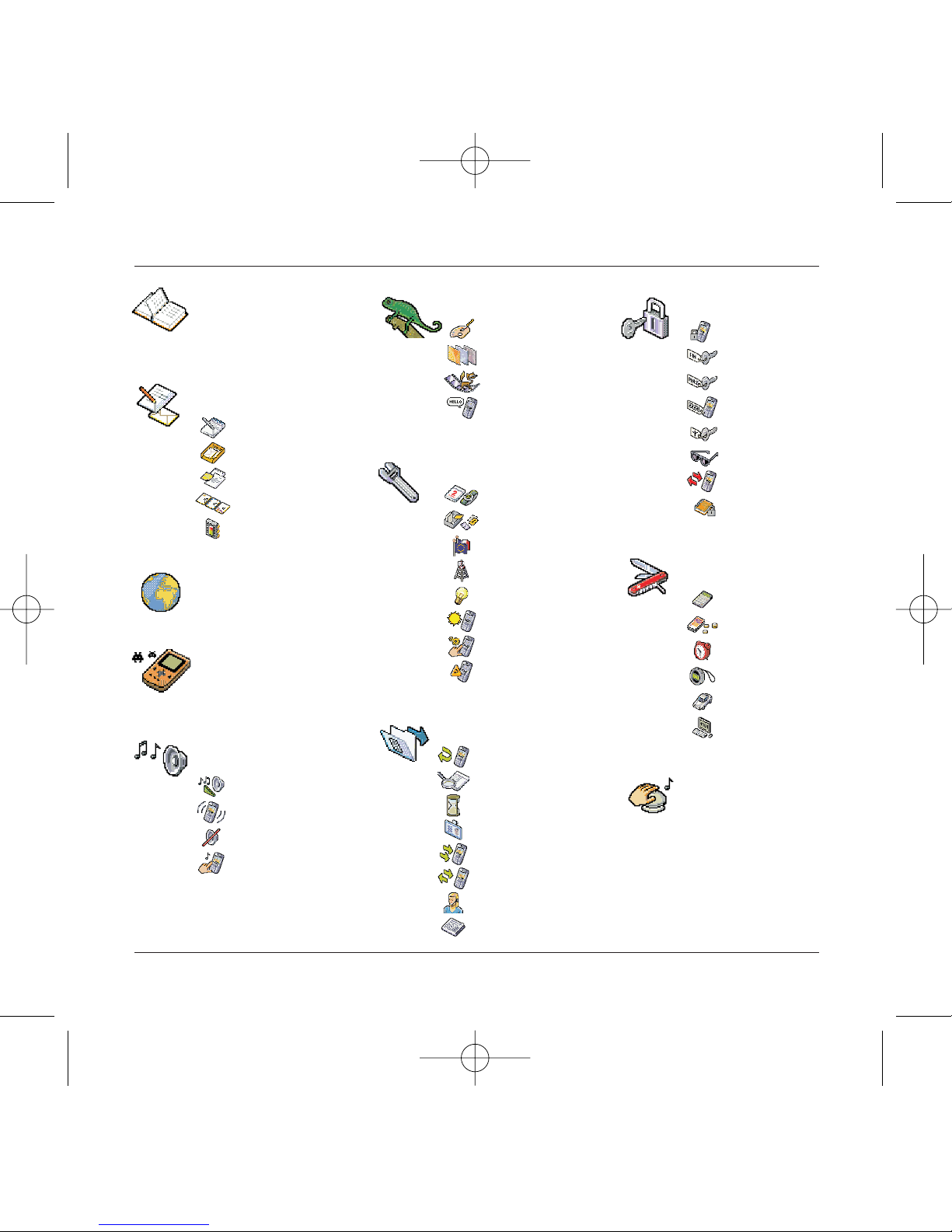
Services
Directory
Messages
WAP
Games
Sounds
Environment
Settings
Calls
Accessories
Colour
Wallpaper
Screensavers
Hello message
Volume and ring tone
Vibrator
Silent mode
Beeps
Date / time
My objects
Languages
Networks
Contrast
Power
Shortcuts
Re-setting
Forward calls
Consultation
Counters
Presentation
Call waiting
Automatic redial
Message box number
Local info
Calculator
Converter
Alarm clock
Timer
Vehicle kit
Data parameters
Composing messages
Inbox
Draft
Options
Memory
Directory menu
MegaBox Conquest
Downloaded games
Security
Keypad lock
PIN code
PIN code 2
Phone code
Operator
Confidentiality
Limitations
Pre-set directory
2
Menus
72 pages MYX5-eng 31/05/02 9:20 Page 2

3
Contents
Page 2 MENUS
Page 6 YOUR PHONE PACKAGE - ACCESSORIES
Page 7 DESCRIPTION
Programmable and shortcut keys
Page 8 PRINCIPLES OF NAVIGATION
Page 9 HELLO SCREEN
Page 10 to 13 ACTIVATING YOUR TELEPHONE
Information on SIM card
Installing the SIM card and battery
Changing the cover
Charging the battery
Page 14 to 19 MY MOBILE IN 5 MINUTES
How to get going
PIN code
Setting date and time
Network
First call - receiving a call
Switching off
Setting ring tone
Page 20 to 24 DIRECTORY
Using the directory
Directory menu
Call group
Page 25 to 31 MESSAGES
Composing messages
Using Mode T9
Inbox
Draft
Sending options
Memory
72 pages MYX5-eng 31/05/02 9:20 Page 3

4
Contents
Page 32 to 36 WAP
WAP Menus
Configuring parameters
Logging on
Downloading objects
Logging off
GPRS
Page 37 GAMES
MegaBox Conquest
Downloaded games
Page 38 to 39 SOUNDS
Volume and ring tone
Vibrator
Silent mode
Beeps
Page 40 to 41 ENVIRONMENT
Colour
Wallpaper
Screensaver
Hello message
Page 42 to 45 SETTINGS
Date and time
My objects
Languages
Networks
Contrast
Power
Shortcuts
Re-setting
72 pages MYX5-eng 31/05/02 9:20 Page 4

5
Contents
Page 46 to 50 CALLS
Forward calls
Consultation
Counters
Presentation of numbers
Call waiting
Automatic redial
Message box number
Local info
Page 51 to 54 SECURITY
Keypad lock
PIN code
PIN code 2
Phone code
Operator code
Confidentiality
Limitations
Pre-set directory
Page 55 to 58 ACCESSORIES
Calculator
Converter
Alarm clock
Timer
Vehicle kit
Data parameters
Page 59 SERVICES
Page 60 to 61 TECHNICAL FEATURES
Page 62 to 64 WARRANTIES
Page 65 to 69 TROUBLESHOOTING
Page 70 to 72 INDEX
72 pages MYX5-eng 31/05/02 9:20 Page 5
6
Your phone package - Accessories
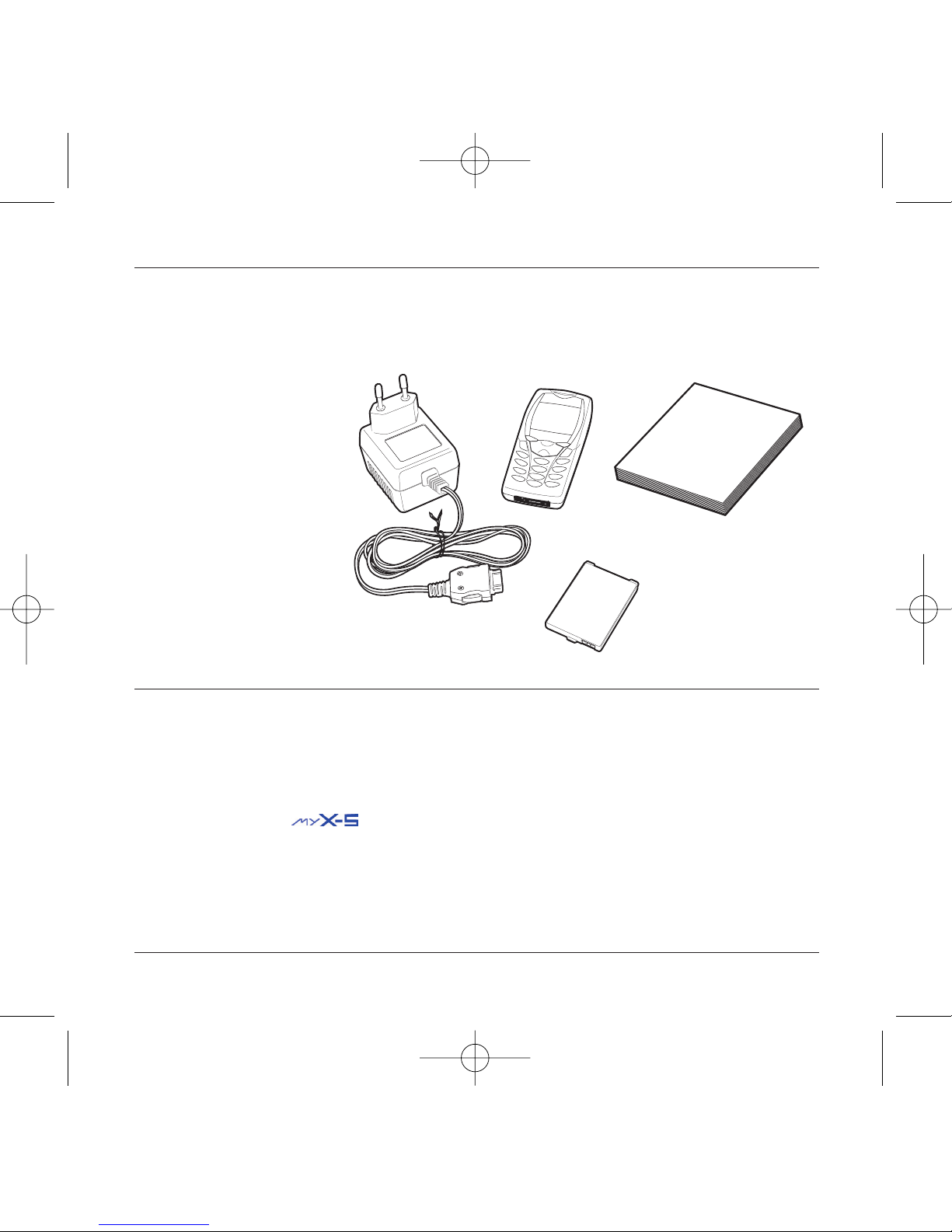
When you open the box, check that all the items are present:
1 - Telephone
2 - Mains charger
3 - Battery
4 - User manual
Accessories
You can also find (as an option) or order the following accessories:
Pedestrian kit (*)
Extra battery
Extra charger (*)
Office support (*)
Cable to connect your to a PC USB or serial port (*)
CD driver (PC or Mac) to synchronise your telephone with your PC
Cigar lighter adapter (*)
Colour cover
Hands-free kit (*)
(*) These accessories are identical to the ones provided for the earlier 900 and 3000 series.
1
2
3
4
72 pages MYX5-eng 31/05/02 9:20 Page 6
7
Description
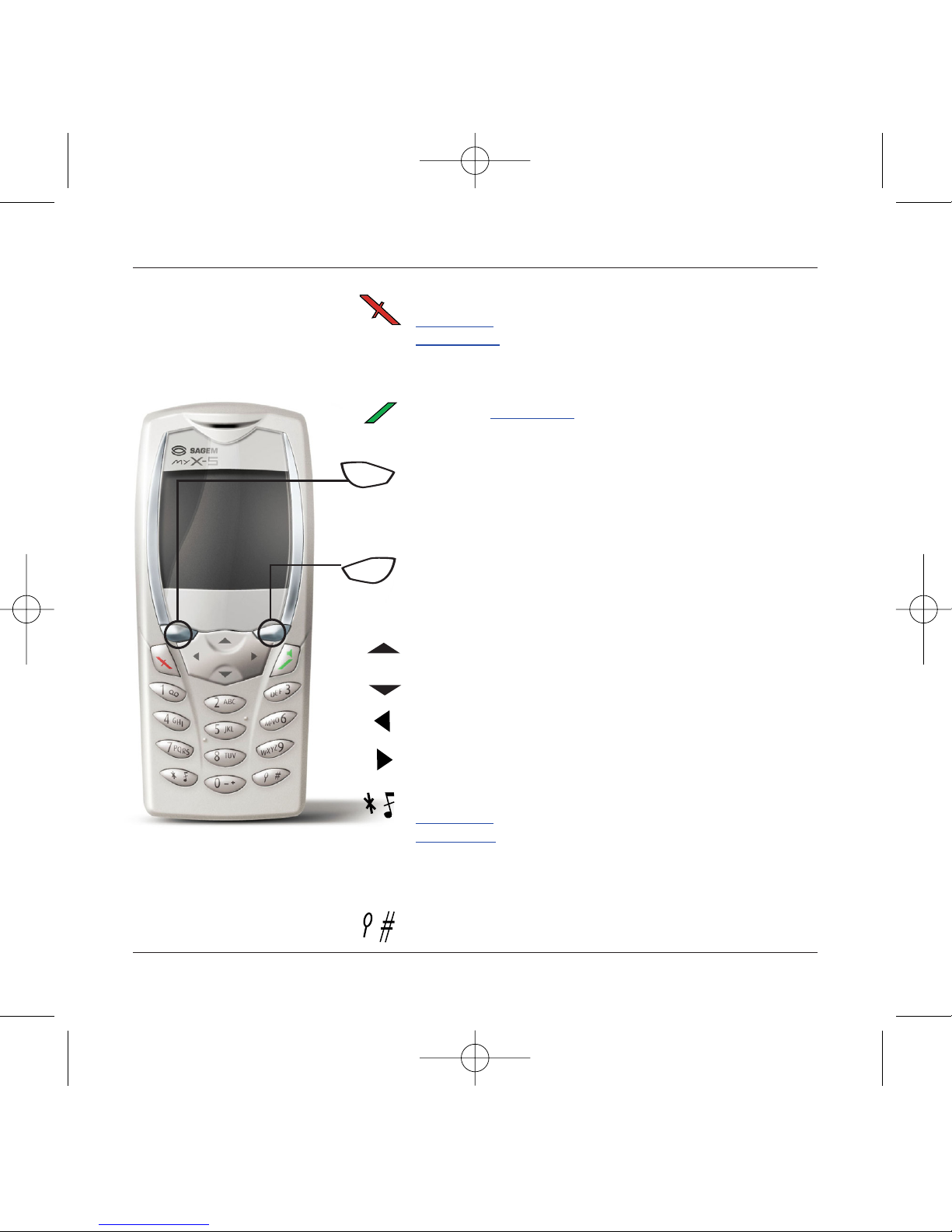
Stop key:
Hold down: Stop
Press briefly:
In a call context: Rejects a call - hung up
In menus: Return to hello screen.
Start key: Press briefly:Starts phone
In call context: Call - reception of a call - hands-free mode
Left programmable key:
In hello screen: Access to certain functions (shortcuts)
In menus: Cancel (or return) as indicated on screen
During call: Reduces volume
Right programmable key:
In hello screen: Access to certain functions (shortcuts)
In menus: Accept, choose as shown on screen
During call: Increases volume
Top key: Previous choice / reduce value / top
Down key: Down choice / increase value / down
Left key: Up input field / move left
Right key: Down input field / move right
* Key :
Hold down: In hello screen: Silent mode
Press briefly + OK (right programmable key) activates or
deactivates keypad lock
In call reception mode: Short press stops ring tone
In ring tone setting mode: Activates/deactivates ring tone
# Key: Zoom mode (see message and WAP menus)
Programmable keys and
Shortcut keys
72 pages MYX5-eng 31/05/02 9:20 Page 7
8
Principles of navigation
These basic principles bring a great deal of intuitiveness to your tele-
phone
All the active areas on a white background (icon selector, pro-
grammable keys, menu selector, choice list)
Accept by pressing the right programmable key 4.
Cancel by pressing the left programmable key 3.
The tabs on the sides at the down of the screen refer to the
Programmable keys (and not to the left/right keys)
In the menus a title bar indicates the down higher level.
The down / top 65 navigation keys are used to navigate
from one menu to the down within the same menu structure.
The right programmable key 4is used to go from a menu
to a sub-menu.
The left programmable key 3is used to go from a sub-
menu to a menu.
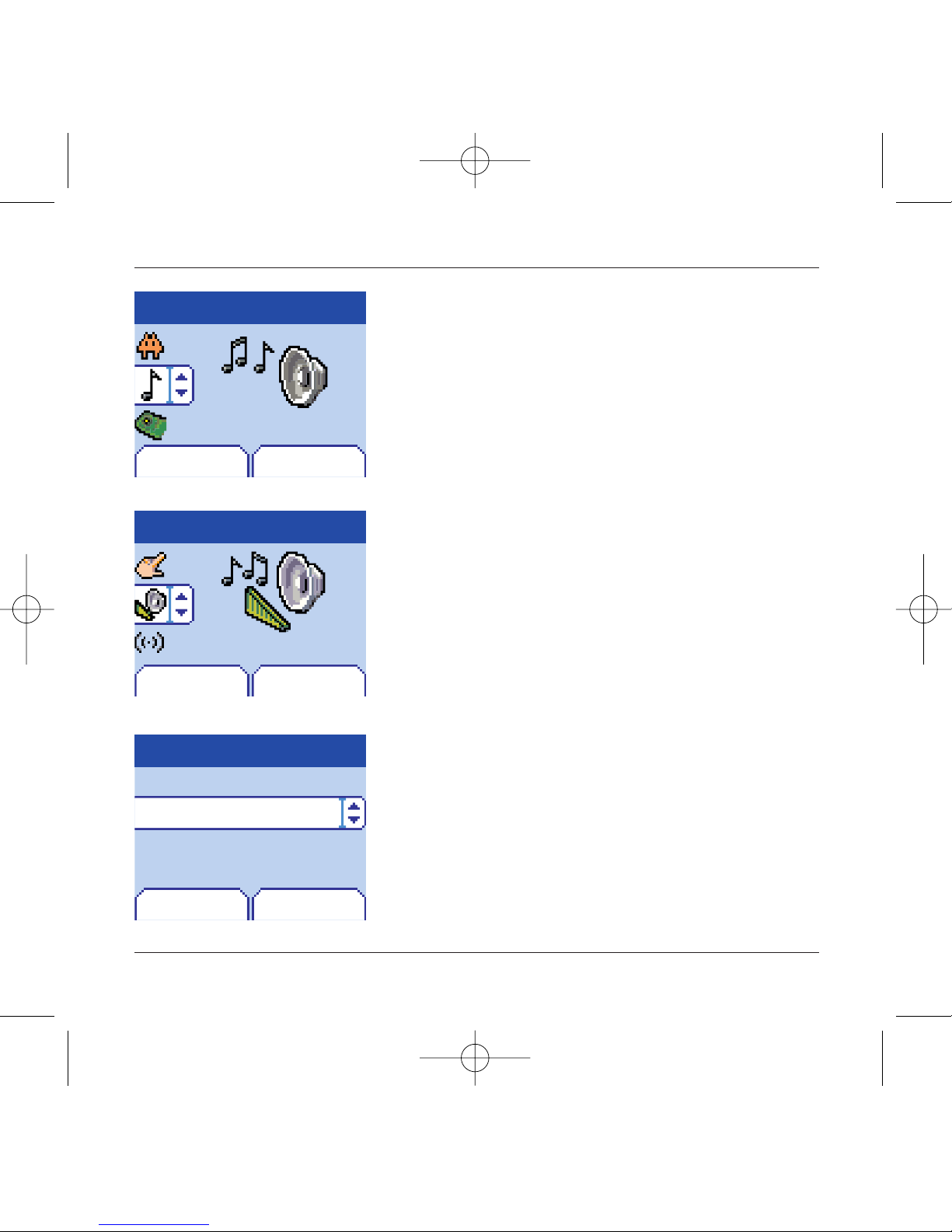
The first menu level can be identified by a large animated icon
in the centre of the screen.
The second menu level can be identified by a large static icon
in the centre of the screen.
The lowest sub-menus are lists.
The Stop 1key (press briefly) is used to return to the hello
screen (current function is abandoned).
Menu
Return Enter
Sounds
Return Enter
Sounds
Ring tones
Volume and ring tone
Return Enter
Alarm clock
Calls
Messages
Fax
1st level
2nd level
3rd level
72 pages MYX5-eng 31/05/02 9:20 Page 8
9
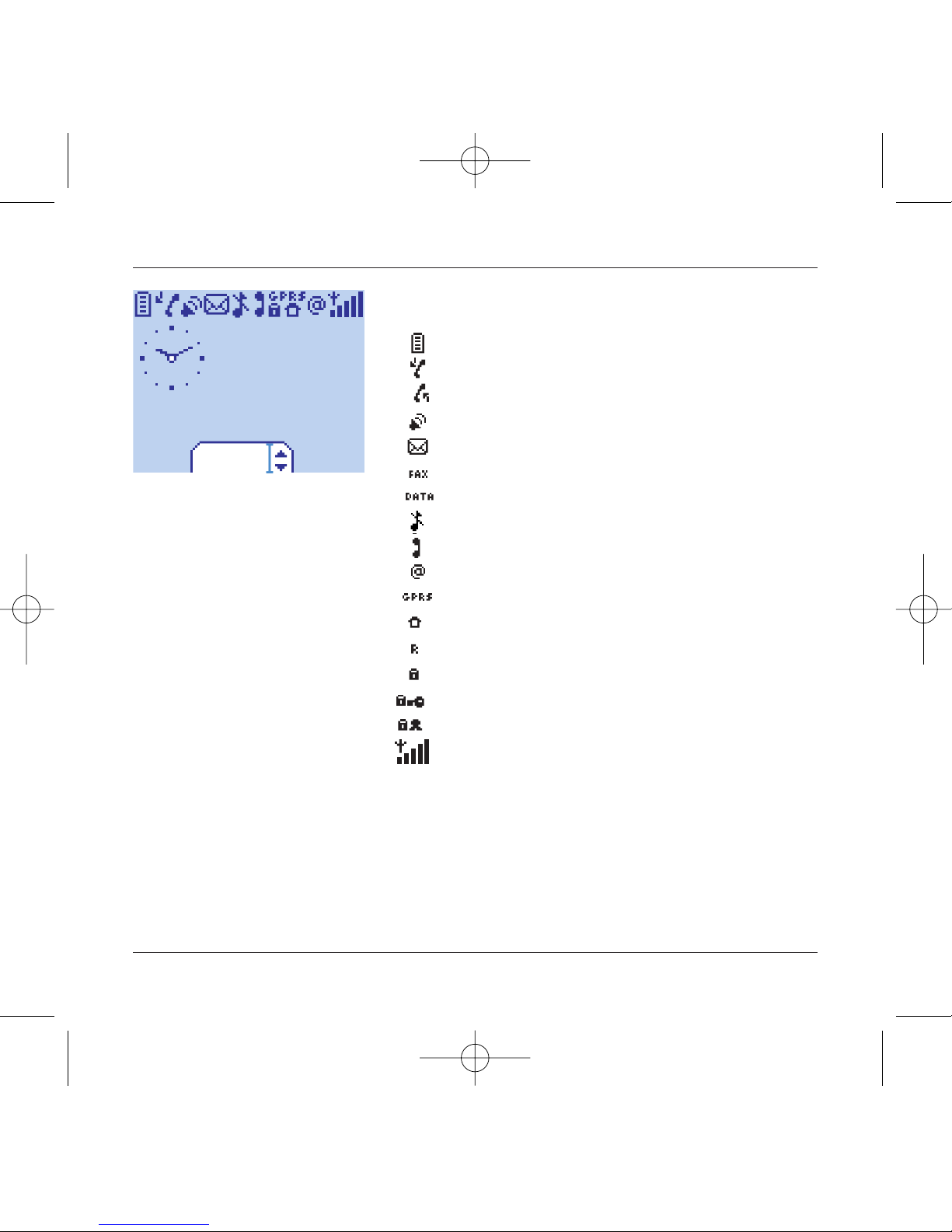
Hello screen
The hello screen contains the following
1 - The title bar icons:
Battery
Forward call
Call (establishing the call)
Call (hands free)
SMS (reception of an SMS, full SMS)
DATA
FAX
Silent mode
Message in mailbox
WAP (@)
GPRS
Home zone
HPLMN / roaming
Keypad lock + WTLS (exclusive functions)
Protected WAP logon
Protected WAP logon icon with certificate
Signal strength level (5 bars).
2 - Date and time,in digital or analogue mode
3 - Network name
4 - Tab centred on down line:
the main "menu" tab shows that the menu can be
accessed via the down / up65keys.
The following information may also be displayed:
"1 message received"; or "1 call".
They can be deleted by pressing Stop
1
key briefly.
Menu
Fri 3 May
72 pages MYX5-eng 31/05/02 9:20 Page 9
10
Activating your telephone
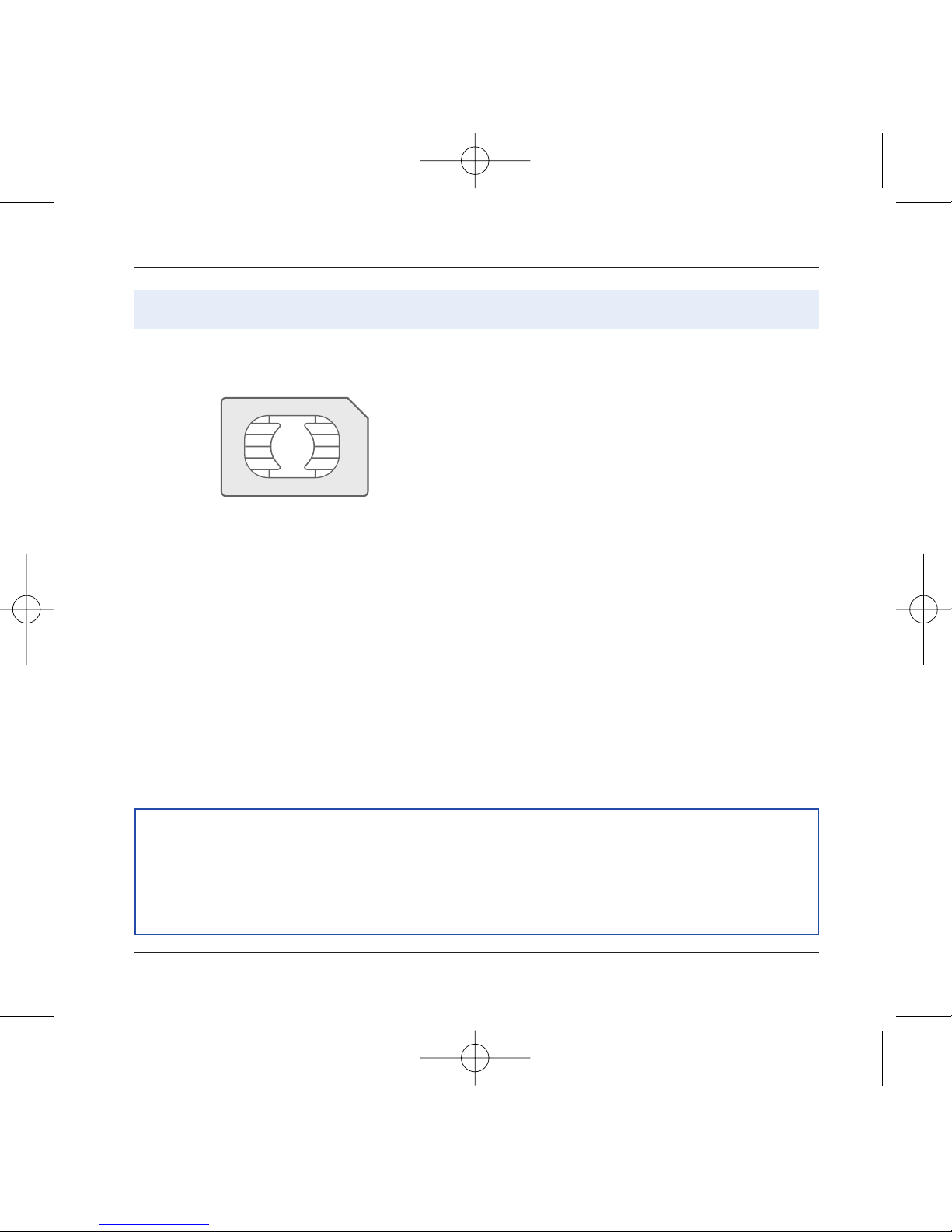
To use your telephone, you have a smart card called a
SIM card. It contains all the information needed by the
network as well as other information unique to you
and that you can modify:
Secret codes (PIN code(s): Personal Identification
Number), these codes allow you to restrict access to
your SIM card.
Directory,
Messages,
How special services work.
Your telephone is compatible with the different SIM
cards offered by operators.
It is also compatible with the SIM/WIM cards (cards
containing the WIM module in addition (WIM =
Wireless Identity Module) that is used for secure WAP
communications.
ATTENTION
This card must be handled and stored with care to avoid damaging it by scraping or bending it. If
you should lose your SIM card, contact your operator or your SMC (Services Marketing Company)
immediately.
Comment: do not leave your SIM card within the reach of young children.
Information on the SIM card
72 pages MYX5-eng 31/05/02 9:20 Page 10
Other manuals for My X-5
3
Table of contents
Other Sagem Cell Phone manuals


