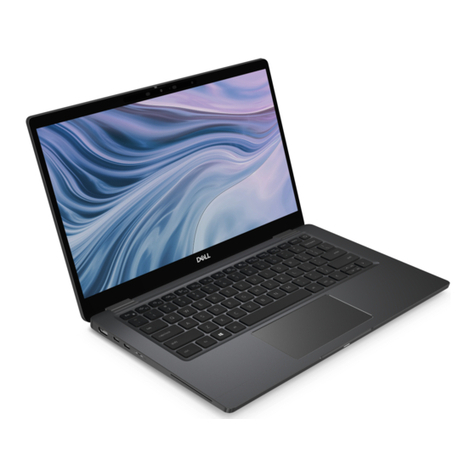
Razer BLADE 17 User manual

.
RAZER BLADE 17
IMPORTANT PRODUCT INFORMATION GUIDE
FOR GAMERS. BY GAMERS.™1

WHAT’S INSIDE
Razer Blade 17
(Model number: RZ09-0423)
A. Array microphone
B. Webcam indicator light
C. Built-in Full HD webcam
D. Infrared sensor
E. 17.3” display
F. Power button
G. Speakers powered by THX®
Spatial Audio
H. Per-Key RGB powered by Razer
Chroma™ N-Key rollover backlit
keyboard
I. Precision glass touchpad
J. Power indicator
K. UHS-II SD card reader
L. Thunderbolt™ 4 ports (USB
Type-C)
M. USB 3.2 Type-A ports
N. HDMI 2.1 port
O. Lock slot
P. Power port
Q. 2.5 Gbps Ethernet port
R. 3.5 mm headphone / microphone
combo port
Power adapter + regional power cord
Micro-fiber cleaning cloth
Important Product Information Guide
FOR GAMERS. BY GAMERS.™2

LET’S GET YOU COVERED
You’ve got a great laptop in your hands, complete with a 1-year limited
manufacturer’s warranty* and a 2-year limited battery warranty coverage. Now
maximize its potential and score exclusive Razer benefits by registering at
razerid.razer.com
*Warranty may vary by region and is subject to applicable local law.
Got a question? Ask the Razer Support Team at support.razer.com
Your product’s serial
number can be found
FOR GAMERS. BY GAMERS.™3

SETTING UP YOUR LAPTOP
1. With the appropriate power cord connected to the power adapter, insert its AC
plug into a power outlet, and then connect it to the power port of your Razer
Blade 17.
Use the appropriate power cord for your region. For first time use,
please fully charge your laptop first or make sure to connect it to a
power outlet before turning it on. It takes at least 2 hours to fully
charge your Razer Blade 17.
Power on your Razer Blade 17. The power indicator will show the status of2.
your laptop.
AC power cord
Power adapter
FOR GAMERS. BY GAMERS.™4

3. Follow the onscreen instructions to complete the Windows 11 setup.
When prompted, it is recommended that you connect your laptop to a
wireless network with an active internet connection.
PERSONALIZING YOUR LAPTOP
Aside from allowing you to download drivers or firmware updates for your Razer
Blade 17 and other supported Razer peripherals, Razer Synapse also enables you to
customize all your Razer devices’ advanced settings and lighting effects. When
logged in, these custom settings are automatically stored to the cloud so that they
can be accessed from any computer.
Sleep On
Low
battery
(10% left)
Low battery
(3% left)
Power
indicator
FOR GAMERS. BY GAMERS.™5

1. Make sure your
laptop has an active internet connection.
2. By default, Razer
Synapse will start automatically once you enter
Windows 11. Simply sign up for a Razer ID or log in
with an existing account.
You may also
continue as a guest; however, you won’t be
able to store any of your settings to the
cloud.
3. Wait until Razer
Synapse automatically downloads and installs the
necessary drivers.
USING YOUR RAZER BLADE 17
KEYBOARD FEATURES
Pressing the “fn” key in combination with the function keys will activate their
secondary functions.
Function
Secondary function description
FOR GAMERS. BY GAMERS.™6

keys
The audio volume controls allow you to mute ( ), decrease ( )
and increase ( ) the audio output.
Toggles the monitor output.
The media keys allow you to play/pause ( ) the current track,
return to the previous track ( ) or skip to the next track ( ).
The screen brightness keys allow you to decrease ( ) or increase
( ) the brightness of the Razer Blade 17’s screen.
The LED control keys allow you to decrease ( ) or increase
( ) the brightness of your keyboard’s LEDs.
SAFETY AND MAINTENANCE
SAFETY GUIDELINES
In order to achieve maximum safety while using your Razer Blade 17, we suggest that
you adopt the following guidelines:
1. Should you have trouble operating the device properly and troubleshooting
does not work, unplug the device and contact the Razer hotline or go to
support.razer.com for assistance.
2. Do not take apart the device (doing so may void your warranty) and do not
attempt to operate it under abnormal current loads.
FOR GAMERS. BY GAMERS.™7

3. Keep the device away from liquid, humidity or moisture. Operate the device
only within the specific temperature range of 0°C (32°F) to 40°C (104°F).
Should the temperature exceed this range, unplug and/or switch off the device
in order to let the temperature stabilize to an optimal level.
COMFORT
Research has shown that long periods of repetitive motion, improper positioning of
your computer peripherals, incorrect body position, and poor habits may be
associated with physical discomfort and injury to nerves, tendons, and muscles.
Below are some guidelines to avoid injury and ensure optimum comfort while using
your Razer Blade 17.
1. Position your laptop directly in front of you. If you have an external mouse,
position it next to the laptop. Place your elbows next to your side, not too
far away and your mouse within easy reach.
2. Adjust the height of your chair and table so that the laptop is at or below
elbow height.
3. Keep your feet well supported, posture straight and your shoulders relaxed.
4. During gameplay, relax your wrist and keep it straight. If you do the same
tasks with your hands repeatedly, try not to bend, extend or twist your hands
for long periods.
5. Do not rest your wrists on hard surfaces for long periods. When using an
external mouse, use a wrist rest to support your wrist while gaming.
6. Do not sit in the same position all day. Get up, step away from your desk and
do exercises to stretch your arms, shoulders, neck and legs.
7. If you should experience any physical discomfort while using your laptop,
such as pain, numbness, or tingling in your hands, wrists, elbows, shoulders,
neck or back, please consult a qualified medical doctor immediately.
BATTERY WARNING
The Razer Blade 17 contains an internal, lithium-ion rechargeable battery. In
general, the life expectancy of such battery is dependent upon usage. If you
suspect that the lithium-ion rechargeable battery inside the Razer Blade 17 may be
drained (has a low charge), try charging it. If the battery does not recharge after
several attempts, it may be non-operational.
FOR GAMERS. BY GAMERS.™8

Do not open, mutilate, or expose to conducting materials (metal), moisture, liquid,
fire, or heat. Doing so may cause the battery to leak or explode, resulting in
personal injury. Do not use or charge the battery if leaking, discolored, or
deformed. Do not leave the rechargeable battery discharged or unused for extended
periods. When not using your Razer Blade 17 battery for more than 30 days, be sure
to store the battery in a fully charged state. Do not tamper with the battery.
Dispose of the used battery according to local regulations.
FCC DECLARATION OF CONFORMANCE
This equipment has been tested and found to comply with the limits for a Class B
digital device, pursuant to part 15 of the FCC Rules. These limits are designed to
provide reasonable protection against harmful interference in a residential
installation. This equipment generates, uses and can radiate radio frequency energy
and, if not installed and used in accordance with the instructions, may cause
harmful interference to radio communications. However, there is no guarantee that
interference will not occur in a particular installation. If this equipment does
cause harmful interference to radio or television reception, which can be
determined by turning the equipment off and on, the user is encouraged to try to
correct the interference by one or more of the following measures:
Reorient or relocate the receiving antenna.
Increase the separation between the equipment and the receiver.
Connect the equipment into an outlet on a circuit different from that to
which the receiver is connected.
Consult the dealer or an experienced radio TV technician for help.
For more information, refer to the online help system on razer.com.
FCC CAUTION STATEMENT
Any changes or modifications not expressly approved by the party responsible for
compliance could void the user's authority to operate this equipment.
This device complies with Part 15 of the FCC Rules. Operation is subject to the
following two conditions:
FOR GAMERS. BY GAMERS.™9

This device may not cause harmful interference, and
This device must accept any interference received, including interference
that may cause undesired operation.
IMPORTANT NOTE:
FCC Radiation Exposure Statement:
This equipment complies with FCC radiation exposure limits set forth for an
uncontrolled environment. End users must follow the specific operating instructions
for satisfying RF exposure compliance. This transmitter must not be co-located or
operating in conjunction with any other antenna or transmitter.
USAGE RESTRICTIONS
This Razer device was developed and designed to comply with the various wireless
and telecom agency requirements throughout the world. This ensures that the device
do not cause any harm to Public Switching Telecommunication Networks (PSTN) and do
not violate any power and frequency spectrum allocations on a country by country
basis. This device was also designed to be compliant with regulatory agency limits
for Electromagnetic Compatibility (EMC).
IMPORTANT NOTICE FOR USE IN HEALTHCARE ENVIRONMENTS
This Razer device is not a medical device and is not listed under UL or IEC 60601
(or equivalent). This device should be kept at a certain distance to avoid harmful
effects to patients or medical equipment.
AVIATION USAGE RESTRICTIONS
Certain restrictions apply to this device while on-board an aircraft. Razer
encourages you to understand these restrictions to ensure the flight’s safety and
security.
FOR GAMERS. BY GAMERS.™10
Table of contents
Other Razer Laptop manuals

Razer
Razer ELADE Manual

Razer
Razer RZ09-0184 User manual

Razer
Razer RZ09-0165 User manual

Razer
Razer Blade Stealth RZ09-0168 User manual

Razer
Razer RZ09-0369 User manual

Razer
Razer BLADE STEALTH RZ09-0281 User manual

Razer
Razer Blade 15 User manual

Razer
Razer RZ09-0368 User manual

Razer
Razer RZ09-0166 User manual

Razer
Razer Blade RZ09-0288 User manual

Razer
Razer RZ09-0239 User manual

Razer
Razer RZ09-0391 User manual
Razer
Razer RZ09-031 User manual

Razer
Razer BLADE User manual

Razer
Razer Blade 15 User manual

Razer
Razer BLADE User manual

Razer
Razer RZ09-0485 User manual

Razer
Razer Blade RZ09-02385 User manual

Razer
Razer Blade Pro RZ09-0287 User manual

Razer
Razer Blade Pro RZ09-0220 User manual